

How-to — task-oriented recipe.
- Admins at the Account Level (see Account Level Permissions). Global fields will be available to all users.
- List Admins and the List Owner for each given list (see List Level Permissions). List-specific fields are only available to those with access to that specific list.
How to update dropdown options
-
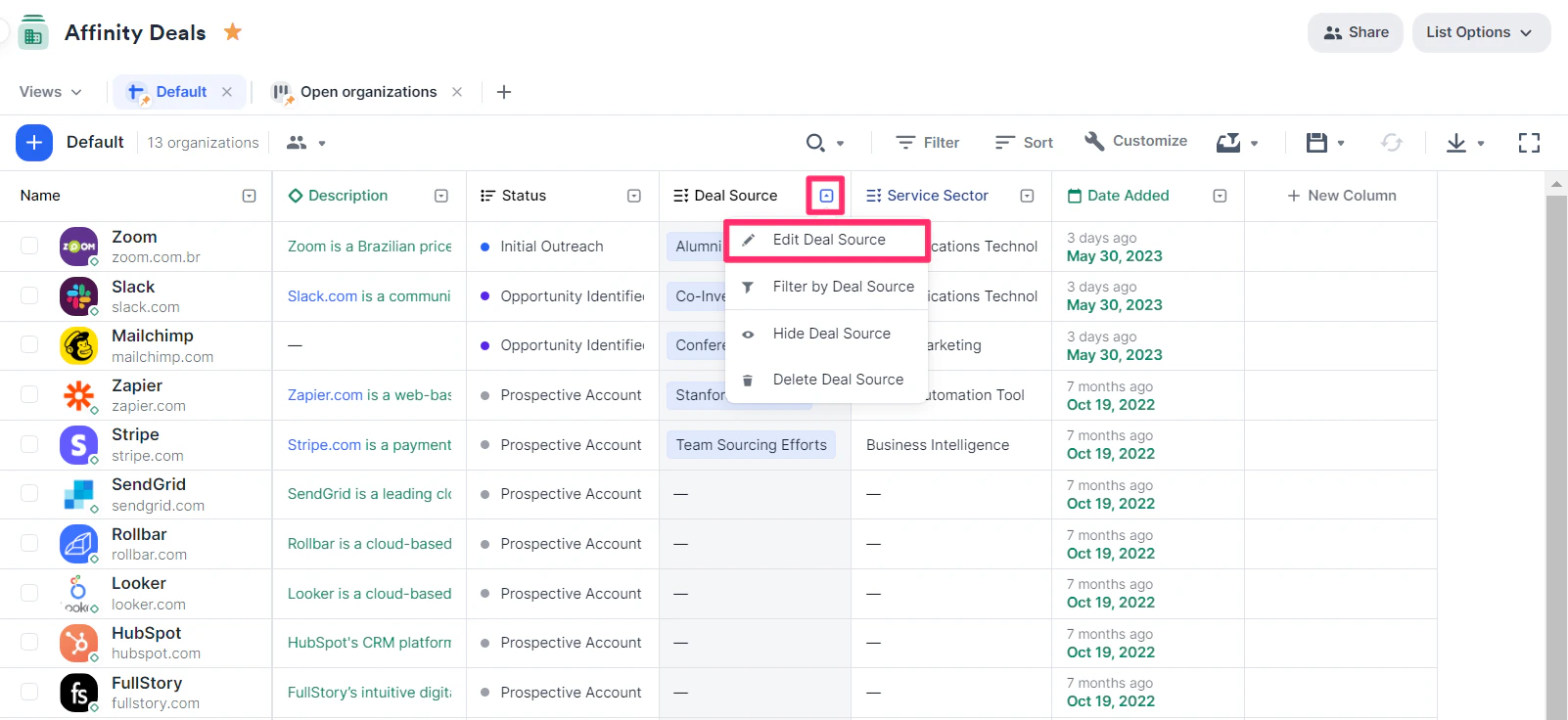
Click the dropdown arrow next to the column you wish to update, then click Edit [column name].
-
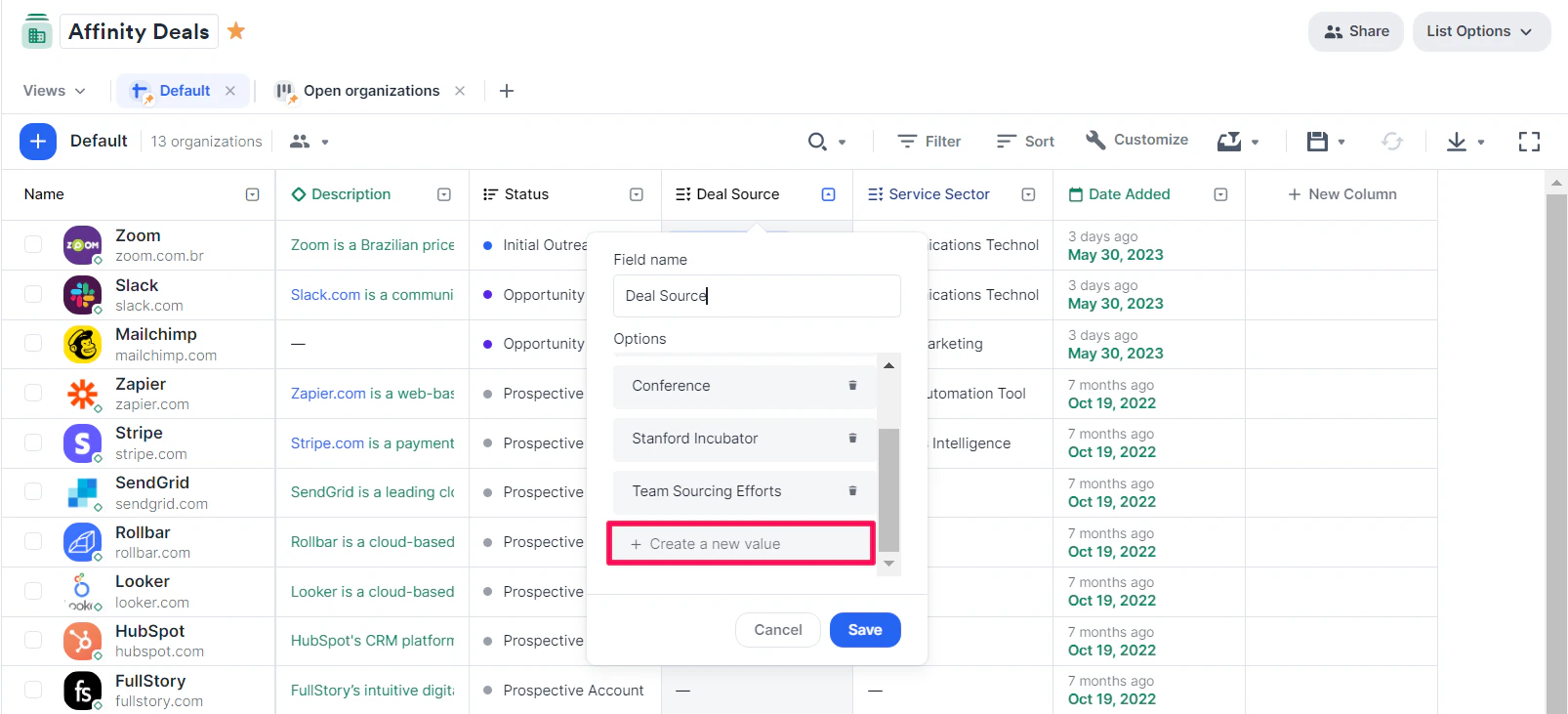
To add a new dropdown option: Click on + Create a new value.
-
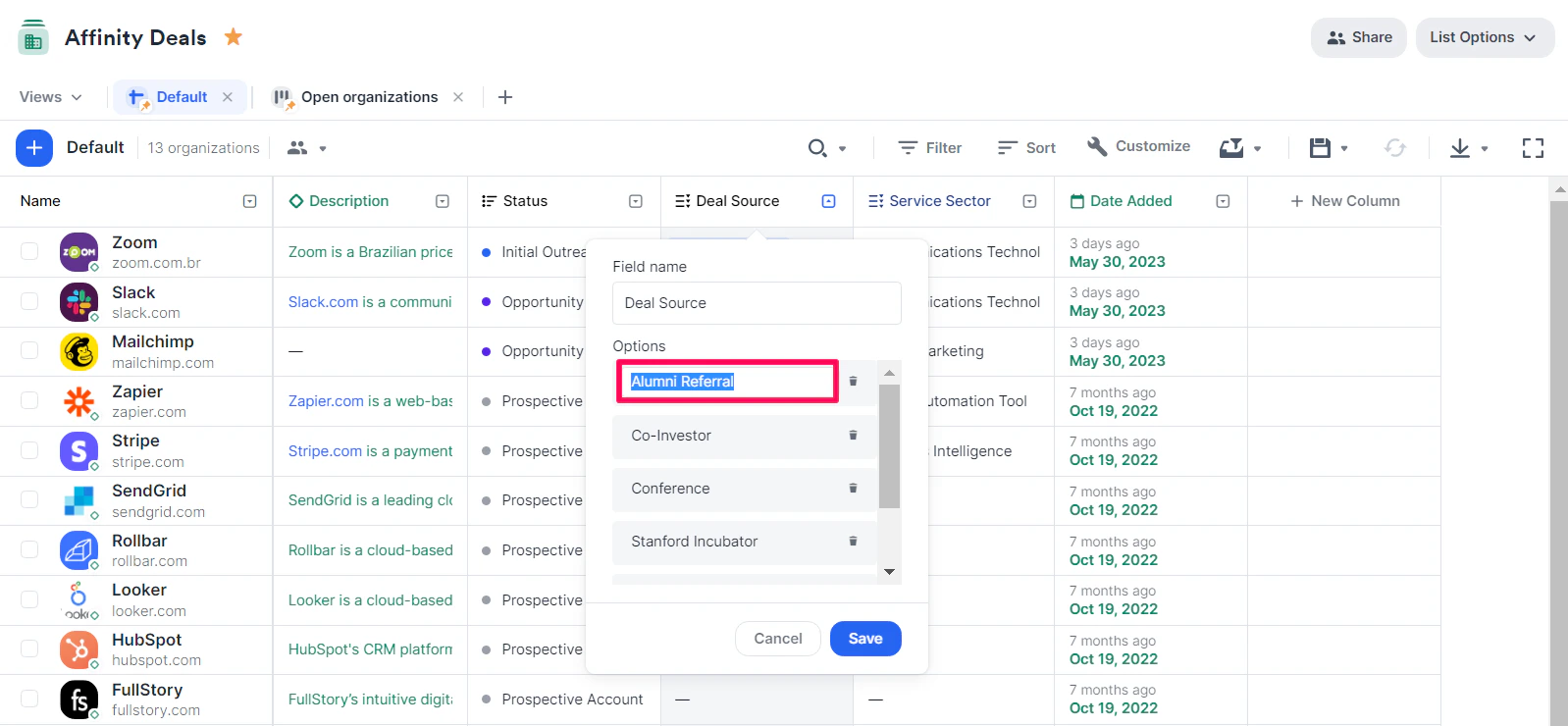
To edit an existing dropdown option: Click on the dropdown option you wish to edit/rename.
-
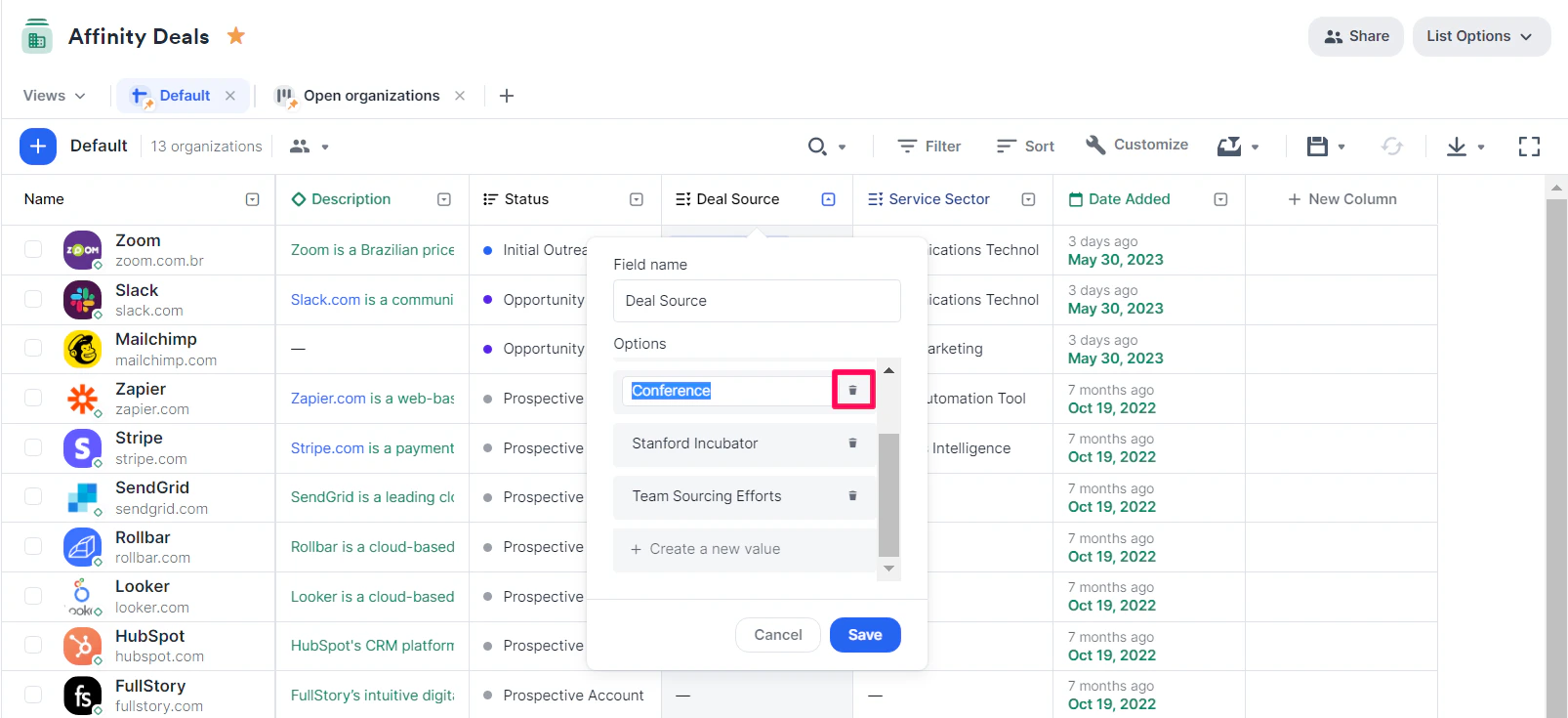
To remove an existing dropdown option: Click on the Trash icon beside the dropdown option you wish to remove.
-
To merge two existing dropdown options: Rename one of the dropdown options to the same name as the other. By doing so, we’ll auto-update all cells including the previous dropdown option.
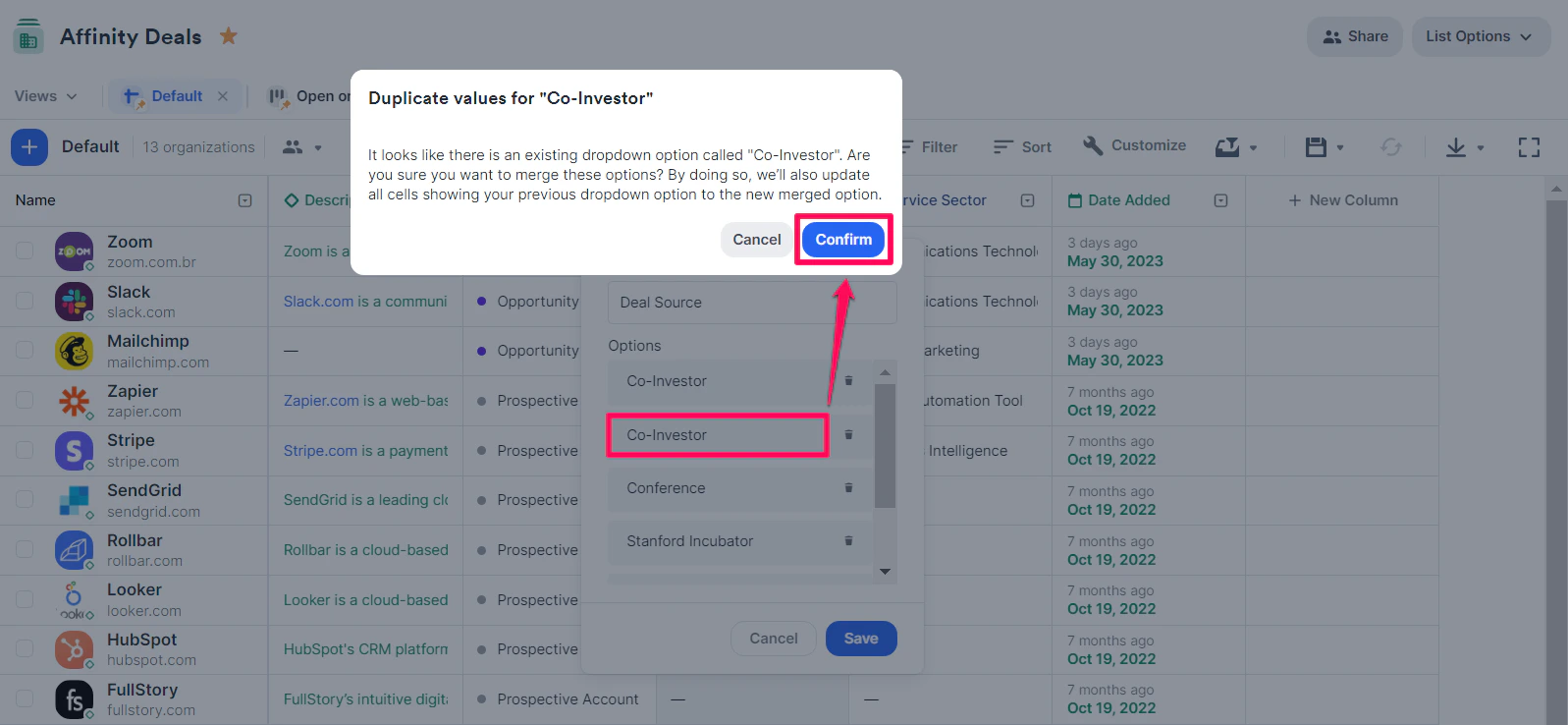
- Click Save.