

Reference — lookup information.
What account roles are available for each subscription tier?
- Essential, Scale, and Advanced tiers have 2 account roles: Admin and Standard
- The Enterprise tier has 3 account roles: Enterprise Admin, Admin, and Standard Note: Being an Admin at the account level does not automatically make you a List Admin for the lists that you have access to. To have full list privileges for certain lists, you must ask the List Owner to make you a List Admin as well (see How to share lists in Affinity).
How to find your account role and view permissions for each role
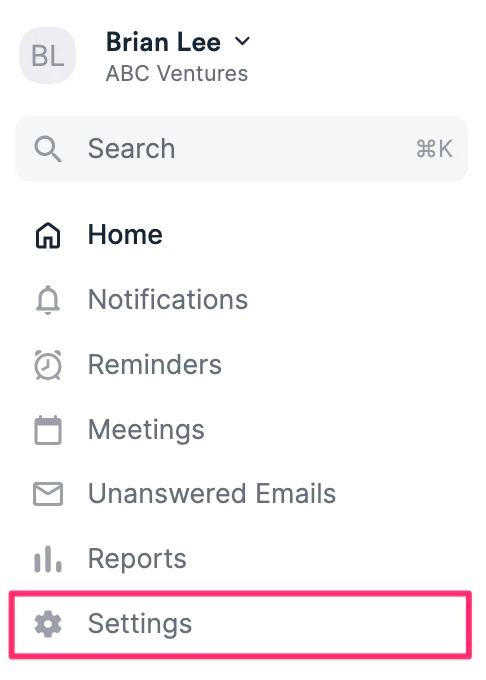
- To find out your account role, click on Settings.
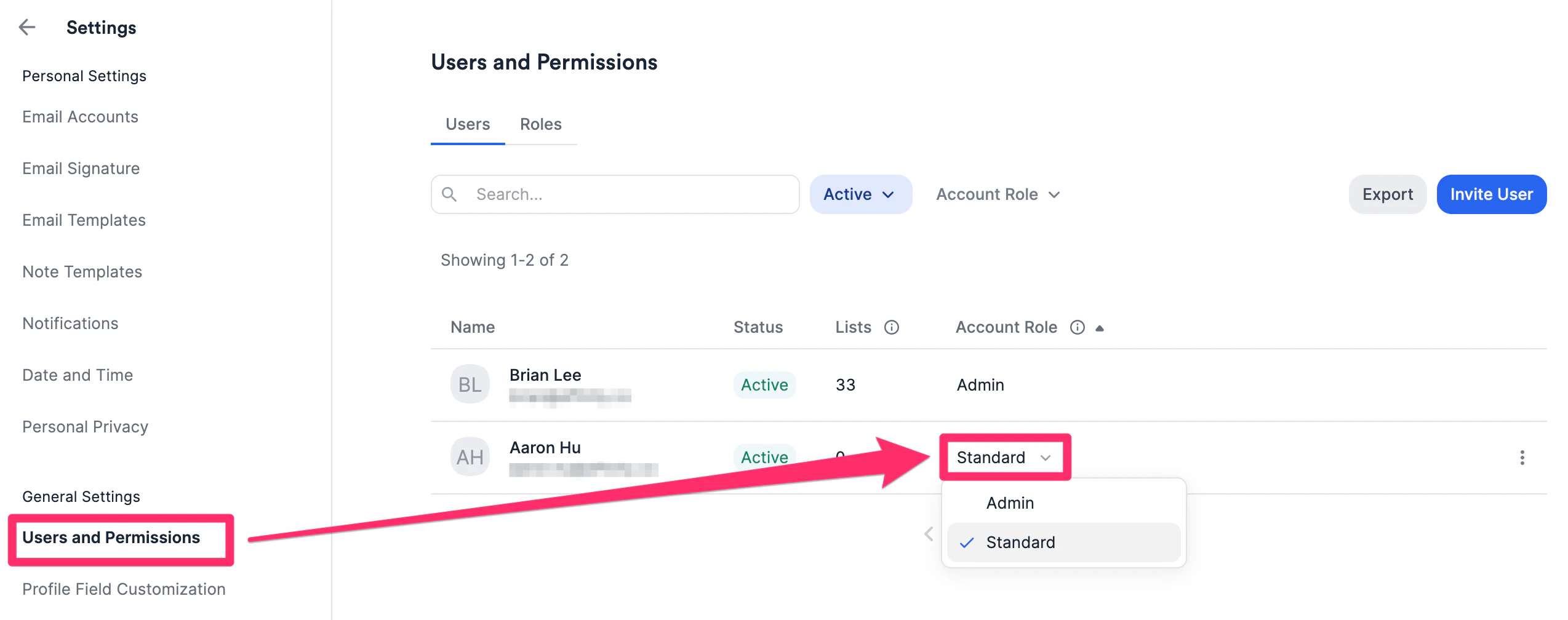
- Click Users and Permissions to see your role under the Account Role column. If you have permission, you can change the account role for each team member accordingly.
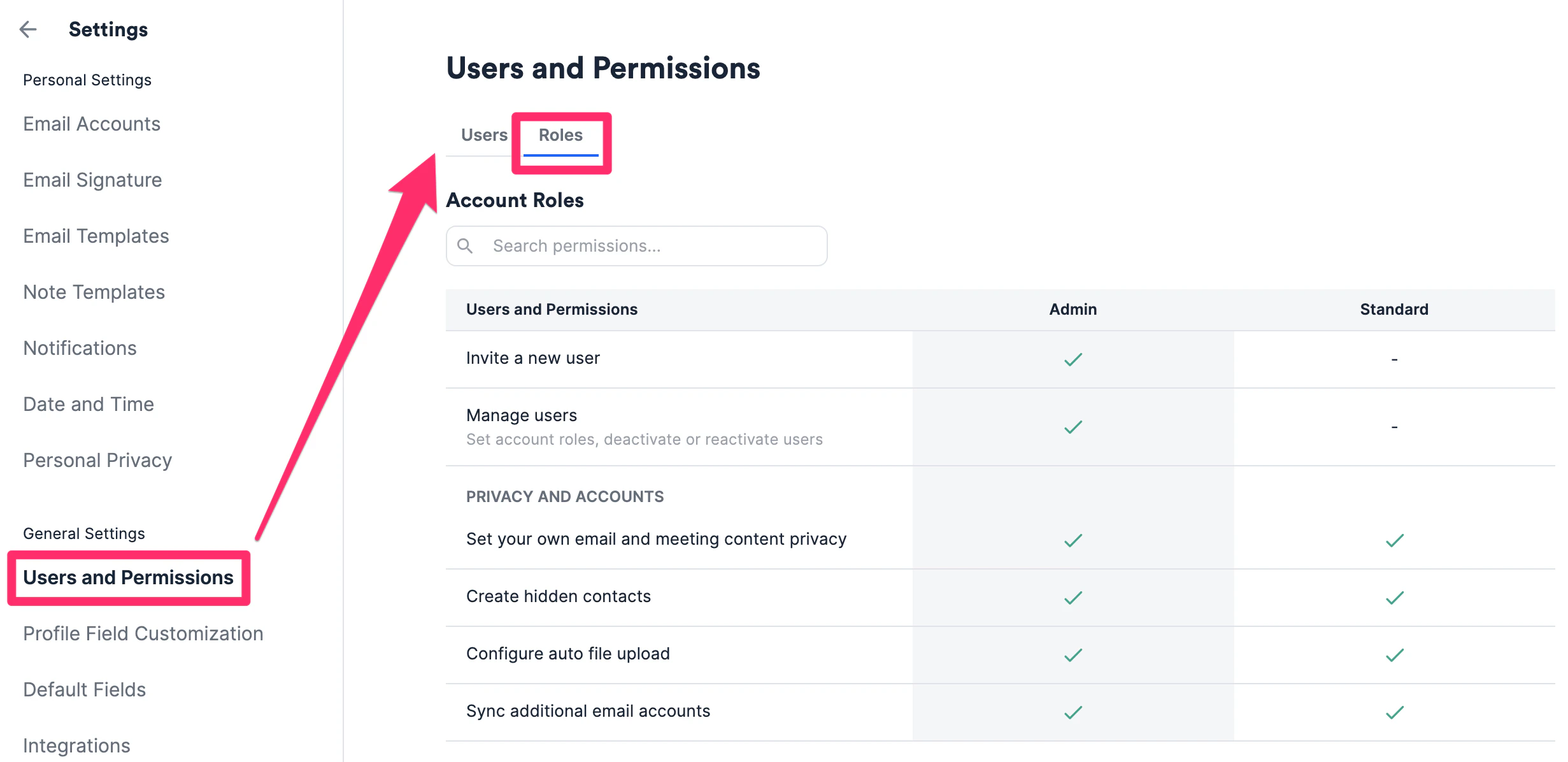
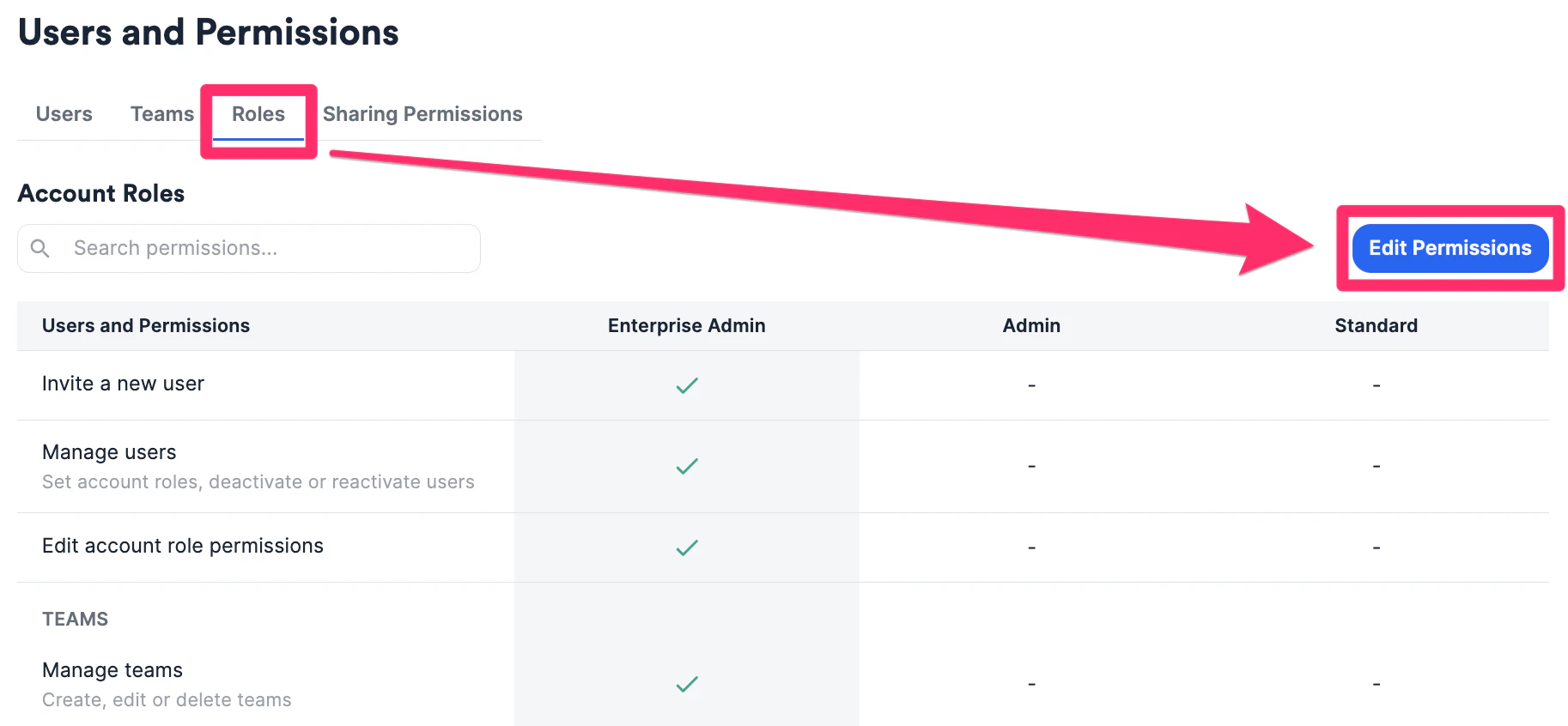
- To learn more about the different permissions given to each account role, click on the Roles tab.
- If you’re an Enterprise Admin on the Enterprise tier, you can also edit certain permissions by clicking Edit Permissions.
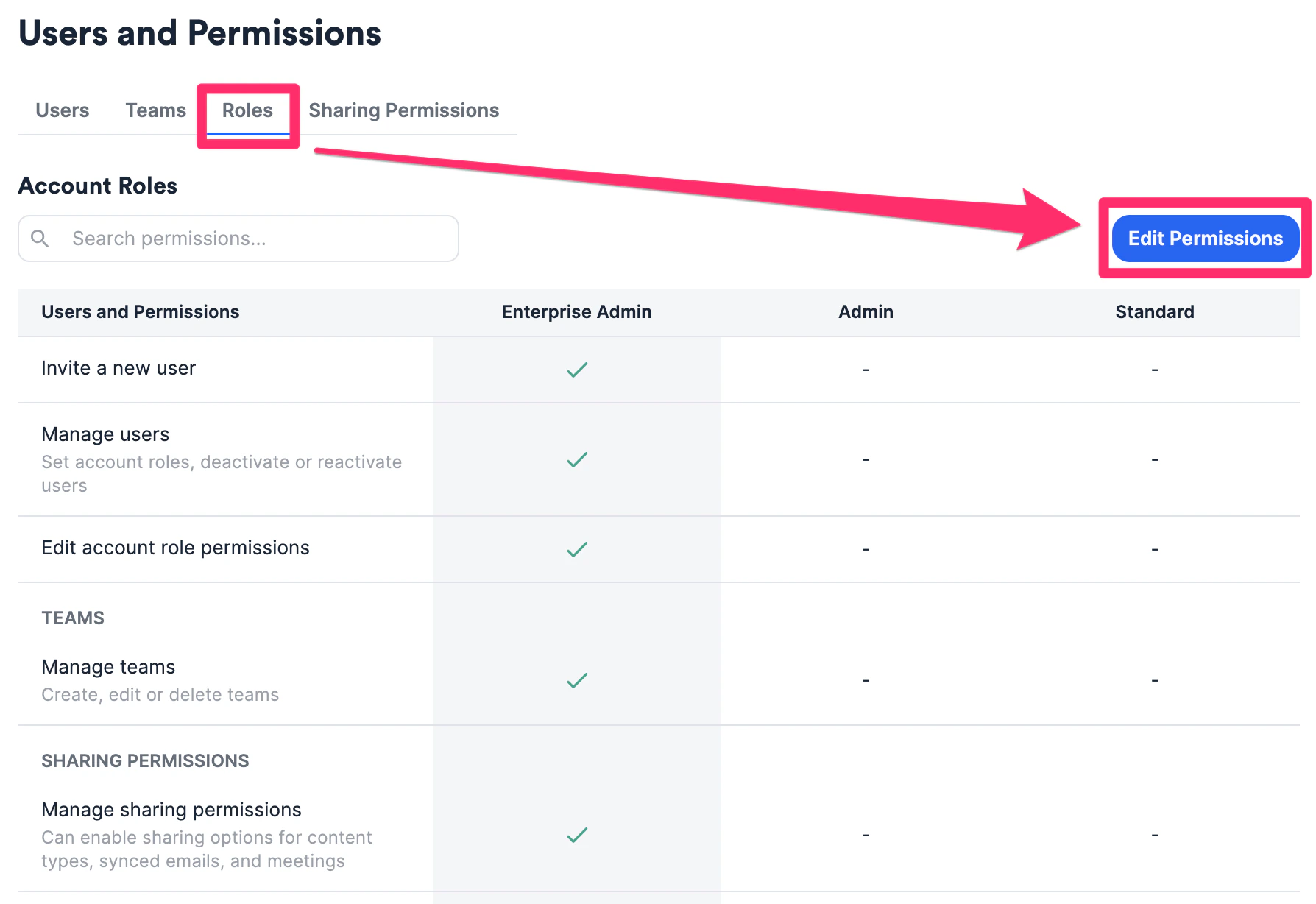
What permissions can the Enterprise Admin change? (Enterprise only)
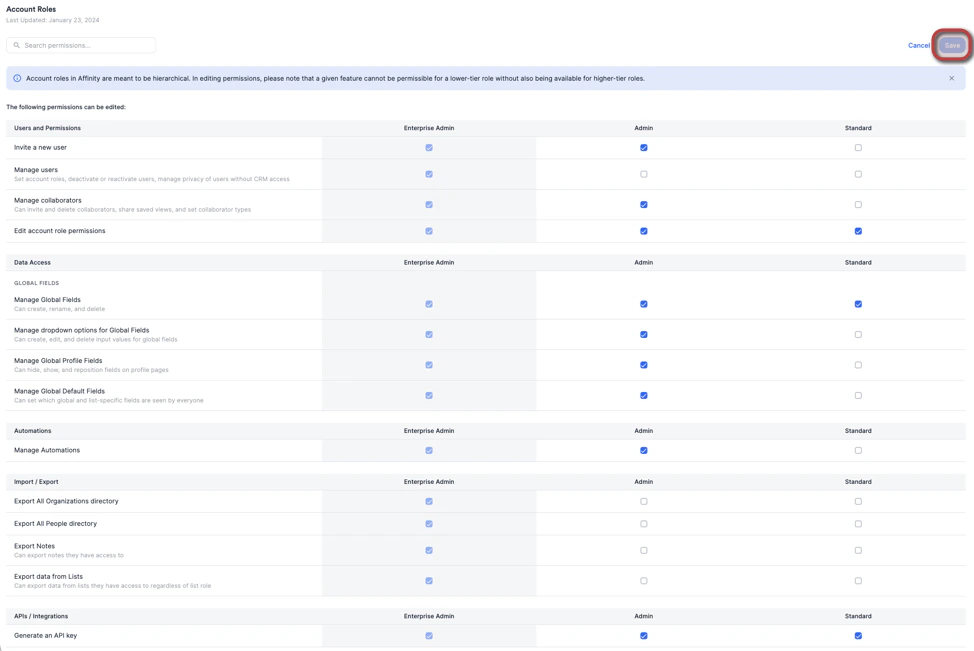
- If you’re an Enterprise Admin on your account, click Edit Permissions to see what permissions can be changed.
- These are all the permissions that can be enabled/disabled for Admin and Standard users. Once you’re done making changes, click Save.
Important Callouts
- Essential, Scale, and Advanced tiers: Only the Admin(s) can set the account role of their team members to Standard or Admin.
- Enterprise tier: Only the Enterprise Admin(s) can change users’ account roles by default, but they can delegate these permissions to Standard or Admin roles by clicking Edit Permissions.
- The Enterprise Admin role cannot be assigned to a user in-product. Please contact support@affinity.co or your Affinity representative to do so. For Enterprise Admins on the Enterprise tier:
- If you remove the permission for Admin and/or Standard users to generate an API key, the following will occur:
- They can no longer create API keys in Settings → Manage Apps.
- All existing API keys attached to each user will be disabled.
- If you decide to reenable the permission for Admin and/or Standard users to generate an API key, the following will occur:
- Their previous API keys will not be reenabled and they will need to generate a new API key.