

warm_intro MCP skill in your own LLM client (Claude, ChatGPT, etc.). It never sends anything on your behalf.
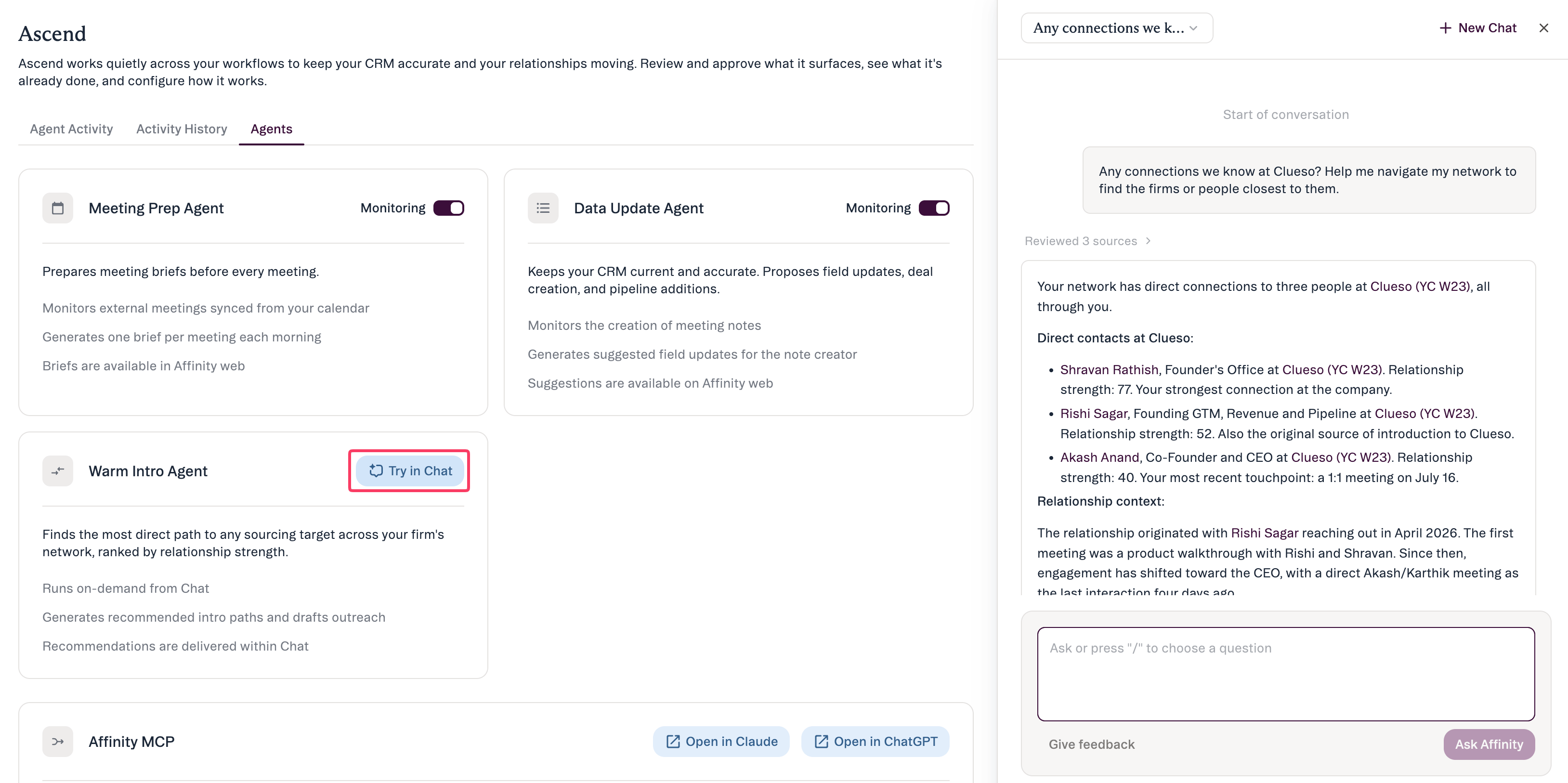
What it does
- Surfaces ranked paths. Given a target person or company, it identifies who at your firm has the strongest relationships and returns candidate paths ranked by strength.
- Drafts the ask on request. When you ask, it prepares an intro request for the connector to forward, ready for you to review.
- Hands it back to you. You take the draft and make the intro yourself — the agent doesn’t send.
A typical flow
Step 1 — Name your target
In AI Chat (or via thewarm_intro MCP skill), tell the agent who you want to reach:
“I’d like an intro to the founder of Greenfield Systems.”
Step 2 — Review the ranked paths
The agent surfaces the strongest routes through your firm’s network, ranked, with the evidence:Step 3 — Ask for a draft
When you’re ready, ask the agent to draft the ask for your chosen connector to forward:Step 4 — Send it yourself
Take the draft and send the ask to your connector the way you normally would. Making the intro stays in your hands.- You want an intro to a founder at Greenfield Systems, so you ask the agent in AI Chat.
- The agent surfaces the best internal paths, ranked — e.g. “Jordan Lee has the strongest relationship (recent email + shared board).”
- You ask it to draft the ask for Jordan to forward.
- You review and edit the message.
- You send it yourself through your normal channel.
How to stay in control
- You run it on demand. The agent doesn’t monitor in the background — it acts when you ask, in AI Chat or through the MCP skill.
- It drafts; it doesn’t send. No automatic outreach.
- Each suggested path shows why it’s a strong route (the relationship evidence).
- It respects permissions — it only uses connections your account can already see.
Common questions
- Will it email anyone automatically? No. It surfaces paths and drafts on request; you send the message yourself.
- How do I run it? Ask a warm-intro question in AI Chat, or use the
warm_introskill via the Affinity MCP. - How does it rank the paths? Relationship strength across your firm’s interaction data — and it shows that evidence.
- What if the suggested path is wrong? Choose another suggested connector, or edit the draft before you send.
Learn more
For the full detail on what powers your paths (explicit relationships, LinkedIn, and inferred connections), see Warm Intros in AI Chat and MCP.Affinity AI can make mistakes. Review the path and the draft before you send.