

The five skills
Meeting Prep — affinity_meeting_prep
Builds a pre-meeting brief for your external meetings from your Affinity data — relationship history, deal context, past notes, and enrichment. Try: “Use Affinity to build my morning brief for today’s external meetings.” Note: the MCP-skill counterpart to the on-platform Meeting Prep agent; the skill runs in your LLM client on demand.
Warm Intro — warm_intro
Finds ranked introduction paths to a target across your firm’s relationship data and drafts the outreach on request. It never sends — you make the intro yourself. Try: “Find intro paths to [target] and draft the outreach.”
Market Map — market_map_generator
Builds a market map for a thesis or space and renders it as an interactive map in Claude. It scores how well matching companies fit your thesis using Affinity’s semantic search, and you can add companies manually. Try: “Build a market map for [thesis / space].”
Data Migration — affinity_data_migration
Prepares a CSV from a prior system for Affinity’s importer — maps your columns to Affinity’s data model, flags the fields and dropdown options you’ll need to create first, and cleans the file so the import doesn’t produce duplicates. Try: “Get this CSV from [prior system] ready to import into Affinity.”
This skill does not perform the import. It does the preparation — the part that usually goes wrong — and hands you a file to run through Affinity’s own CSV importer. See How to import your data into Affinity for the import step itself.
Event Setup — affinity_event_setup
Sets up tracking for an event — creates the lists and fields, sources potential attendees from your network, drafts invites, and tracks attendance. Try: “Set up tracking for [event].”
Open your AI client from Affinity
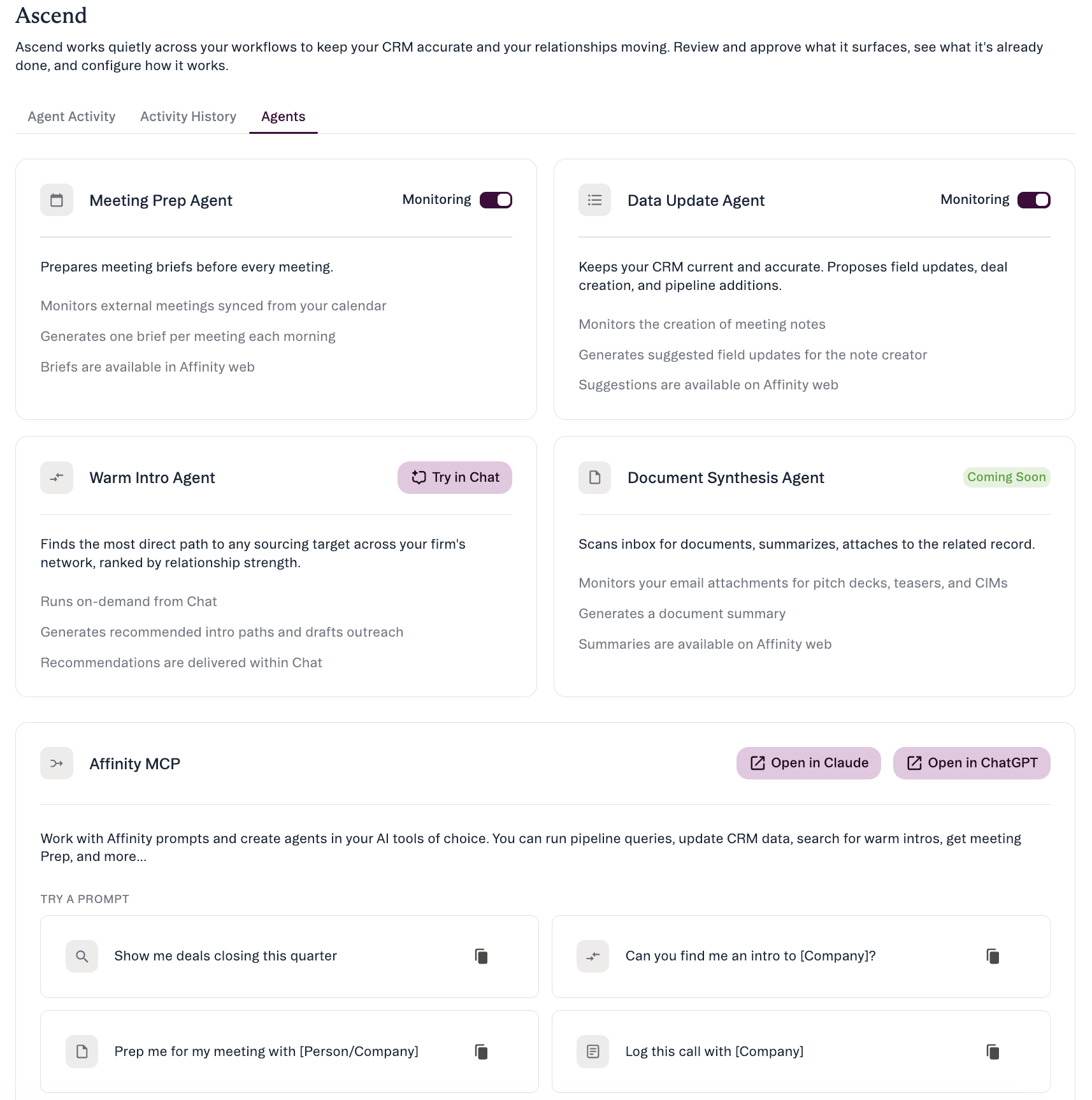
How to run a skill
- Connect the Affinity MCP to your AI client — see Getting Started with Affinity MCP.
- Ask in natural language — describe what you want done rather than naming the skill. Your AI client picks the right capability from your request; the identifiers above are the tool names your client exposes, not commands you type. If nothing runs, confirm the Affinity connector is enabled in your client and that the Affinity tools appear in its tool list.
- Review what it returns — it runs with your permissions. Deletes and merges always wait for your explicit confirmation; whether other writes ask first depends on your AI client’s tool settings.
Good to know
- Permission-scoped. A skill only sees and changes what your own Affinity account already can.
- Distinct from the on-platform agents. The Ascend agents (Meeting Prep, Data Update, Warm Intro) run inside Affinity; these skills run in your LLM client on demand via MCP.
- Availability: Scale / Advanced / Enterprise, with the Affinity MCP connected.
Affinity AI can make mistakes. Review what a skill produces before you rely on it.