

What AI Chat can do
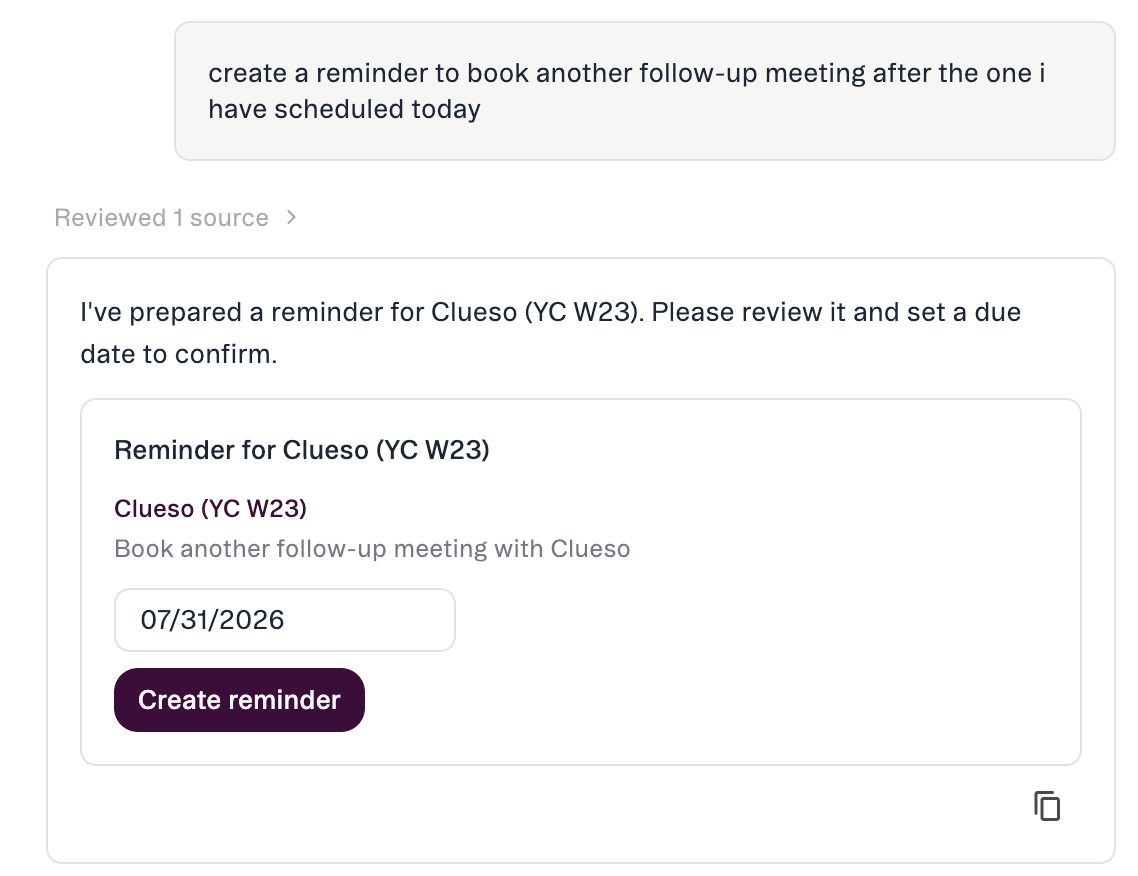
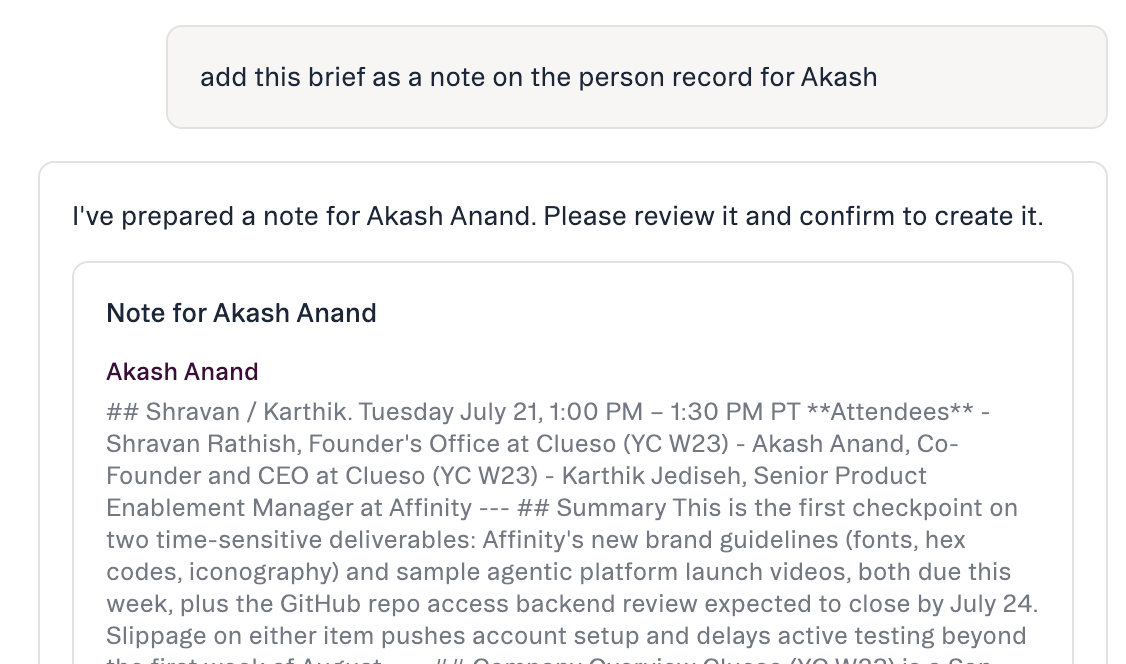
You ask in plain language and Affinity AI proposes the exact change for your confirmation. Nothing is written until you approve it.
How a change happens
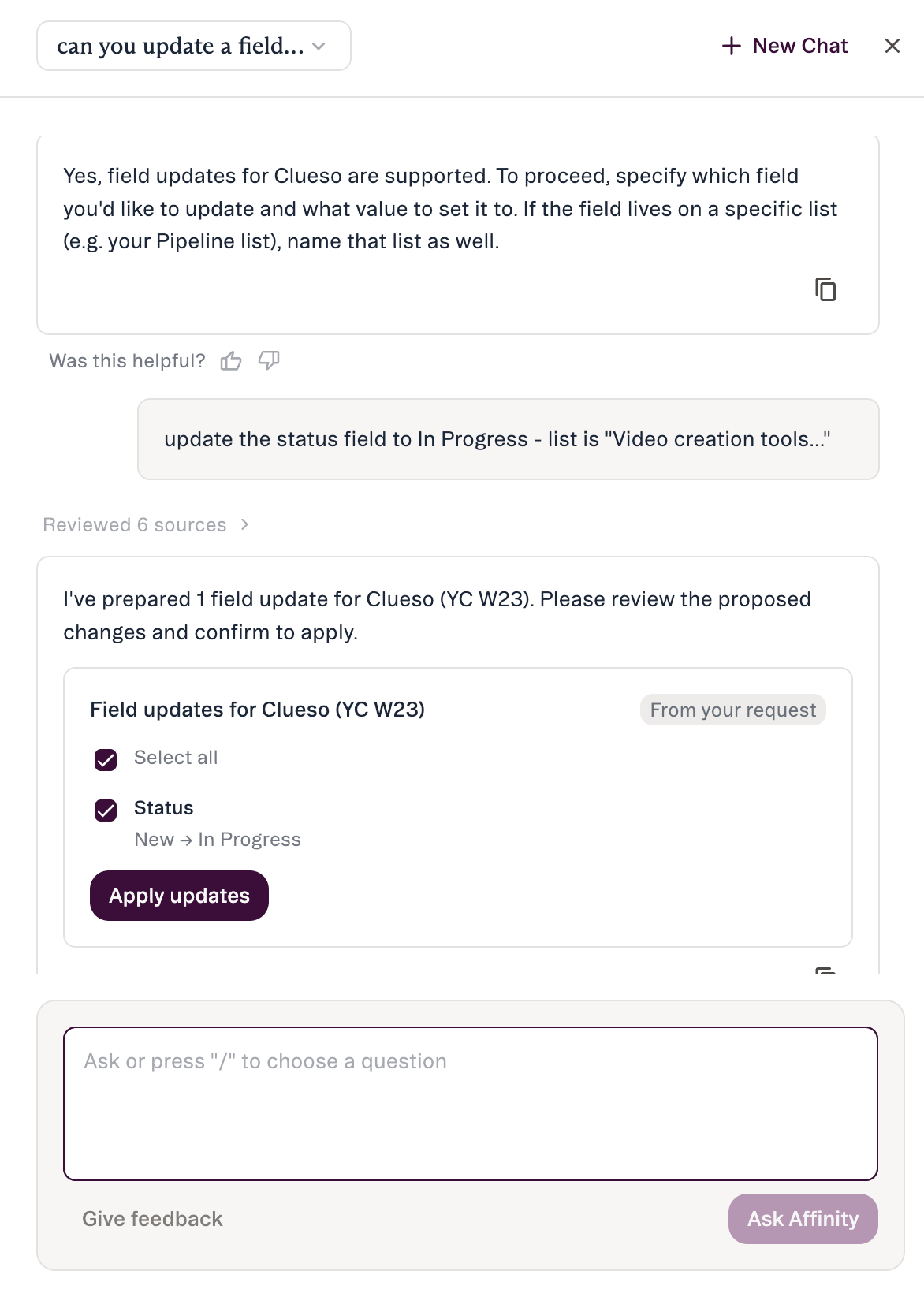
- You ask for the change in plain language.
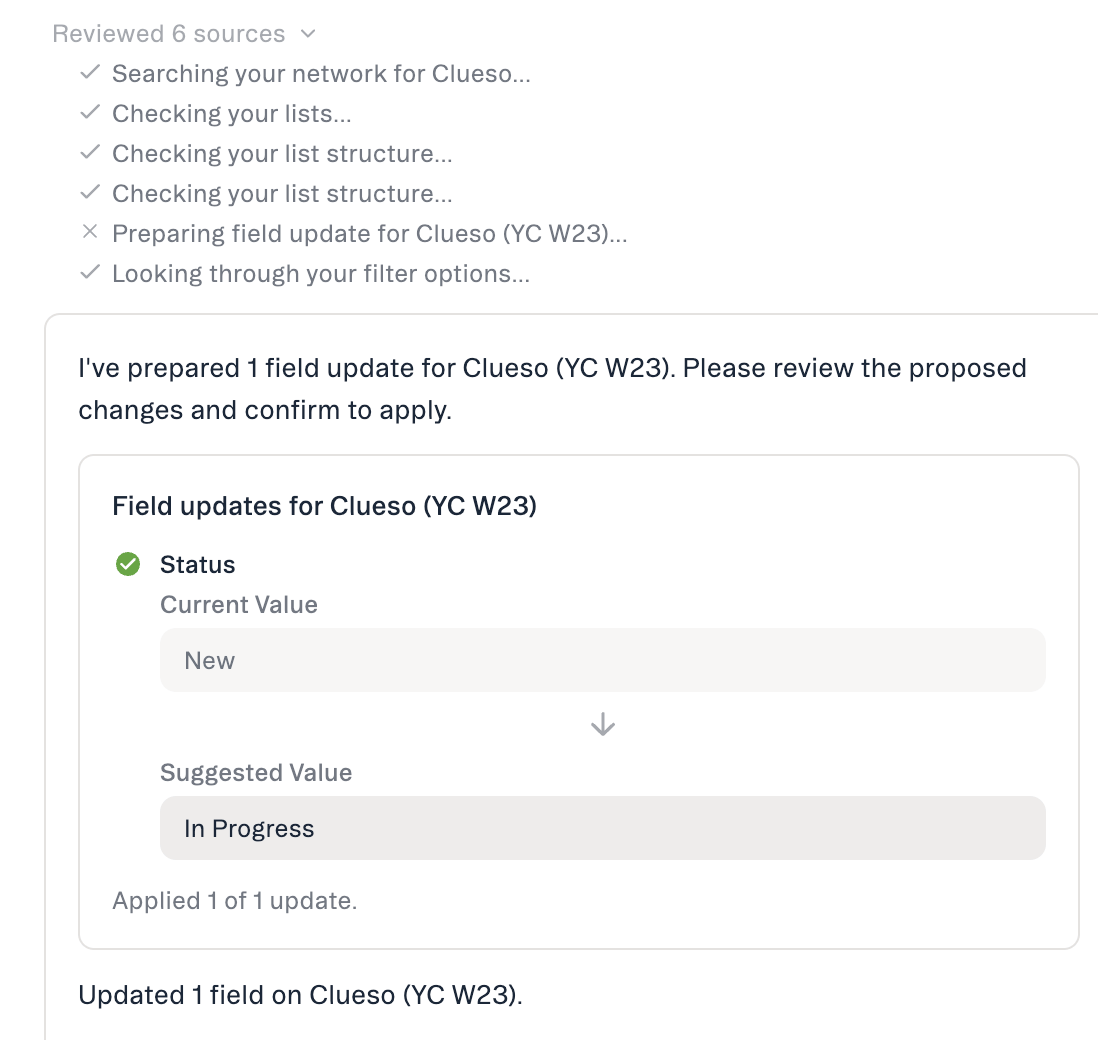
- Affinity AI shows a preview — exactly what will change, as a before-and-after diff (current → proposed), plus a note that the change will be visible to your team.
- You confirm or cancel. The change doesn’t run until you respond. There is no “always allow.”
- Affinity AI posts a receipt confirming what changed, with links back to the record and its edit history.
Getting access and staying in control
- Plan: Scale, Advanced, and Enterprise.
- Permissions: Affinity AI can only see and change what your own account already can.
- Confirmation is mandatory. Every action waits for your approval — there’s no auto-approve.
- Admin controls: admins can enable or disable AI features for the org in Settings → Automations & AI → Affinity AI (the AI Chat card).
What AI Chat won’t do
By design, Affinity AI will not send emails or outreach, merge or delete records, or make bulk changes across many records at once. It also can’t upload a file, create a saved view, or create a list. To delete or merge records with an AI assistant, use Affinity MCP, which shows you what each delete or merge will affect and waits for your explicit confirmation.Honest limits
- ~90-day activity window — long-range history can be truncated.
- People search is by name or email.
- No location/geographic filtering.
- No reliable point-in-time field history.
Common questions
- Will it change anything without asking? No — every action shows a preview and waits for confirmation.
- What exactly can it change? Update a field or pipeline stage, add to a list, create a note, create a reminder.
- Who can see the change? It appears on the record like any other edit; the preview notes “visible to your team” before you confirm.
- Can I do several actions at once? Affinity AI names them, then confirms them one at a time — never as a single bulk change.
If something doesn’t work
Affinity AI can make mistakes. Review each suggestion before approving it.