

How-to — task-oriented recipe.
Overview
- How does it work?
- How to add blocked emails
- Important Callouts
How does it work?
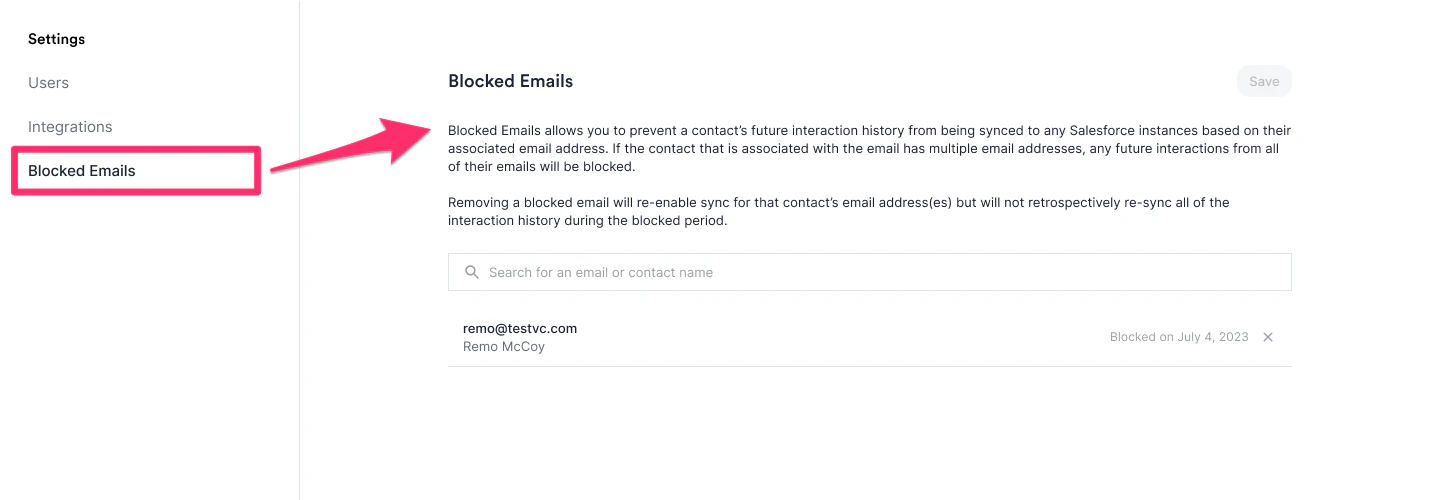
- Once you block an email address, Affinity will not sync any interactions with this email address moving forward (to your Salesforce instance).
- If the contact has multiple email addresses associated, any future interactions with these other email addresses will also not sync to your Salesforce instance.
- Should you decide to unblock an email address in the future, Affinity will start syncing interactions moving forward (to your Salesforce instance), but will not retroactively syncing any interactions that took place during the blocked period.
How to add blocked emails
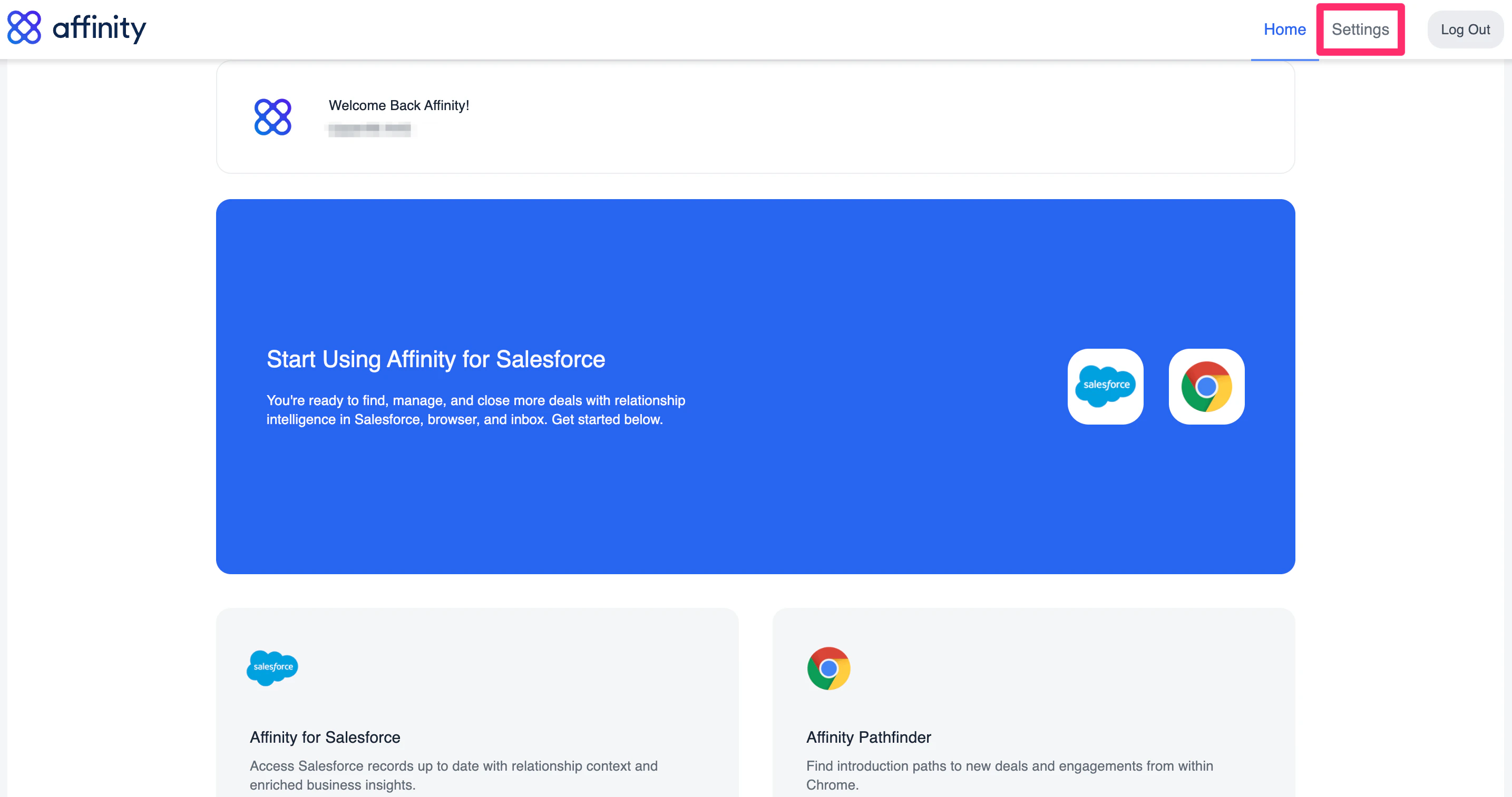
- Sign into your Affinity instance, then click on Settings in the top-right corner.
- Then, click on the Blocked Emails tab.
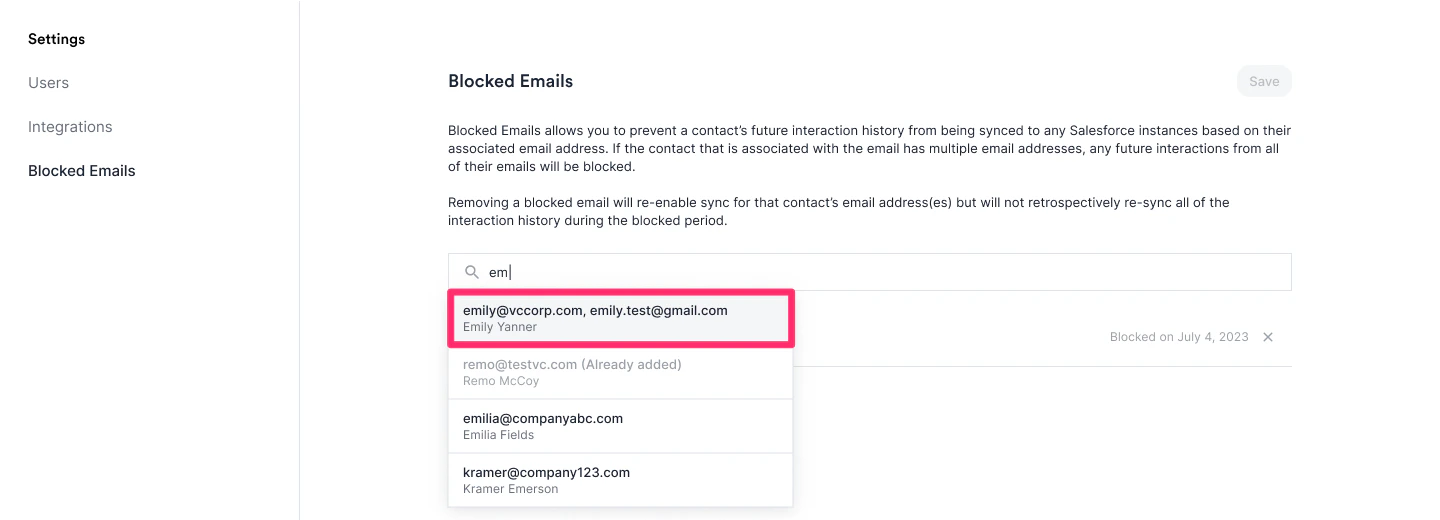
- You can start typing in names or email addresses that you’d like to hide email communications for moving forward. Please note that hiding future email communications with these hidden contacts will apply to all of your team members’ communications as well, not just yours.
- You can select from the dropdown of existing contacts.
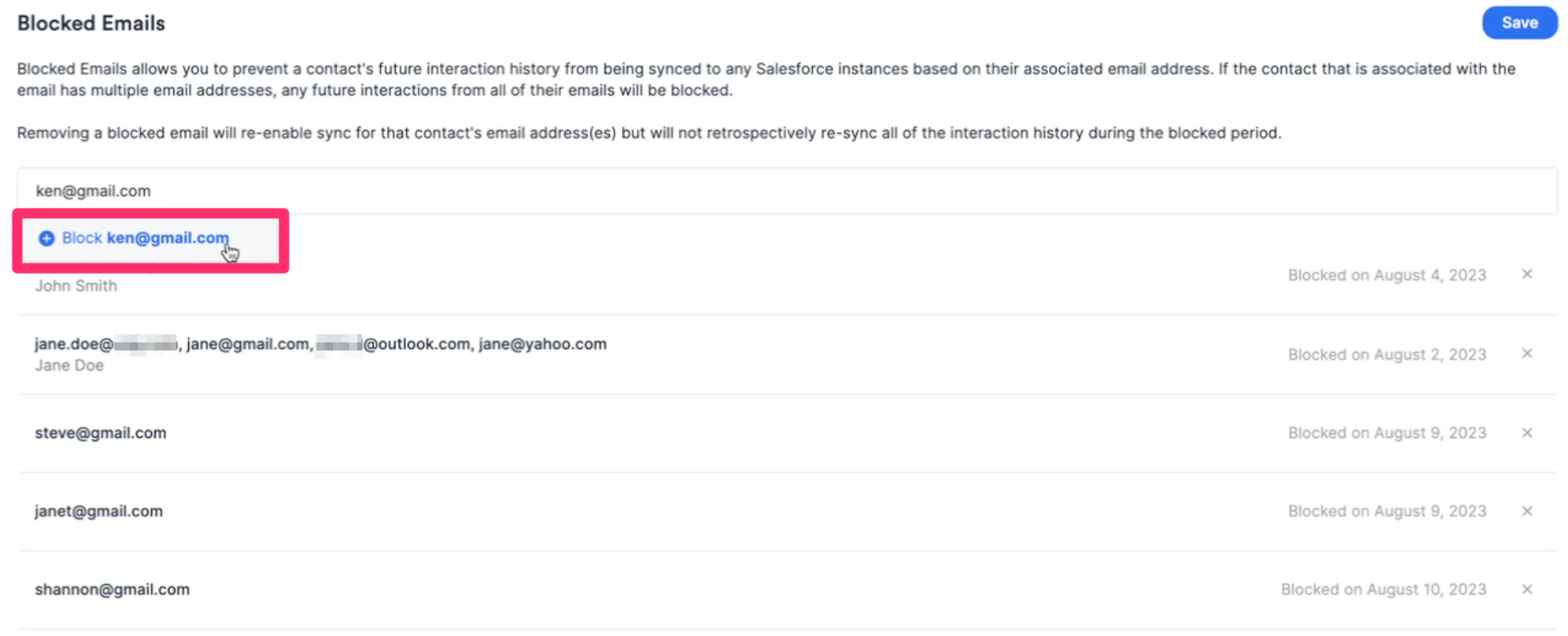
- Or, you can write out the entire email address if they don’t exist yet.
- If you see the error message on the top-right corner titled: Something went wrong! Please try again later or contact us, then it may most likely be that you’re trying to add one of the email addresses already associated with your Affinity profile. They will already be considered as blocked emails, so no further action is required.

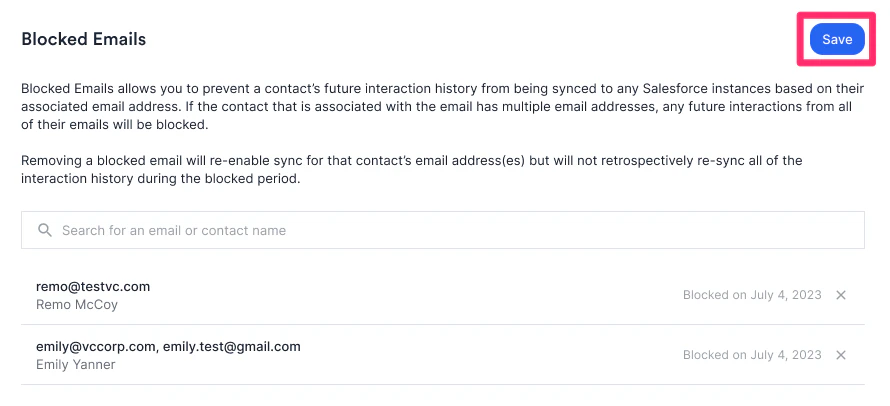
- Once you’ve added all the email addresses you’d like to hide communications for, click Save on the top-right corner.
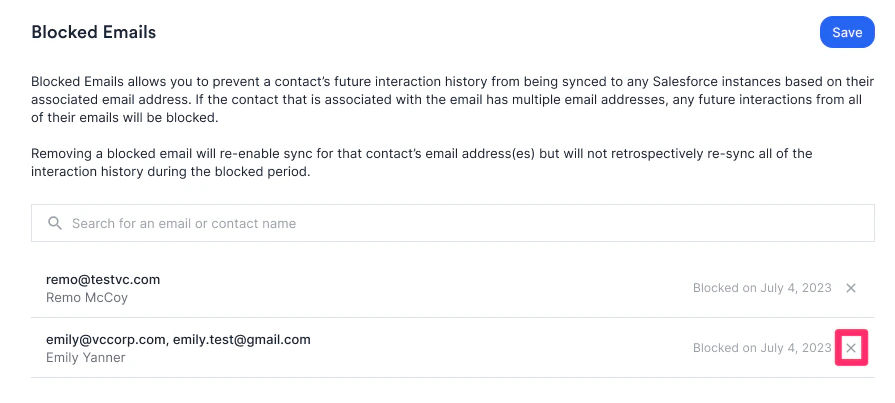
- If you decide to unblock one of them later on by clicking the X icon, any future email communications from that point forward will begin to sync. Any email communications that occurred during the blocked period will remain hidden.
Important Callouts
- When blocking an email, interactions with this contact will not sync to your Salesforce instance.
- However, any enriched Affinity Data related to this contact and relationship strength scores will still surface on their profile page in Salesforce.