Reference — lookup information.
- Learn more by checking the section titled “Who has access to Affinity API V1 and API V2?” within this article: Getting started with the Affinity API + FAQs.
Overview
- Which platforms can I integrate Affinity with by using Zapier?
- List of Affinity Templates in Zapier
- Example of an Affinity integration in Zapier
Which platforms can I integrate Affinity with by using Zapier?
- Check out our Affinity Zapier Templates to find out which platforms you can integrate with.
- Check out our Affinity Triggers in Zapier to learn what you can do.
List of Affinity Templates in Zapier
We have made the following templates available for your convenience:- Create Google Contacts from new people in Affinity
- Post DMs in Slack whenever a new company is added to your Affinity list
- Add notes to Affinity contacts from Evernote
- Export new company list entries from Affinity to Google Sheets
- Subscribe new people on an Affinity list to MailChimp
- Add new Mailchimp subscribers to a list in Affinity
- Receive updates in Slack for status changes in Affinity
- Create new Affinity people entry for new Typeform submission
- Add a contact to a list in Hubspot for new Affinity list entries
- Create or update list entries in Affinity for new attendee registrations in Eventbrite Learn more here: Affinity Zapier Templates
Example of an Affinity integration in Zapier
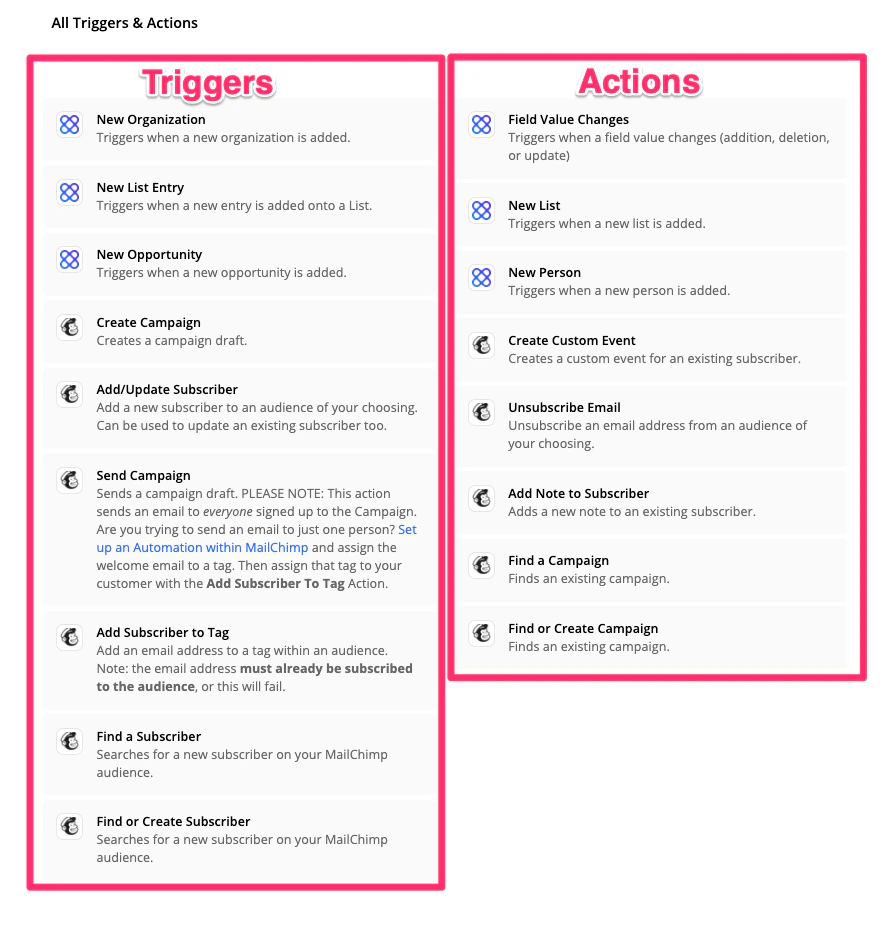
Take this Mailchimp-to-Affinity integration as an example.- Select the intended Mailchimp trigger first, which is the manual action that will first be taken.
- Then, select the intended Affinity action, which is the automated action that will take place based on the trigger.