

How-to — task-oriented recipe.
Automatic Contact Creation
To enable automatic account creation head to your Affinity Settings and enable the toggle. When enabled, Affinity will automatically create contacts in Salesforce with the following limitations: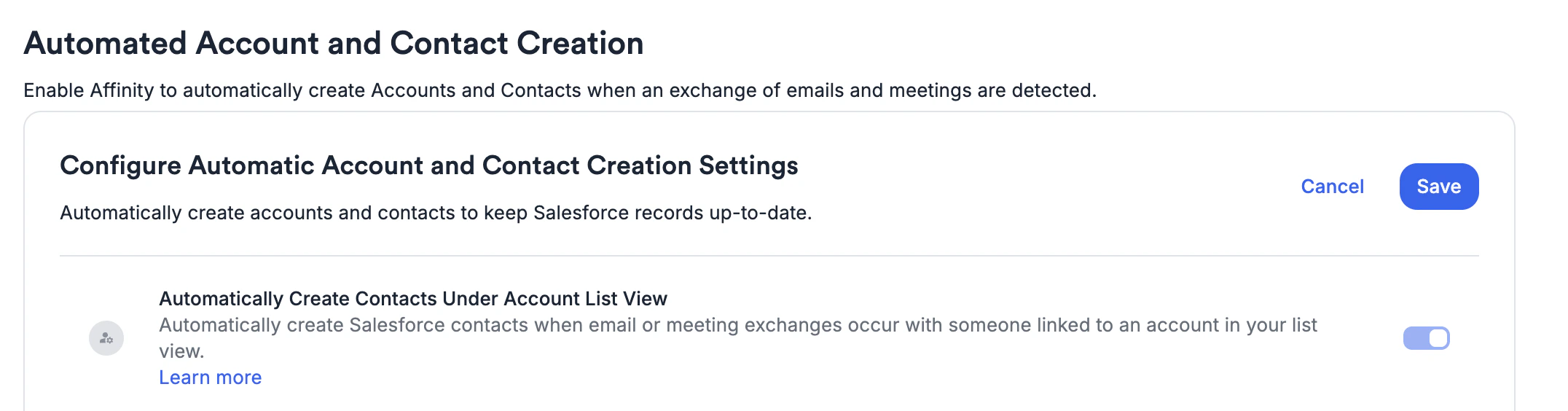
- We will only create contacts if we can match the email domain in the meeting or email to an Account’s website field in Salesforce.
- We will not create contacts for Accounts that aren’t part of your Account List View.
- We will not create contacts present in the BCC field of an email.
- We will not create contacts if the domain or email address is on your blocklist.
- When we automatically create a new contact, we will populate these standard fields for the first time: first name, last name, email, and Account. Additional fields will be populated based on the field mappings you have set in Affinity.
- We will not be able to create contacts if required fields are set on contact creation in Salesforce other than the ones listed above.
- Contact created will use the default record type for contacts in Salesforce.
- Contacts Created by Affinity will have the “Created by Affinity” boolean field set to true in Salesforce.
- For more information on our auto-contact creation features, read this help article.
Automatic Account Creation
Once you’ve enabled Automatic Contact Creation, you will have the additional option to enable Account level creation using the checkbox seen below. When enabled, Affinity will automatically create Accounts in Salesforce with the following limitations: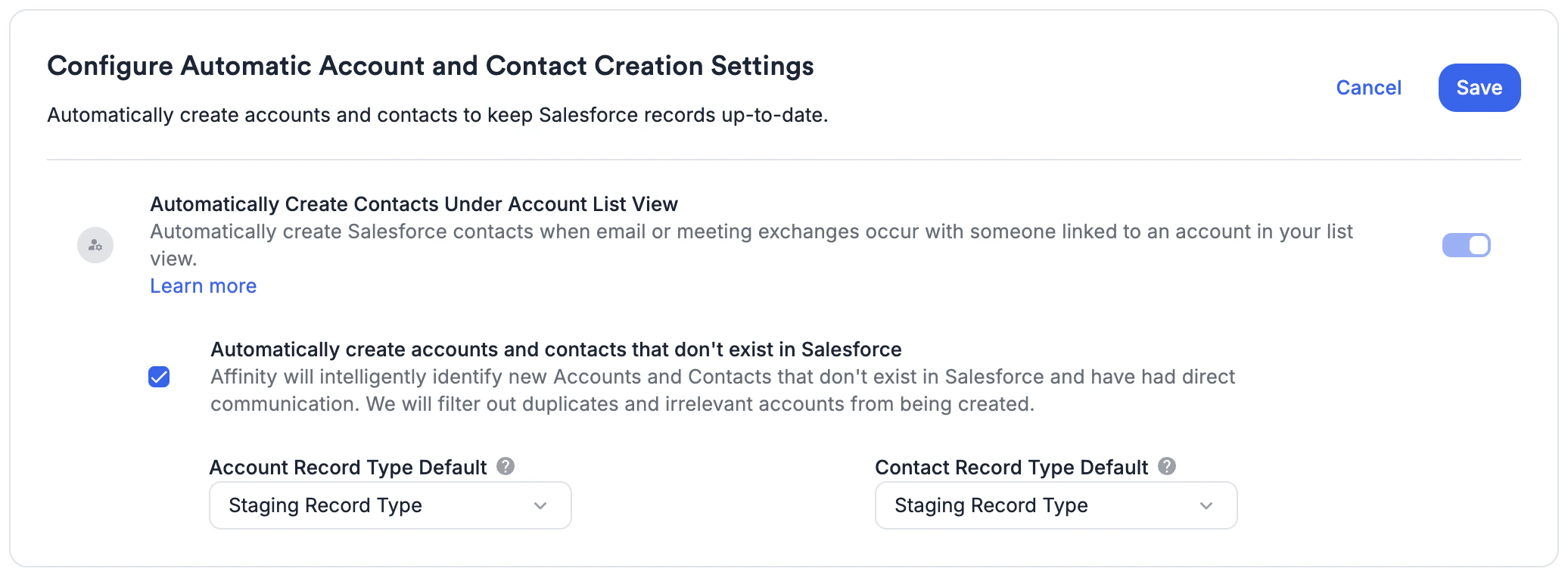
- When your team sends an outbound email or has a meeting with a contact who’s email domain does not exist in Salesforce, we will create an Account for you.
- When an Account is created, a corresponding contact will always be created as well.
- Accounts that are created are not bound by the List Views set up in Affinity.
- We will attempt to determine if the account in question already exists using our de-duplication algorithm.
- We will attempt to filter out emails that are transactional in nature (ex: hotel bookings).
- We will not create an account if the domain or contact email is on your blocklist.
- When creating an Account and Contact through this feature, the record types chosen above in the configuration above will be used. This is useful if you want to limit who can see the account in Salesforce, allowing your team to review first. Note that regular contacts created from the previous feature when an account already exists, will not be created using this record type.
- When we automatically create a new account, we will populate these standard fields for the first time: account Name, website. Additional fields will be populated based on the field mappings you have set in Affinity.
- Accounts Created by Affinity will have the “Created by Affinity” boolean field set to true in Salesforce.
- We will not be able to create contacts or accounts if required fields are set for these objects.
- It’s important to note that Account Creation will not be 100% accurate, there will be times when a duplicate, junk, irrelevant or otherwise unwanted Account gets created in Salesforce. When this occurs, the Account and Contact can be deleted. You can add both to your blocklists to prevent them from being created again in the future, or hide them from being visible in Salesforce.