

Getting started with lists
Upon sign in, you’ll notice that Affinity has provided you with a few lists to begin with. Follow the suggestions below to understand how these lists work together to optimize your workflow.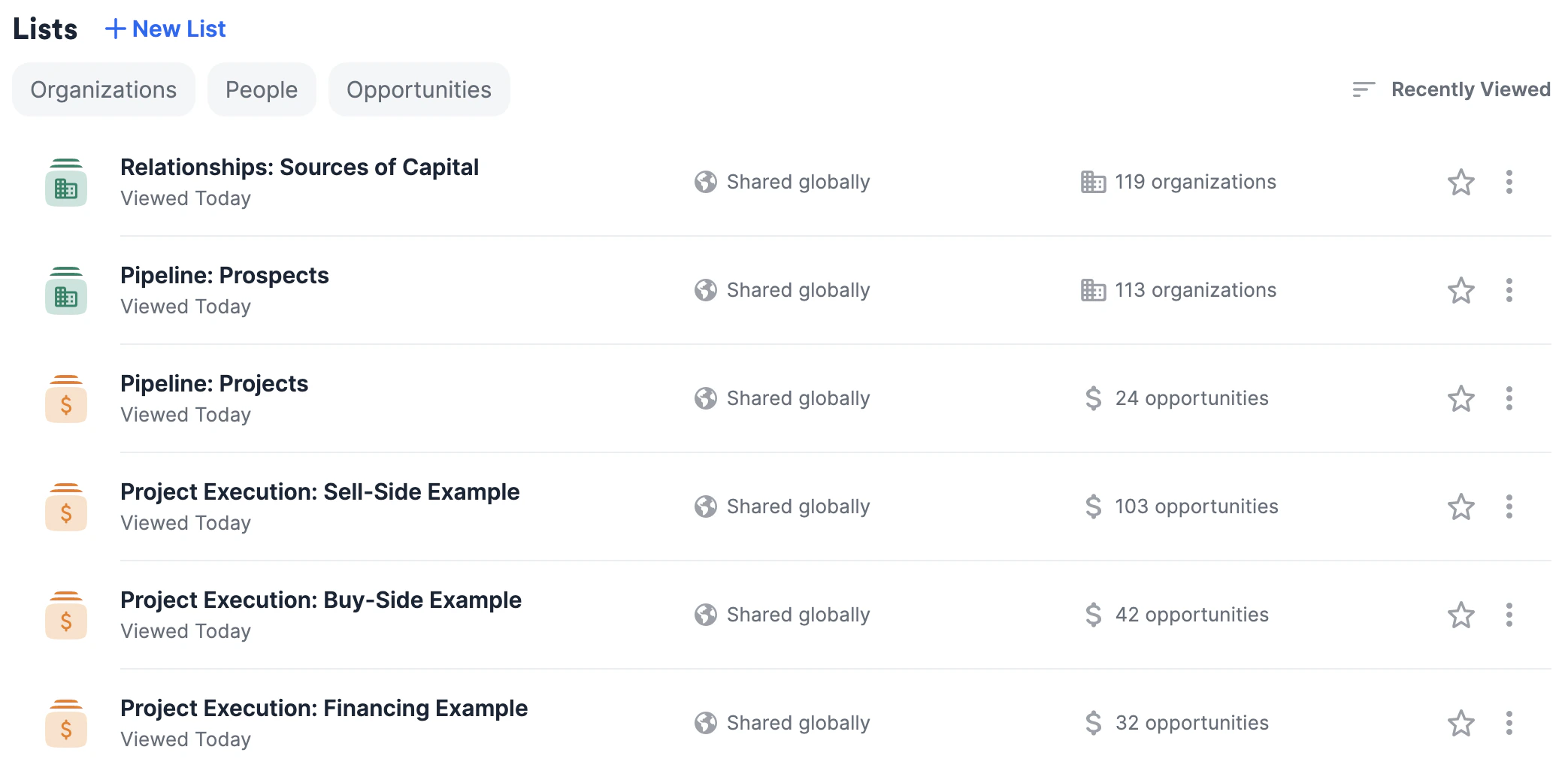
The first three lists: Tracking all prospects, clients (projects), and buyers
These first three lists are meant to be centralized sources of truth for you and your team members:- Relationships: Sources of Capital is an organization list that will help you/your team track key relationships with buyers and capital providers in one place.
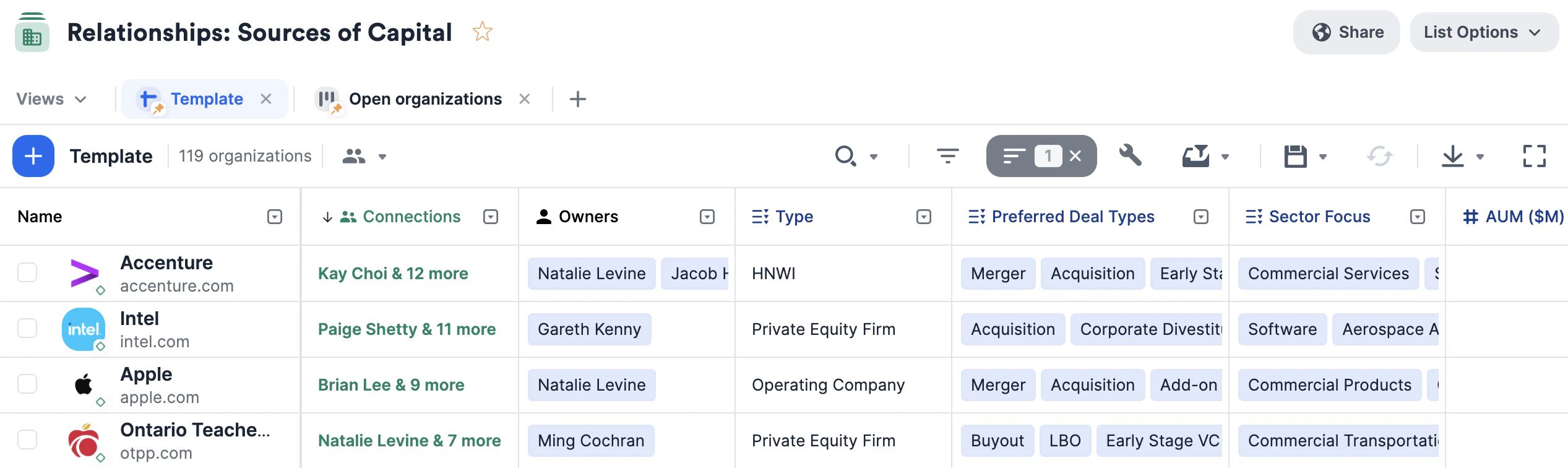
- Keep these relationships warm by setting up reminder triggers to stay in touch if a certain amount of time passes since your last interaction.
- Make sure to fill out this list first so that whenever you create a new opportunity list for a new project (see Project Execution list templates below), you can easily bulk-create opportunities from the organizations in this list that fit the criteria for the new project.
- Example: If your client Company ABC is looking to be acquired, then you can create a new opportunity list using the list template Project Execution: Sell-Side Example, name the list to something like Company ABC Sells, then go back to the Relationships: Sources of Capital list and bulk-create opportunities from there in order to populate the Company ABC Sells list with relevant buyers for Company ABC.
- Pipeline: Prospects is a separate organization list that will help you/your team track the progress of your prospects through the pipeline.
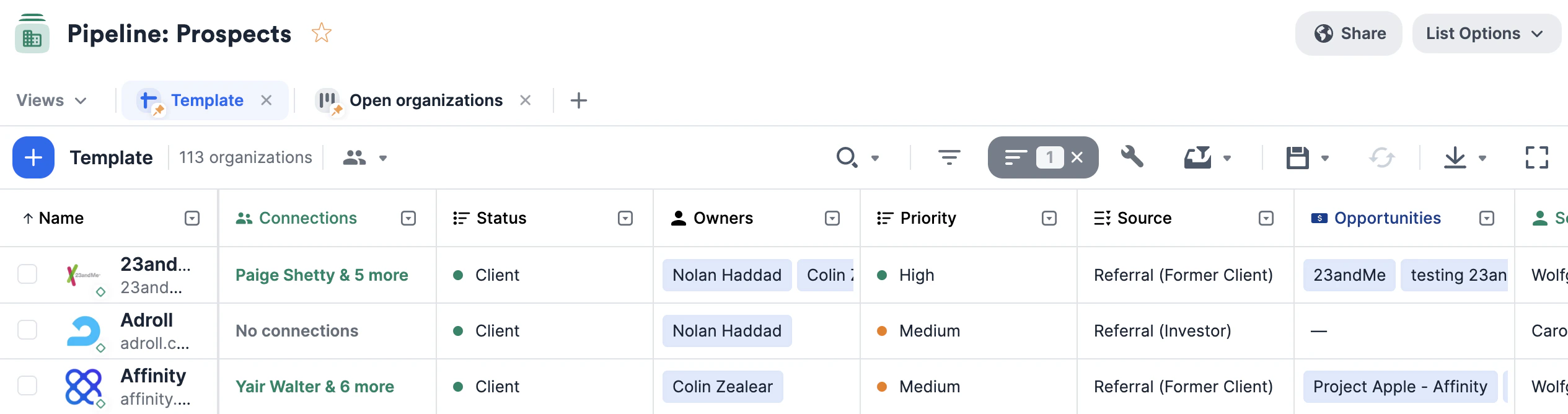
- Keep these relationships warm by setting up reminder triggers to stay in touch if a certain amount of time passes since your last interaction.
- Send out personalized bulk emails to your prospects with the ability to attach files and hyperlinks as needed.
- Make sure to also turn on email tracking to gauge the effectiveness of your emails.
- Set up an opportunity trigger so that once a prospect becomes a client, you make sure to track this client as an opportunity within the Pipeline: Projects list (see below).
- Example: You can set “Client” as the status option in the Won category, so that once a prospect becomes a client, the opportunity trigger will ask for you to add that client to the Pipeline: Projects list just below.
- Pipeline: Projects is an opportunity list that will help you track the overall progression of all client projects in one place.
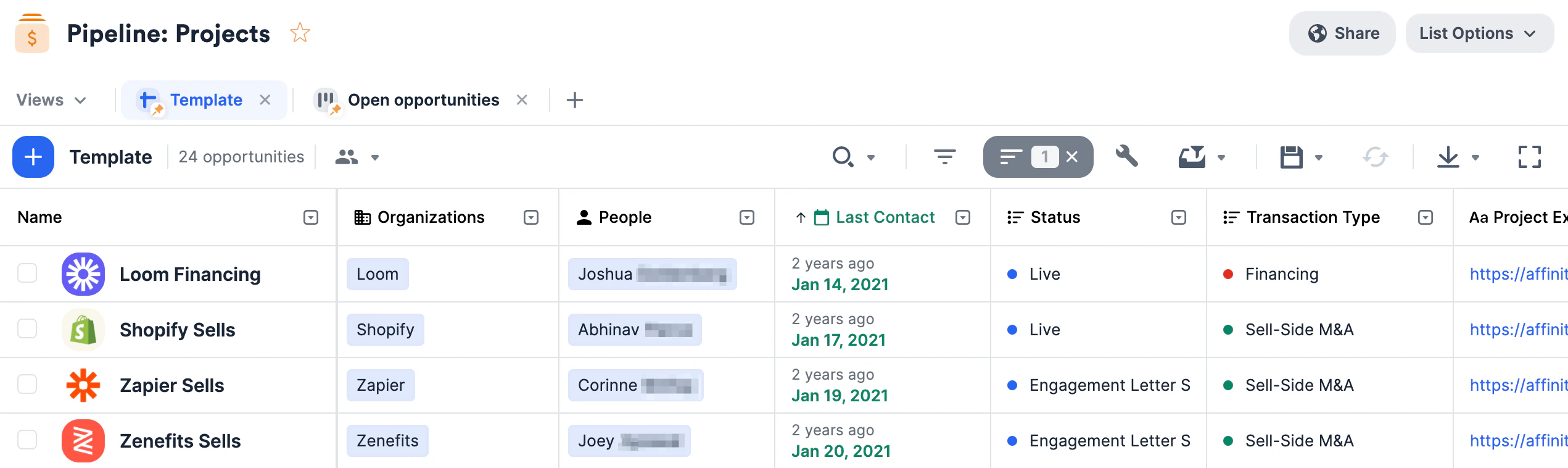
- This opportunity list should contain high-level information about each project, including the team working on the project and expected fees.
- Note: Once you create an opportunity here for a specific project, make sure to create a separate opportunity list for that project (choose one of the Project Execution list templates in the next paragraph below). Since executing a project involves reaching out to many companies on behalf of a client, this separate opportunity list will help you track all the different parties interested in this particular project.
The next three lists: Tracking opportunities for each client/project
Unlike the three lists above, these next three should be viewed more as list templates to create duplicates from. Therefore, it would be expected for you/your team to have many project execution lists - one list for each client/project in the Pipeline: Projects list. Whenever you start a new project, choose one of the three Project Execution list templates below based on the nature of the project:- Project Execution: Buy-Side Example - This opportunity list will help you track interest and coordinate buy-side outreach efforts for your client project. Each row (opportunity) in this list would represent a potential seller looking to get acquired by your client.
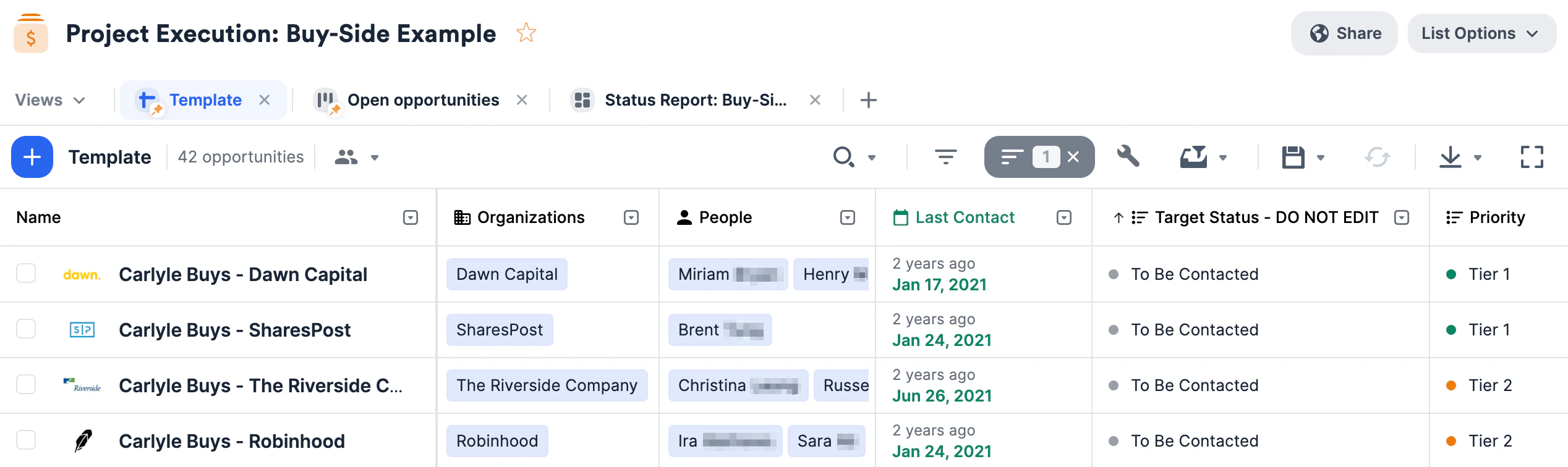
- List Naming Tip: If Company ABC approaches your team looking to acquire a company, then you can name the list whatever Project Name has been assigned or by
somethingmore general, like Company ABC Buys. - Opportunity Naming Tip: Each row in this list represents a unique, potential opportunity to partner your client with a particular seller. Therefore, we recommend naming the opportunities in the following format: [Project Name] - [Seller Name].
- List Naming Tip: If Company ABC approaches your team looking to acquire a company, then you can name the list whatever Project Name has been assigned or by
- Project Execution: Sell-Side Example - This opportunity list will help you track interest and coordinate sell-side outreach efforts for your client project. Each row (opportunity) in this list would represent a potential buyer looking to acquire your client.
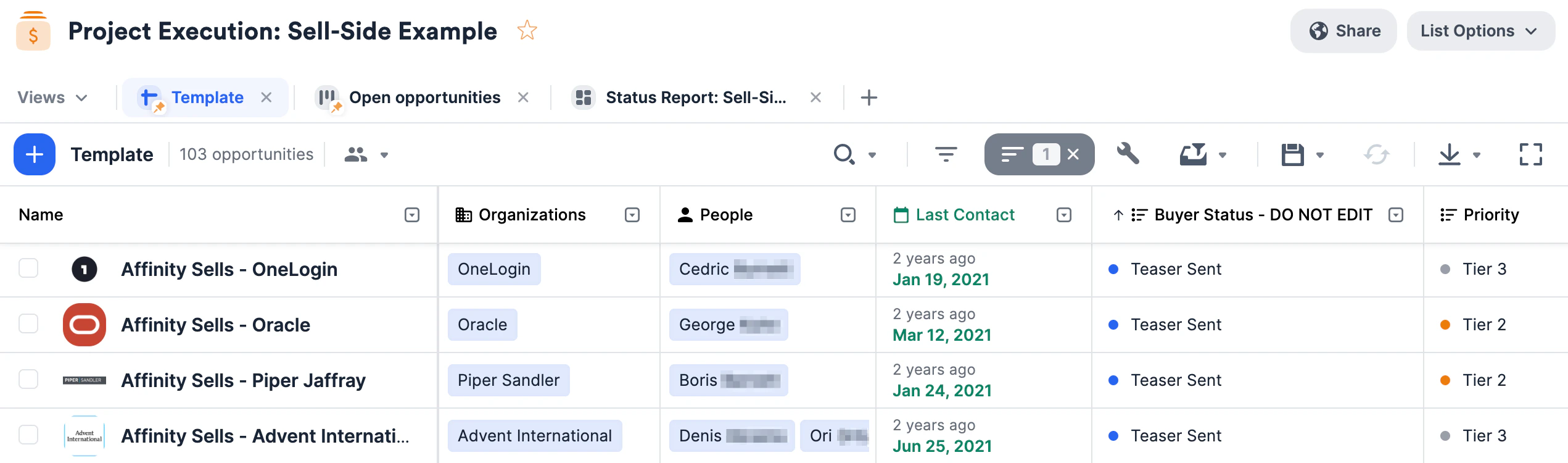
- List Naming Tip: If Company XYZ approaches your team looking to get acquired, then you can name the list whatever Project Name has been assigned or by something more general, like Company XYZ Sells.
- Opportunity Naming Tip: Each row in this list represents a unique, potential opportunity to partner your client with a particular buyer. Therefore, we recommend naming the opportunities in the following format: [Project Name] - [Buyer Name].
- Project Execution: Financing Example - This opportunity list will help you track interest and coordinate financing outreach efforts for your client project. Each row (opportunity) in this list would represent a potential investor for your client.
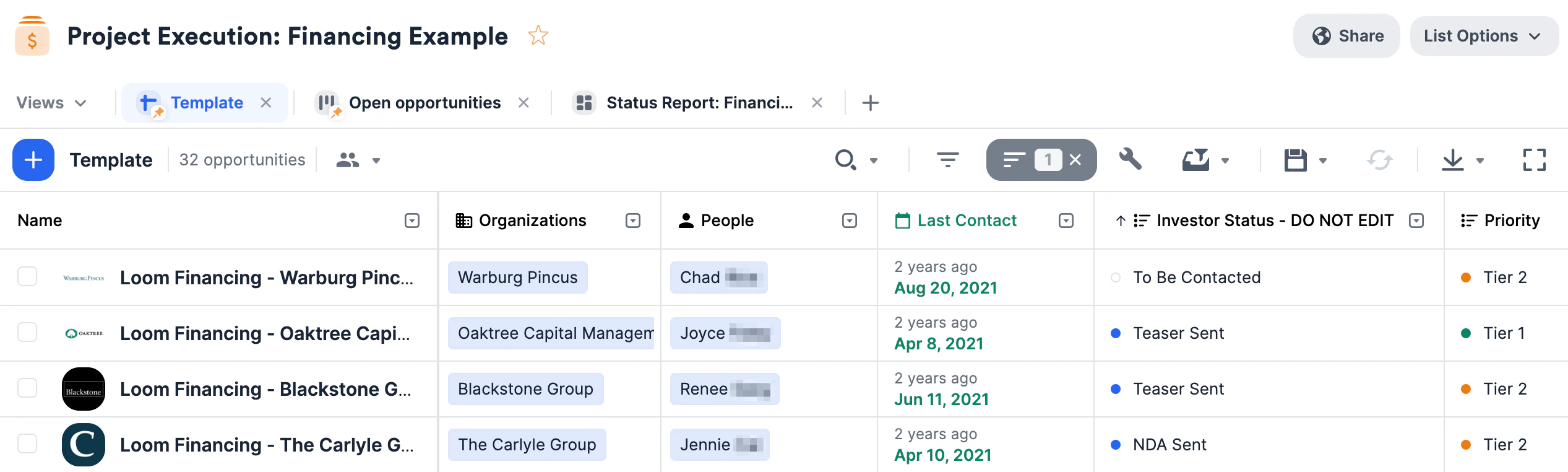
- List Naming Tip: If Company 123 approaches your team looking to raise funds, then you can name the list whatever Project Name has been assigned or by something more general, like Company 123 Financing.
- Opportunity Naming Tip: Each row in this list represents a unique, potential opportunity to partner your client with a particular investor. Therefore, we recommend naming the opportunities in the following format: [Project Name] - [Investor Name].
Importing data into these lists
Now that you have these lists set up, quickly migrate data from other CRMs into Affinity using our data importer.Getting started with reporting/analytics
Once your lists are filled with relevant data, you can leverage Affinity Analytics if you’re on the Scale, Advanced, or Enterprise tiers.- Getting started with Affinity Analytics
- Affinity Analytics - List Summary Reports
- Affinity Analytics - Status Reports for Investment Banking
- Affinity Analytics - Introductions Summary Reports
- Affinity Analytics - Team Activity Reports
- Affinity Analytics - Funnel Analysis Reports
- Get notified when certain metrics/thresholds are met using Affinity Analytics alerts.