

Reference — lookup information.
Overview
- What are Relationship Strengths?
- How often do Connections and Relationship Strengths update?
- Types of Connections in Affinity
- Viewing Connections on a contact’s or account’s profile page
- Can you export Connections and Relationship Strengths?
What are Relationship Strengths?
A relationship strength is a numerical score given to your connections that ranges from 10 (weak) - 100 (strong). Relationship strengths are calculated based on the recency and frequency of interactions between two individuals. The scores are also ranked by different colored bars.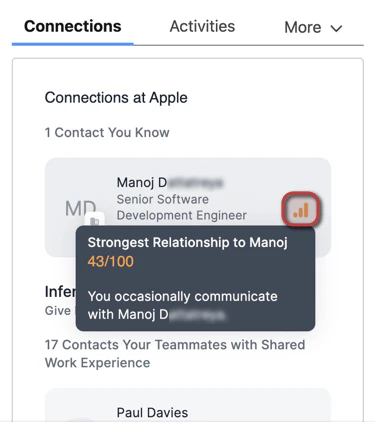
- Green bars represent strong connections
- Orange bars represent average connections
- Gray bars represent weak connections
How often do Connections and Relationship Strengths update?
- Relationship Intelligence calculations run every 6 hours. A new interaction won’t change a score the moment it happens — expect it to be reflected at the next calculation.
- The outbound sync to Salesforce runs within the hour after strengths are recalculated. Allow up to 7 hours end to end for a new interaction to be reflected in Salesforce.
- The first sync takes longer. When you set up Affinity for Salesforce for the very first time, allow up to 24 hours for your connections to appear at all.
- Manually logged interactions count too, not just synced email and calendar activity — so logging a call or a conversation strengthens the relationship the same way a synced meeting does.
- The score isn’t configurable. You can’t choose which emails, meetings, or activities feed it, or weight them differently. It’s computed by Affinity’s relationship intelligence engine from the interaction data it collects.
These timings describe Affinity’s relationship intelligence engine, which is shared with the Affinity CRM. See Leveraging your Connections and Relationship Strengths for the CRM view of the same data.
Types of Connections in Affinity
- Contacts You Know - These are the contacts you have directly communicated with.
- Contacts Your Teammates Know - These are the contacts that your teammates have directly communicated with.
- Contacts Added Manually - These are the contacts that have been manually associated with a given account, and only appear on account profiles.
- Inferred Connections - These are the contacts that you/your team can potentially get introduced to based on previous shared work experience.
Viewing Connections on a contact’s or account’s profile page
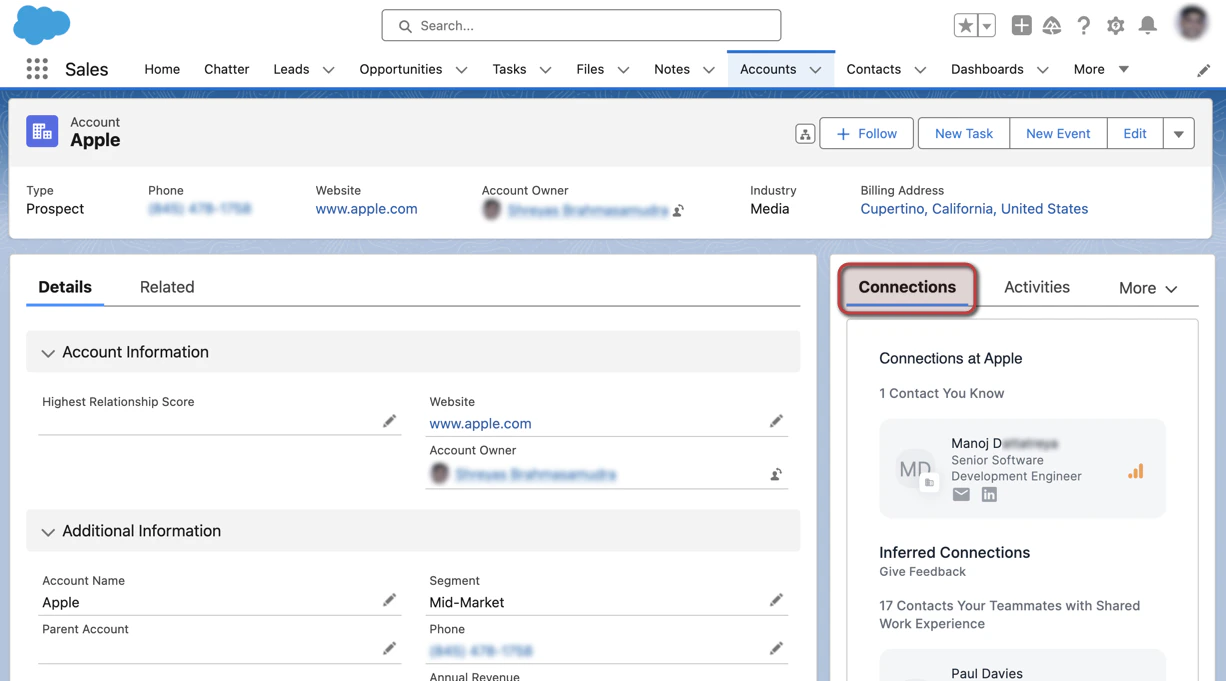
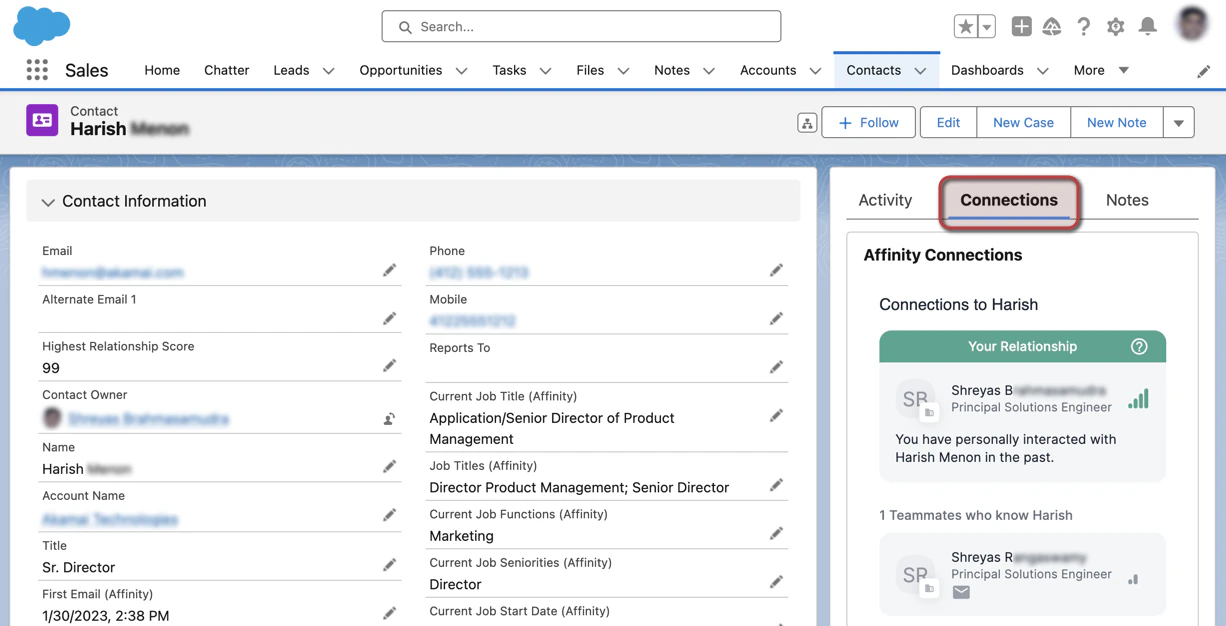
- Click the Connections tab to see your/your team members’ connections with that contact/account.
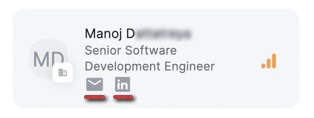
- Depending on whether such information is available, you can click on the Email icon to copy their email address and/or click on the LinkedIn icon to quickly access their LinkedIn profile page for further research before reaching out.
Can you export Connections and Relationship Strengths?
- Connections and Relationship Strengths can be exported directly from your Salesforce instance via the Affinity Connections object.