Documentation Index

Fetch the complete documentation index at: https://support.affinity.co/llms.txt

Use this file to discover all available pages before exploring further.

How-to — task-oriented recipe.
If you have a CSV file that contains Asian characters, please follow these steps to ensure the import works successfully.
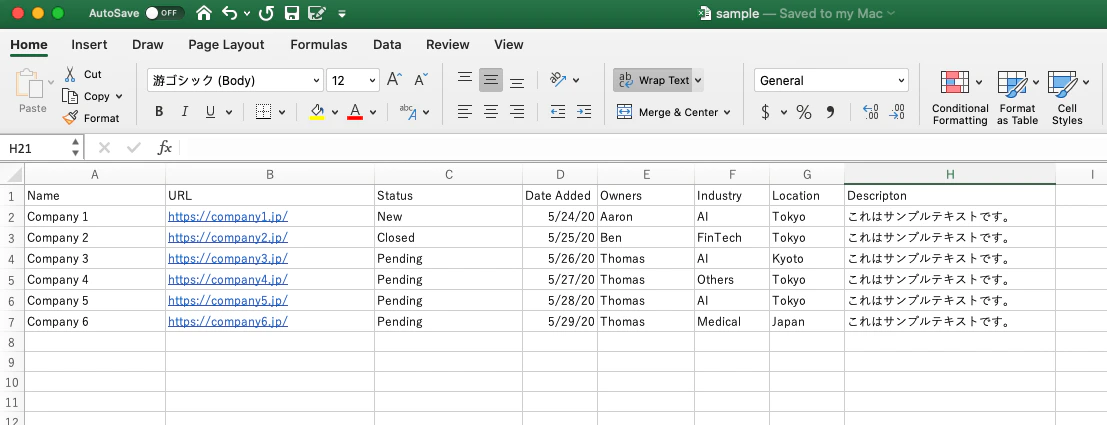
  1. View this sample of what clean data should look like in your CSV file.
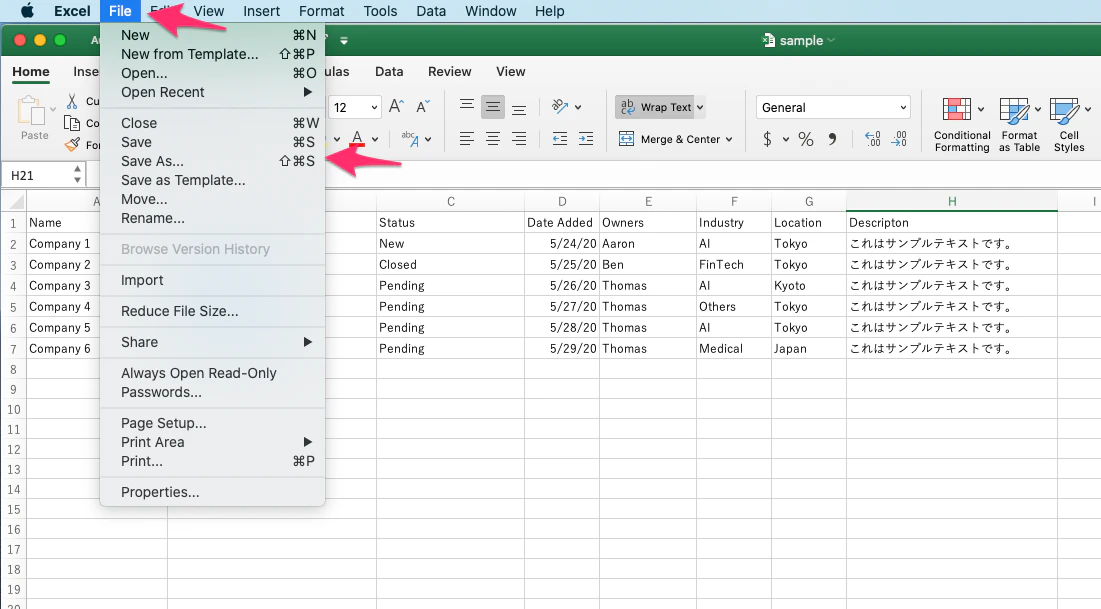
  1. Click File, then click Save As.
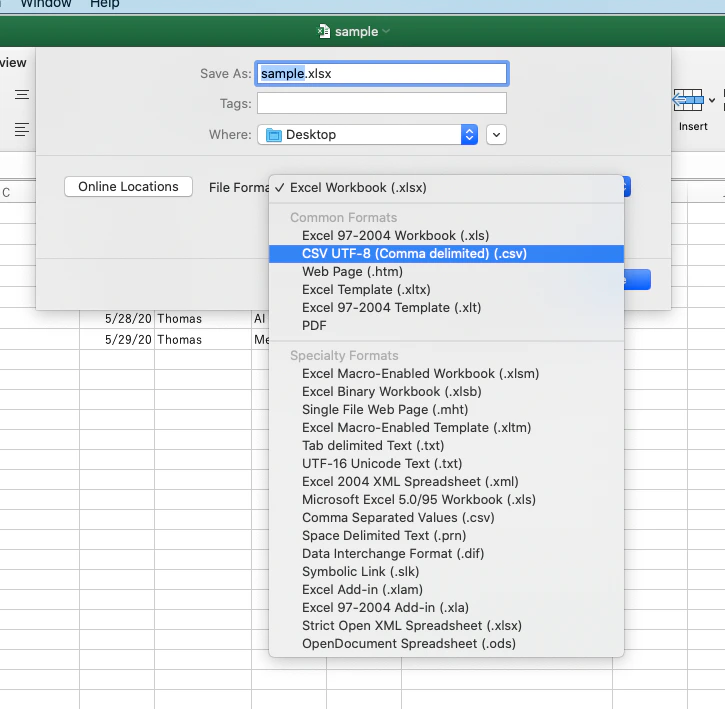
  1. Save your file as CSV UTF-8.
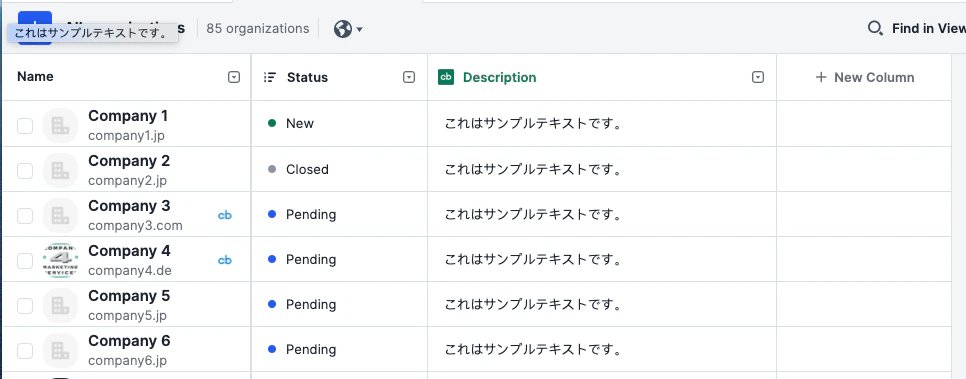
  1. Now, import the CSV file. This is what your Affinity list would look like from a successful import.