

How-to — task-oriented recipe.
Steps to import your notes into Affinity
- Make sure these 4 columns are present in your CSV file:
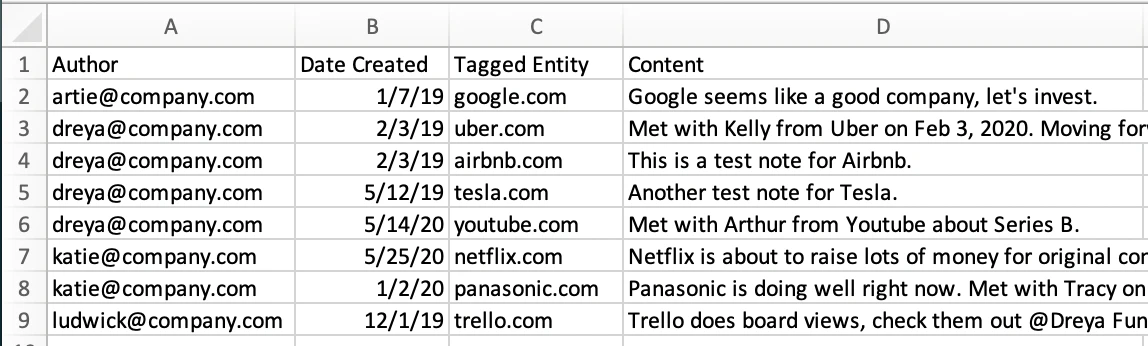
- Author (Column A): Email address required since only your team members can be authors of notes.
- Date Created (Column B): MM/DD/YYYY, DD/MM/YYYY, and YYYY/MM/DD formats supported.
- Just make sure that all the cells are in the same format in your CSV file.
- Tagged Entity (Column C): We can only import notes for one type of contact at a time: people-type, organization-type, or opportunity-type.
- Email address if it is a people-type contact
- Organization Website if it is an organization-type contact
- Opportunity name if it is an opportunity-type contact
- Content (Column D): The contents of the note itself.
- Once you have these columns in the proper format, send over the CSV file to support@affinity.co and we will import your notes for you.