How-to — task-oriented recipe.
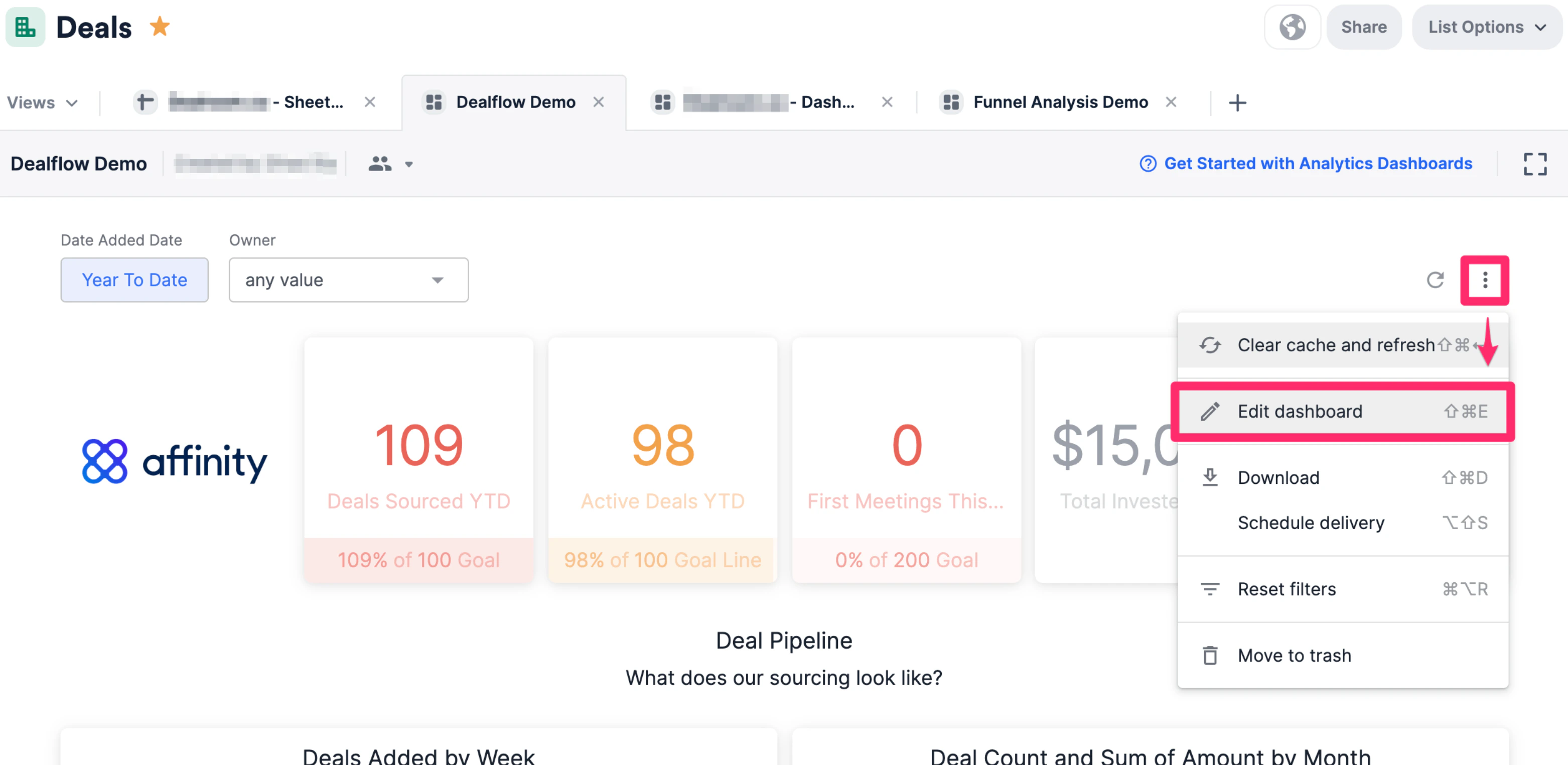
- On the dashboard view you’d like to create custom groups in, click the ellipsis (3 dotted icon), then click Edit dashboard.
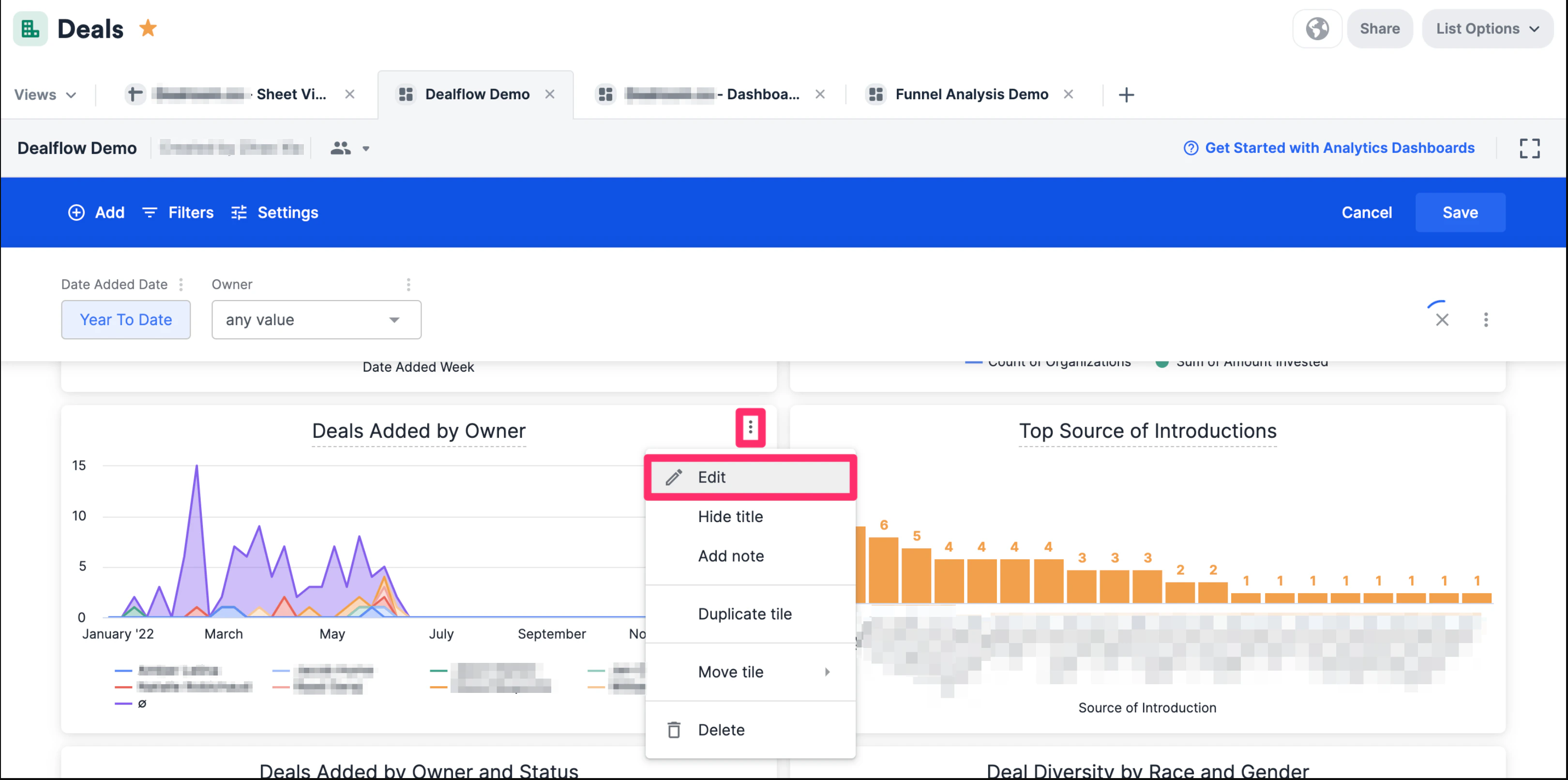
- Click the ellipsis (3 dotted icon) next to the visualization tile you’d like to create custom groups in, then click Edit tile.
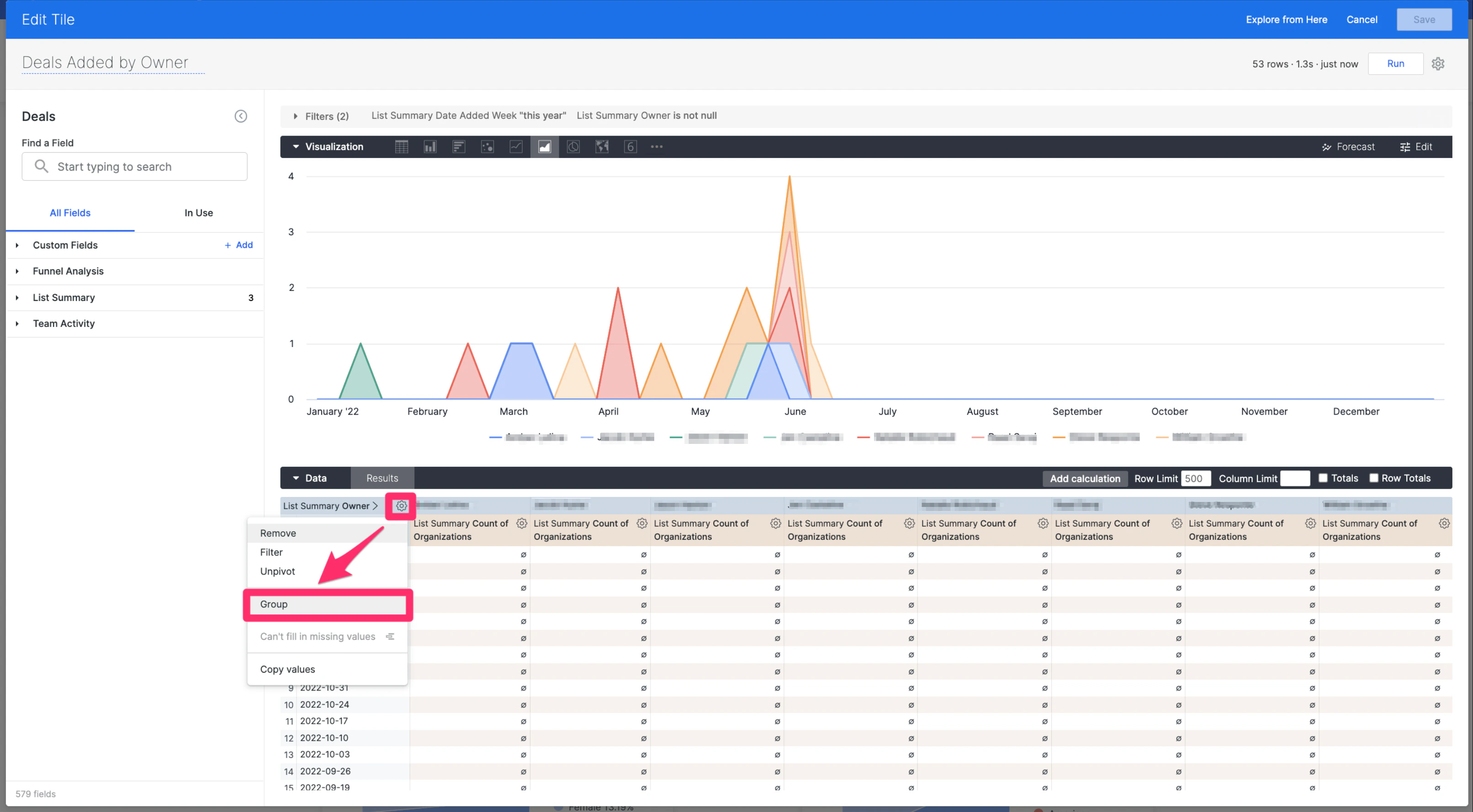
- In this example, we’ll create groups of teams for the Owners column by clicking on the gear icon for the “List Summary Owner” dimension, then clicking on Group.
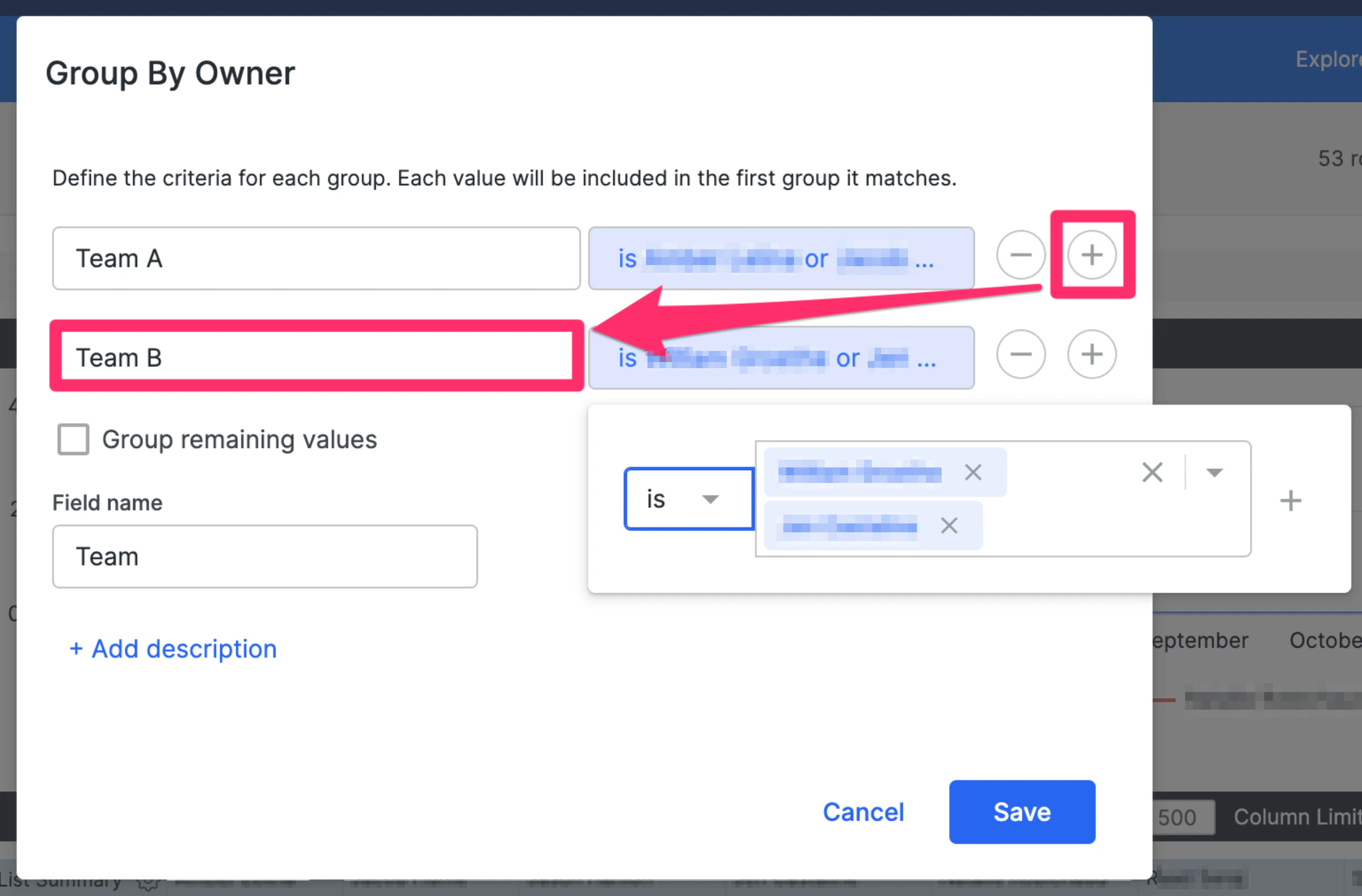
- Name the custom group (e.g. Team A) and add specific team members to that group.
- Repeat as many times as needed (e.g. Team B with a different set of team members). Once you’re done, fill out the Field name (e.g. Team), then click Save.
- Now, remove the “List Summary Owner” dimension, then click Run.
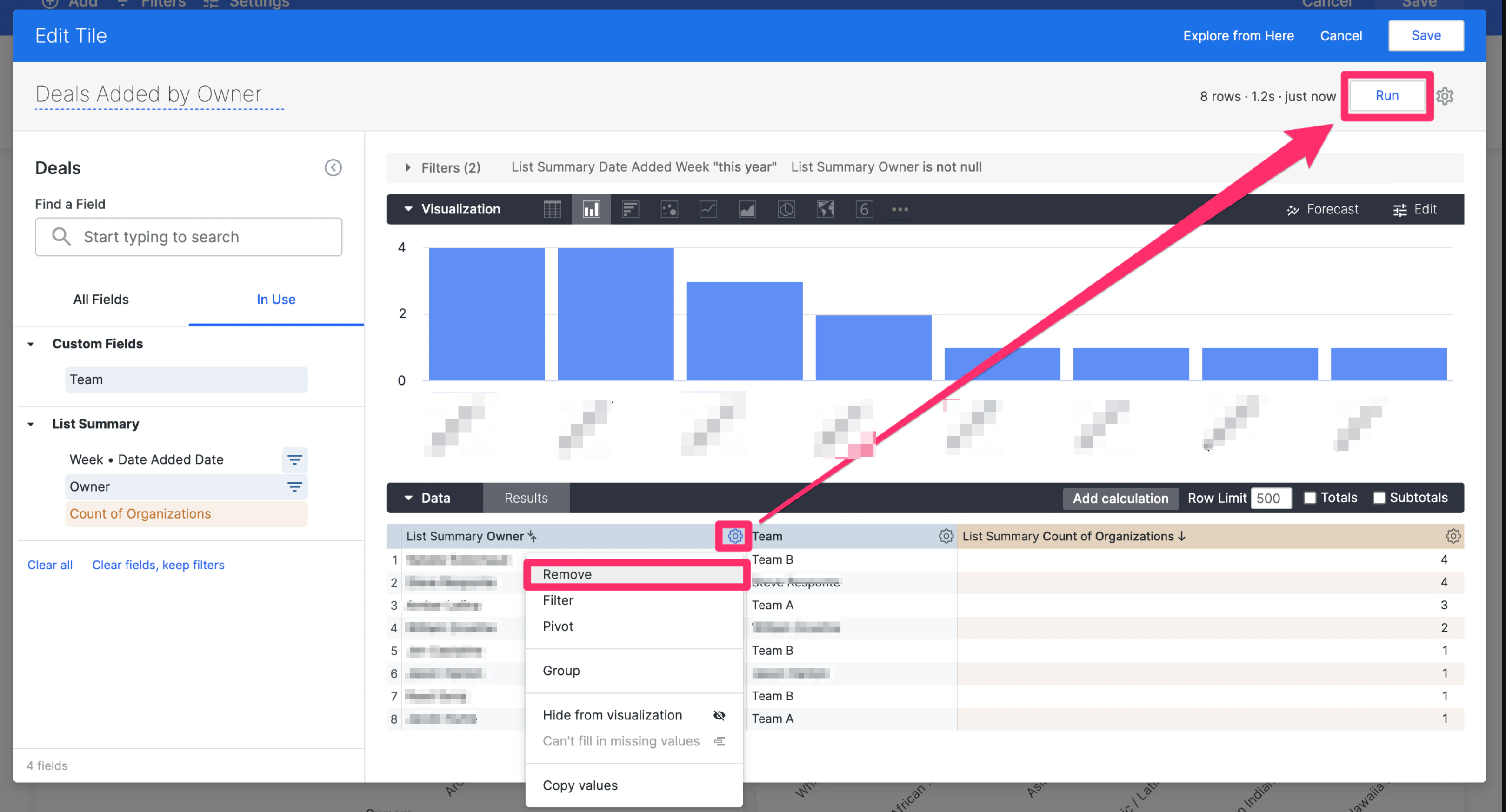
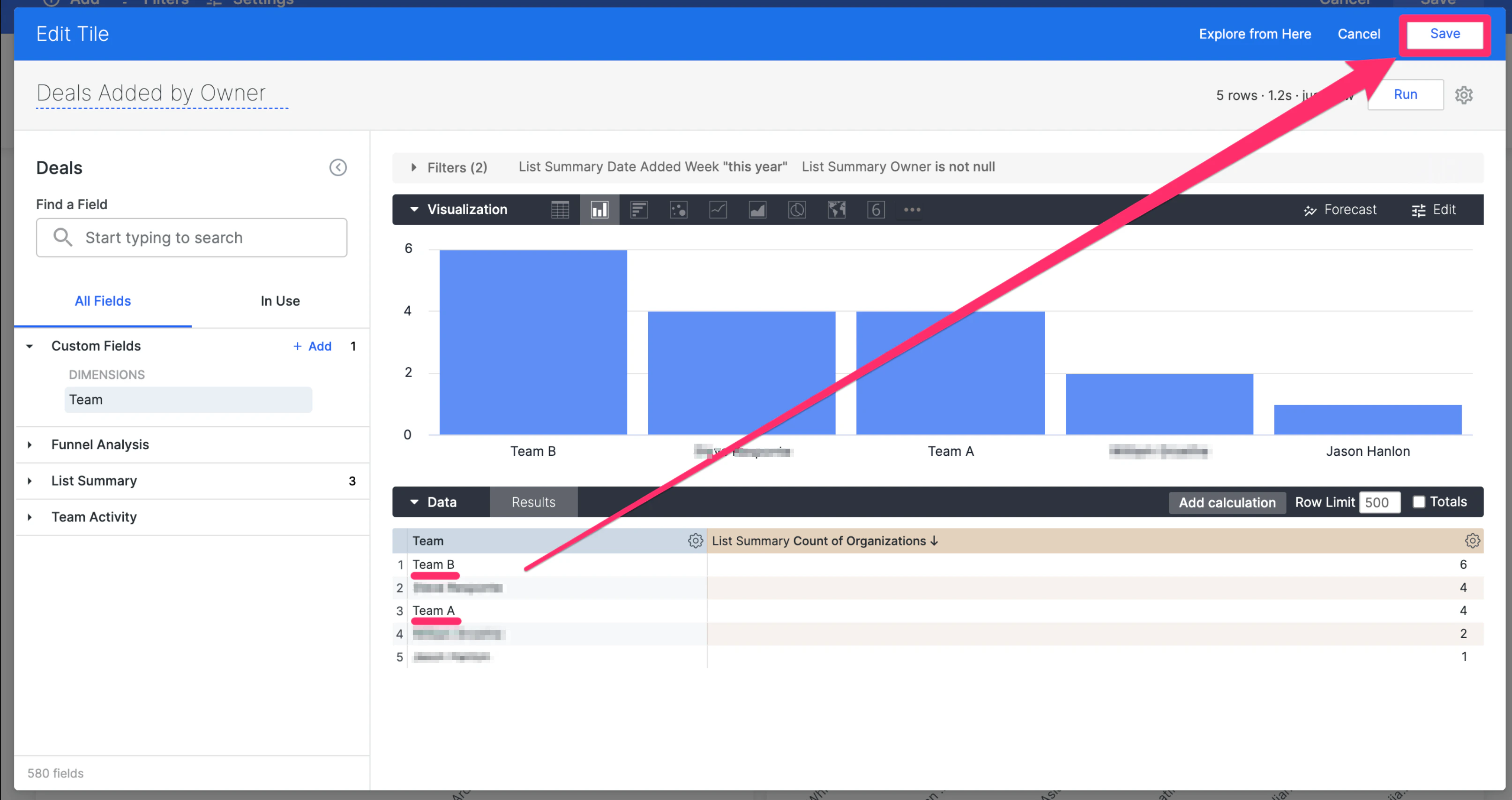
- You’ll see that the custom groups you’ve made (e.g. Team A and Team B) now appear - click Save once more on the top-right corner and you’re all set.