Reference — lookup information.
- Please note that Basic Reporting is a legacy feature that is no longer available for new customers.
- For those on the Scale, Advanced, and Enterprise tiers, you can leverage advanced reporting features with Affinity Analytics.
- For those on the Essential tier, we highly suggest upgrading to the Scale, Advanced, or Enterprise tiers to leverage Affinity Analytics.
- Click the Reports tab on your global navigation bar.
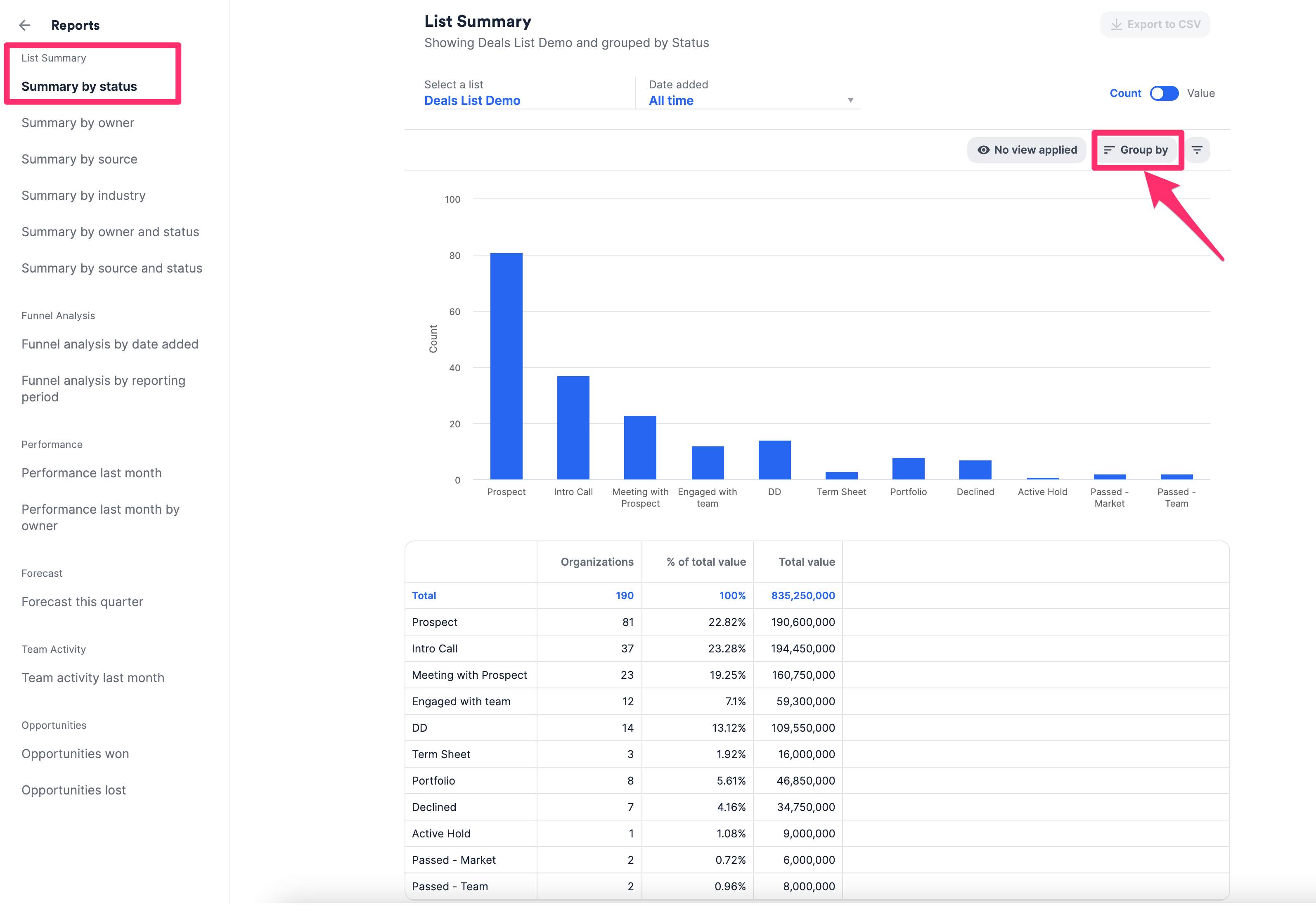
- Begin by selecting a list and specifying the time period in Date Added.
- Use a saved view from the list to quickly apply its associated filters, or click the Filter icon to start from scratch.
- All the tabs on the left are simply pre-applied templates (i.e. Summary by status, Summary by owner, etc.). Click Group by to override the template and change the groupings in the x-axis.
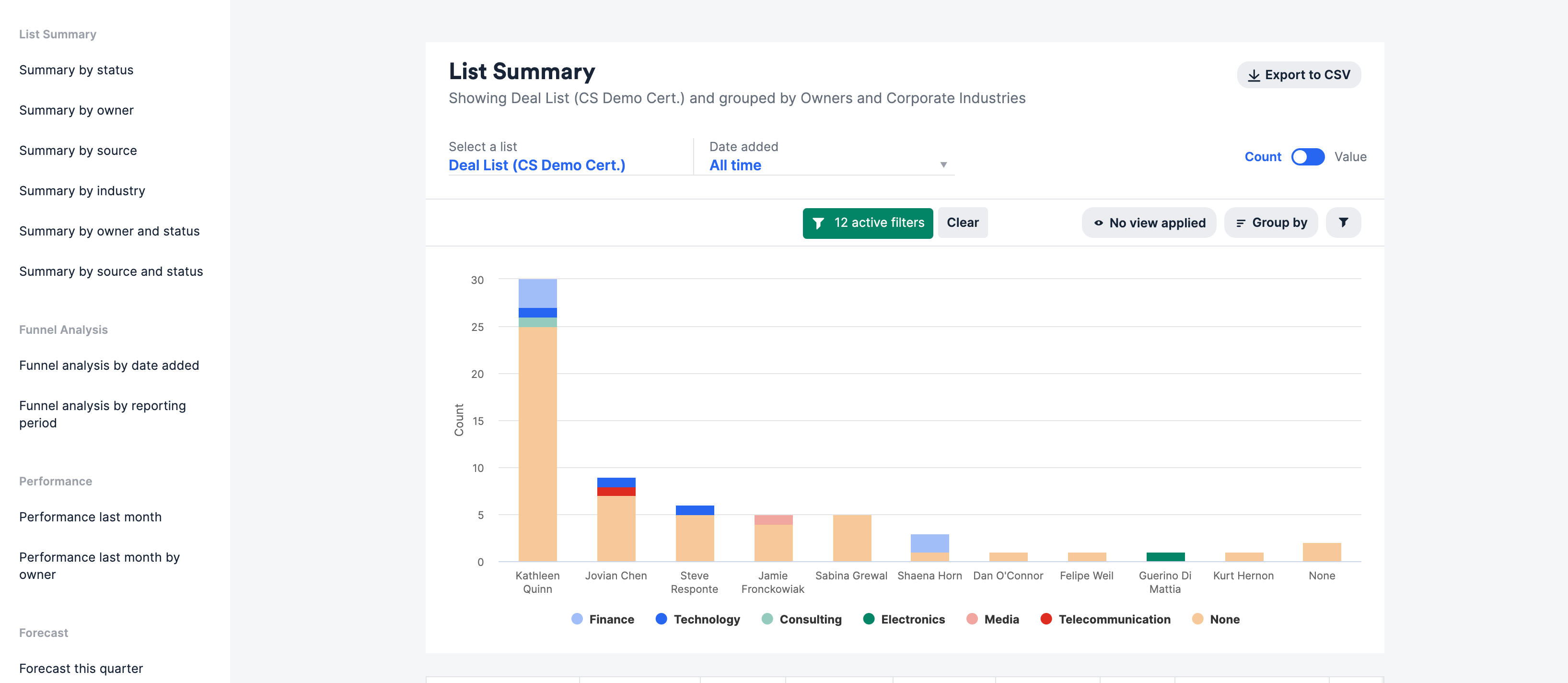
- You can have up to two different groupings. The 1st field will be displayed on the x-axis and the 2nd field is color-coded by each bar along the y-axis. In the example below, the list is grouped by Owners first, then by Industry within each owner.