

How-to — task-oriented recipe.
Source of Introduction
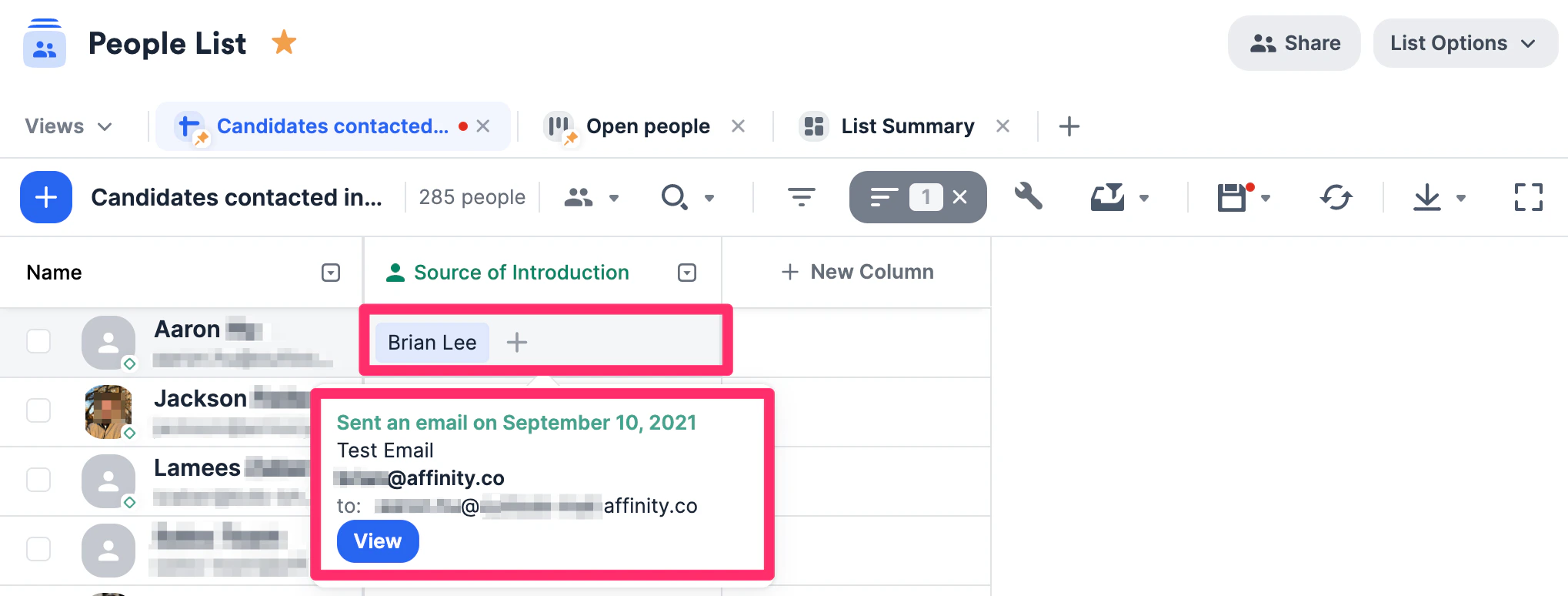
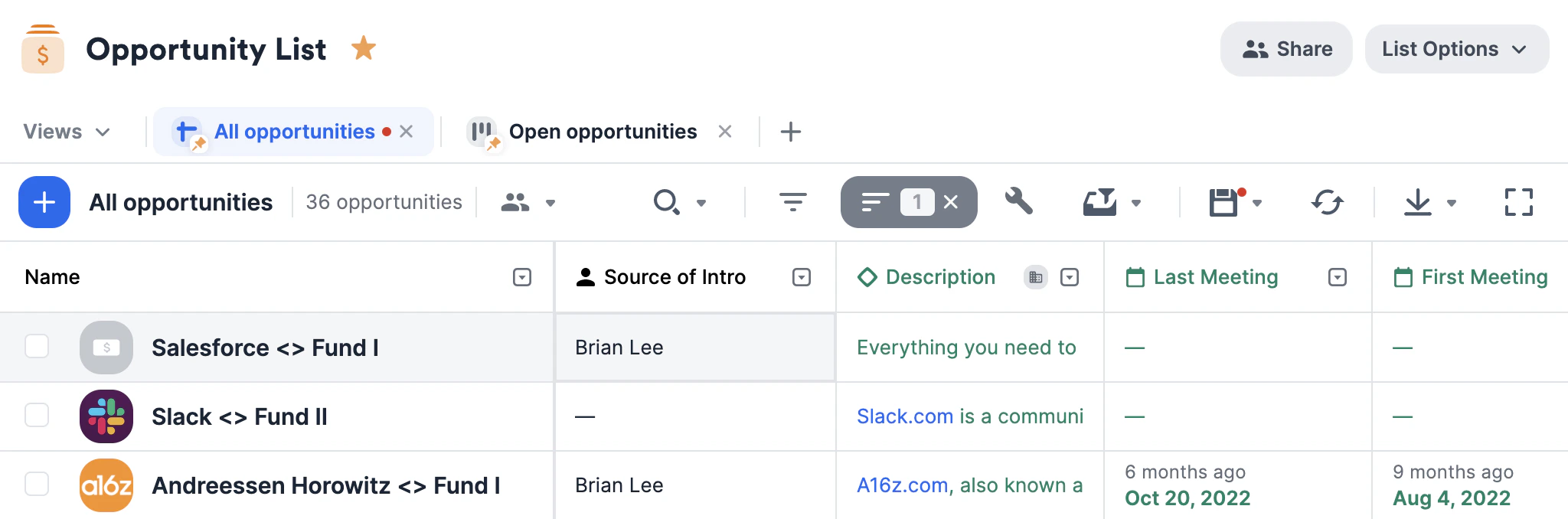
Considered to be the very first introduction made between you/your team and a person or organization, the Source of Introduction can be found in two places:- On people lists and organization lists, through the Source of Introduction column. Clicking on each cell will show you the interaction that Affinity considered to be the introduction.
- On a profile page, within the Connections tab.

How to understand Source of Introduction
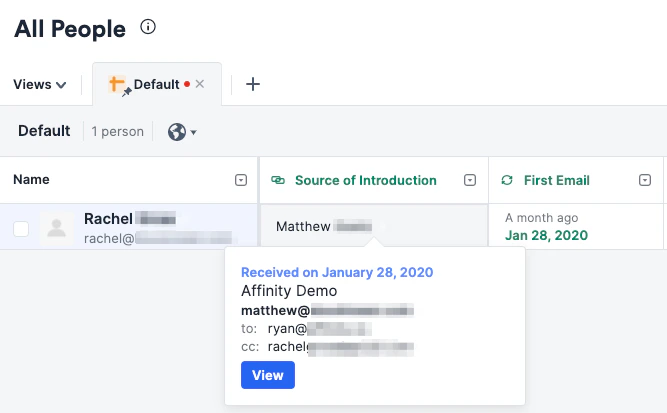
How does Affinity determine the Source of Introduction?
In order to calculate the Source of Introduction, we look at the First Email and pick:- The sender who appears in the From field (this is the most common case).
- If we are unable to create a contact in Affinity for the sender (because we couldn’t find a full name for example) or if the sender is the entity in question (Rachel), then we pick an internal teammate who appears in the To field.
- If not in the To field, then we pick an internal teammate in the CC field.
- If there are no internal teammates, we pick an external contact in the To field if one exists.
- If not in the To field, then we pick an external contact in the CC field.
Introductions Made
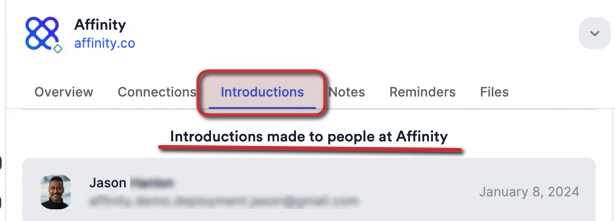
More holistically, you can track all introductions made by your team and all introductions made to your team. You can find this information in two areas:- On the Introductions tab found in people and organization profile pages (not on opportunity profile pages).
- By exporting all introductions in view in any one of these areas:
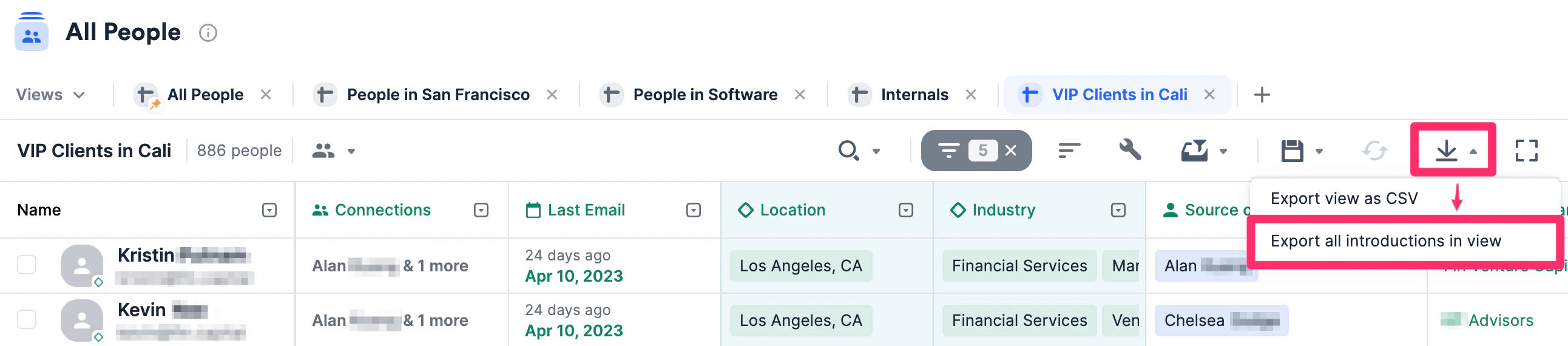
- All Organizations Directory
- All People Directory
- Any organization list
- Any people list
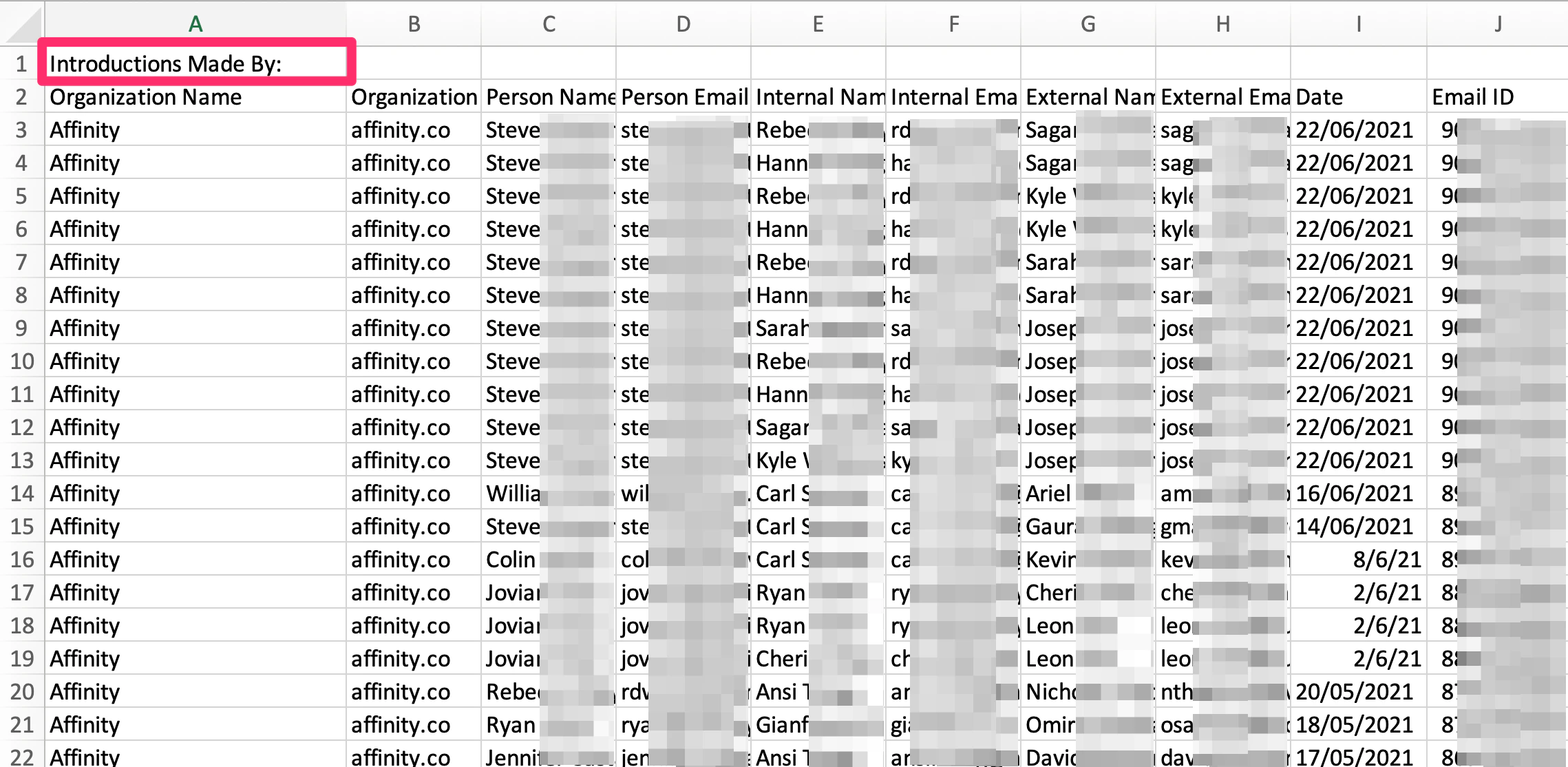
- The first part begins with Row 1 - Introductions Made By.
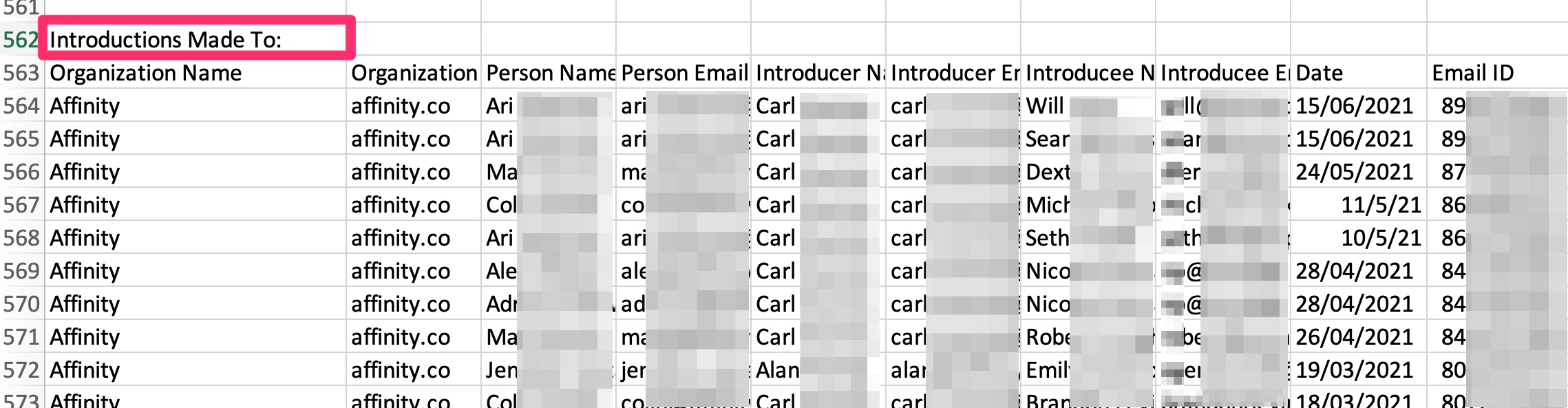
- The second part begins somewhere in the middle of the CSV file depending on how many introductions are made by in the first part above (e.g. Row 562 - Introductions Made To).
How does Affinity determine if an interaction is an introduction?
We look at email subjects and email bodies to figure out whether an email is a formal introduction, who the people being introduced are, and by whom. To ensure that introductory emails are caught by Affinity, you can simply introduce one person (Alice) to another (Bob) by:- Titling the email subject as “Intro: Alice <> Bob”
- The email cannot be calendar-related such as an invitation or calendar update.
- At least 1 recipient must be external (not from your company/ have the same domain)
- The email must be the first email in the thread (not a reply or a forward)
- The word “intro” or “introduction” must be in the email subject
- “Please meet” or “to introduce you to” or “adding” or “connect you with/to” in the email body
- Making sure Alice and Bob are in the To/CC fields
- Both their first names should be somewhere in the subject or body