Reference — lookup information.
How to set up Google’s SAML app for Affinity
-
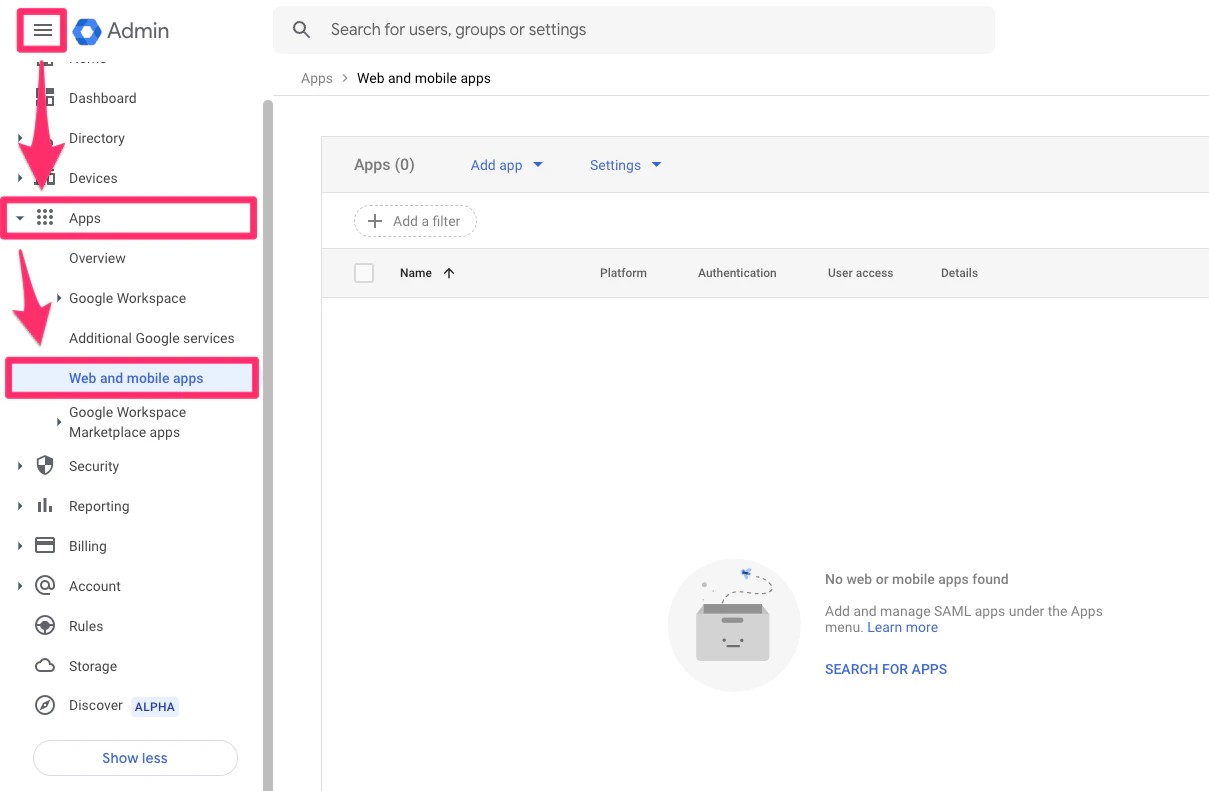
As the Google Workspace Admin, please sign into admin.google.com. Then, click the Menu icon > Apps > Web and mobile apps.
-
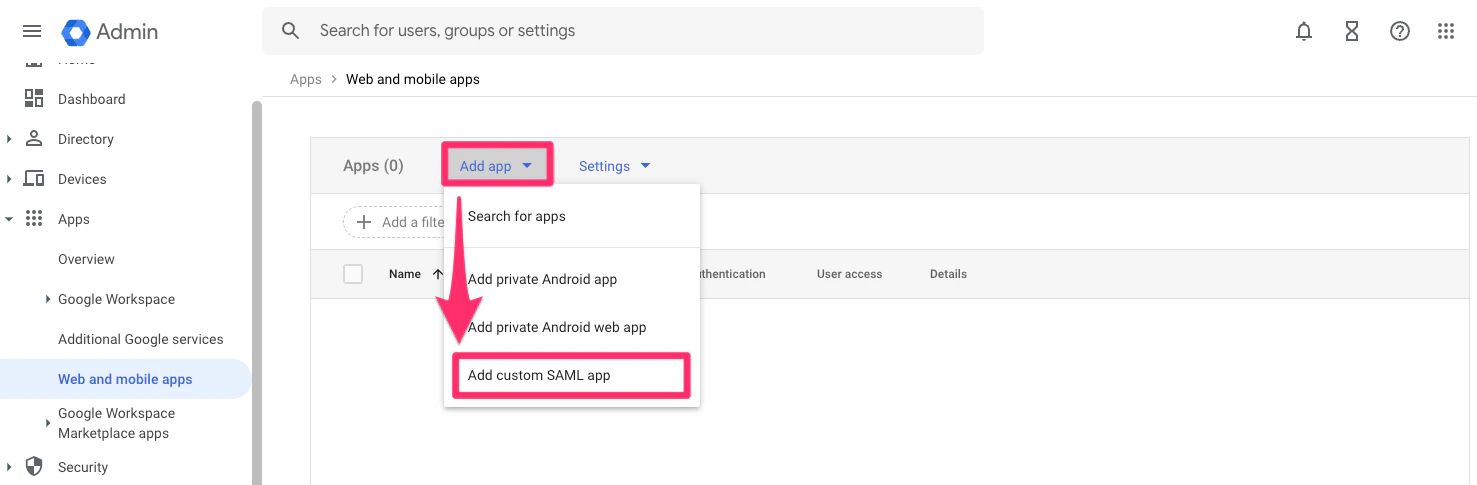
Then, click on Add app > Add custom SAML app.
-
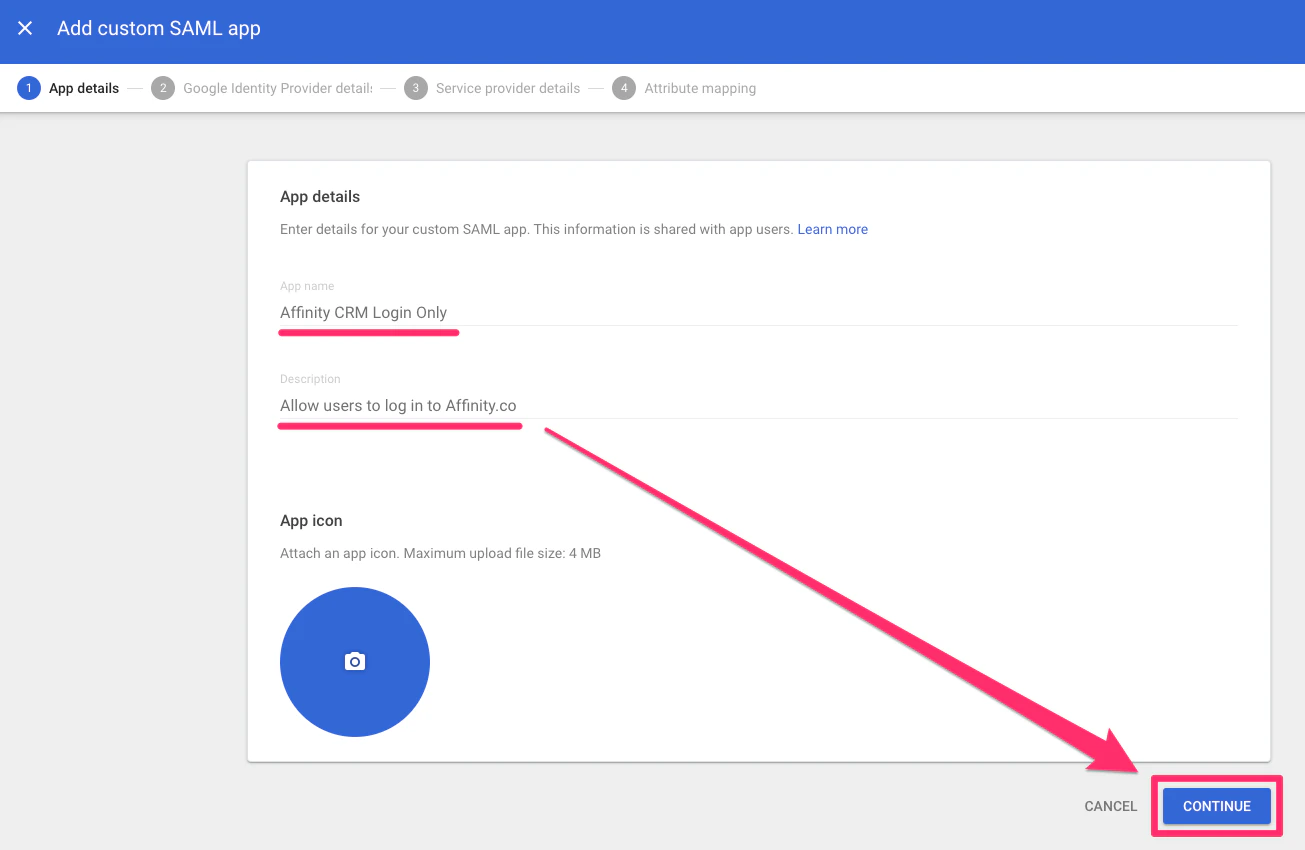
Fill out the App name and Description fields, then click Continue.
-
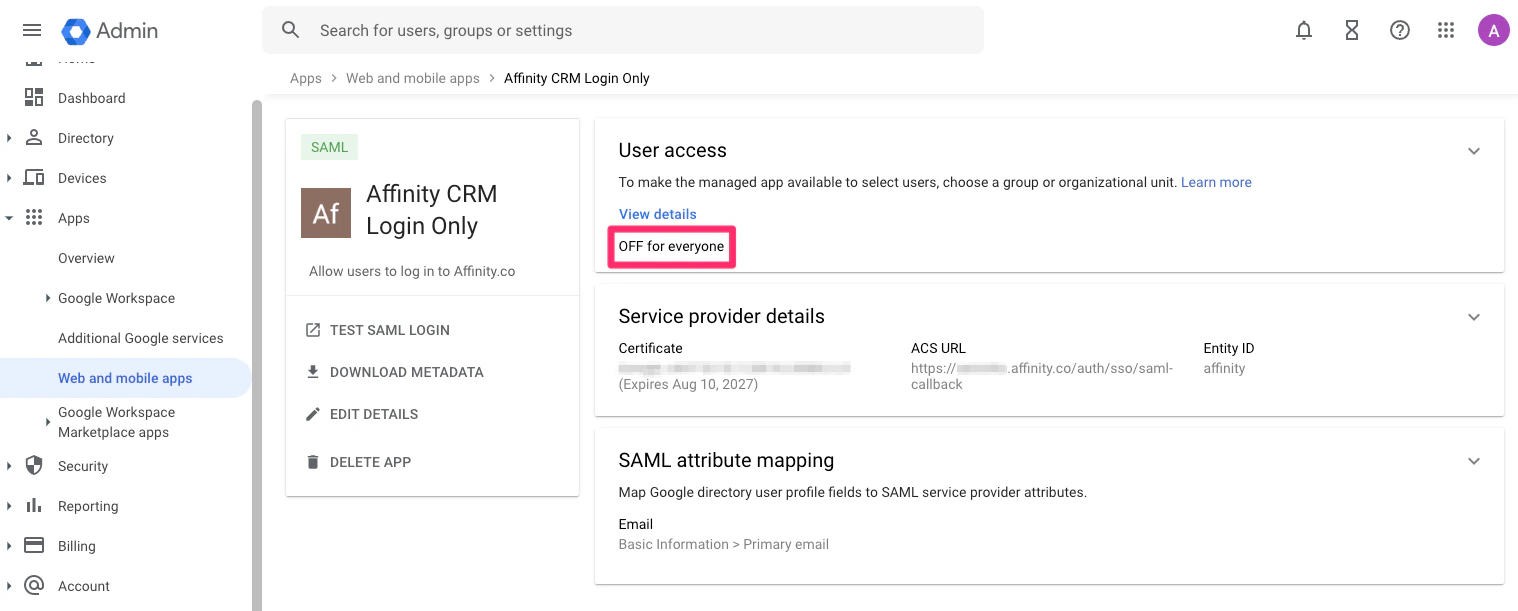
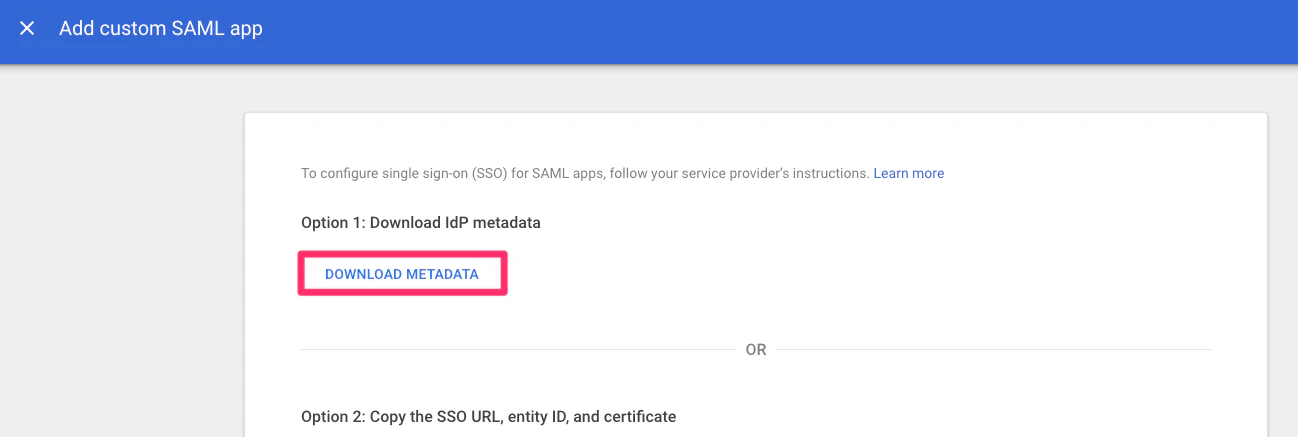
Click the Download Metadata button, then send the file to your Affinity contact.
-
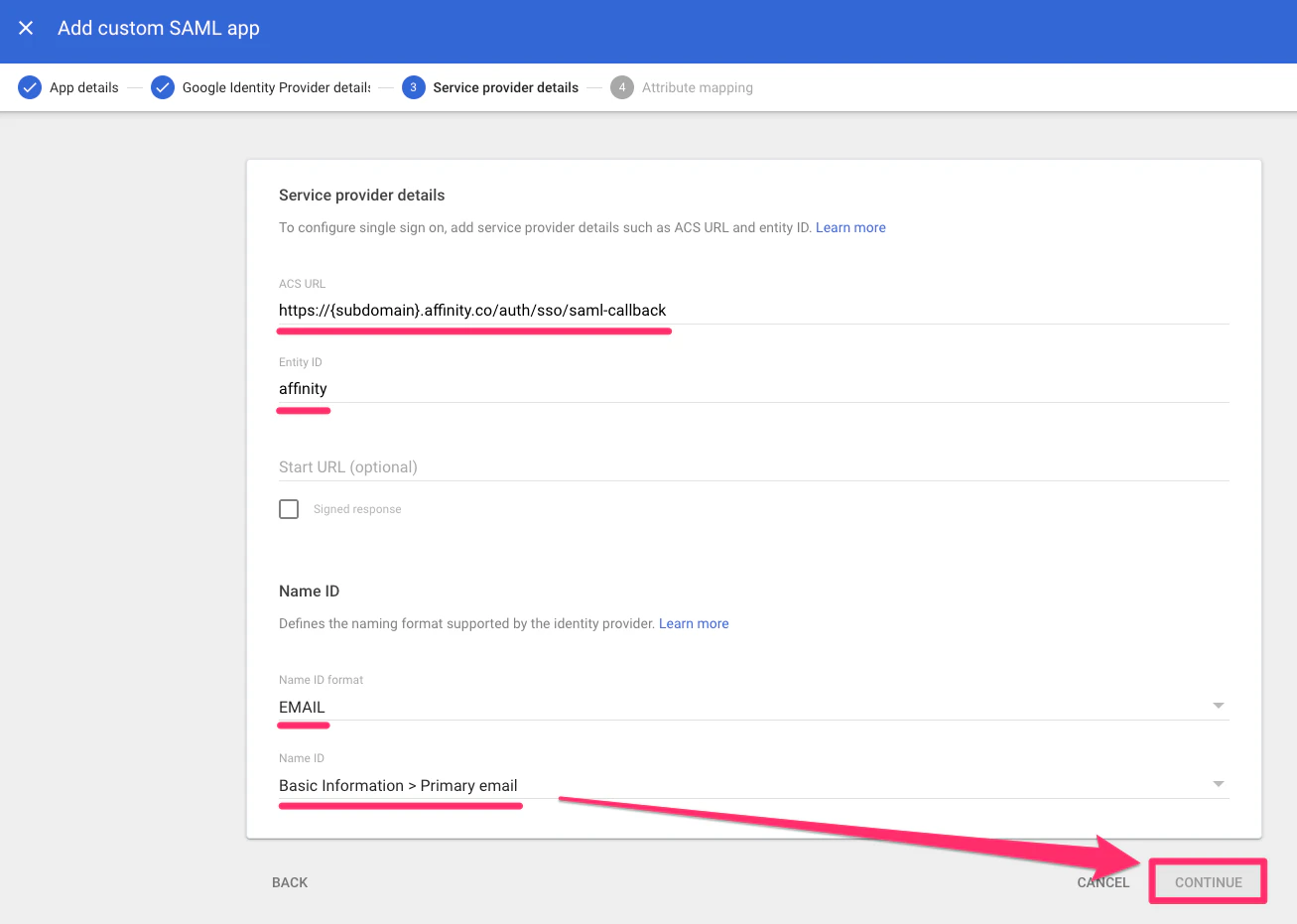
Fill out the service provider details with the following, then click Continue:
- ACS URL (also known as Reply URL):
https://login.affinity.co/auth/{subdomain}/sso/saml-callback - Entity ID: affinity
- Start URL (also known as Relay State): IDP-INITIATED-FLOW. If you wish to enable this, please let us know if you have this enabled.
- Name ID format: EMAIL
- Name ID: Basic Information > Primary email Note: Not sure what your Affinity subdomain is? Check out How to find your Affinity subdomain
- ACS URL (also known as Reply URL):
-
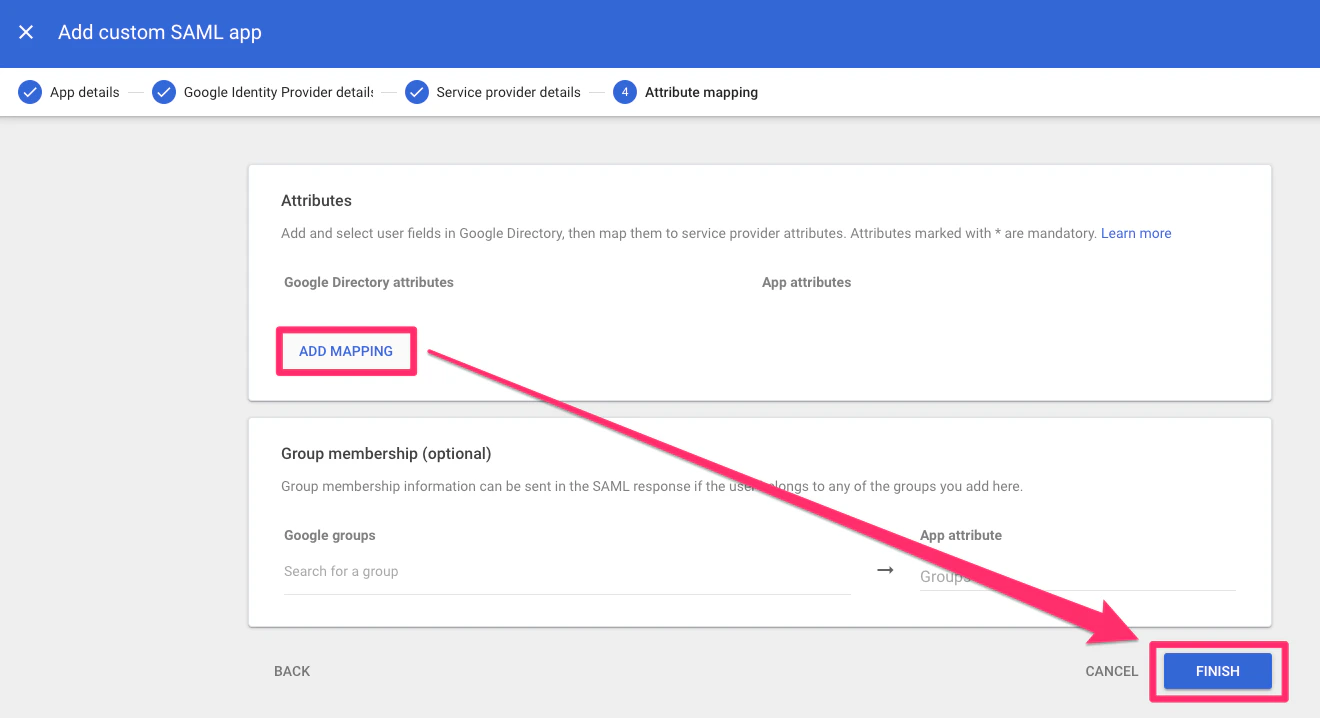
Now, click Add Mapping to map user fields to service provider attributes. Then, click Finish.
-
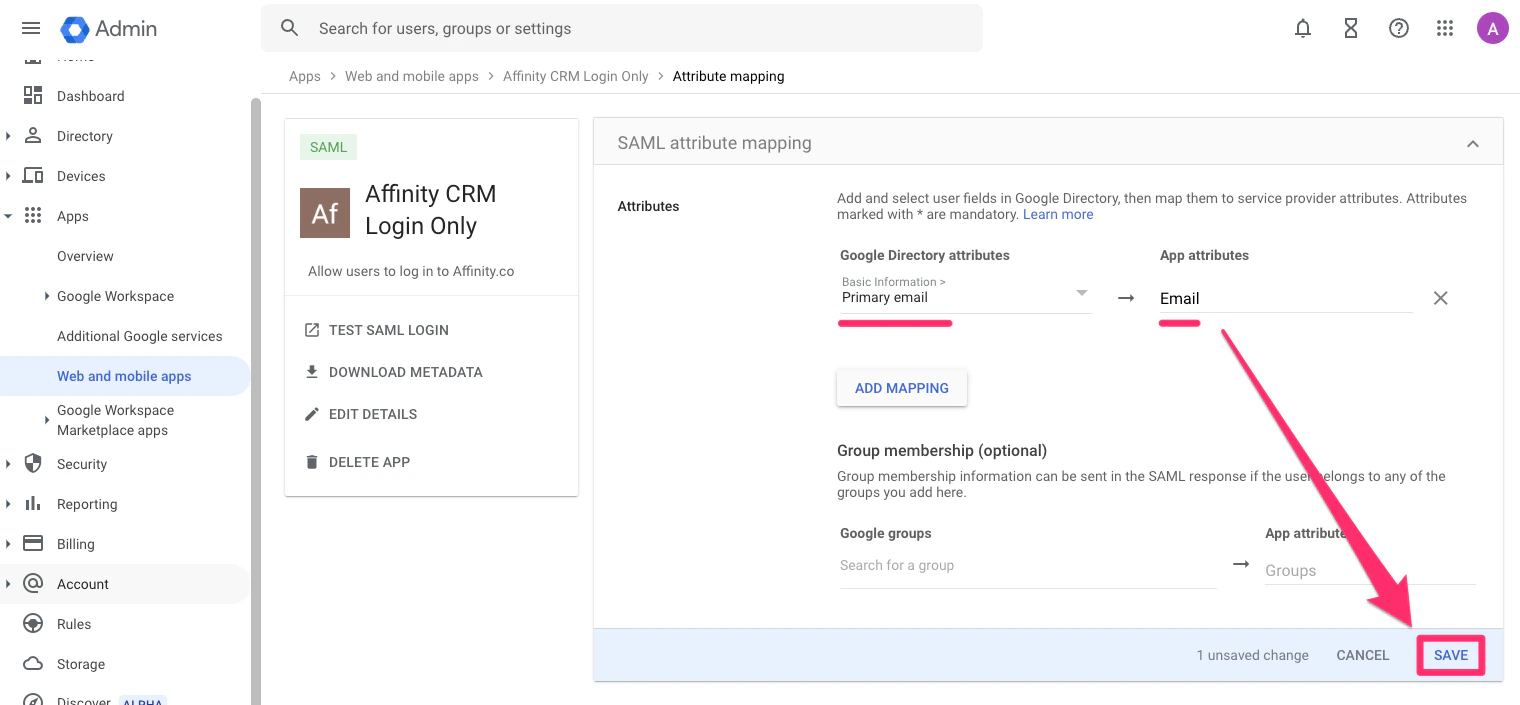
Then, select Primary email under Basic Information, type in Email under App attributes, and click Save.
-
Last but not least, set up user access for the specific users and/or teams that should have access to Affinity.