

How-to — task-oriented recipe.
How to send emails and file attachments through Affinity
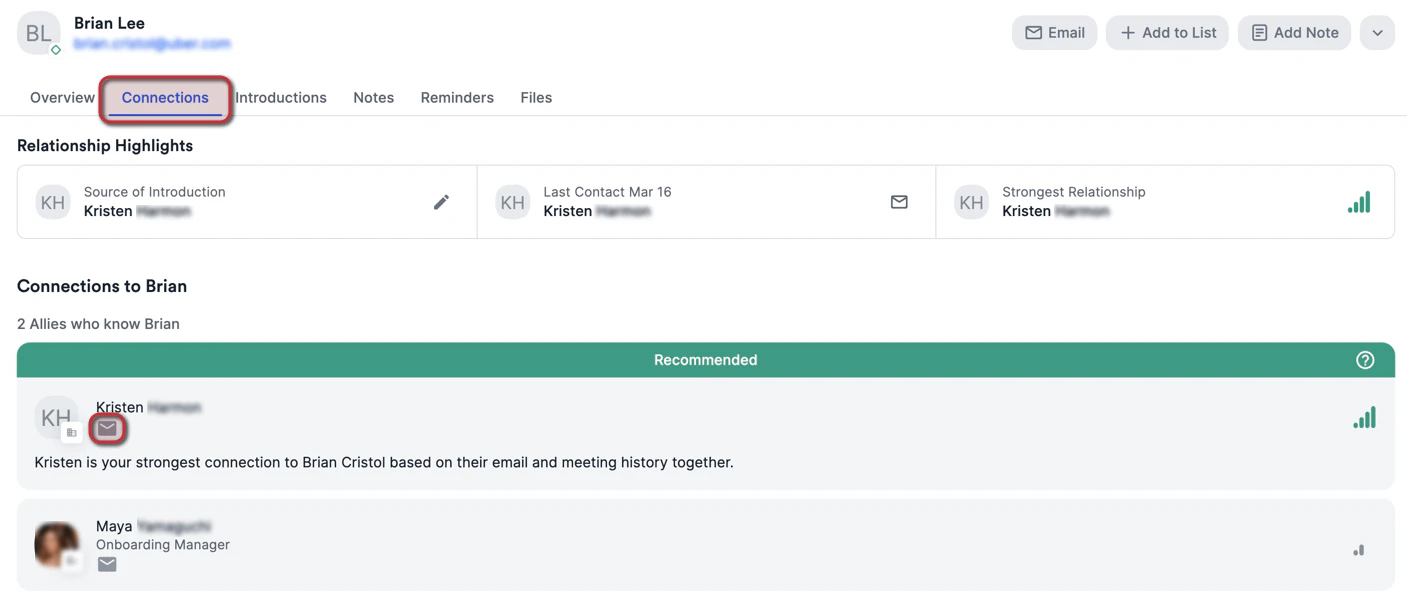
- Click into the relevant person’s profile page, then click on the Email button.

- You can also click on the Connections tab to send emails and ask your allies for warm introductions to a particular individual.
- There are multiple features you can leverage within the Email Composer:
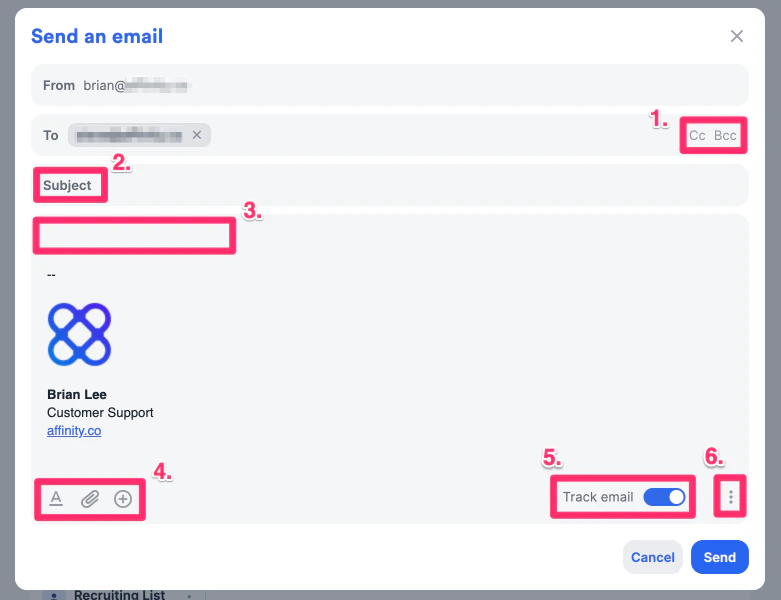
- Add other people to the CC and BCC lines as needed.
- Add an email subject.
- Type in content for the email body.
- Make your email body stand out by using rich-text formatting, attaching relevant files, and inserting dynamic fields or pre-saved email templates as needed.
- Make sure your files are one of our supported file types within Affinity.
- For Gmail users, the file size limit is 20MB.
- For Outlook users, the file size limit is 2.5MB.
- Track your emails for open, click, and response rates.
- Create or edit your email signature within Affinity and manage your email templates.
- Once you’re done, click Send.