

How-to — task-oriented recipe.
How to update primary email addresses for internals
Here are the reasons why you/your team members may want to change what’s considered your primary email address in Affinity when you have new email addresses:- Make your new primary email address show up first when viewing your own profile page
- Make your new primary email address the default sender email address whenever you send an email through Affinity
- Make your new primary email address the recipient of email notifications from Affinity If you and/or your team members are attempting to change your primary email addresses, send an email to support@affinity.co with the following information:
- Your new primary email address (synced to Affinity already)
- Agreement 1 - That this new primary email address will be set to the default sender email address whenever you send an email through Affinity.
- Agreement 2 - That this new primary email address will be set to receive email notifications from Affinity moving forward.
How to update primary email addresses for externals
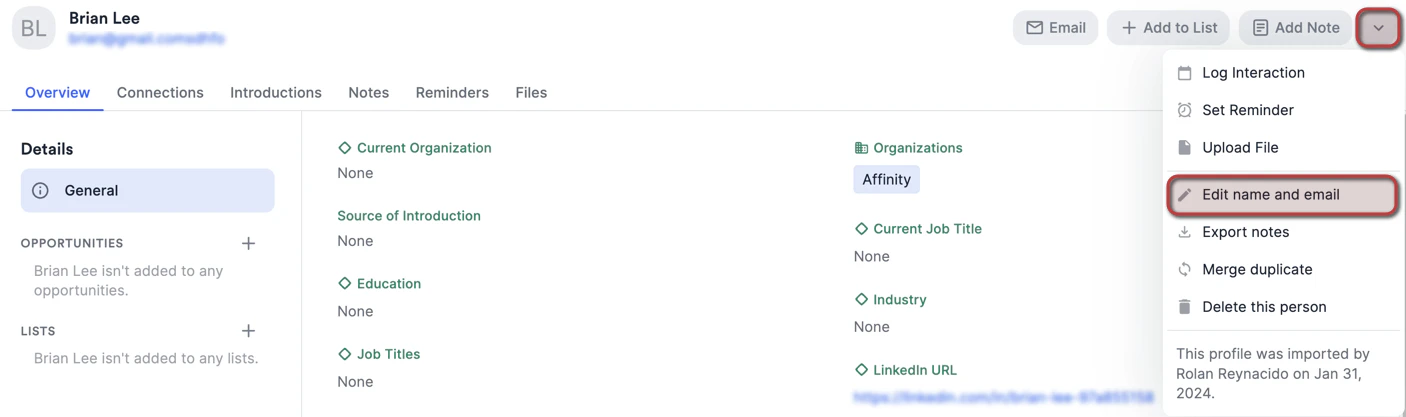
- On the contact’s profile page, click the dropdown arrow, then click Edit name and email.
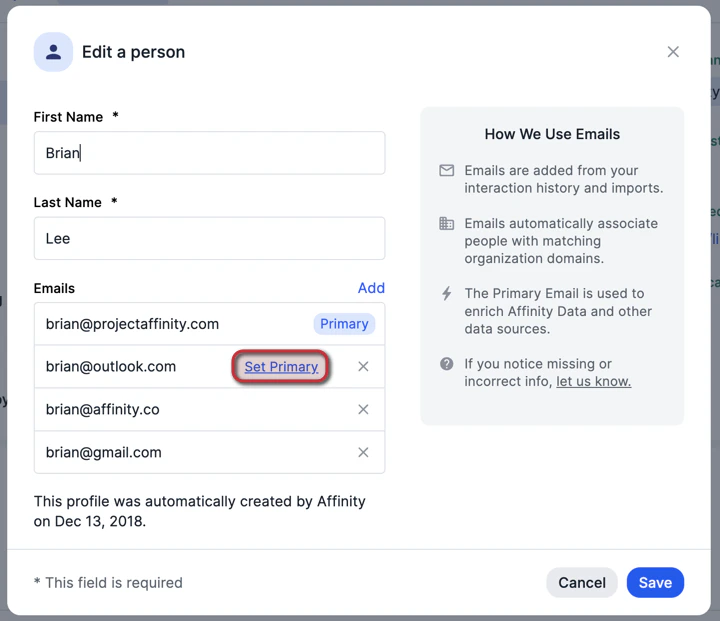
- Click Set primary next to the email address that you’d like to make the new primary email address moving forward, then click Save.
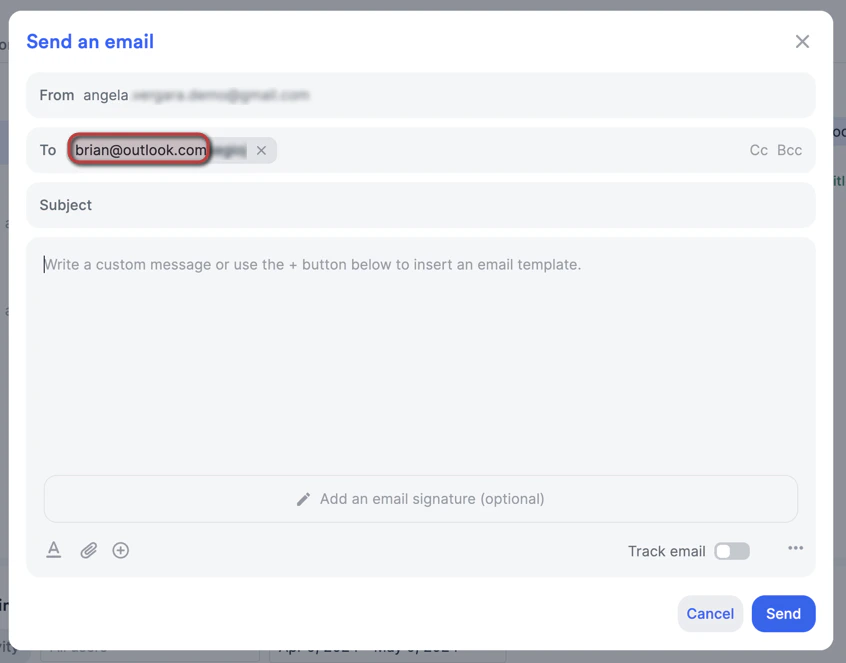
- Changing the primary email address for an external contact will:
- Make the new primary email address show up first when viewing the external contact

- Make the new primary email address show up first when viewing the external contact
- Make the new primary email address the default recipient email address whenever you send the external contact an email through Affinity
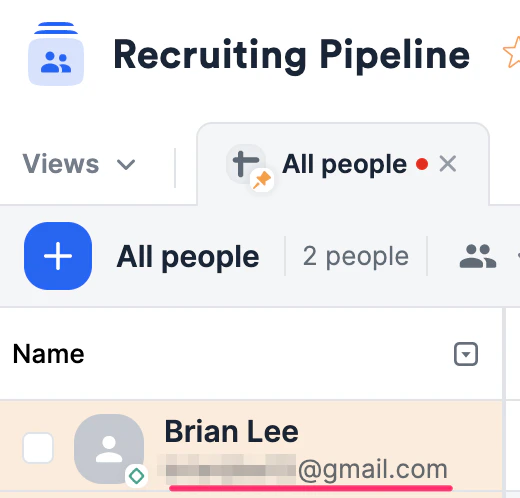
How to quickly determine a contact’s primary email address
- It appears as the first email address on a person’s profile page.

- It also appears as the email address displayed under the person when they are added to a people list.
Important Callouts
- Apostrophes (’) are not supported for email addresses in Affinity. Attempting to add an apostrophe will simply have it removed once added/edited.