

How-to — task-oriented recipe.
Overview
You often know who you want to meet before they’re in your CRM. Affinity can now find people outside your CRM whom someone in your network likely knows, and show you a short profile of them called Profile Insights. You can:- Find them. Search a name in global search, or ask AI Chat. People outside your CRM appear after the people already in it.
- Preview them. Open Profile Insights to see an AI summary of who they are, their role, company and background, and who at your firm likely knows them.
No email address or phone number. Affinity never shows an email address or phone number for a person outside your CRM, in search, in AI Chat or in Profile Insights.
Prerequisites
Plan: Scale, Advanced, or Enterprise.Part 1: Find a person outside your CRM
In global search
- Click the search bar at the top of Affinity and type the person’s name.
- Look in the results for the person. People outside your CRM show their company and job title where other people show an email address. Their photo has a small badge. Hover over it to see Potential contact.
- Select the person to see a preview titled Insights on followed by their first name. It shows their role, company and location, and the people at your firm who likely know them.
- Click the person to open their full Profile Insights.
In AI Chat
Ask about the person by name, the way you’d ask a colleague:- “Do we know John Smith?”
- “Tell me about Jane Doe.”
Part 2: Open Profile Insights
Profile Insights is a short profile of a person outside your CRM. Open it from any of these places:- A search result, as above.
- A card in AI Chat, as above.
- An inferred connection card on the Connections tab of a company or person profile. Click the person’s name.
What Profile Insights shows
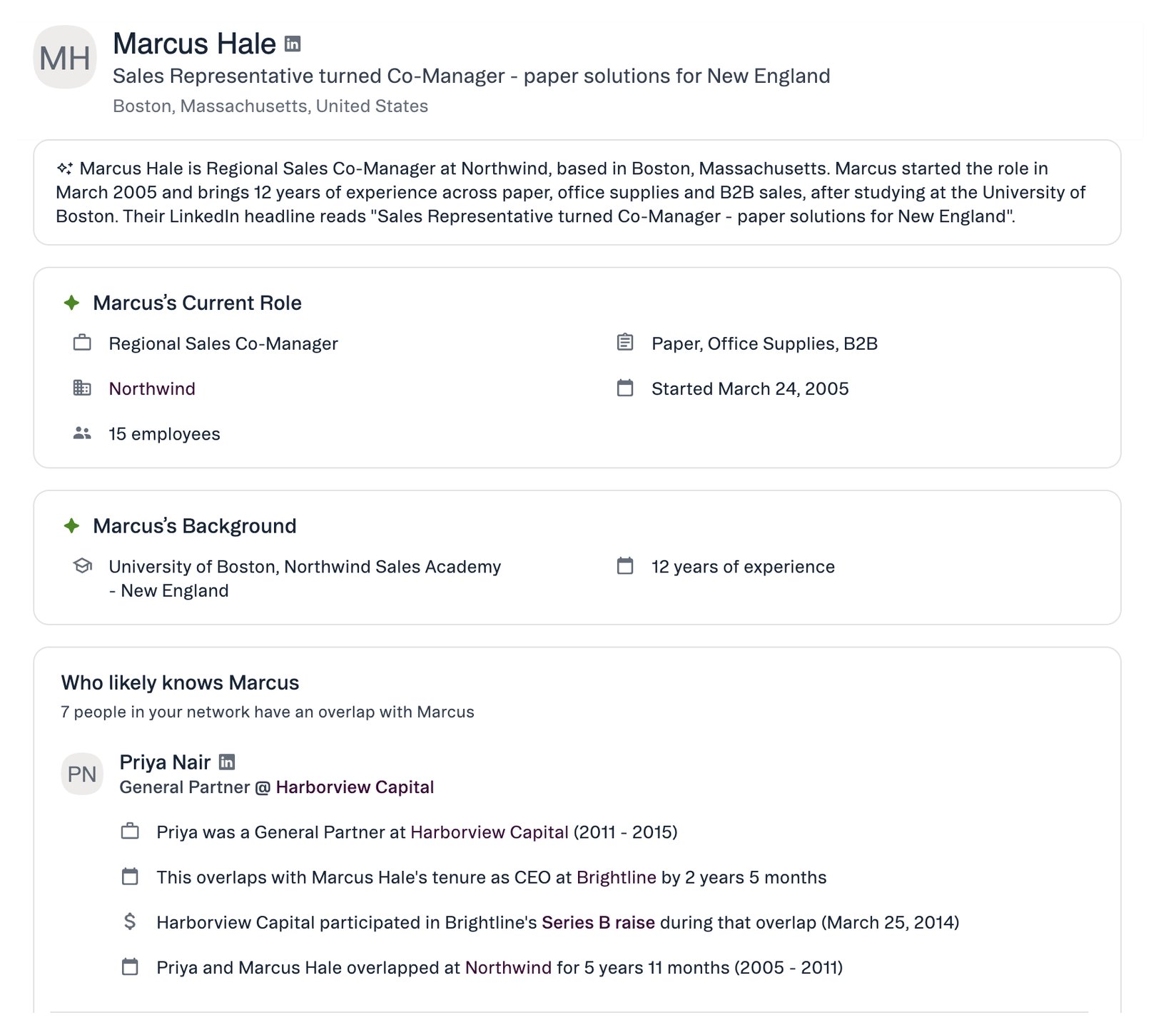
If Affinity doesn’t have a detail, Profile Insights leaves it out.
Read “Who likely knows”
This section lists the people in your network who have an overlap with the person. Each row names someone and their current role. Click a row to see the evidence, for example:- Work history. Your contact and the person worked at the same company at the same time, and for how long.
- Funding. Your contact was at an investment firm that took part in a funding round at the person’s company, while the person worked there.
On a narrow screen
When there isn’t much room, Profile Insights shows two tabs:- About has the summary, Current Role and Background.
- Connections has Who likely knows.
Hide a person from Profile Insights
If you opened Profile Insights from an inferred connection card, click Hide to stop suggesting the person on that page. A hide is just for you. See Hide an inferred connection.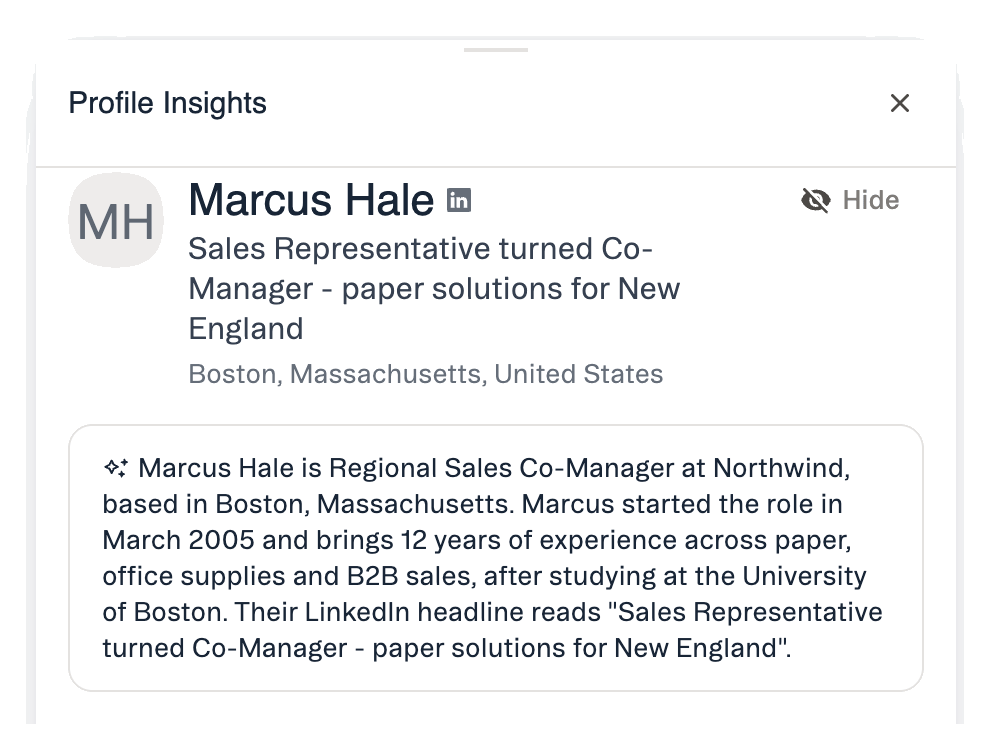
What’s not available yet
- Adding to a list. You can’t add a person outside your CRM to a list from search, AI Chat or Profile Insights.
- Search in the Affinity MCP. Person search in the Affinity MCP doesn’t return people outside your CRM.
- The people list name field. Typing a name into a people list doesn’t suggest people outside your CRM.
- Search by role or location. Search finds people outside your CRM by name only.
FAQ
Why can't I see an email address or phone number?
Why can't I see an email address or phone number?
Affinity never shows contact details for people outside your CRM. To reach the person, ask someone in Who likely knows for an introduction.
Why doesn't everyone I search for show up?
Why doesn't everyone I search for show up?
A person outside your CRM appears only if your firm has at least one inferred connection to them. If nobody in your network likely knows them, they won’t appear.
Is this person already in our CRM?
Is this person already in our CRM?
If the person is already in your CRM, search shows their CRM record and you can open their full profile as usual.