> ## Documentation Index
> Fetch the complete documentation index at: https://support.affinity.co/llms.txt
> Use this file to discover all available pages before exploring further.
# Welcome To Affinity For Slack
> Help center reference
**Concept** — background and overview.
## Overview
* Help your team stay connected on deals by setting up field update notifications in Slack.
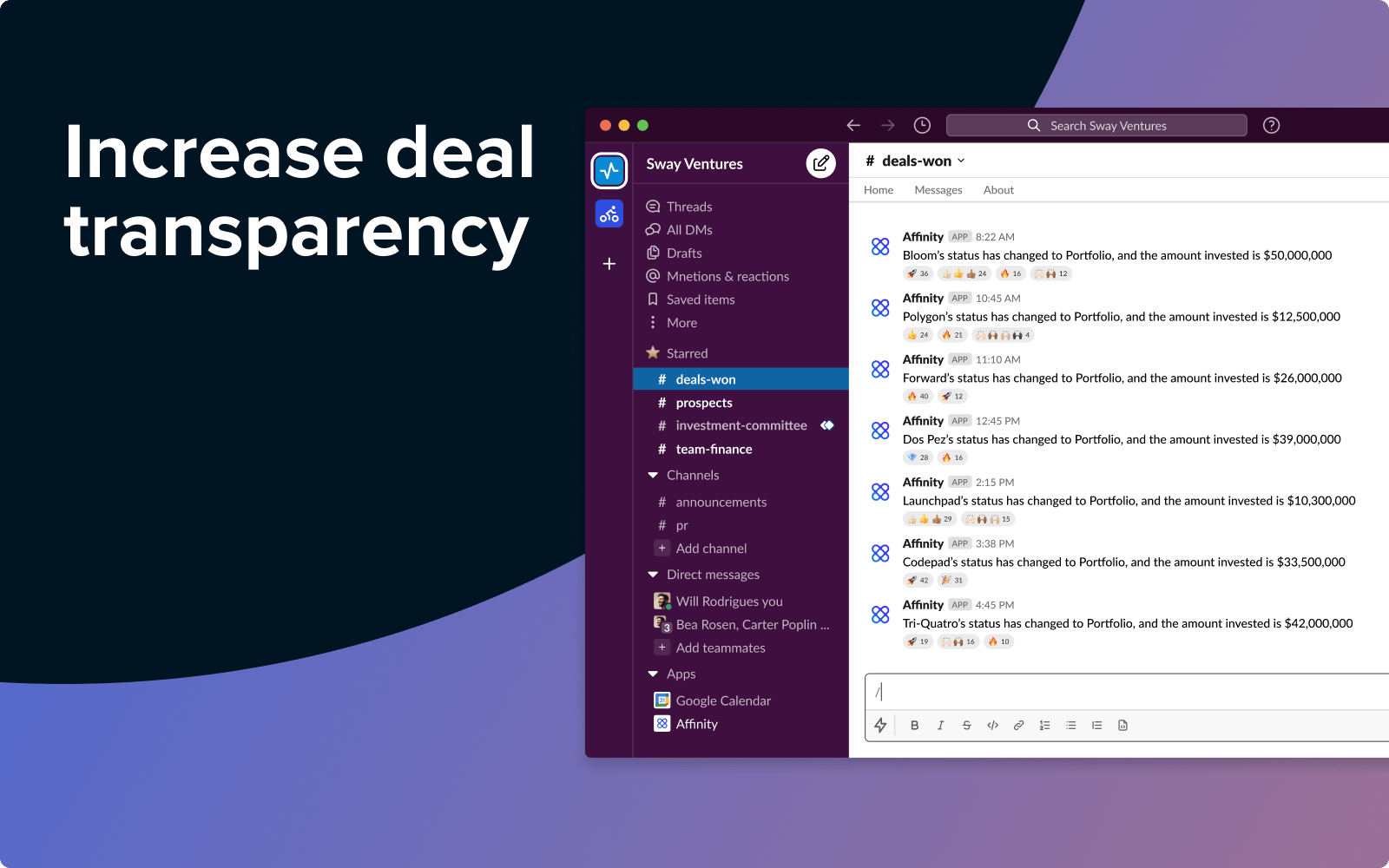 * Share wins with the whole team, or configure individual notifications to help investors stay on top of follow-up actions.
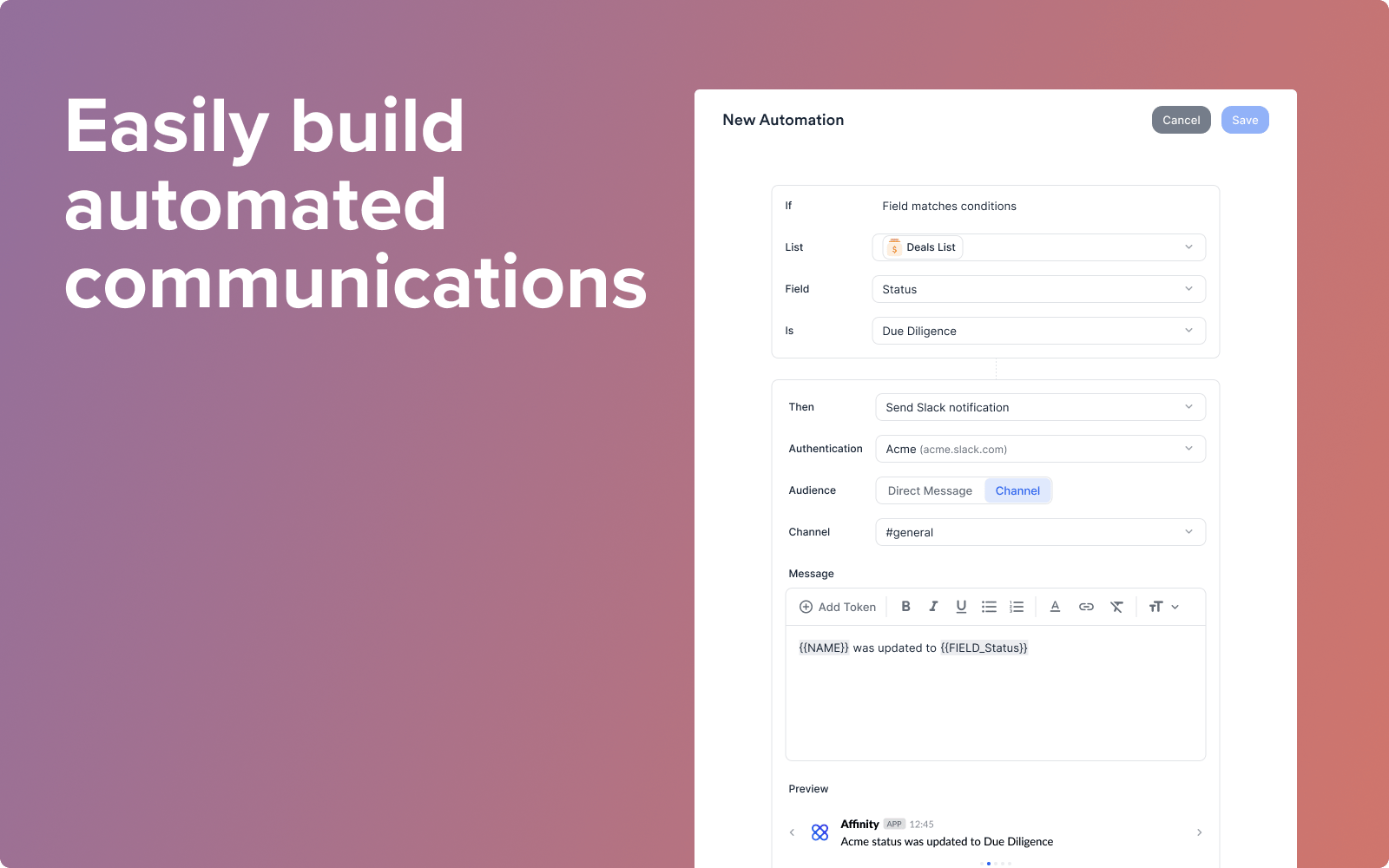
* Send updates to channels or individual users, and include dynamic information on the relevant person, organization, or opportunity using custom message tokens.
* Share wins with the whole team, or configure individual notifications to help investors stay on top of follow-up actions.
* Send updates to channels or individual users, and include dynamic information on the relevant person, organization, or opportunity using custom message tokens.
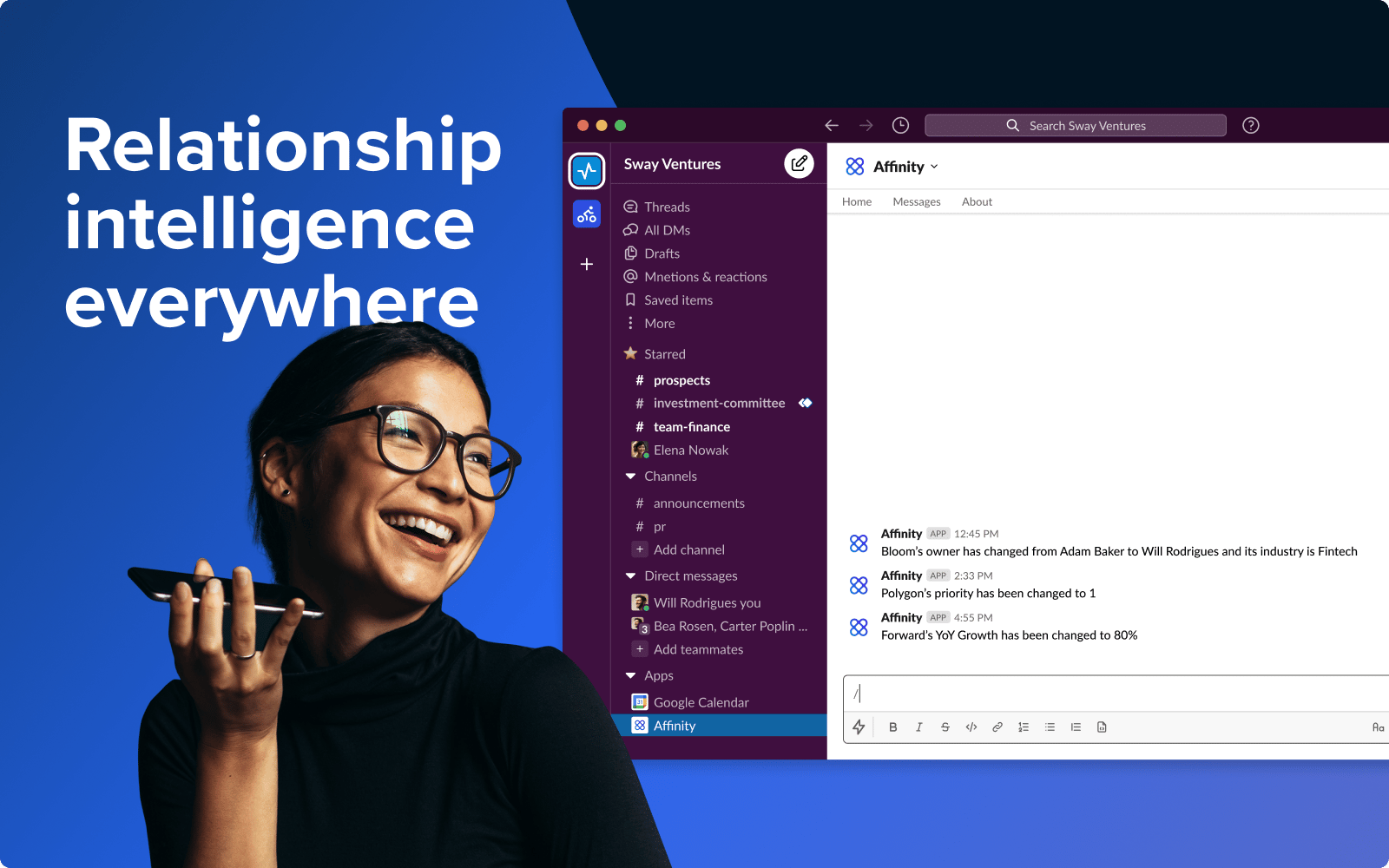 * Send notes directly from Slack to the relevant people, organizations, and opportunities in Affinity.
## Set up automations between Affinity and Slack
* Send notes directly from Slack to the relevant people, organizations, and opportunities in Affinity.
## Set up automations between Affinity and Slack
 * **Before you set up any automations between Affinity and Slack, you'll need to [install the Affinity app for Slack](https://affinity.co/slack/auth/install) as part of this set-up flow.**
* If your Slack Workspace requires admin approval for new apps, you will likely need help from your IT team. Send them to this page so they can unblock you.
* IT admin? Use [this link](https://affinity.co/slack/auth/install) to review and install the Affinity for Slack app directly.
{/* SCREENSHOT 3 */}
To learn more about Affinity's Privacy Policy, [click here](https://www.affinity.co/legal/privacy-policy).
* **Before you set up any automations between Affinity and Slack, you'll need to [install the Affinity app for Slack](https://affinity.co/slack/auth/install) as part of this set-up flow.**
* If your Slack Workspace requires admin approval for new apps, you will likely need help from your IT team. Send them to this page so they can unblock you.
* IT admin? Use [this link](https://affinity.co/slack/auth/install) to review and install the Affinity for Slack app directly.
{/* SCREENSHOT 3 */}
To learn more about Affinity's Privacy Policy, [click here](https://www.affinity.co/legal/privacy-policy).