> ## Documentation Index
> Fetch the complete documentation index at: https://support.affinity.co/llms.txt
> Use this file to discover all available pages before exploring further.
# Mobile Sign In Office 365 Advanced Threat Protection ATP
> Help center reference: Mobile Sign In Office 365 Advanced Threat Protection ATP
**Troubleshooting** — fix for a specific issue.
Certain email providers have advanced security policies that prevent malicious actors from directing users to untrusted sites via their inbox.
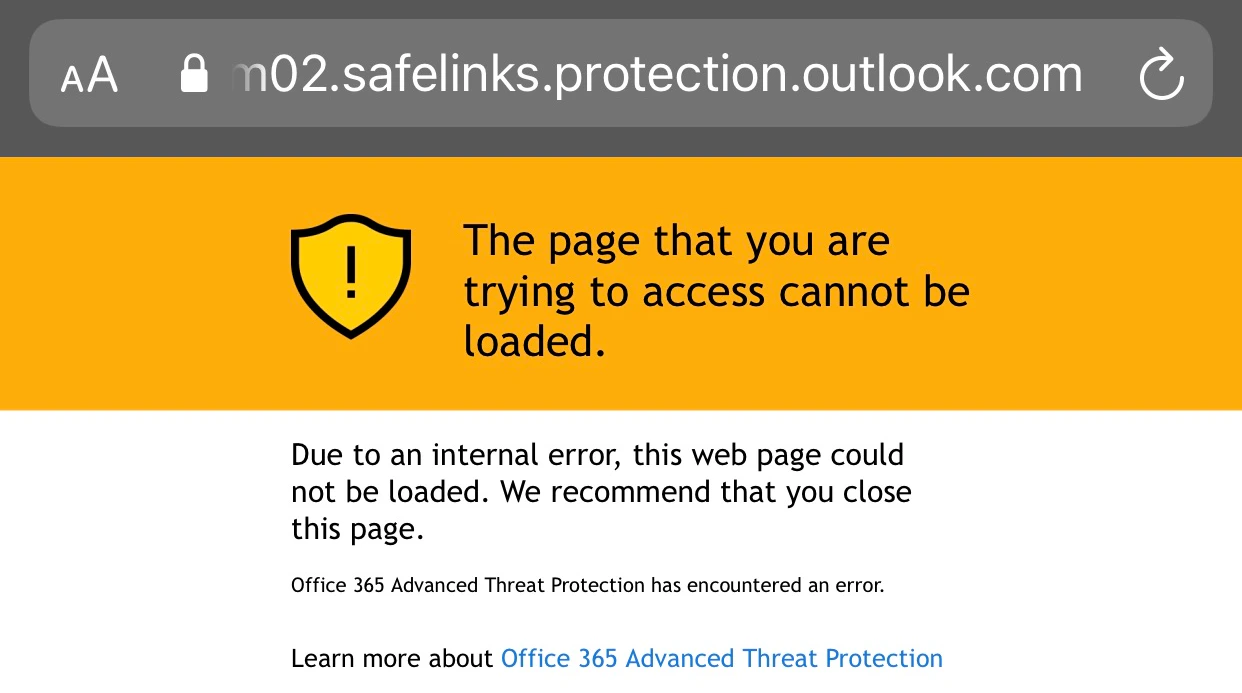
With Affinity's [Magic Link](/s/article/What-are-Passwordless-Logins-Magic-Links), users can sign in quickly and easily into the Affinity mobile app. However, they can sometimes be met with the following error on their mobile device:
 ## Solution
In order to resolve this issue, Global Admins of the Office 365 account must add the following to the Safe Link Policy within their account:
* [https://sendgridtrack.affinity.co](https://sendgridtrack.affinity.co/)
* [https://affinity.co](https://affinity.co/)
* affinity://
## Solution
In order to resolve this issue, Global Admins of the Office 365 account must add the following to the Safe Link Policy within their account:
* [https://sendgridtrack.affinity.co](https://sendgridtrack.affinity.co/)
* [https://affinity.co](https://affinity.co/)
* affinity://