> ## Documentation Index
> Fetch the complete documentation index at: https://support.affinity.co/llms.txt
> Use this file to discover all available pages before exploring further.
# How To Update A Contact's Primary Email Address In Affinity
> Help center reference
**How-to** — task-oriented recipe.
Have you/your team members (internals) or someone outside of your team (externals) changed email addresses? Follow the steps in this article to ensure that your primary email addresses are updated accordingly.
## How to update primary email addresses for internals
Here are the reasons why you/your team members may want to change what's considered your primary email address in Affinity when you have new email addresses:
1. Make your new primary email address show up first when viewing your own profile page
2. Make your new primary email address the [default sender email address](/s/article/How-to-send-emails-and-file-attachments-through-Affinity) whenever you send an email through Affinity
3. Make your new primary email address the recipient of [email notifications from Affinity](/s/article/How-to-set-up-email-and-web-app-notifications-for-Affinity) If you and/or your team members are attempting to change your primary email addresses, send an email to [support@affinity.co](mailto:support@affinity.co) with the following information:
* Your new primary email address ([synced to Affinity already](/s/article/How-to-add-or-remove-your-synced-email-accounts-from-Affinity))
* Agreement 1 - That this new primary email address will be set to the default sender email address whenever you send an email through Affinity.
* Agreement 2 - That this new primary email address will be set to receive email notifications from Affinity moving forward.
## How to update primary email addresses for externals
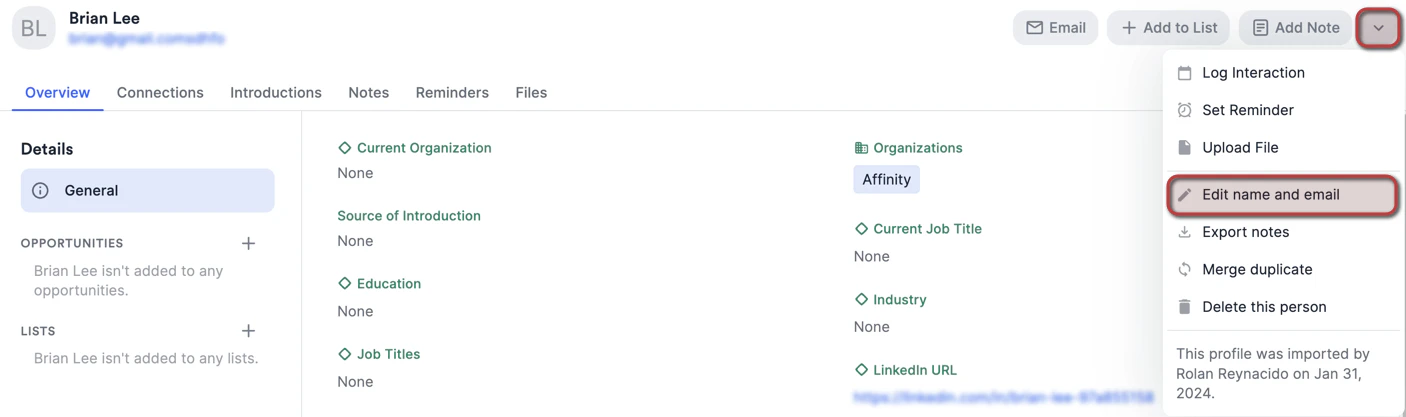
1. On the contact's profile page, click the **dropdown arrow**, then click **Edit name and email**.
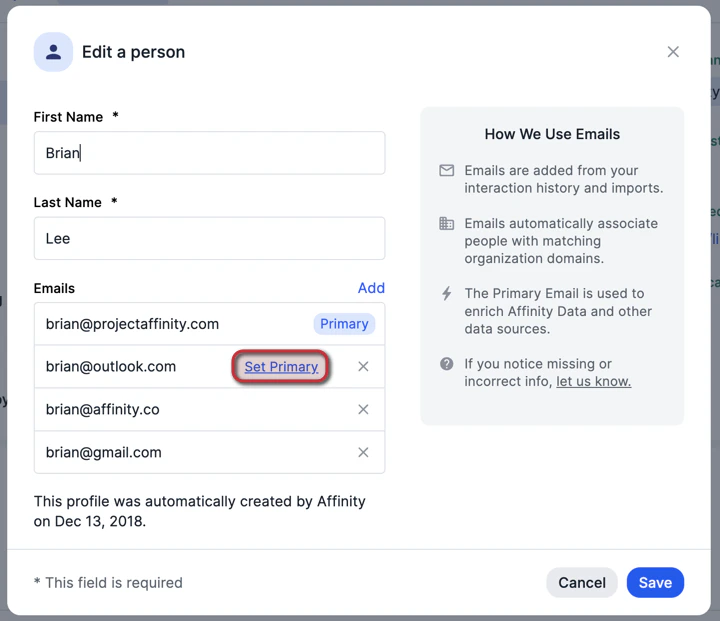
 2. Click **Set primary** next to the email address that you'd like to make the new primary email address moving forward, then click **Save**.
 3. Changing the primary email address for an **external contact** will:
* Make the new primary email address show up first when viewing the external contact
3. Changing the primary email address for an **external contact** will:
* Make the new primary email address show up first when viewing the external contact
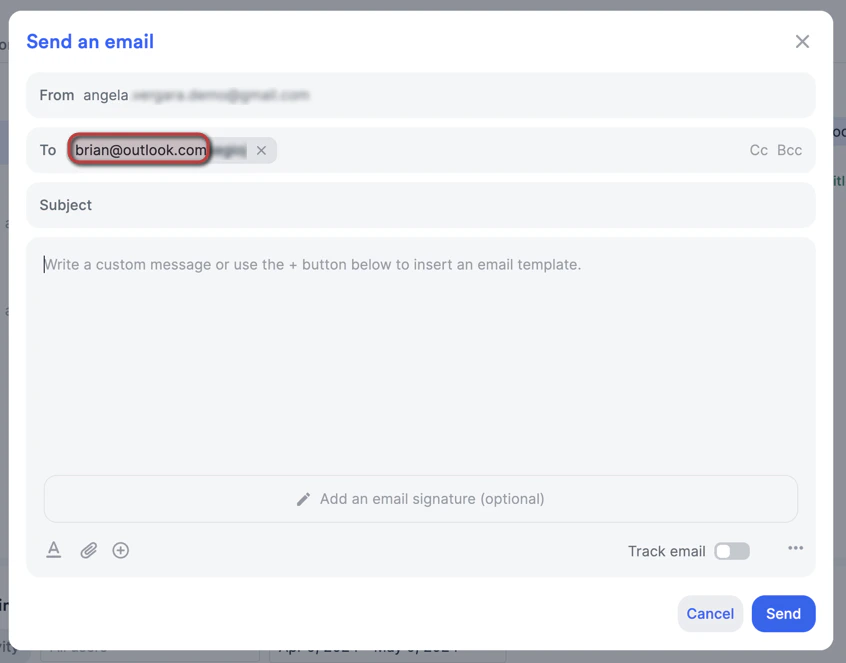
 4. Make the new primary email address the default recipient email address whenever you send the external contact an email through Affinity
 ## How to quickly determine a contact's primary email address
1. It appears as the first email address on a person's profile page.
## How to quickly determine a contact's primary email address
1. It appears as the first email address on a person's profile page.
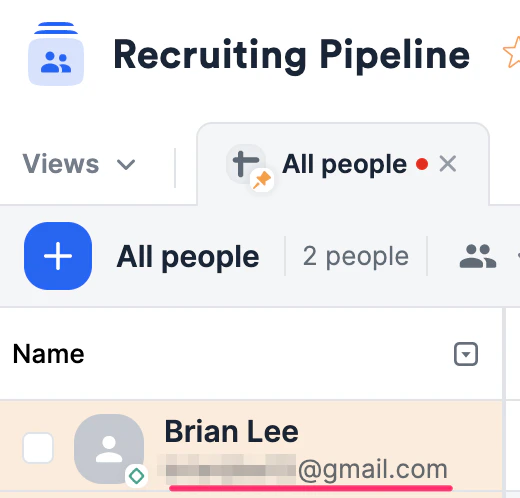
 2. It also appears as the email address displayed under the person when they are added to a people list.
 ## Important Callouts
* Apostrophes (') are **not** supported for email addresses in Affinity. Attempting to add an apostrophe will simply have it removed once added/edited.
{/* */}
## Important Callouts
* Apostrophes (') are **not** supported for email addresses in Affinity. Attempting to add an apostrophe will simply have it removed once added/edited.
{/* */}