> ## Documentation Index
> Fetch the complete documentation index at: https://support.affinity.co/llms.txt
> Use this file to discover all available pages before exploring further.
# How To Turn On Dark Mode In Affinity
> Help center reference: How To Turn On Dark Mode In Affinity
**How-to** — task-oriented recipe.
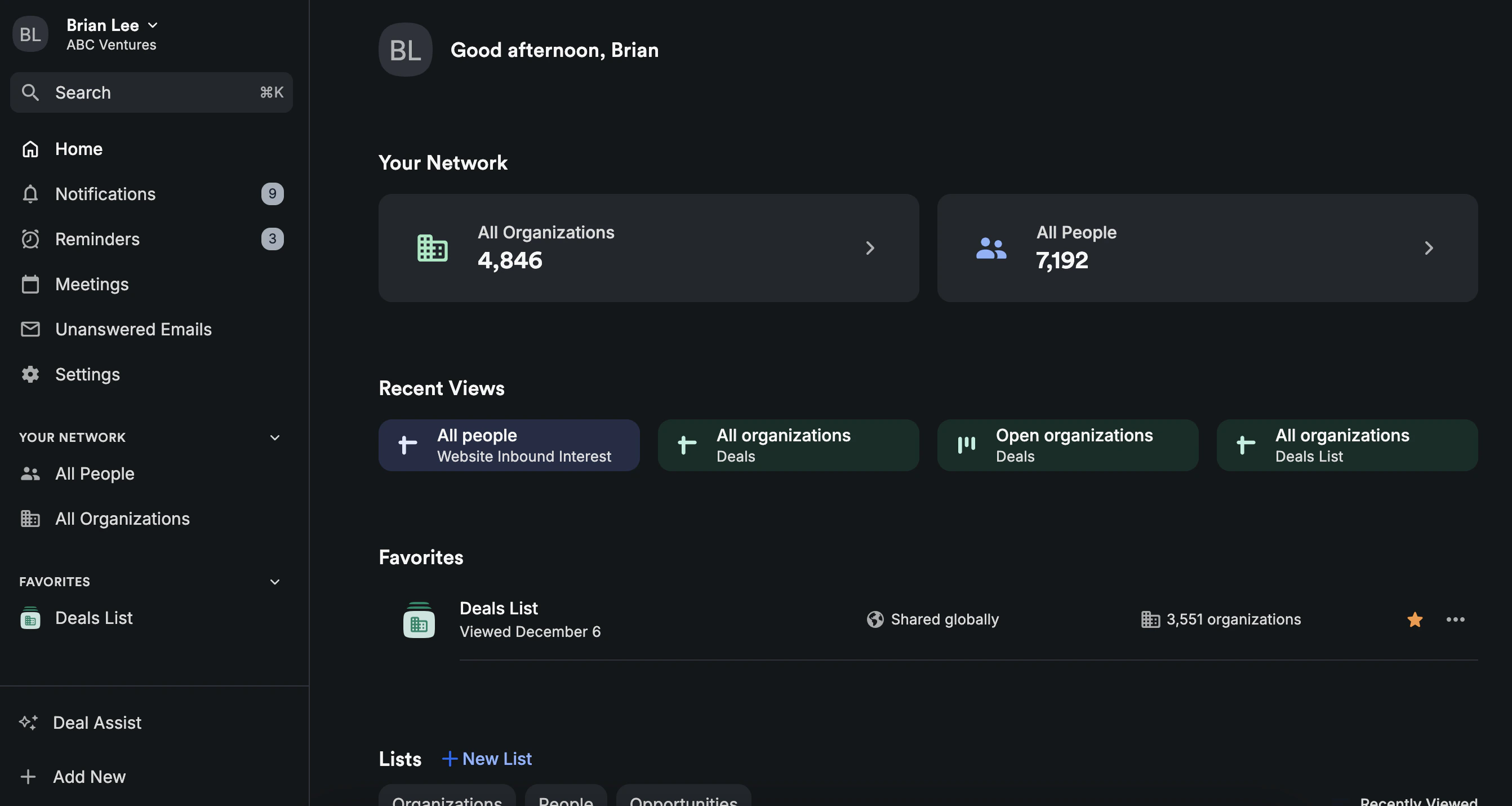
We're excited to announce **Dark Mode** across the Affinity web app and iOS mobile app.
 ## How to turn on Dark Mode on the web app
1. To turn on Dark Mode, click on your name on the top-left corner, then click on **Change theme** and select **Dark Mode**.
## How to turn on Dark Mode on the web app
1. To turn on Dark Mode, click on your name on the top-left corner, then click on **Change theme** and select **Dark Mode**.
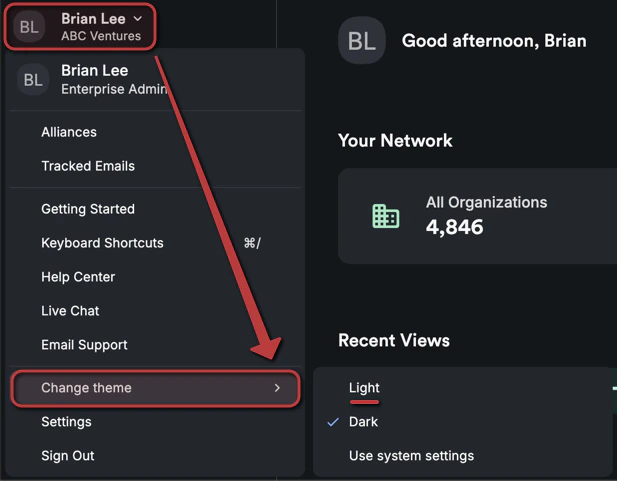
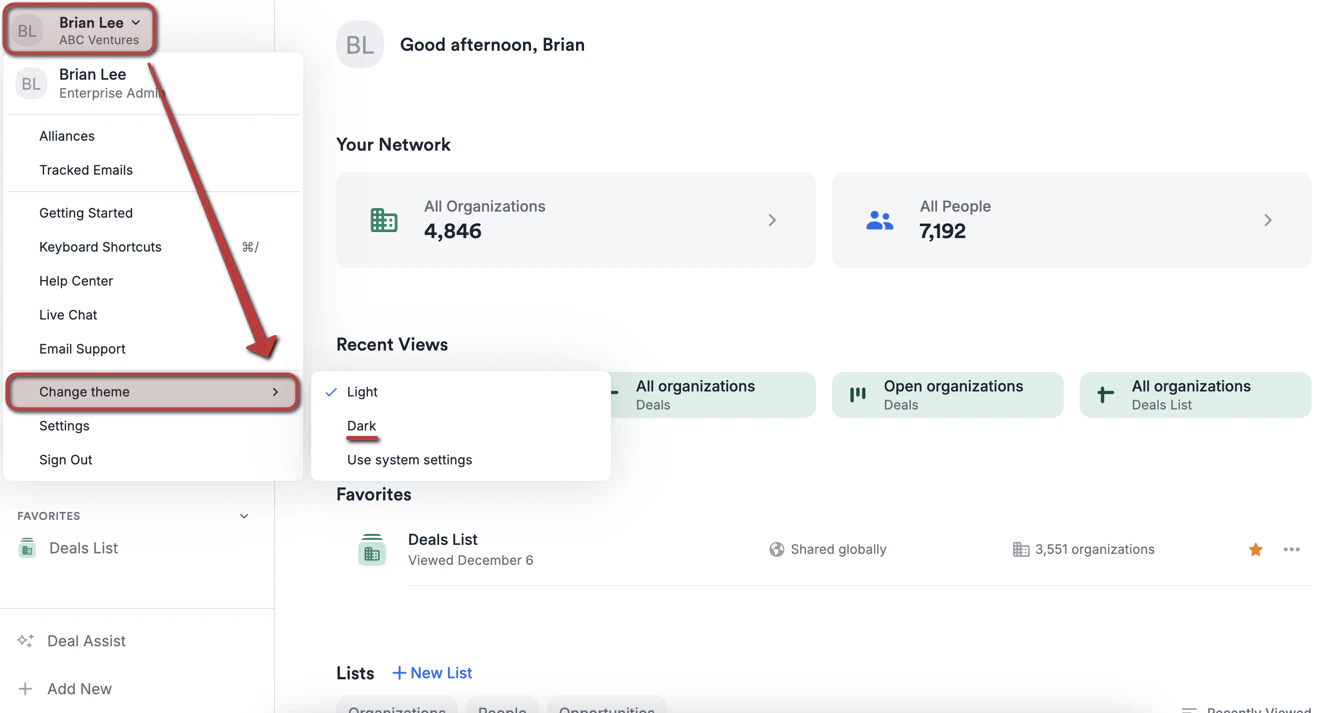 2. Should you change your mind, you can switch back to **Light Mode** or set it to **Use system settings** at any time.
 ## How to turn on Dark Mode on the iOS mobile app
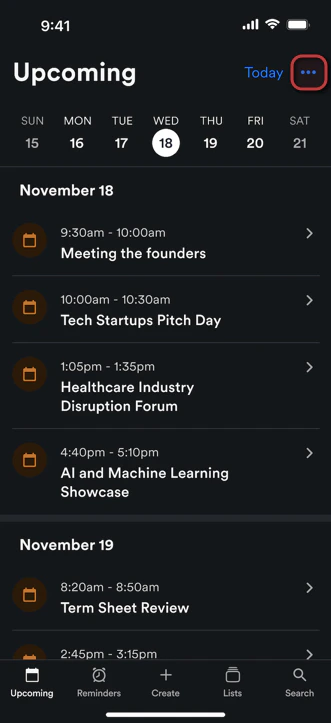
1. To turn on Dark Mode, click on the **3-dotted** icon on the top-right corner.
## How to turn on Dark Mode on the iOS mobile app
1. To turn on Dark Mode, click on the **3-dotted** icon on the top-right corner.
 2. Under **Appearance**, select **Dark**.
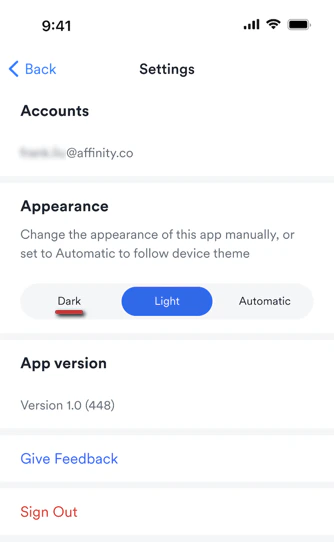 3. Should you change your mind, you can simply click the **3-dotted** icon again to switch back to **Light** or set it to **Automatic** (system default) at any time.
 ## Important Callouts
* **Dark Mode** is not available for the Android mobile app at this time.
## Important Callouts
* **Dark Mode** is not available for the Android mobile app at this time.