> ## Documentation Index
> Fetch the complete documentation index at: https://support.affinity.co/llms.txt
> Use this file to discover all available pages before exploring further.
# How To Sync Archived Emails Folders Into Affinity
> Help center reference
**How-to** — task-oriented recipe.
As you sign into Affinity for the first time, Affinity will start automatically syncing your email and calendar data to eliminate manual data entry as much as possible.
* **Note**: Archived emails/folders will not sync unless you move it into your **Inbox** folder. To sync archived emails/folders, check out the sections below based on which email client you use:
* See Important Callouts to learn more.
## Gmail
Archived emails in Gmail are **already** synced into Affinity since your emails are moved to the **All Mail** section.
## Outlook
To sync emails within an archived folder, you must do the following:
1. First, copy the archived folder to make a duplicate.
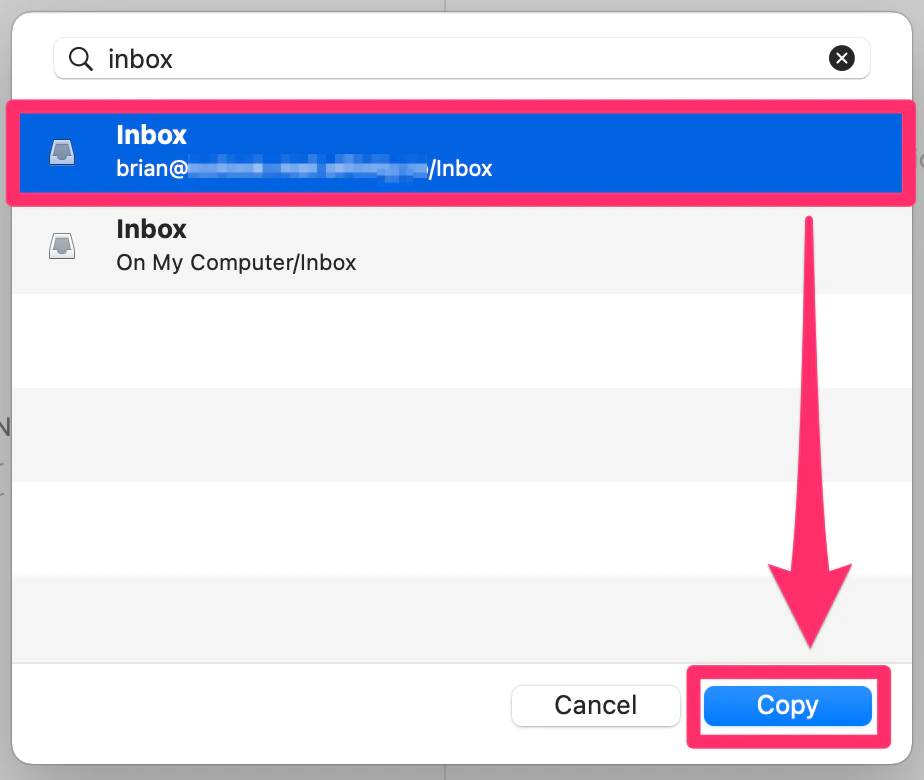
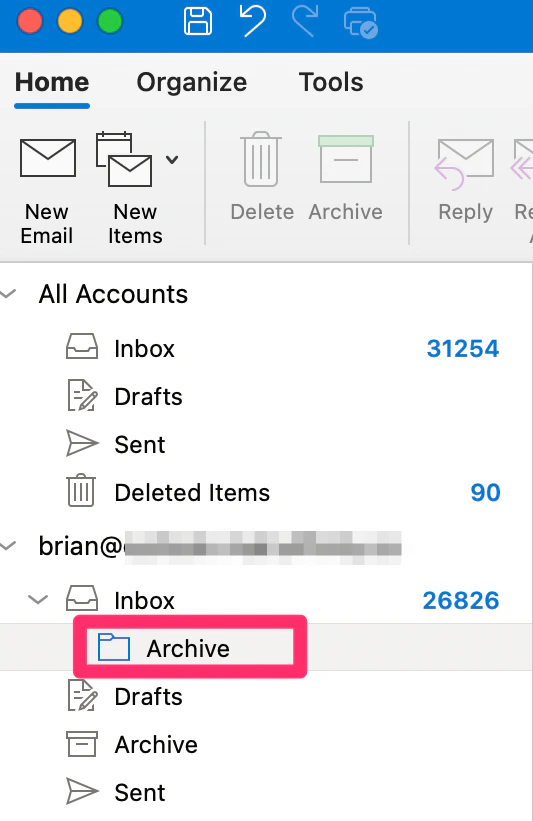
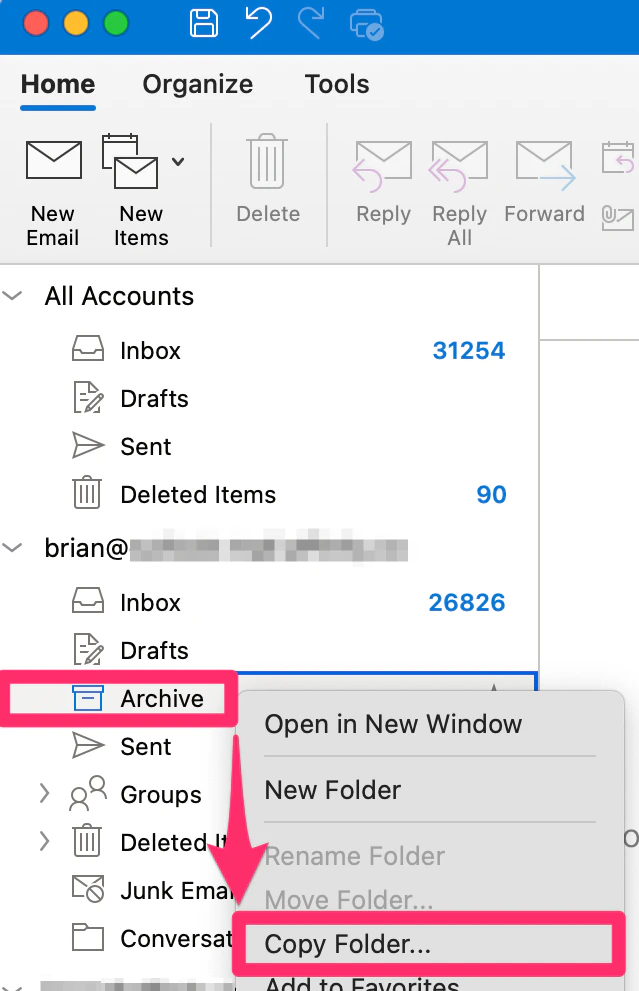 2. Then, move the duplicate archived folder into your **Inbox**.
 3. After your archived emails finish syncing, feel free to delete the duplicate archived folder.
 4. If your archived folder has too many emails and therefore exceeds your storage limit, Affinity will only sync up to the storage limit.
## Important Callouts
* If your emails are already synced to Affinity, moving these emails into your archive will **not** take them off from Affinity - they will remain as is.
4. If your archived folder has too many emails and therefore exceeds your storage limit, Affinity will only sync up to the storage limit.
## Important Callouts
* If your emails are already synced to Affinity, moving these emails into your archive will **not** take them off from Affinity - they will remain as is.