> ## Documentation Index
> Fetch the complete documentation index at: https://support.affinity.co/llms.txt
> Use this file to discover all available pages before exploring further.
# How to sign in with Google
> Help center reference
**How-to** — task-oriented recipe.
Sign into Affinity with Google if you're using a Gmail account.
## Overview
* [How to sign in with Google for the first time](/s/article/How-to-sign-in-with-Google#01HH5JXTS697C2TSV7VW8W2F7A)
## How to sign in with Google for the first time
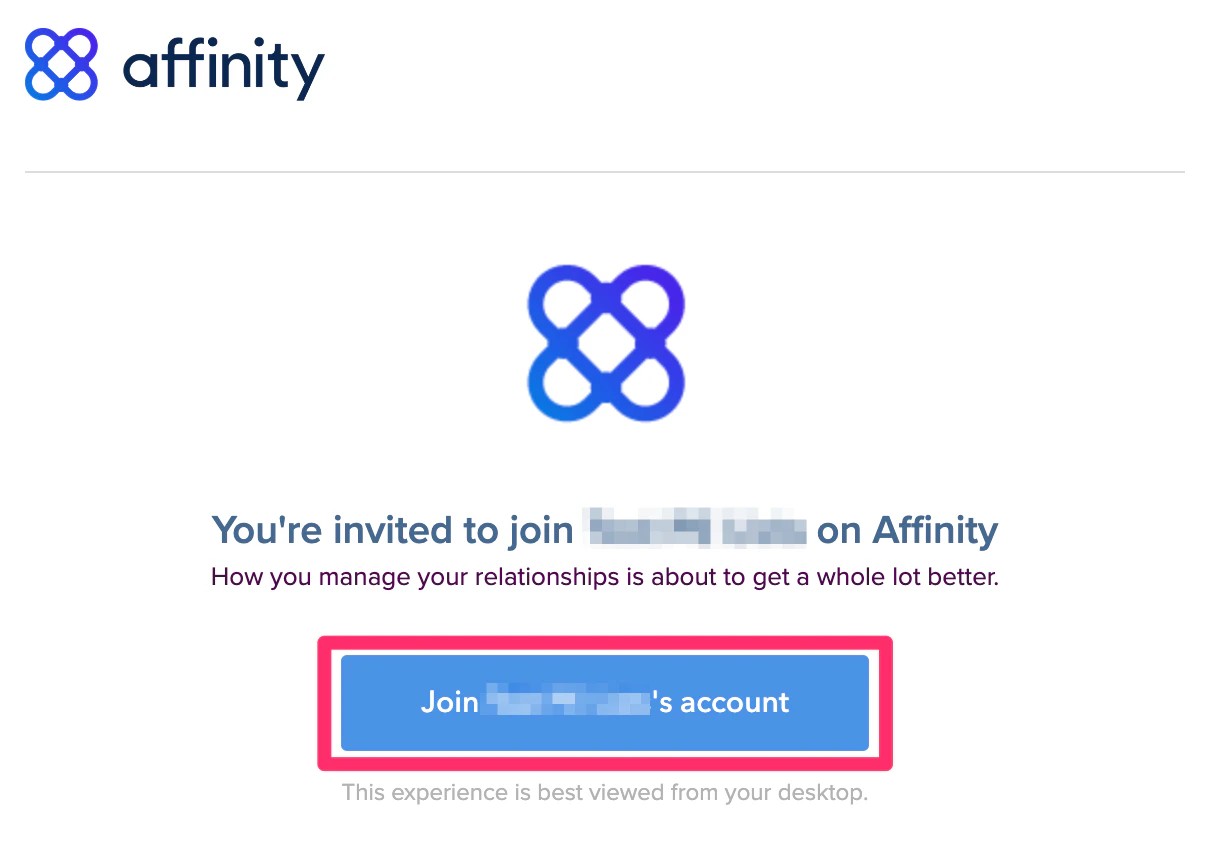
1. If you're signing into Affinity for the first time, please sign in via the email invite that was sent to your inbox.
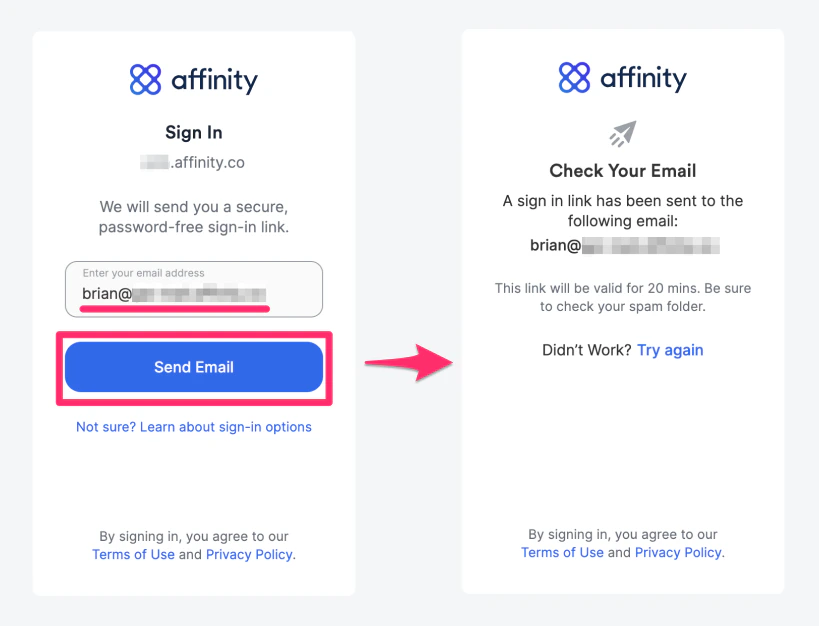
 2. Enter your email address, then click **Send Email** to receive your unique sign in link.
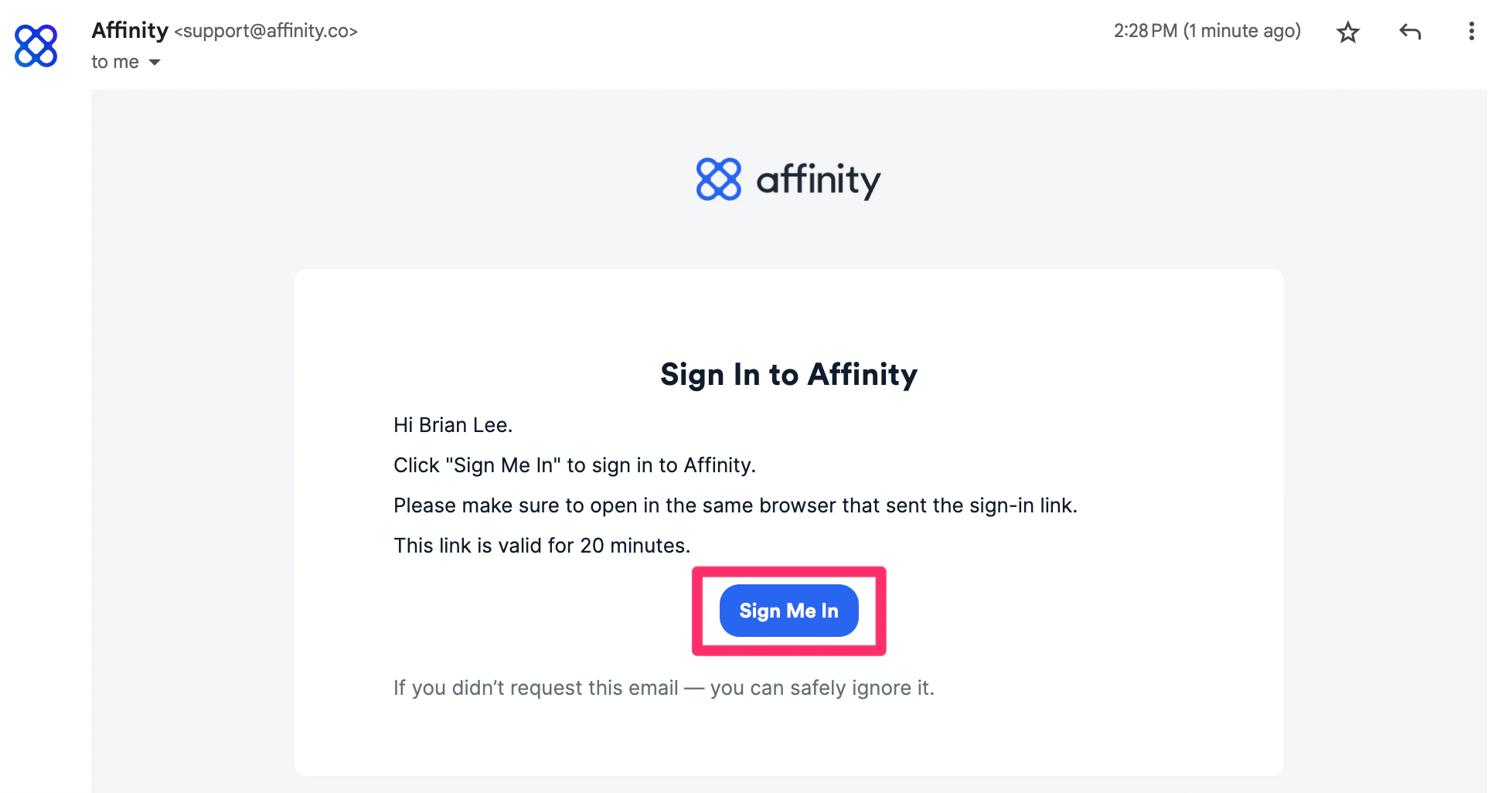
 3. Click into the email that Affinity just sent you, then click **Sign Me In**.
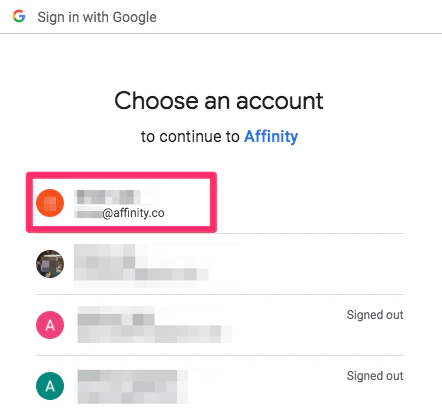
 4. Select the email address that has access to your Affinity account.
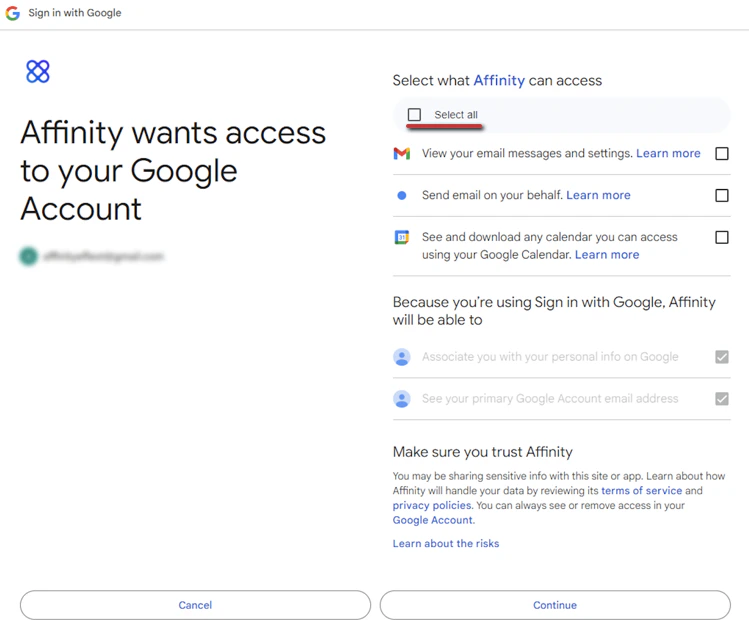
 5. If this is your first time signing in, you must accept the Google permissions for Affinity to sync your email/calendar data and make the most of your Affinity experience ([learn more](/s/article/Syncing-data-into-Affinity)).
 ## Google OAuth Scopes/Permissions
When you sign in with Google for the first time and accept the permissions, Affinity will request the following scopes/permissions to sync your email and calendar data:
* **calendar.readonly** Allows the app to read events in your Google Calendar.
* **gmail.readonly** Allows the app to read email in your Gmail mailbox.
* **gmail.send** Allows the app to send mail as you.
* **userinfo.email** Allows the app to read your primary email address.
* **openid** Allows the app to verify your identity and authenticate your sign-in to Affinity.
## How to sign in with Google moving forward
* Already signed in before? Type in "https\://**\[subdomain]**.[affinity.co](http://affinity.co/)" on your web browser (see [How to find your Affinity subdomain](/s/article/How-to-find-your-Affinity-subdomain)) and bookmark it to your web browser for easy access moving forward.
## Important Callouts
* You can only sign into Affinity with your email credentials. You **cannot** create a custom password for Affinity.
## Google OAuth Scopes/Permissions
When you sign in with Google for the first time and accept the permissions, Affinity will request the following scopes/permissions to sync your email and calendar data:
* **calendar.readonly** Allows the app to read events in your Google Calendar.
* **gmail.readonly** Allows the app to read email in your Gmail mailbox.
* **gmail.send** Allows the app to send mail as you.
* **userinfo.email** Allows the app to read your primary email address.
* **openid** Allows the app to verify your identity and authenticate your sign-in to Affinity.
## How to sign in with Google moving forward
* Already signed in before? Type in "https\://**\[subdomain]**.[affinity.co](http://affinity.co/)" on your web browser (see [How to find your Affinity subdomain](/s/article/How-to-find-your-Affinity-subdomain)) and bookmark it to your web browser for easy access moving forward.
## Important Callouts
* You can only sign into Affinity with your email credentials. You **cannot** create a custom password for Affinity.