> ## Documentation Index
> Fetch the complete documentation index at: https://support.affinity.co/llms.txt
> Use this file to discover all available pages before exploring further.
# How To Set Win Ratios In Affinity Analytics
> Help center reference
**How-to** — task-oriented recipe.
Use Affinity Analytics to track the success rate of your/your team's pipeline. While you can leverage the [Funnel Analysis Template](/s/article/Affinity-Analytics-Funnel-Analysis-Reports) to see a visualization of the entire pipeline funnel, this article will show you how to set up a single visualization tile that shows the percentage of deals you/your team has closed.
**Note**: This video contains the old navigation bar on the top, whereas the current navigation bar now lies on the left side of your screen. While the remaining content is still the same, rest assured that we will be updating our videos accordingly.
## How to set up win ratios in dashboard views
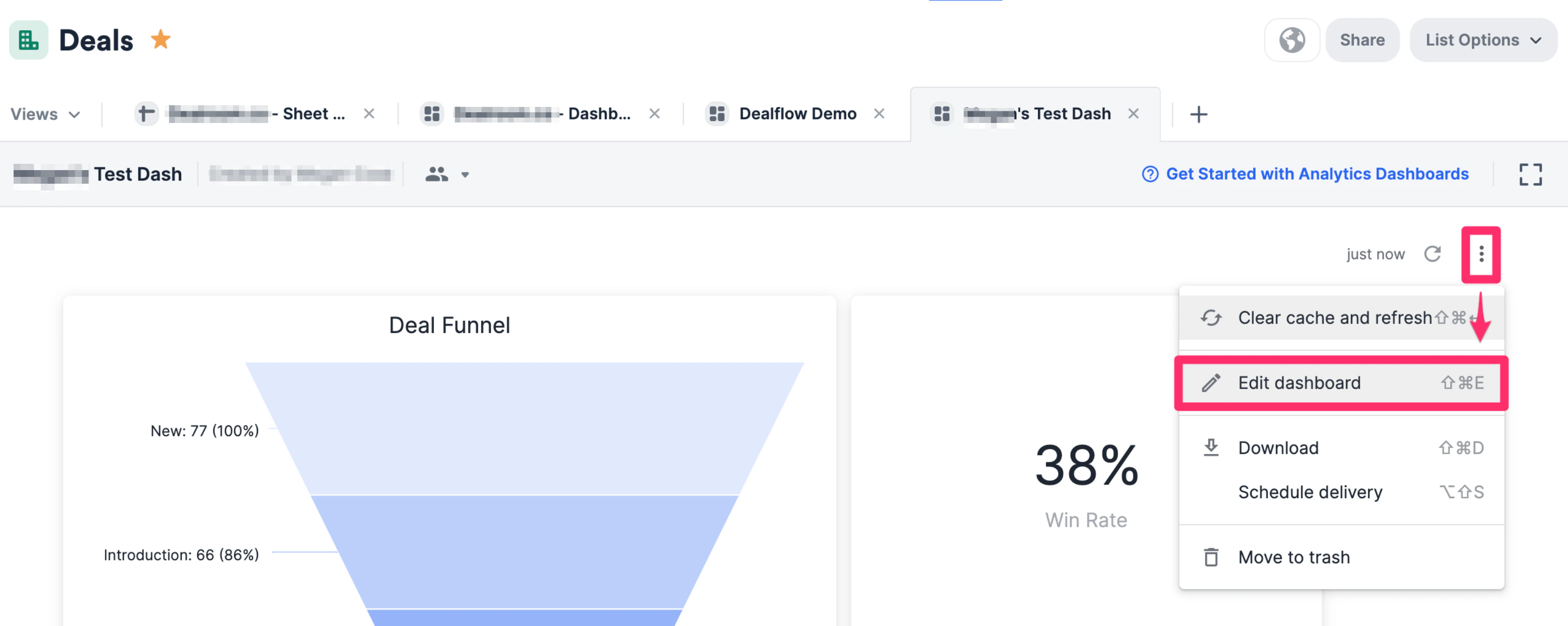
1. On the dashboard view you'd like to track this data in, click the ellipsis (3 dotted icon), then click **Edit dashboard**.
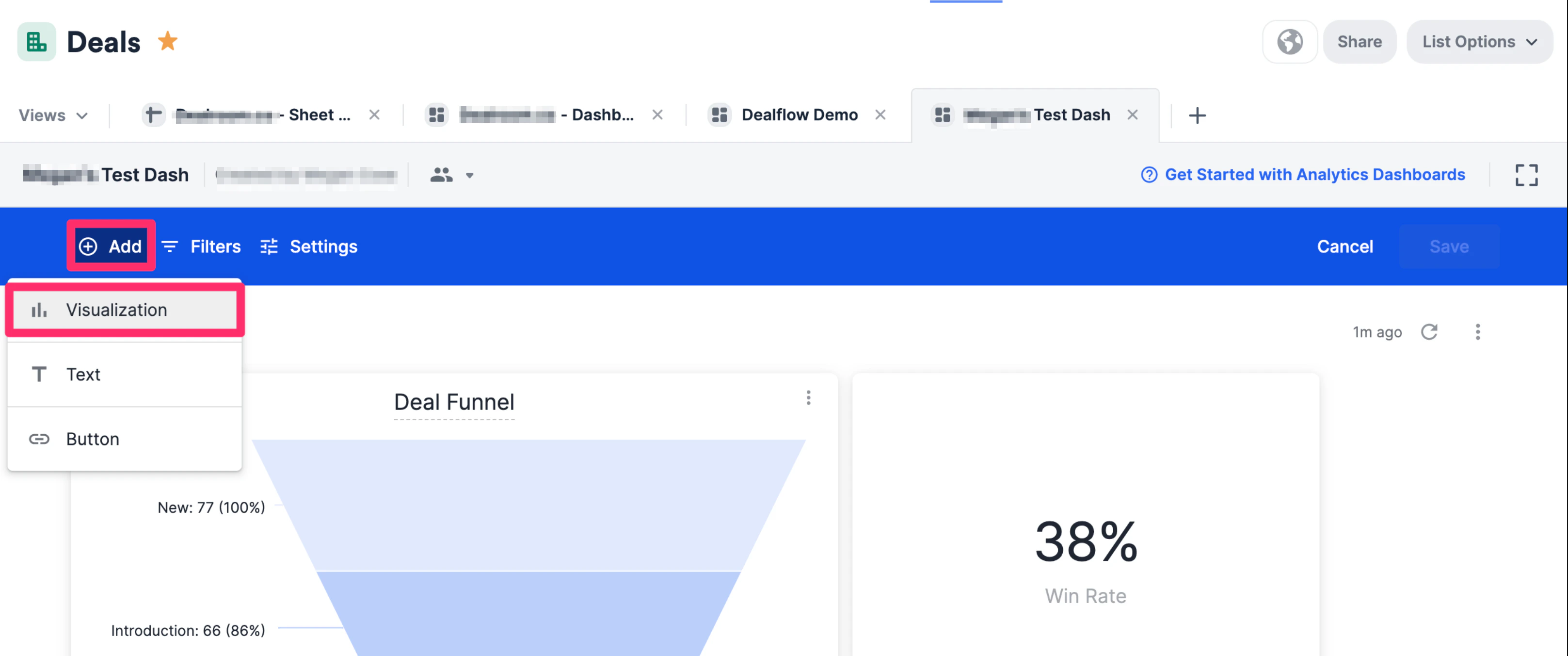
 2. Click **Add tile**, then choose **Visualization**.
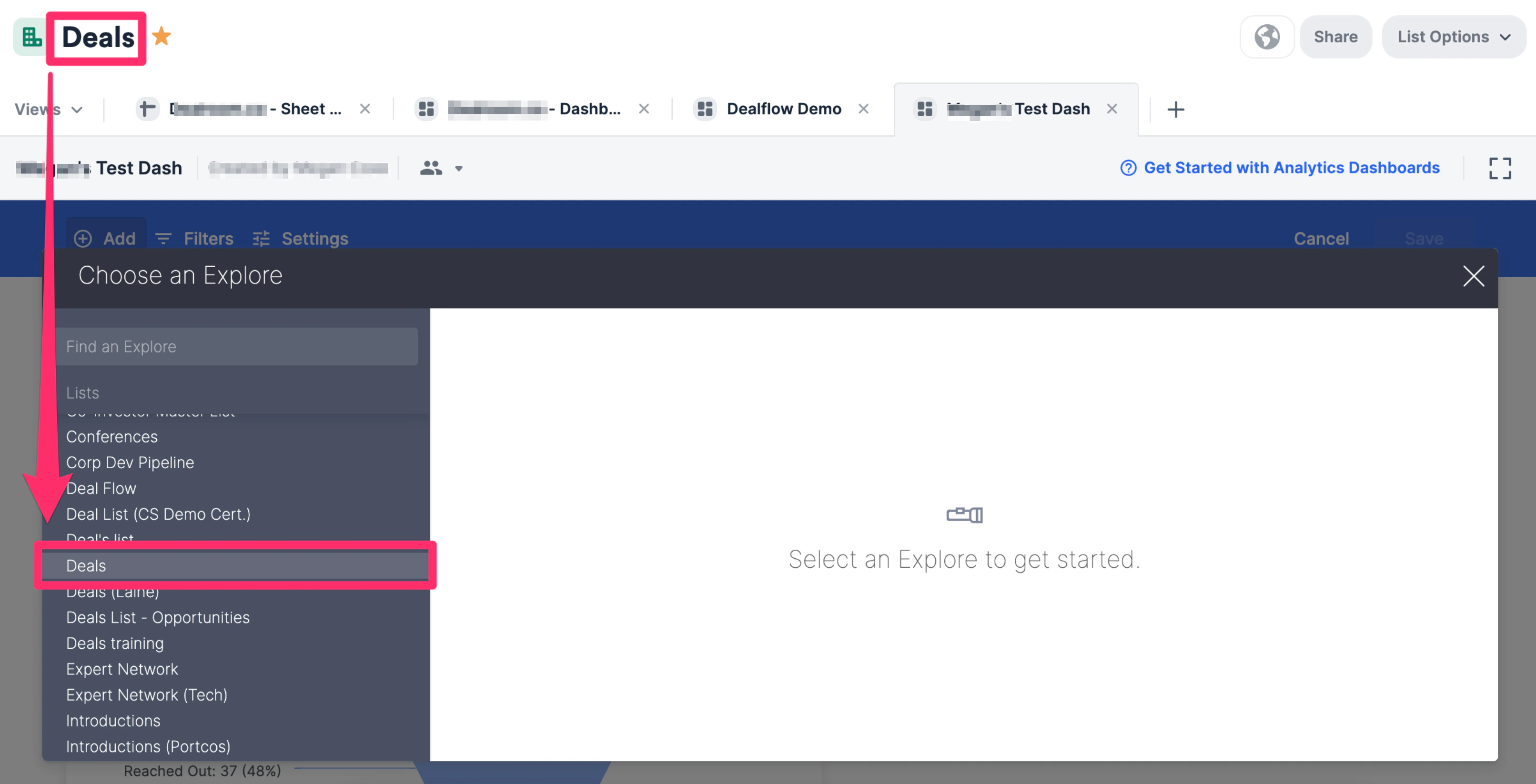
 3. To access the fields for the list you're currently on, make sure to select the same list.
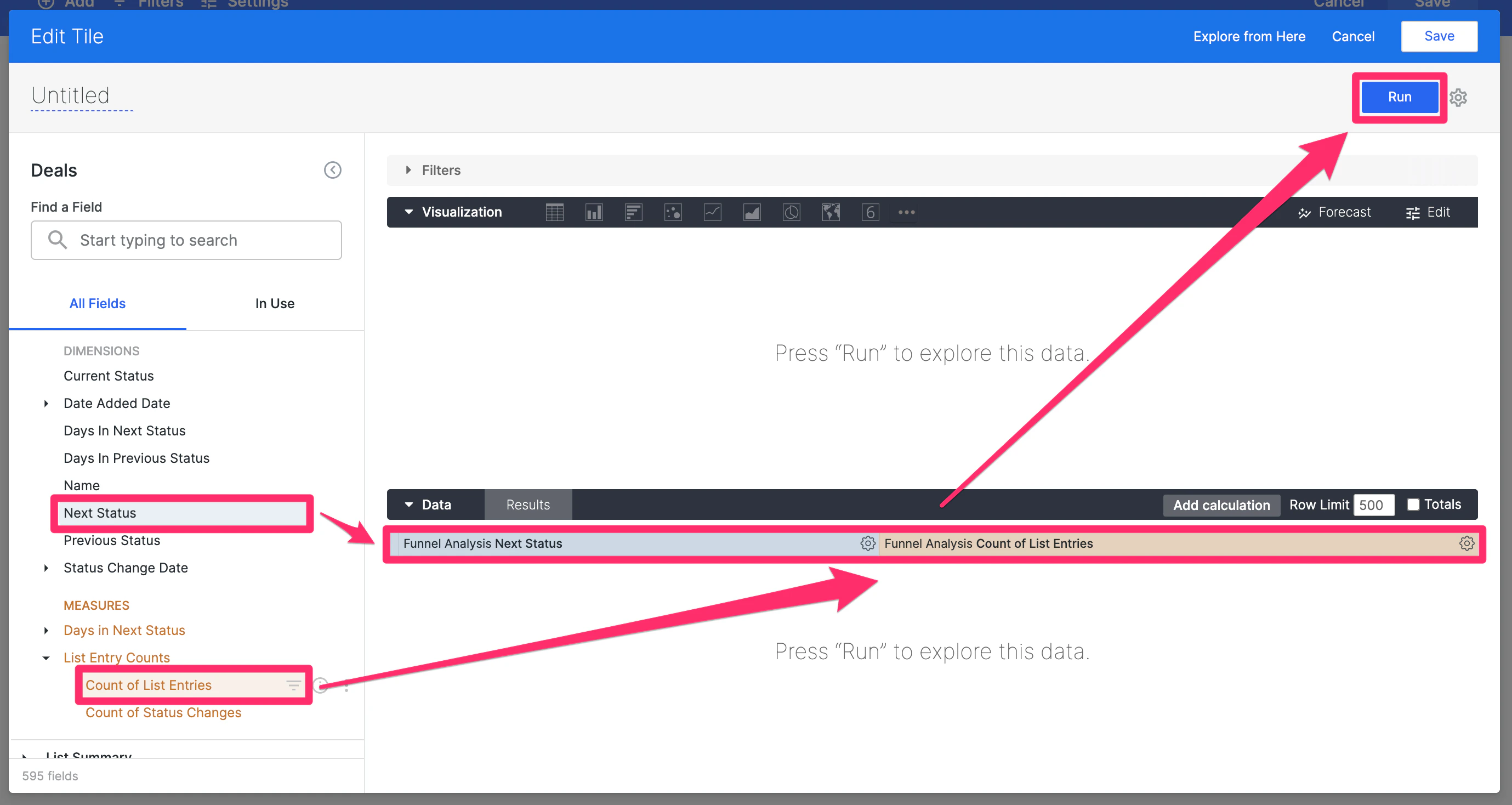
 4. In the **Funnel Analysis** section, select **Next Status** as the dimension and **Count of List Entries** as the measure, then click **Run**.
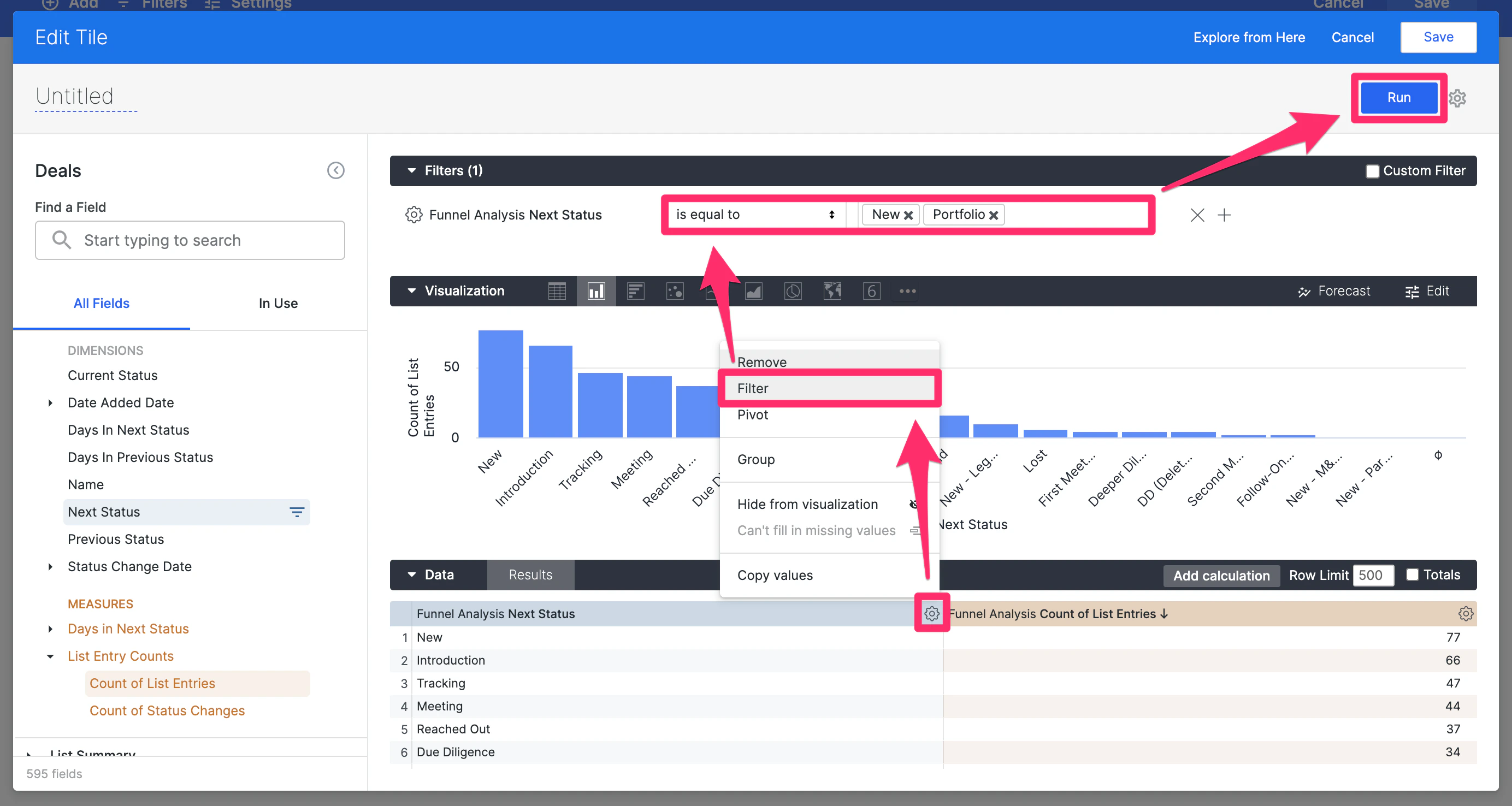
 5. Now, you'll see the full funnel with the number of list entries for each step of the funnel. Given that you only want the win ratio, filter the **Next Status** field so that you're only focusing on **New** (the very first status/step of the funnel) and **Portfolio** (the status within the **Won** category of the **Status** field). Then, click **Run**.
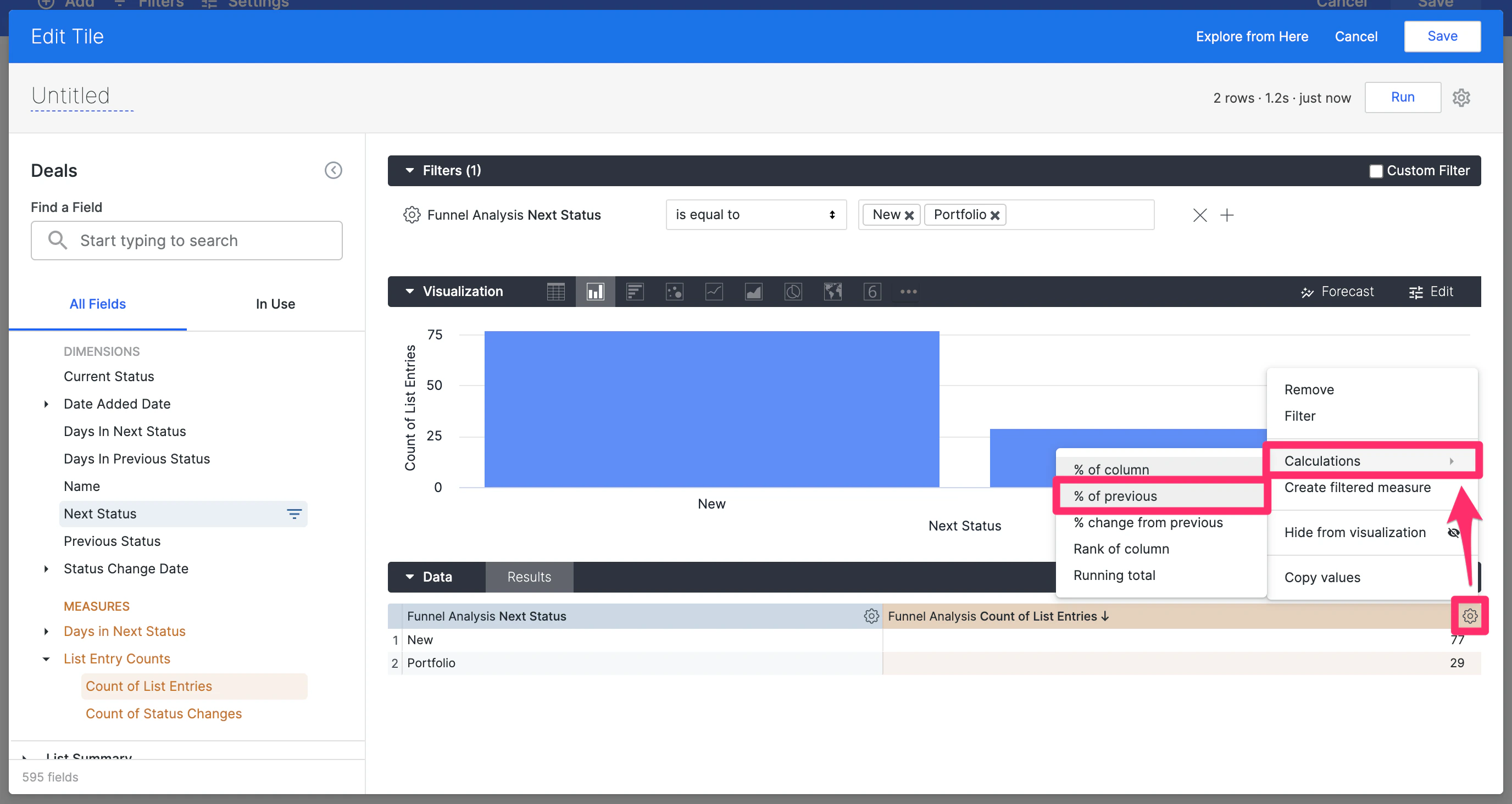
 6. To formulate the win ratio, click the **Settings** icon next to **Count of List Entries**, then within **Calculations**, click on **% of previous**.
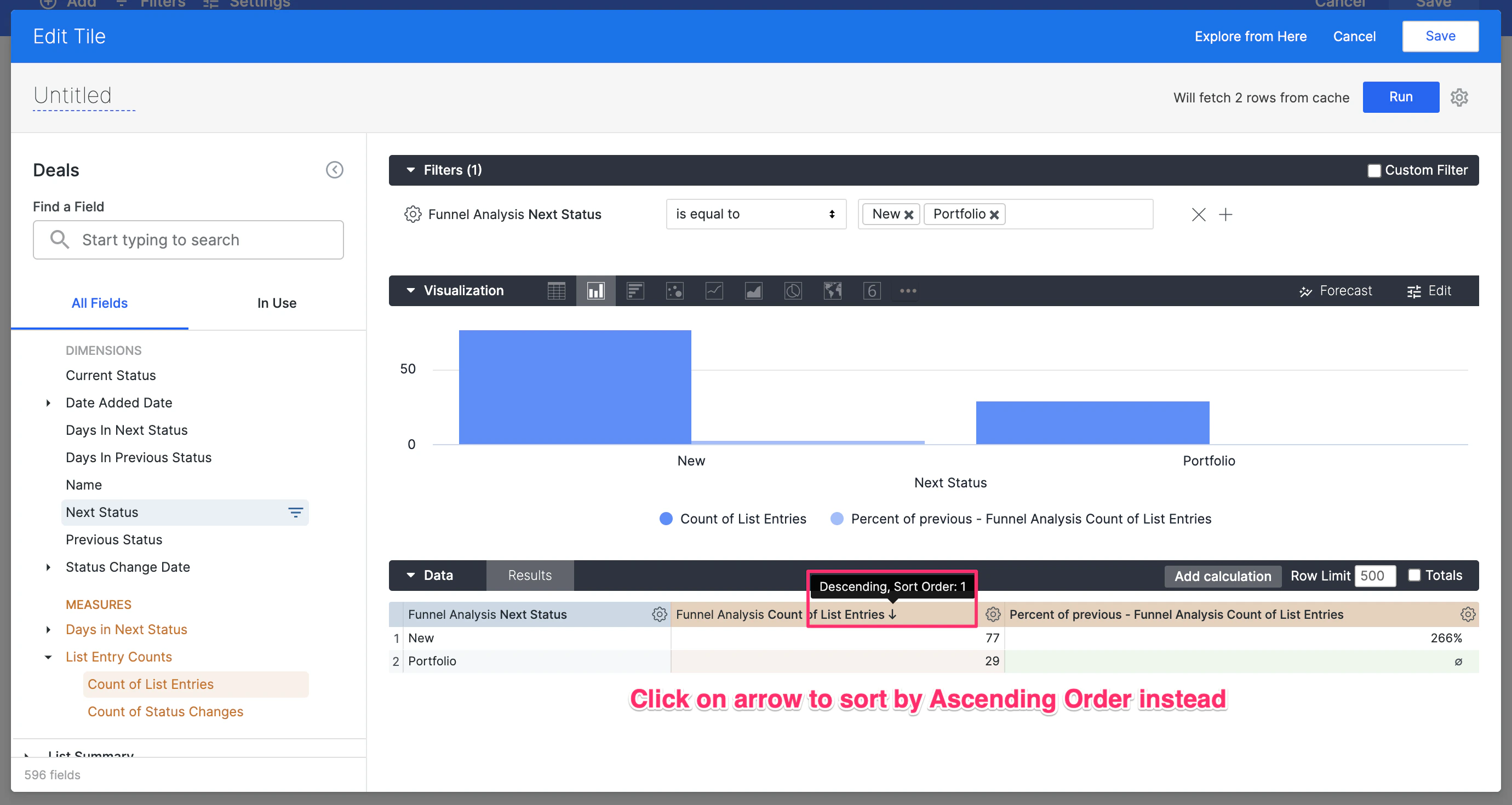
 7. Now, click on the arrow next to **Count of List Entries** to reverse the sort order from **Descending** to **Ascending**.
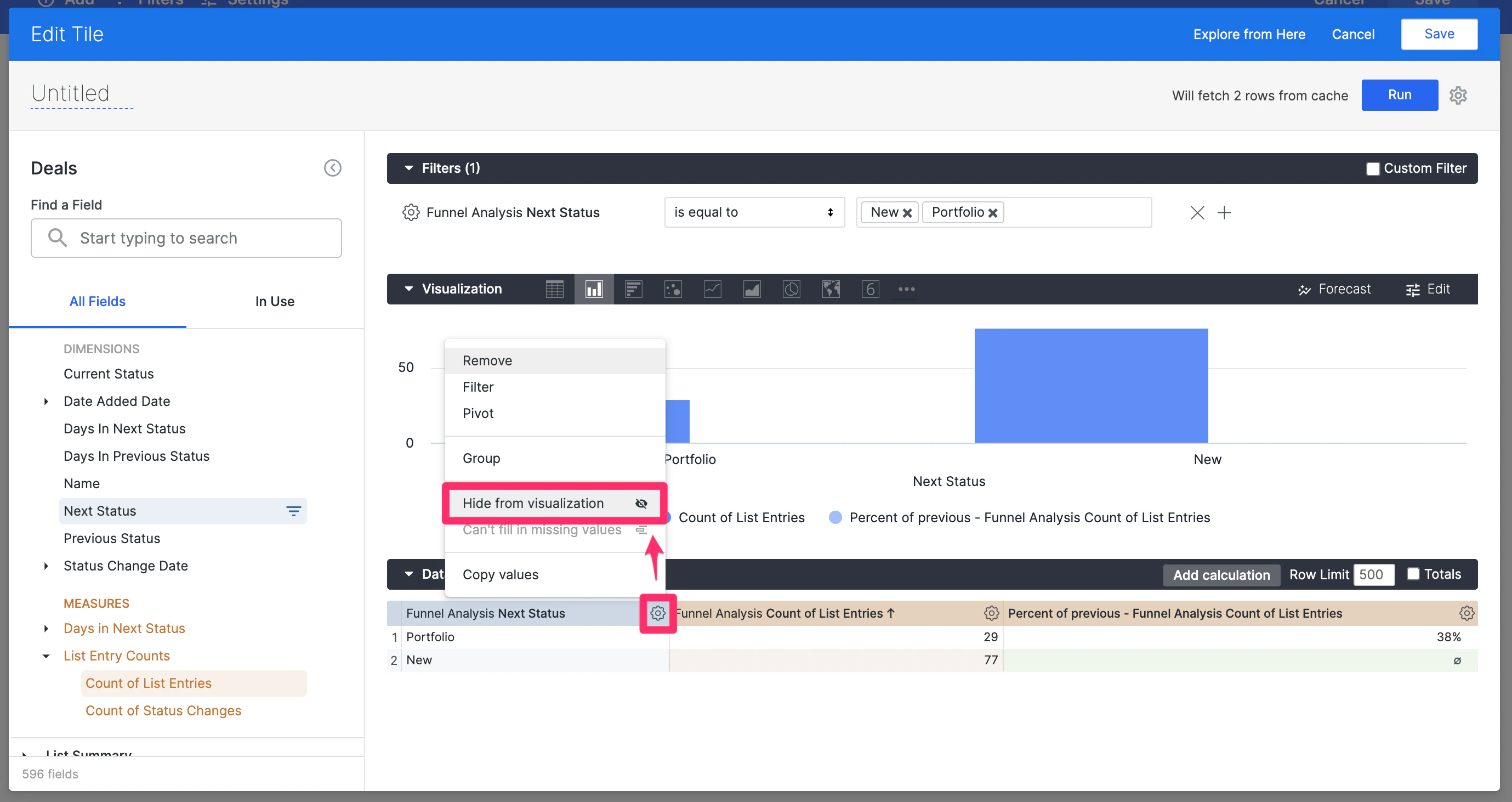
 8. Now, hide the **Next Status** dimension from the visualization.
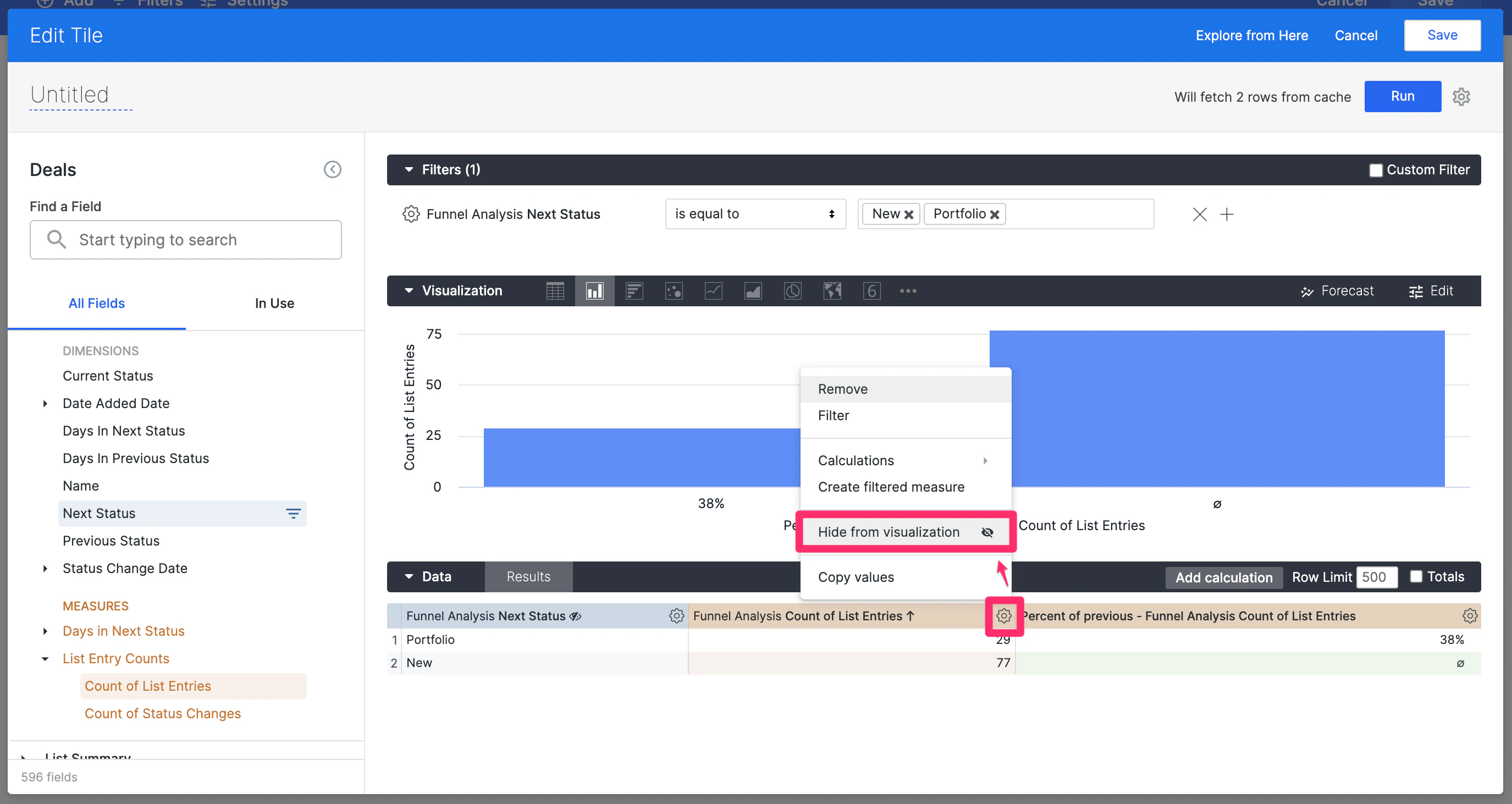
 9. Also, hide the **Count of List Entries** measure from the visualization.
 10. This will now allow you to select **Single Value** as the visualization type. Name your visualization tile on the top-left corner where it says **Untitled**, then click **Save**.
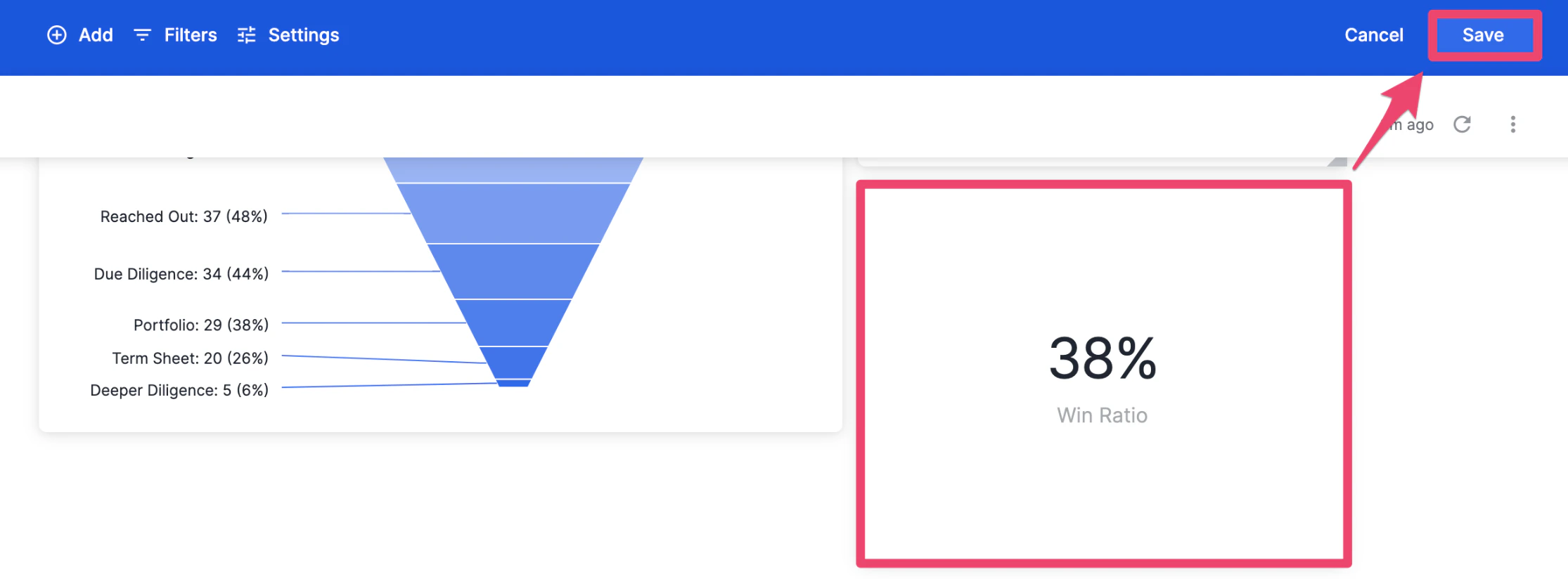
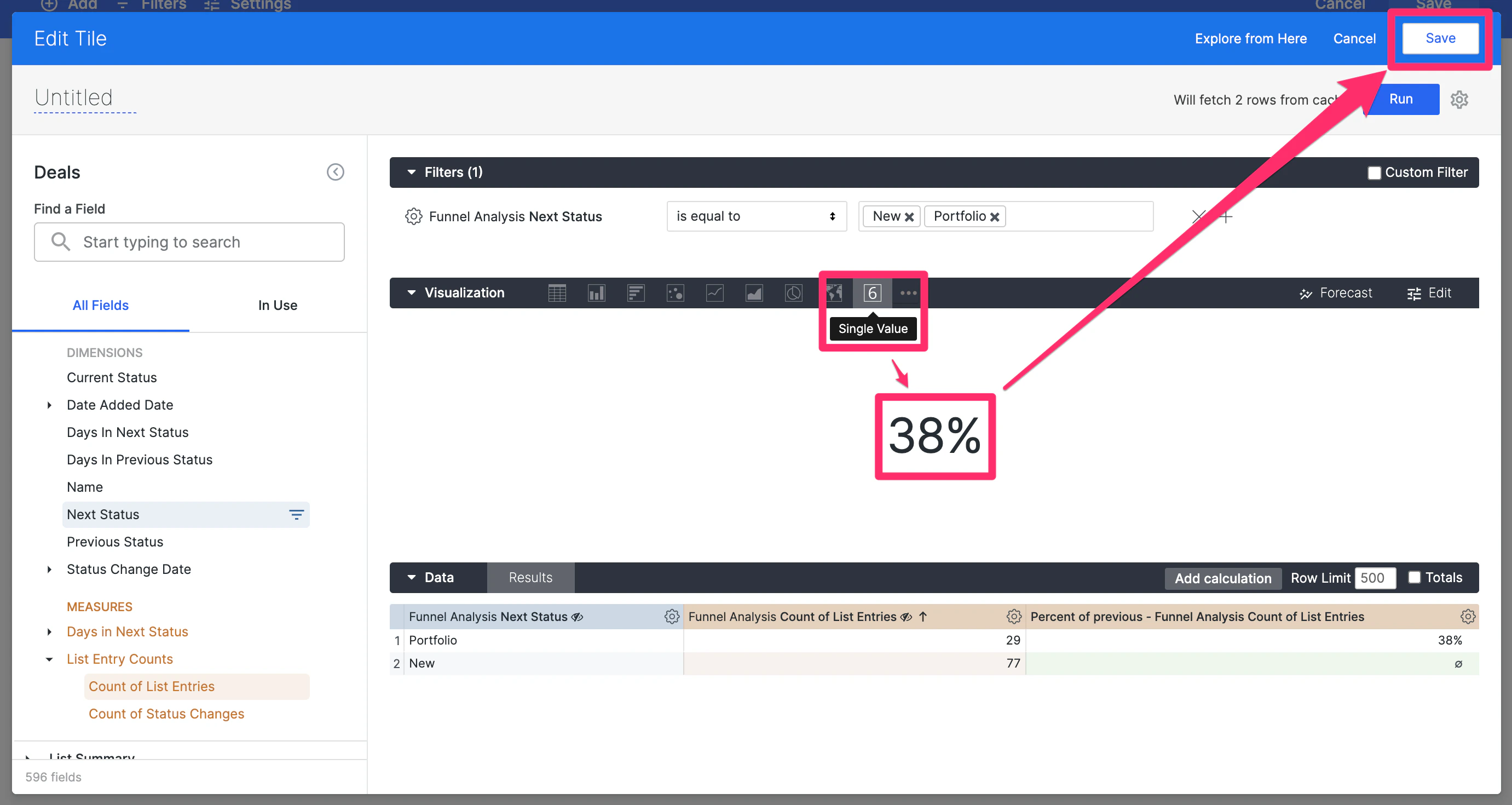 11. You can now see your funnel's win ratio at any given moment and even [set up alerts](/s/article/How-to-set-up-automated-alerts-for-Affinity-Analytics) to notify you/your team members when the win ratio meets a certain percentage. Make sure to click **Save** for the entire dashboard view and you're all set.