> ## Documentation Index
> Fetch the complete documentation index at: https://support.affinity.co/llms.txt
> Use this file to discover all available pages before exploring further.
# How To Set Up Okta SAML For Affinity Access
> Help center reference: How To Set Up Okta SAML For Affinity Access
**How-to** — task-oriented recipe.
Set up a custom application within Okta for authentication into Affinity.
* **Note:** Custom SSO is only available for those on our **Enterprise** tier.
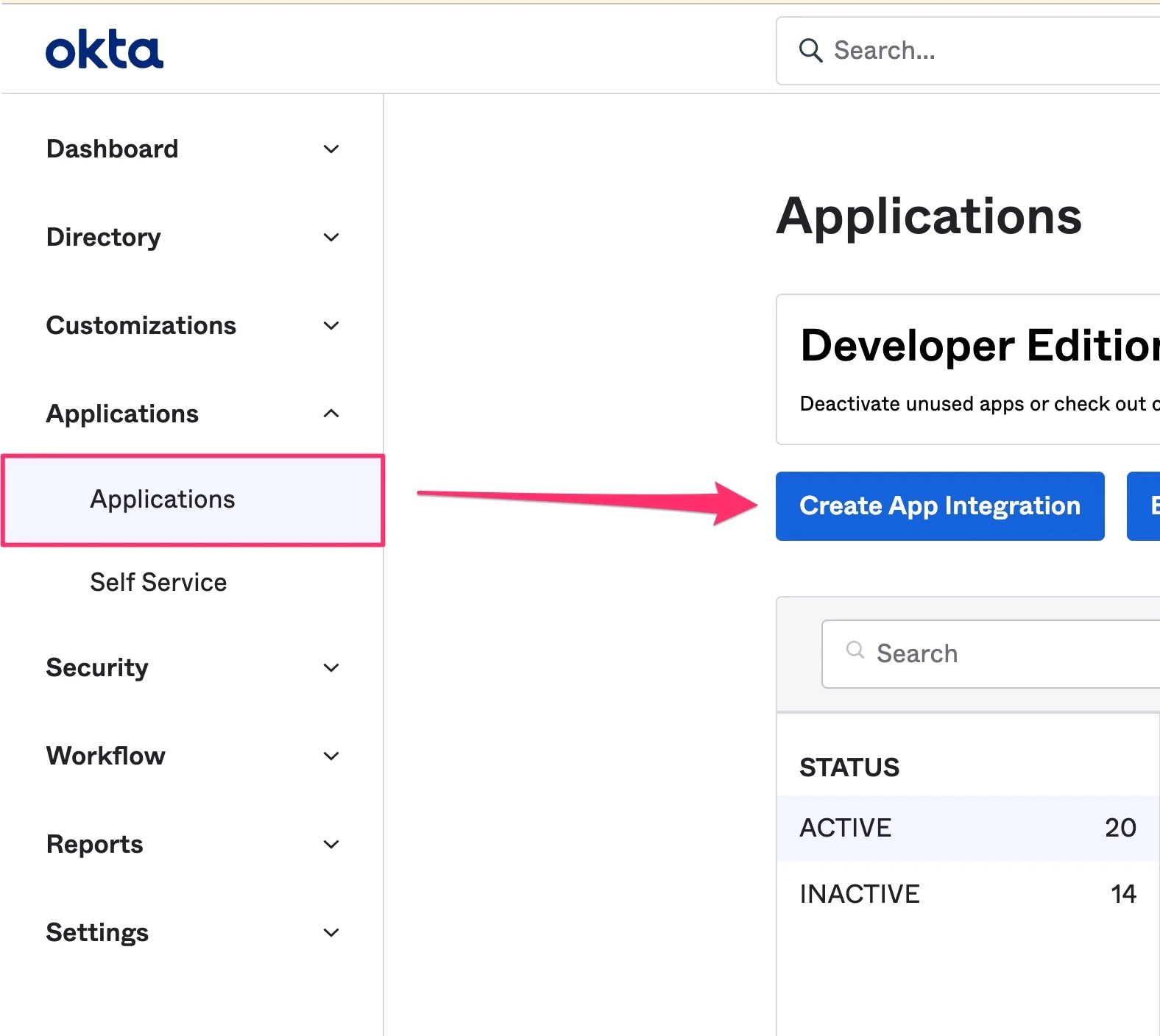
1. Click on the **Applications** tab on the left sidebar, then click **Create App Integration**.
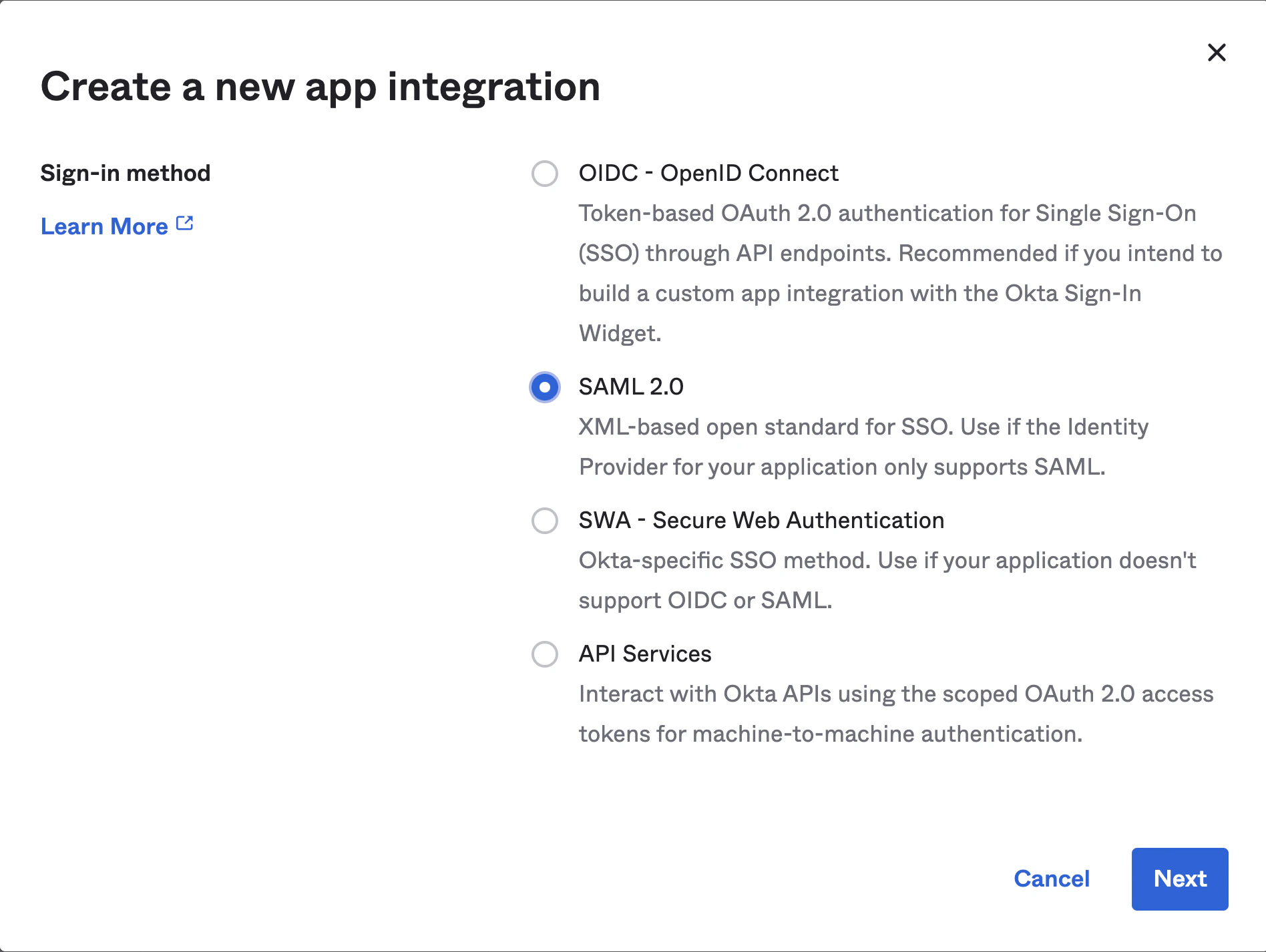
 2. On the following pop-up, select **SAML 2.0**, then click **Next**.
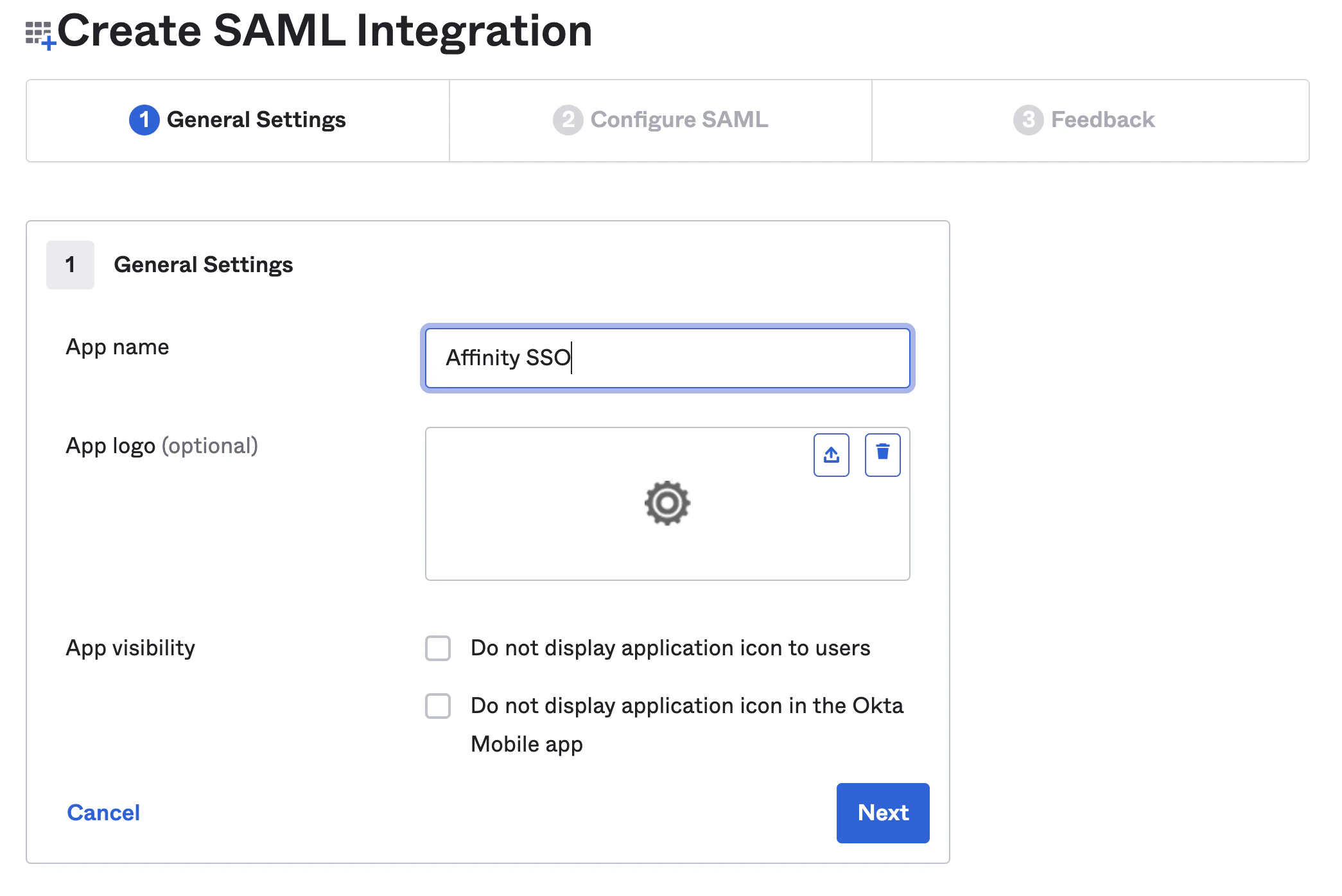
 3. Under the **General Settings** tab, fill out the **App name**. The **App logo** and **App visibility** fields can be filled out if you'd like. Then, click **Next**.
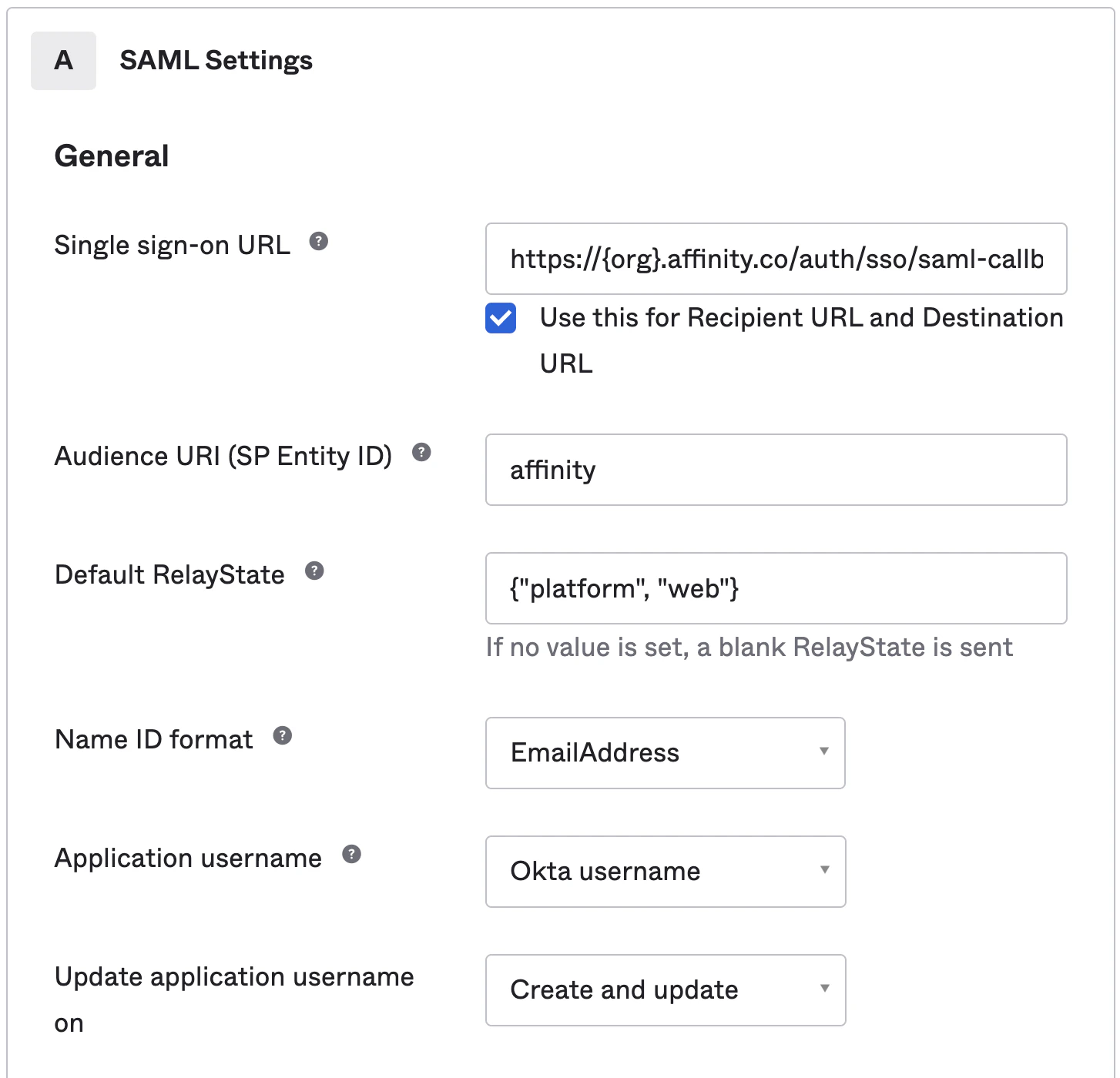
 4. Under the **Configure SAML** tab, fill out the following fields:
5. **Single sign-on URL**: Please replace **subdomain** with your actual [Affinity subdomain](/s/article/How-to-find-your-Affinity-subdomain).
```text theme={null}
https://login.affinity.co/auth/{subdomain}/sso/saml-callback
```
6. **Audience URI (SP Entity ID)**: affinity. Note: This can be changed to an ID of your preference, however, if it is not "affinity", please provide us with your ID.
7. **Default RelayState**: `{"platform", "web"}`. Note: For an IDP-initiated setup, replace `{"platform", "web"}` with `IDP-INITIATED-FLOW` and let us know at [support@affinity.co](mailto:support@affinity.co).
8. **Name ID Format**: EmailAddress
4. Under the **Configure SAML** tab, fill out the following fields:
5. **Single sign-on URL**: Please replace **subdomain** with your actual [Affinity subdomain](/s/article/How-to-find-your-Affinity-subdomain).
```text theme={null}
https://login.affinity.co/auth/{subdomain}/sso/saml-callback
```
6. **Audience URI (SP Entity ID)**: affinity. Note: This can be changed to an ID of your preference, however, if it is not "affinity", please provide us with your ID.
7. **Default RelayState**: `{"platform", "web"}`. Note: For an IDP-initiated setup, replace `{"platform", "web"}` with `IDP-INITIATED-FLOW` and let us know at [support@affinity.co](mailto:support@affinity.co).
8. **Name ID Format**: EmailAddress
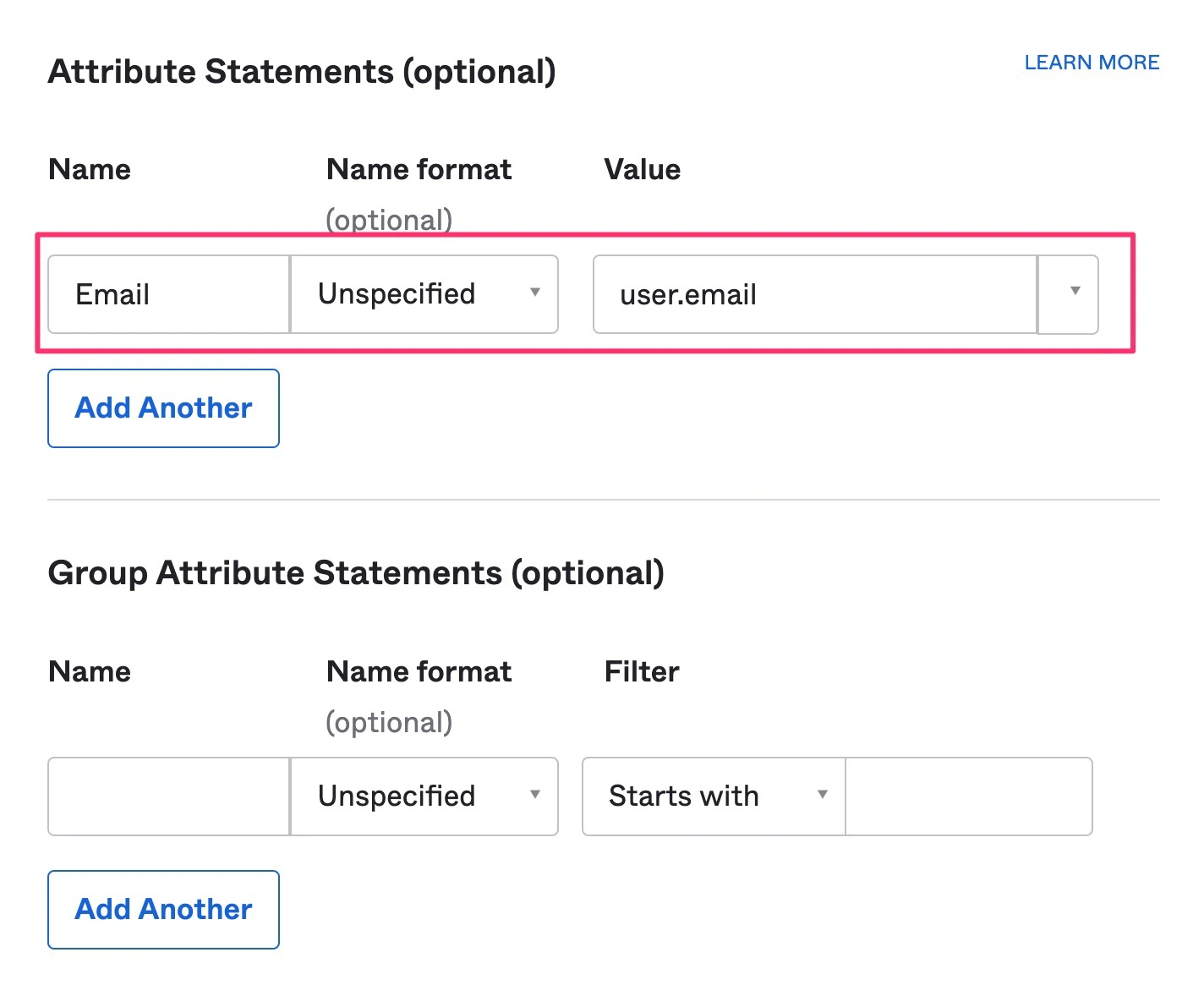
 9. Next, the **Attribute Statements** is **not optional** and **must** be filled out for the user's email address to be returned.
 10. Finally, click **Next**, then click **Finish**. This should automatically take you to the Sign On tab for your newly-created application.
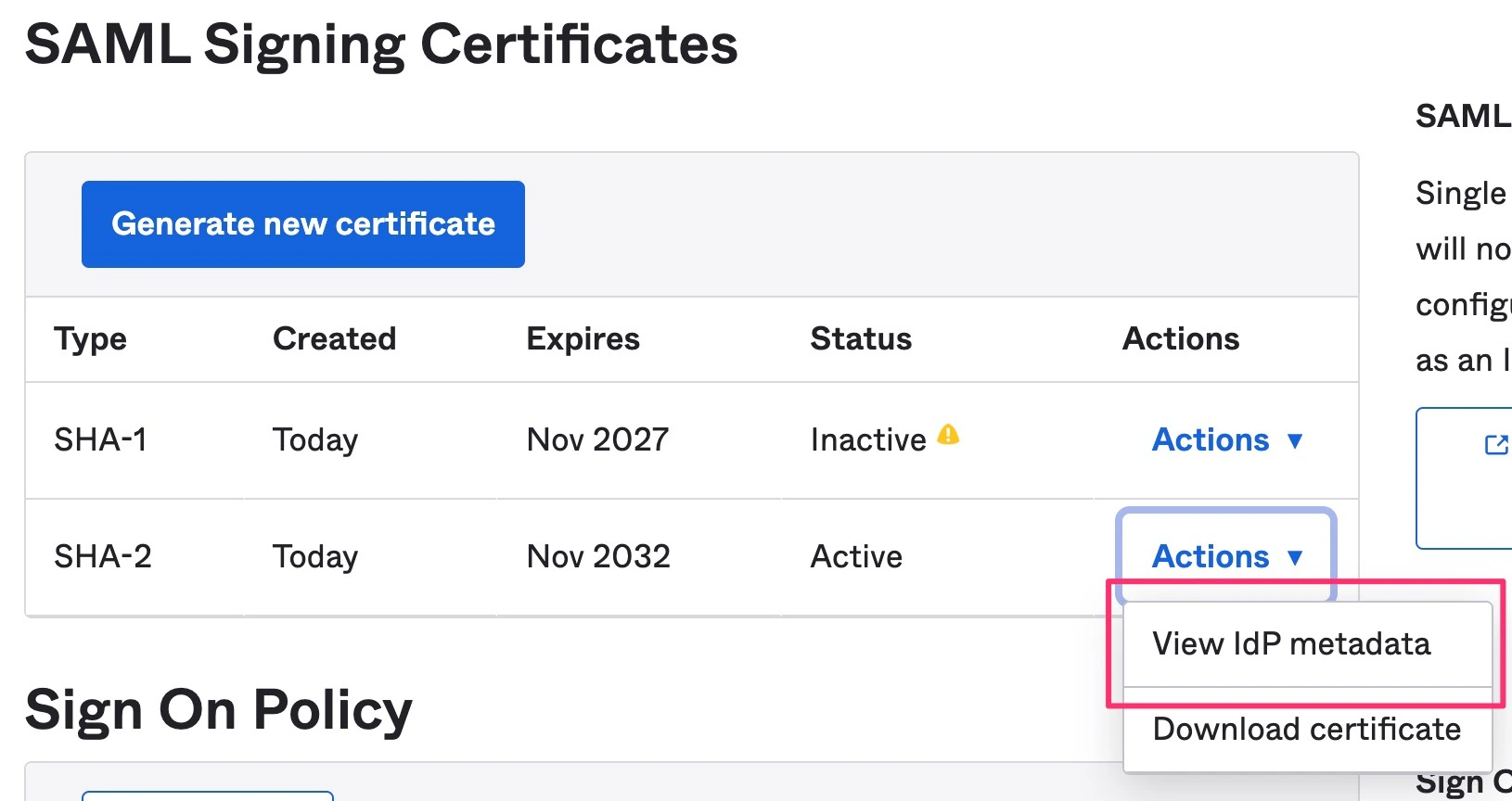
11. Scroll down to the **SAML Signing Certificates** section and please provide us with the following (via **Actions** > **View IdP Metadata** or **Actions** > **Download IdP Metadata**):
* Audience URI (SP Entity ID)
* IdP metadata URL
* Optional: Default RelayState (only if it is IDP-initiated)
10. Finally, click **Next**, then click **Finish**. This should automatically take you to the Sign On tab for your newly-created application.
11. Scroll down to the **SAML Signing Certificates** section and please provide us with the following (via **Actions** > **View IdP Metadata** or **Actions** > **Download IdP Metadata**):
* Audience URI (SP Entity ID)
* IdP metadata URL
* Optional: Default RelayState (only if it is IDP-initiated)