> ## Documentation Index
> Fetch the complete documentation index at: https://support.affinity.co/llms.txt
> Use this file to discover all available pages before exploring further.
# How To Set Up Azure SAML For Affinity Access
> Help center reference: How To Set Up Azure SAML For Affinity Access
**How-to** — task-oriented recipe.
Set up a custom application within Azure for authentication into Affinity.
**Note:** Custom SSO is only available for our **Enterprise** tier customers.
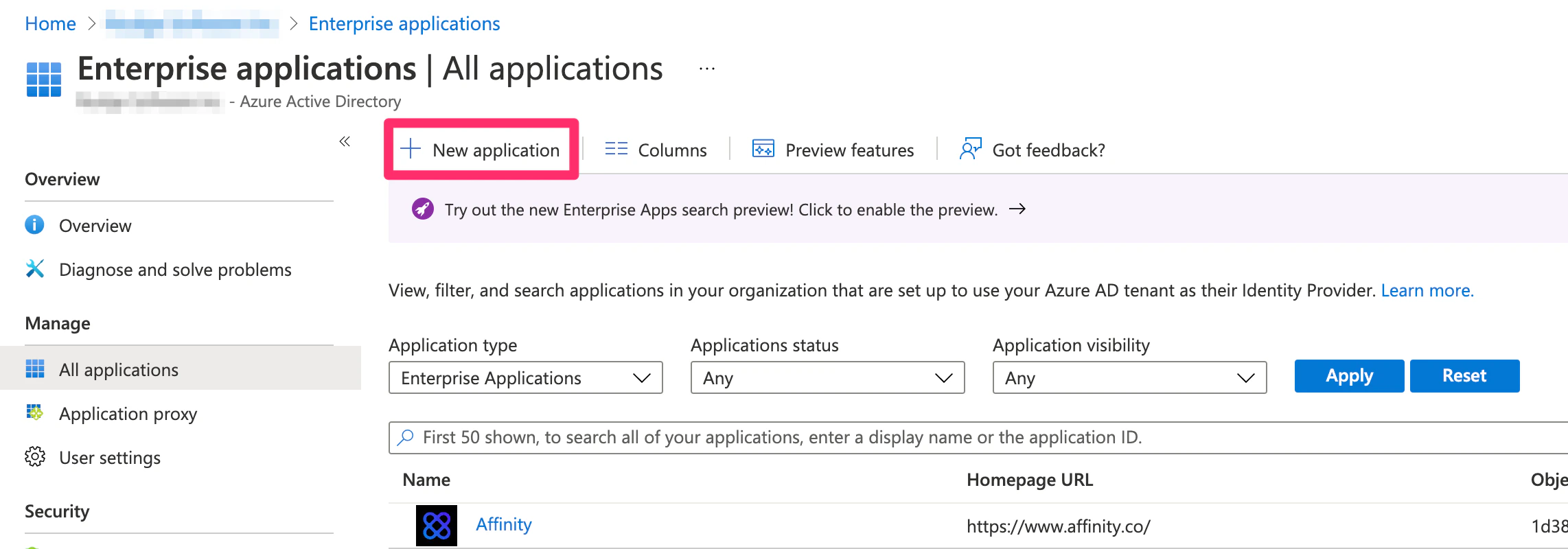
1. From the Azure Home page, click on **Enterprise applications** on the left sidebar. 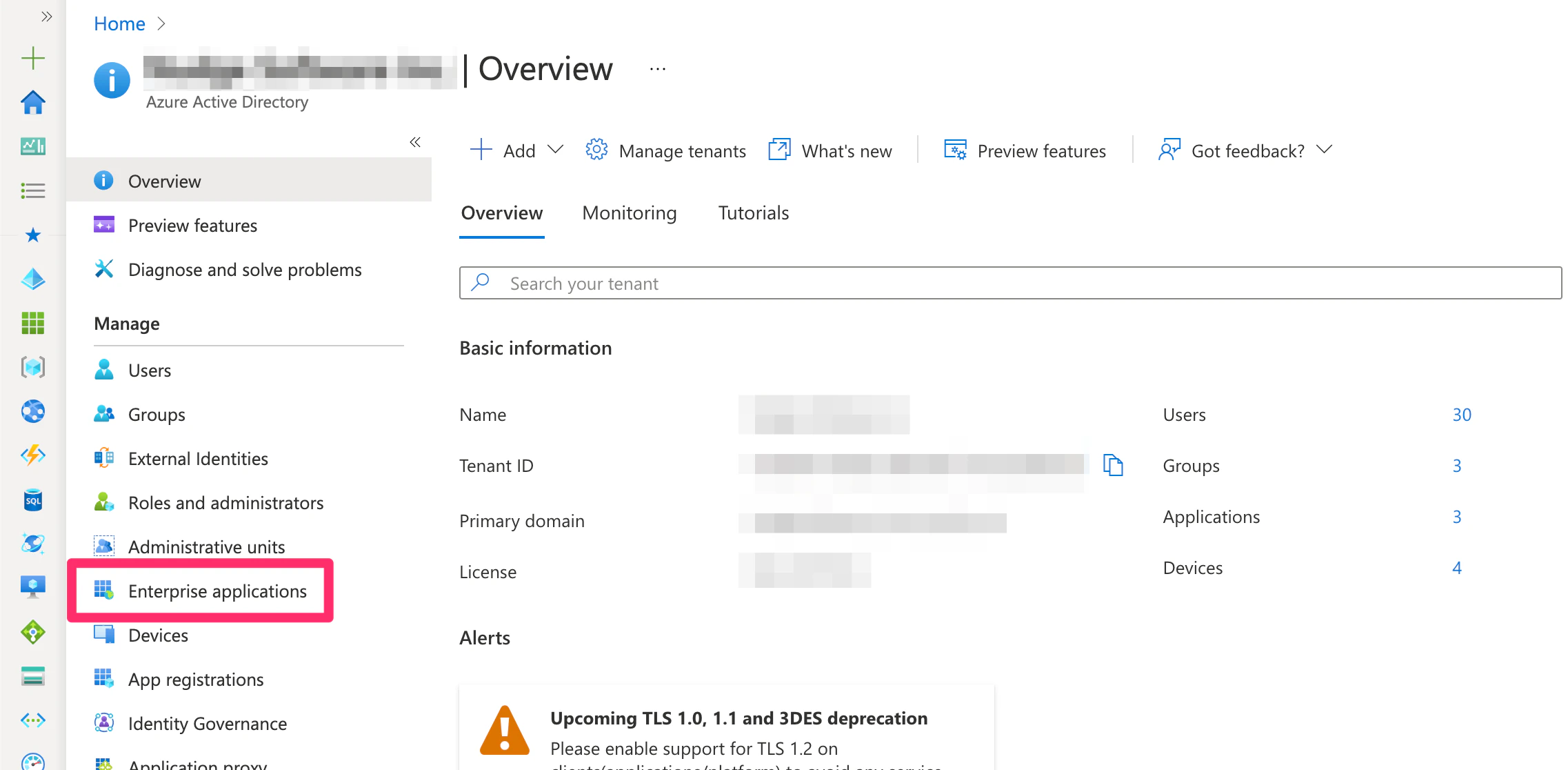 2. Then, click **New Application**.
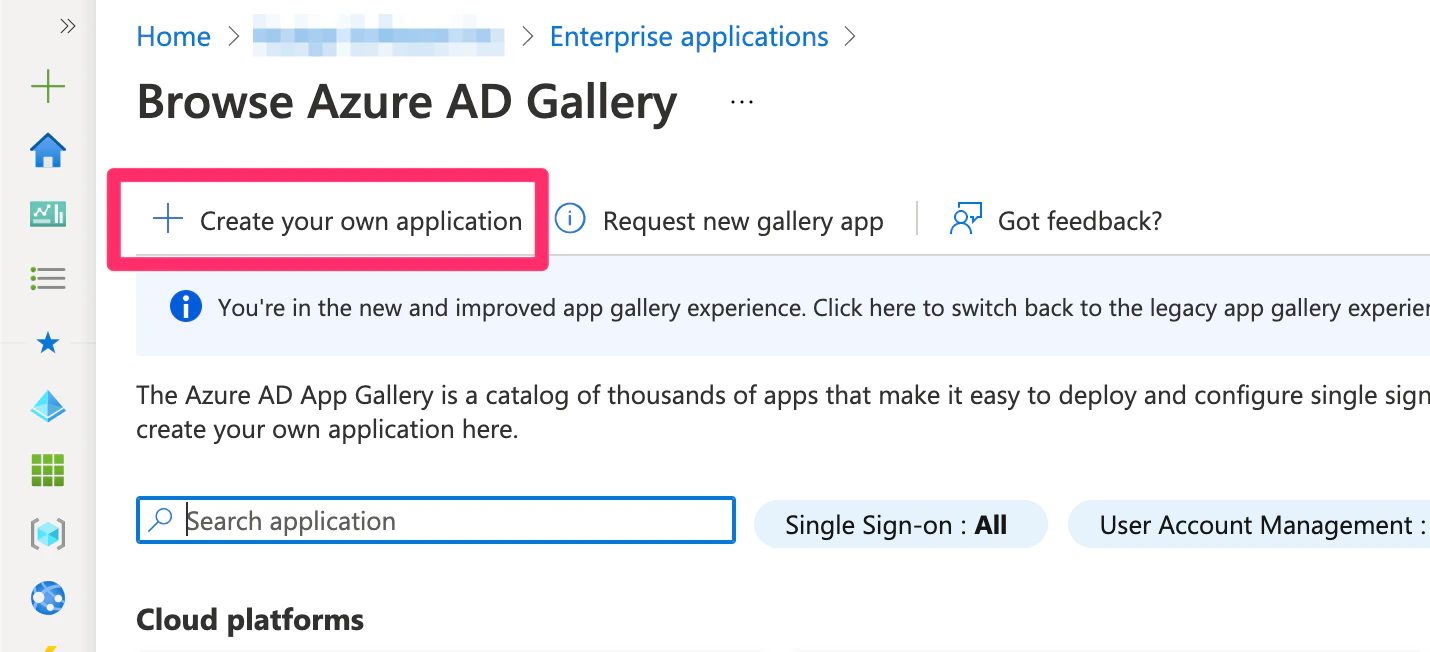
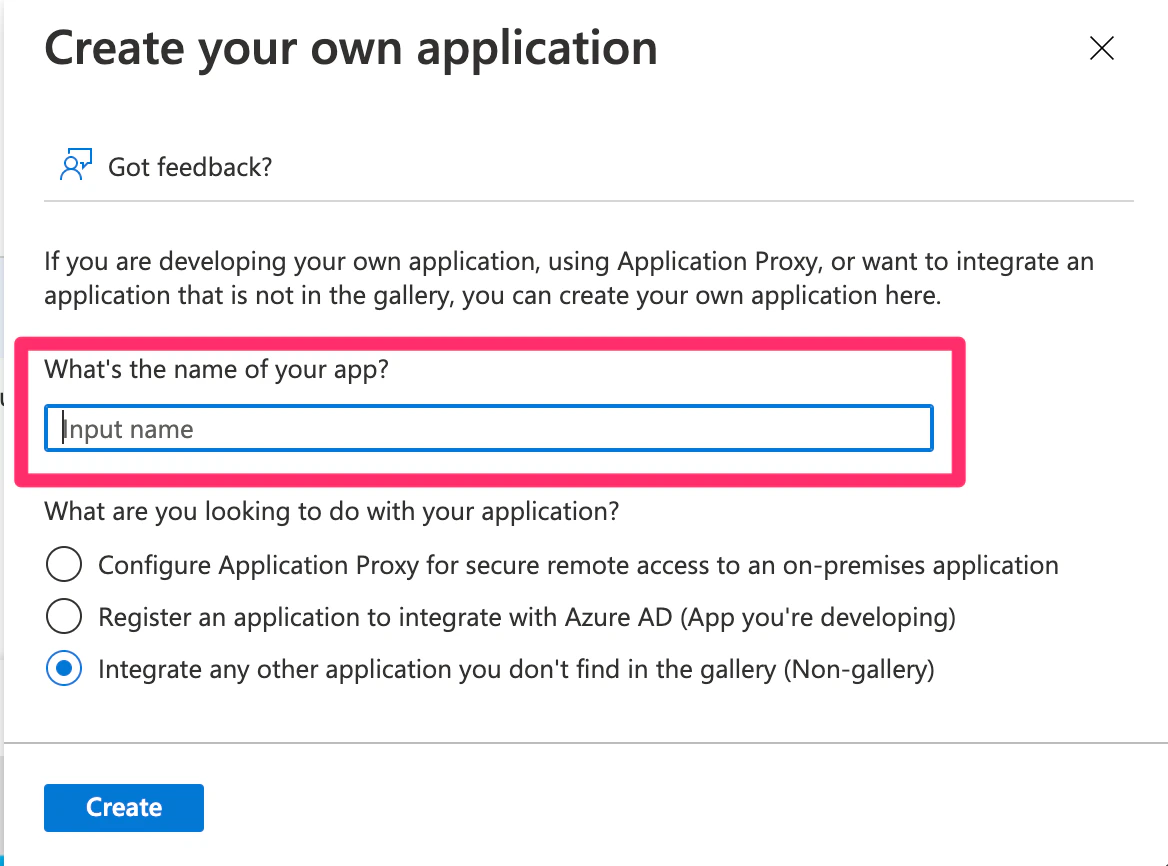
  3. Then, click **Create your own application**.
  4. In the slide out, type in the name of the application.
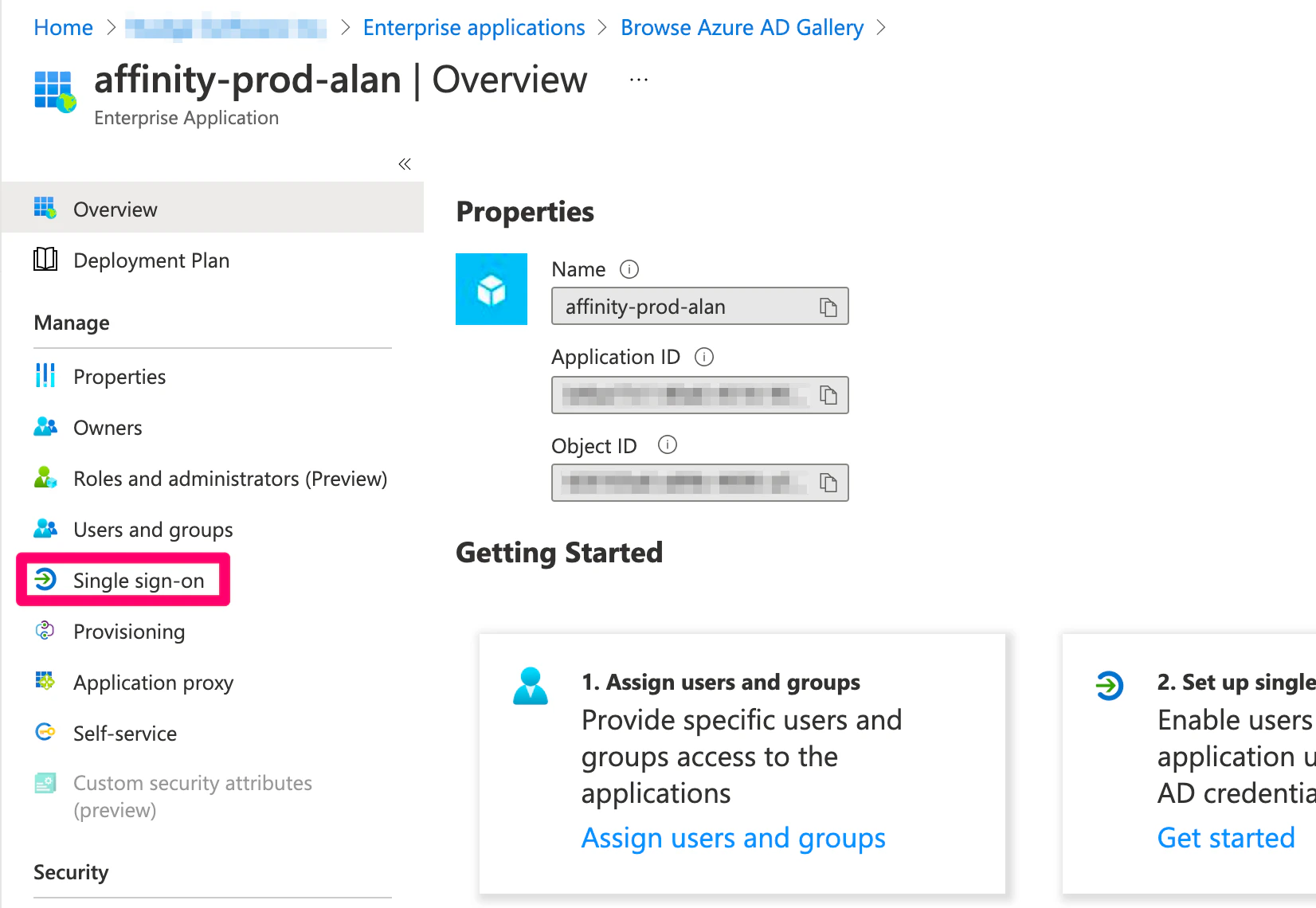
  5. Once the application is created, click the **Single-sign on** option on the left sidebar, then click **SAML**.
  6. There are two required fields you must fill out:
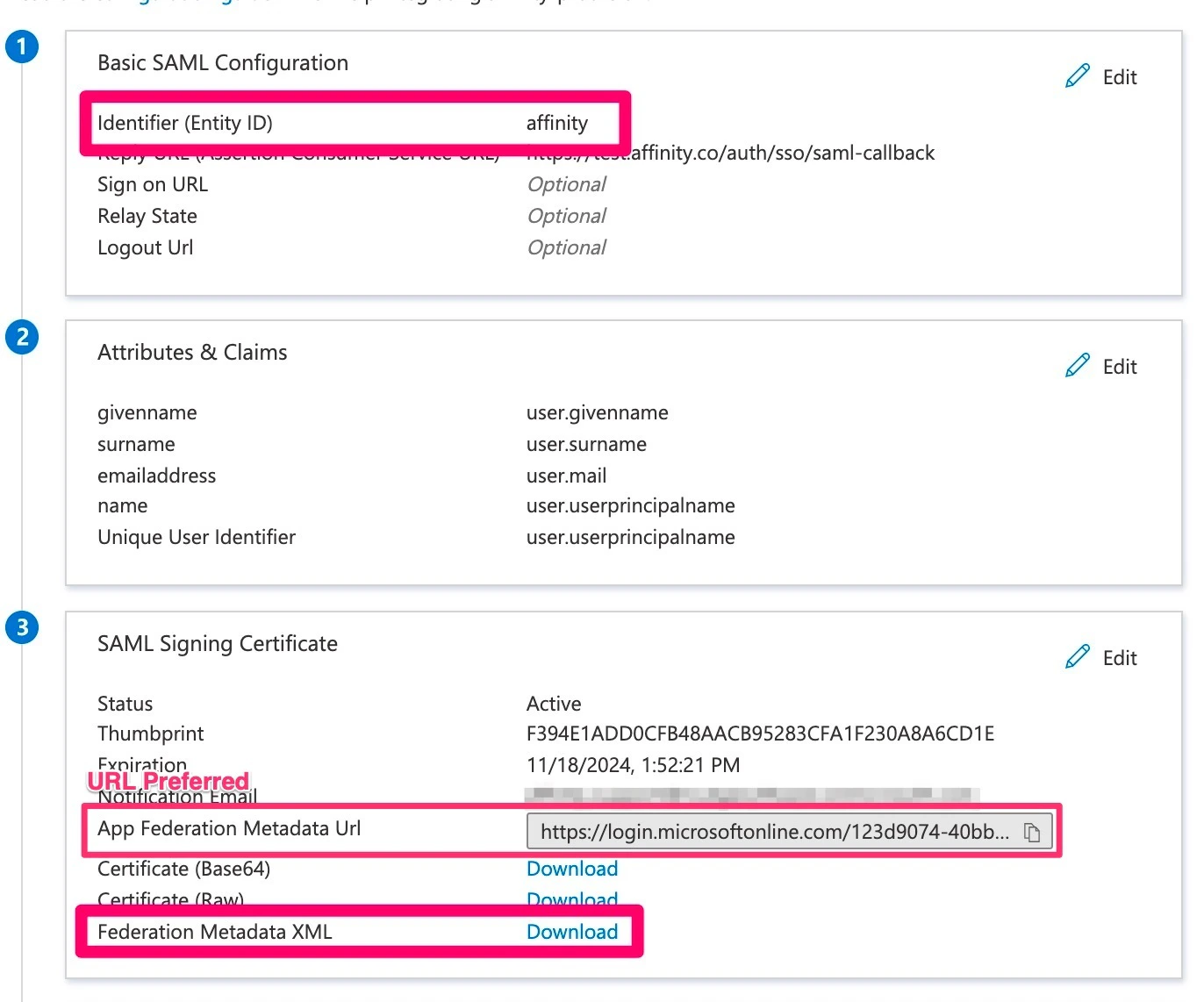
1. **Entity ID** (Identifier) - type out "affinity" in lowercase. The Entity ID can be set to something other than "affinity", but if so, please provide it during the following step below.
2. **Reply URL** (Assertion Consumer Service URL / ACS URL) - copy and paste this link: `https://login.affinity.co/auth/{subdomain}/sso/saml-callback`but make sure to replace **subdomain** with your actual [Affinity subdomain](/s/article/How-to-find-your-Affinity-subdomain).
6. There are two required fields you must fill out:
1. **Entity ID** (Identifier) - type out "affinity" in lowercase. The Entity ID can be set to something other than "affinity", but if so, please provide it during the following step below.
2. **Reply URL** (Assertion Consumer Service URL / ACS URL) - copy and paste this link: `https://login.affinity.co/auth/{subdomain}/sso/saml-callback`but make sure to replace **subdomain** with your actual [Affinity subdomain](/s/article/How-to-find-your-Affinity-subdomain). 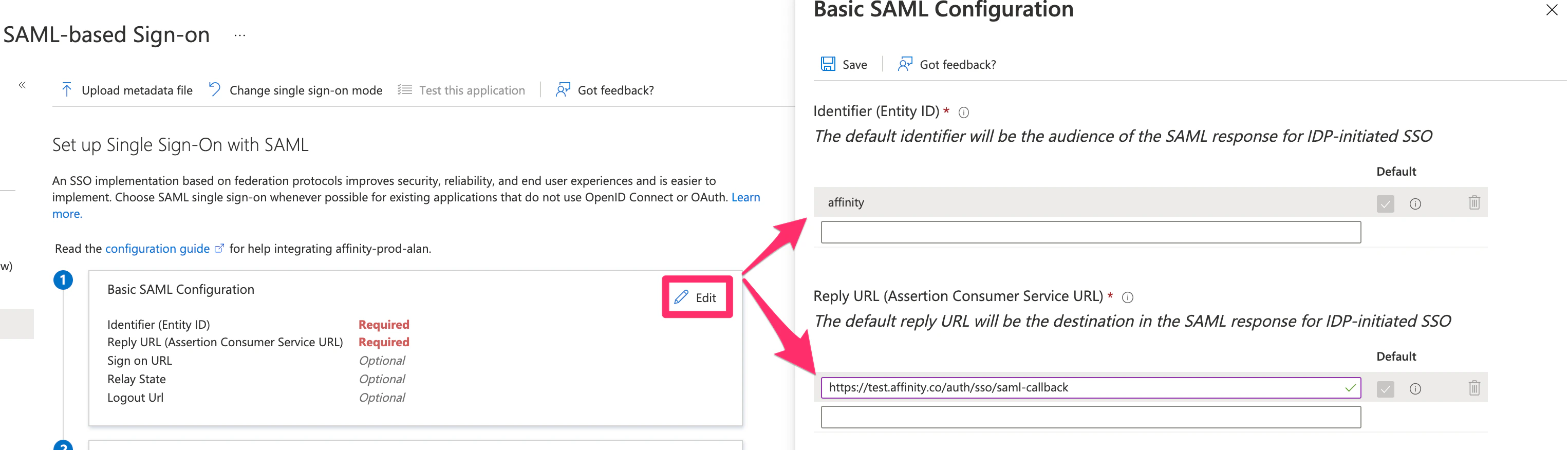 7. Now, to confirm you have the appropriate claims, click **Edit** within the **Attributes & Claims** section.
 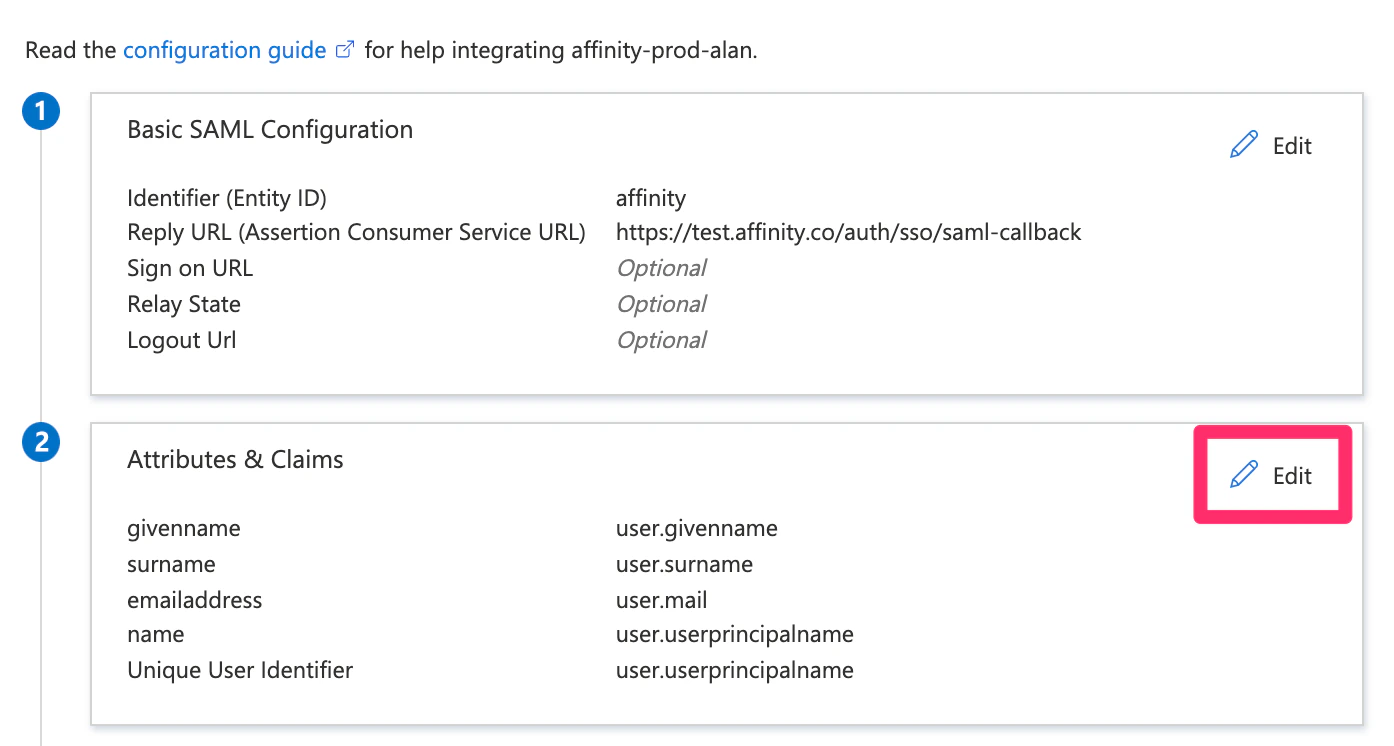 8. Then, make sure that the following claim is there since they are required:
1. `…/claims/emailaddress` ... `user.mail`. The other claims can be removed (optional).
8. Then, make sure that the following claim is there since they are required:
1. `…/claims/emailaddress` ... `user.mail`. The other claims can be removed (optional). 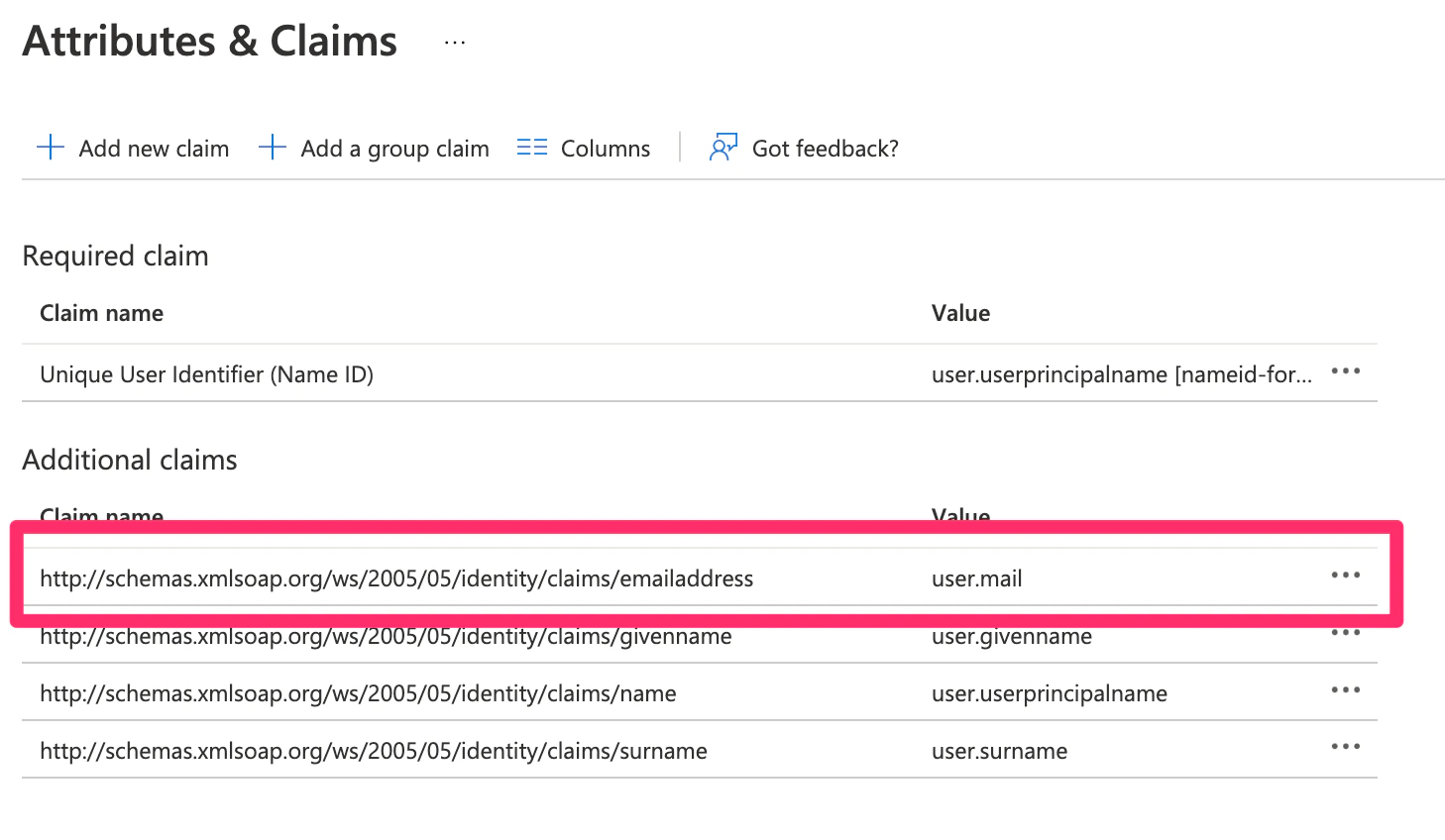 9. Finally, head back to the SAML configuration page. Affinity requires that you provide the **entity ID and the metadata URL/XML** file. The metadata can be sent as an XML file, but preferably, we would like the Metadata URL that links to the raw data.