> ## Documentation Index
> Fetch the complete documentation index at: https://support.affinity.co/llms.txt
> Use this file to discover all available pages before exploring further.
# How To Reenable Syncing Into Affinity
> Help center reference: How To Reenable Syncing Into Affinity
**How-to** — task-oriented recipe.
Are your recent email/calendar communications not surfacing as expected? It may be that your email account is disabled from syncing your data into Affinity.
### How to tell if syncing is disabled
1. Click **Settings** on the left-side of your screen.
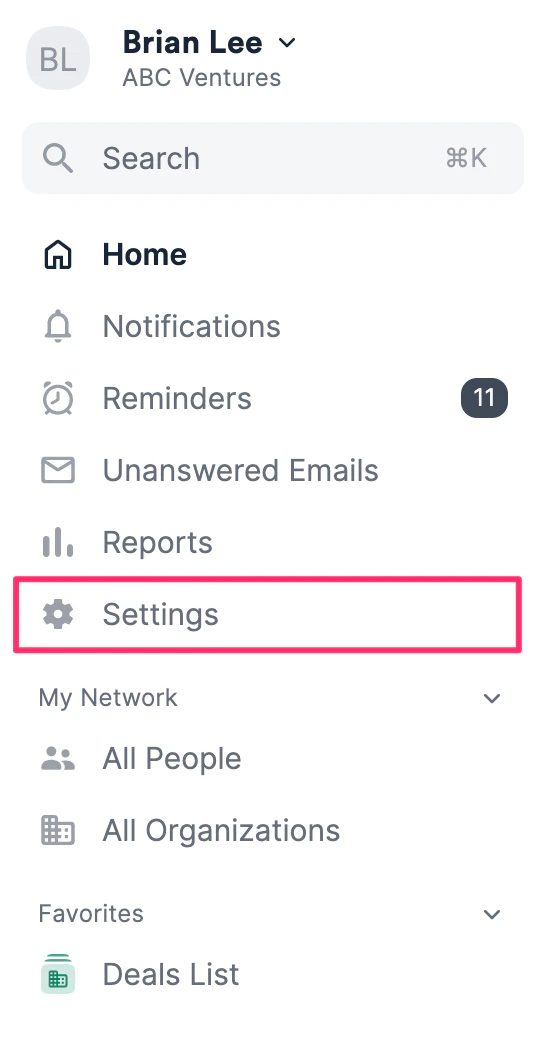 2. Under **Email Accounts**, you will see a description below your email address stating that it has been disabled syncing.
 ### How to reenable syncing
1. Click **Settings** on the left-side of your screen.
2. Under **Email Accounts**, click **Add Account** on the right.
### How to reenable syncing
1. Click **Settings** on the left-side of your screen.
2. Under **Email Accounts**, click **Add Account** on the right.
 3. Sign back in using the same credential. The "disabled syncing" description should now disappear, indicating that you have successfully reenabled syncing.
 4.
**Note**: Depending on how long you have been disabled syncing, it can take a few hours to several hours for your interactions to sync and surface accordingly. If you still do not see your interactions appear, feel free to reach out to [support@affinity.co](mailto:support@affinity.co) and we'd be happy to help.
4.
**Note**: Depending on how long you have been disabled syncing, it can take a few hours to several hours for your interactions to sync and surface accordingly. If you still do not see your interactions appear, feel free to reach out to [support@affinity.co](mailto:support@affinity.co) and we'd be happy to help.