> ## Documentation Index
> Fetch the complete documentation index at: https://support.affinity.co/llms.txt
> Use this file to discover all available pages before exploring further.
# How to manually create a new entity in Affinity
> Help center reference
**How-to** — task-oriented recipe.
You can create a new entity (e.g. person, organization, or opportunity) by following one of two methods:
1. Create new entity from the global navigation bar
2. Create new entity from a list
## Create new entity from the global navigation bar
1. Click the "**+ Add New**" button on the bottom-left corner, then click **Add Person, Add Organization,** or **New Opportunity**.
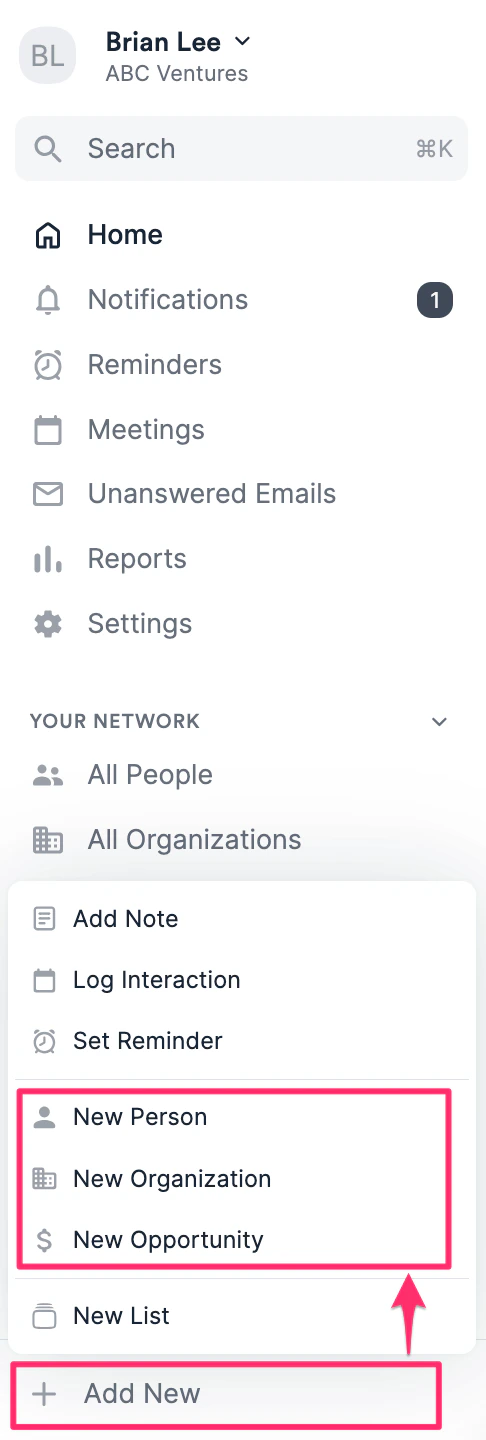 2. Fill out the relevant attributes about that Person, Organization, or Opportunity.
* **Person**: First and last name are required. Email address is **highly recommended** to help Affinity auto-populate that person's profile page with the relevant email/calendar interactions and associated organization.
* **Organization**: Organization name is required. Organization URL is **highly recommended** to help Affinity auto-populate that organization's profile page with the correct people and their email/calendar interactions.
* **Opportunity**: Opportunity name and designated opportunity list are required. Associate the relevant people and/or organization entities that are associated with the opportunity. 3. Click **Create** and you're all set.
## Create new entity from a list
1. Click the blue "**+**" button
2. Fill out the relevant attributes about that Person, Organization, or Opportunity.
* **Person**: First and last name are required. Email address is **highly recommended** to help Affinity auto-populate that person's profile page with the relevant email/calendar interactions and associated organization.
* **Organization**: Organization name is required. Organization URL is **highly recommended** to help Affinity auto-populate that organization's profile page with the correct people and their email/calendar interactions.
* **Opportunity**: Opportunity name and designated opportunity list are required. Associate the relevant people and/or organization entities that are associated with the opportunity. 3. Click **Create** and you're all set.
## Create new entity from a list
1. Click the blue "**+**" button
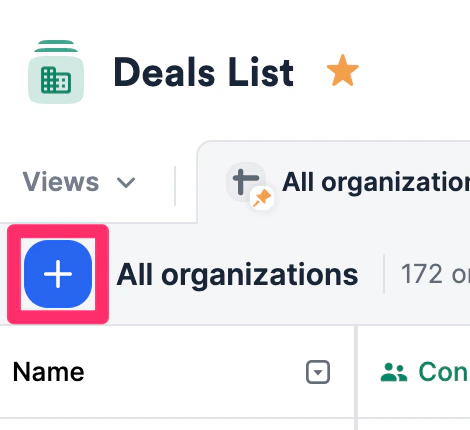 2. Type in the name of the person, organization, or opportunity, then choose the **Create** option.
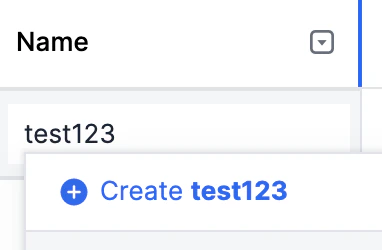 3. When creating a new **person**, please start with the full name rather than the email address.
4. When creating a new **organization**, please start with the organization name rather than the domain.
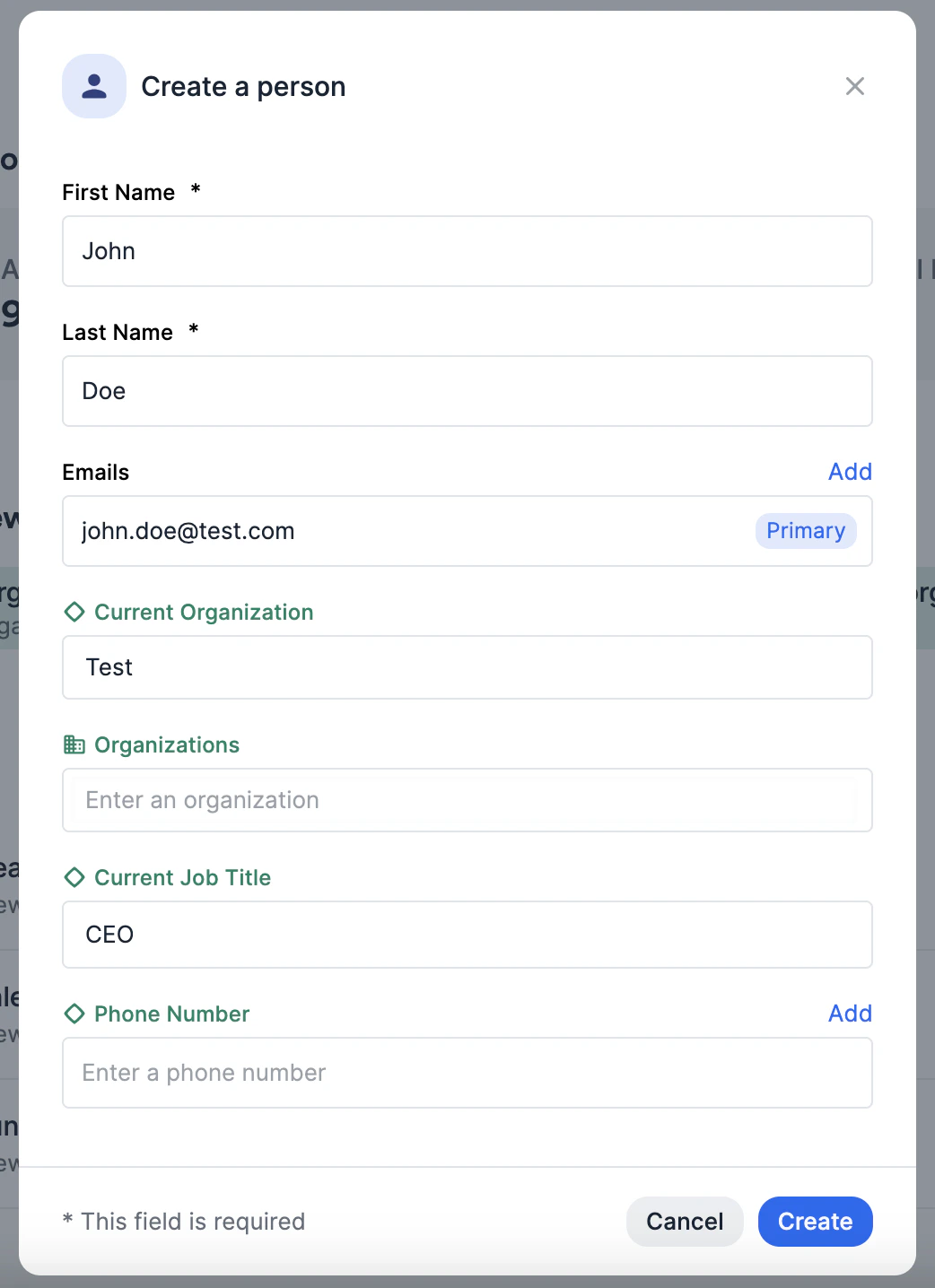
5. Fill out the relevant attributes about that person, organization, or opportunity, then click **Create** at the very bottom of the modal.
3. When creating a new **person**, please start with the full name rather than the email address.
4. When creating a new **organization**, please start with the organization name rather than the domain.
5. Fill out the relevant attributes about that person, organization, or opportunity, then click **Create** at the very bottom of the modal.
 {/* */}