> ## Documentation Index
> Fetch the complete documentation index at: https://support.affinity.co/llms.txt
> Use this file to discover all available pages before exploring further.
# How To Invite Others To Join Affinity Alliances
> Help center reference: How To Invite Others To Join Affinity Alliances
**How-to** — task-oriented recipe.
Want to ally with others, but not sure if they'll accept your invite? Our newly-designed invite flow makes sure that users understand everything that Affinity has to offer by joining Affinity Alliances.
## Overview
1. How to send an invite to potential allies
2. What your potential allies will see
3. How to access Affinity Alliances moving forward
4. Note for Microsoft Exchange (On-Premise) or custom SSO users
5. Additional Resources
### How to send an invite to potential allies
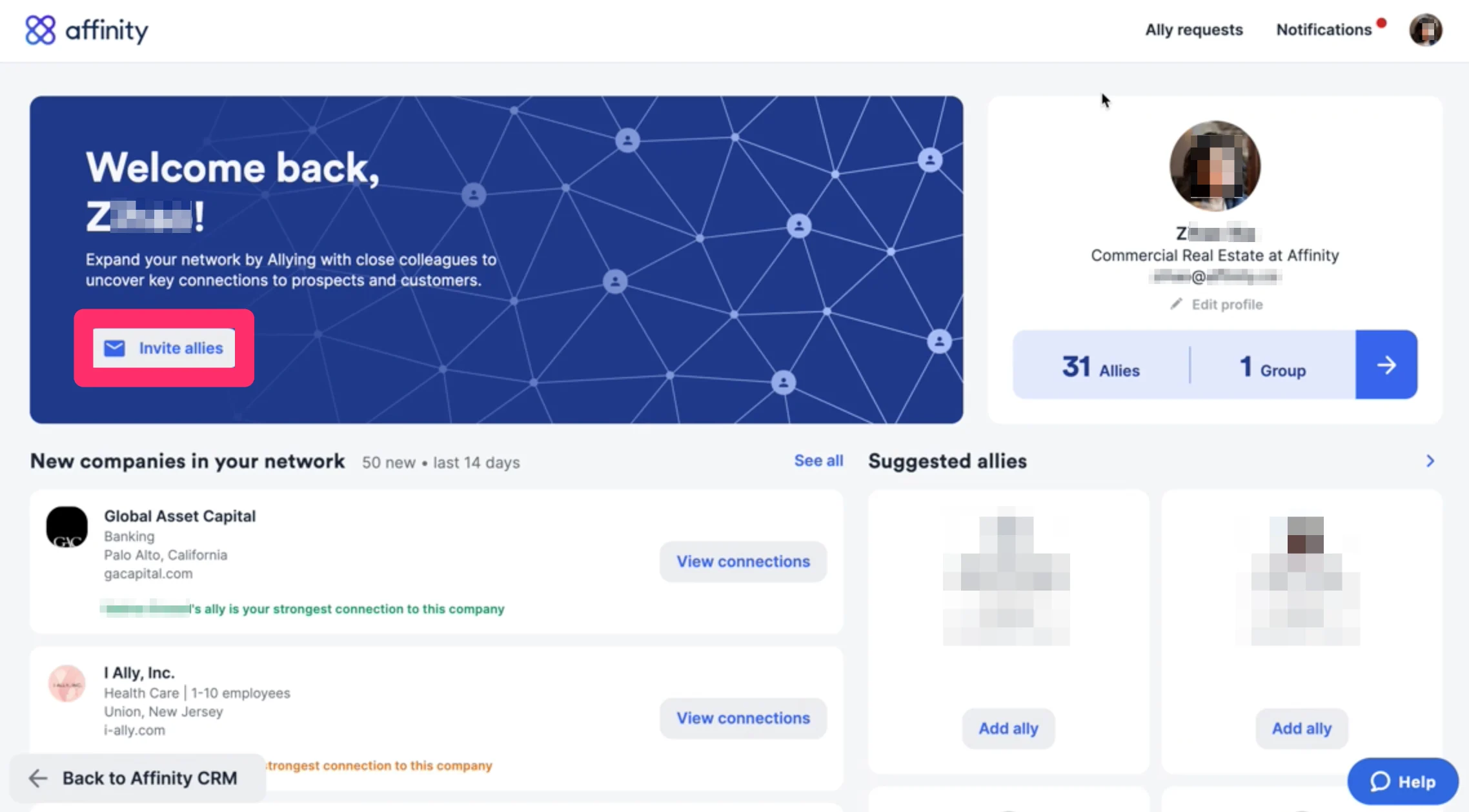
1. Go to your **Alliances Dashboard**, then click **Invite allies**.
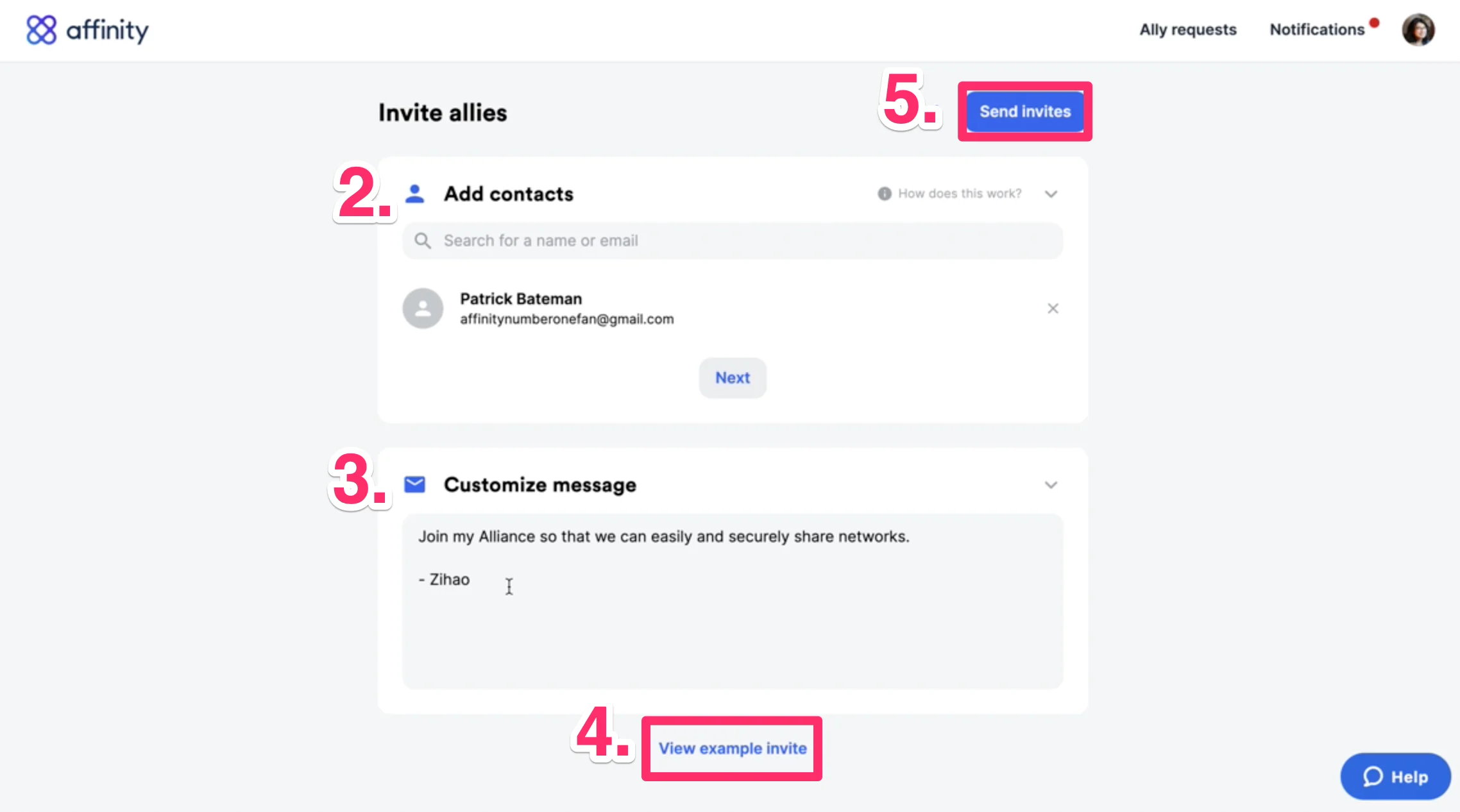
 2. Type in the **names/email addresses** of the individuals that you'd like to send invites to.
3. **Customize your message** to add a more personal touch.
4. **Preview** what your invite email would look like from the recipient's point of view.
5. **Send invite**.
2. Type in the **names/email addresses** of the individuals that you'd like to send invites to.
3. **Customize your message** to add a more personal touch.
4. **Preview** what your invite email would look like from the recipient's point of view.
5. **Send invite**.
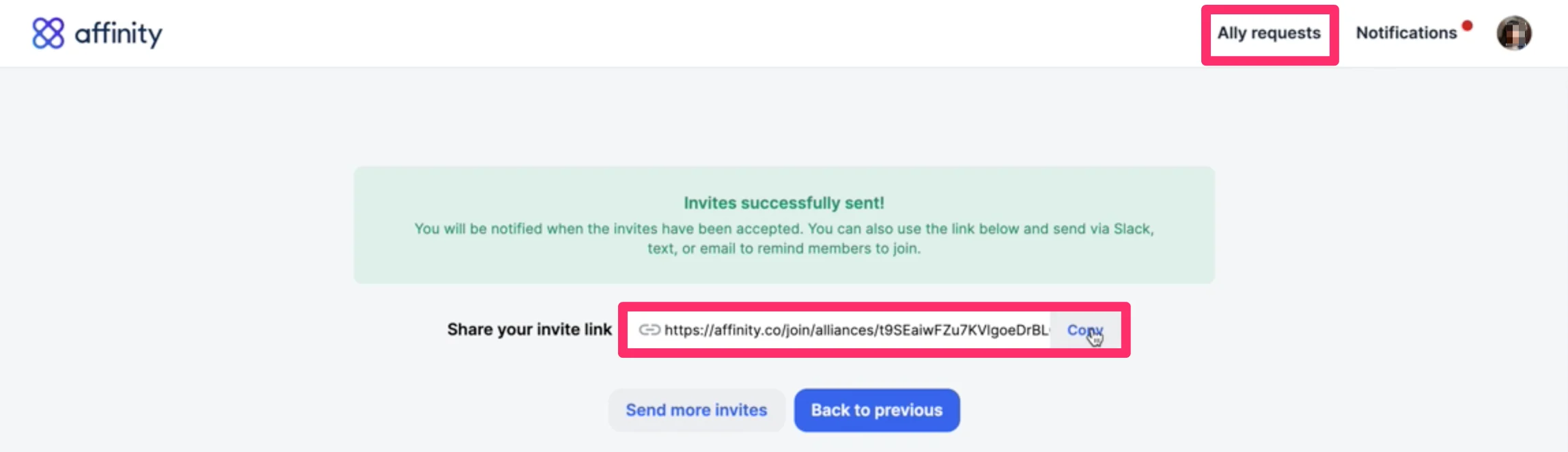
 6. If they missed your invite, you can send them your invite link, which is also available by clicking on **Ally requests**.
 ### What your potential allies will see
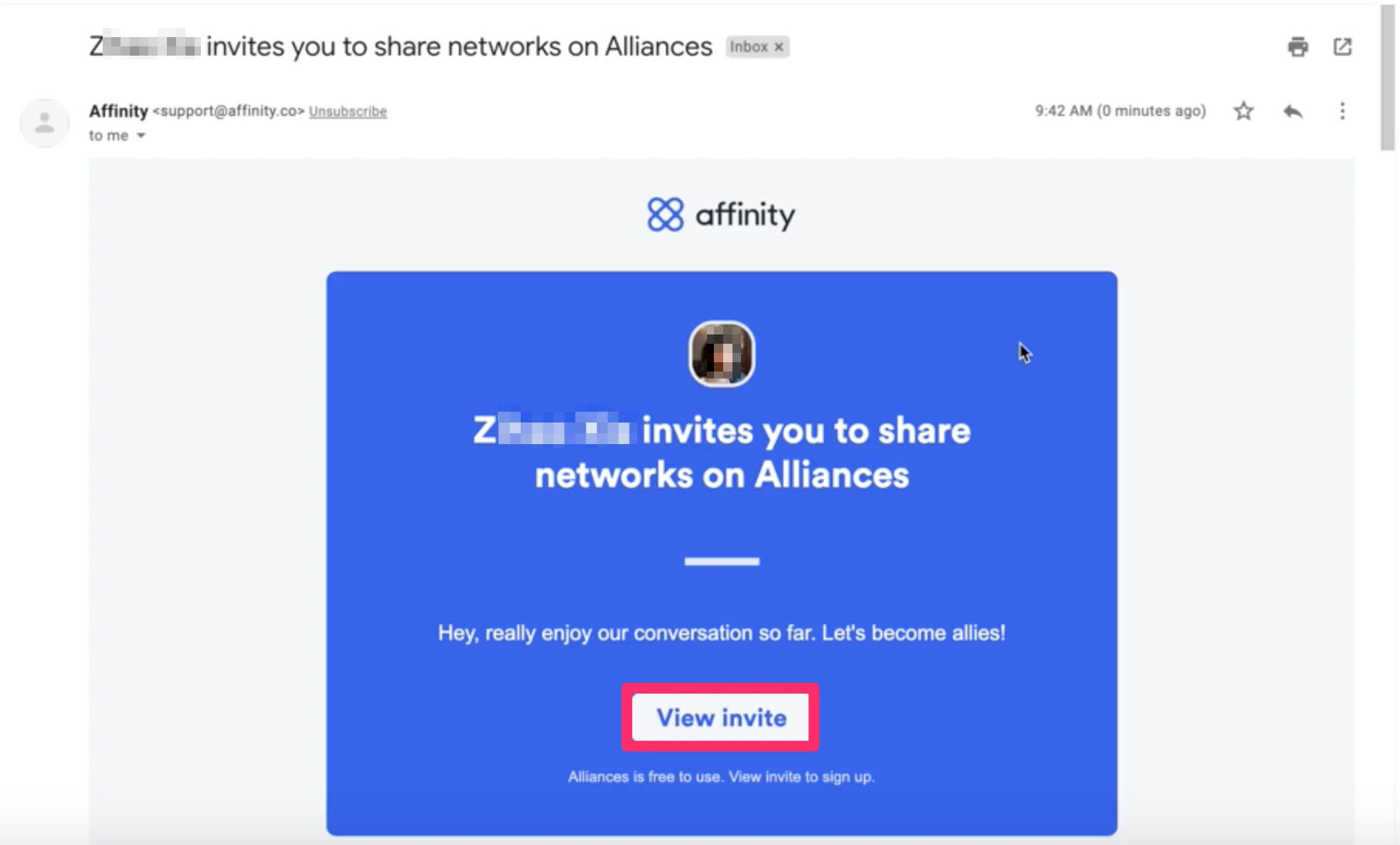
As soon as the invite is sent, your potential allies will receive an email with the following steps.
1. Click **View invite**.
### What your potential allies will see
As soon as the invite is sent, your potential allies will receive an email with the following steps.
1. Click **View invite**.
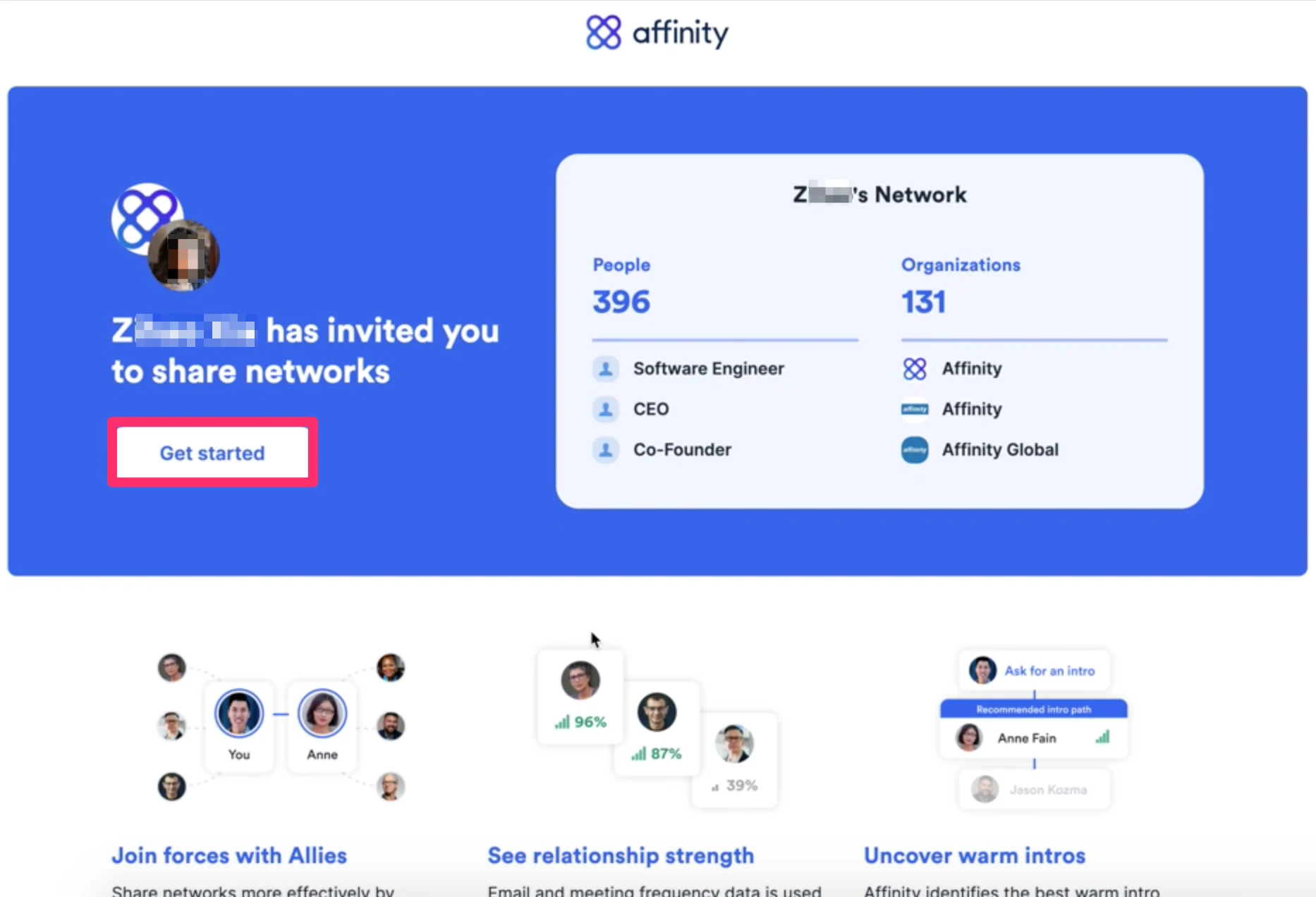
 2. See the value you'd get by joining Affinity Alliances, then click **Get started**.
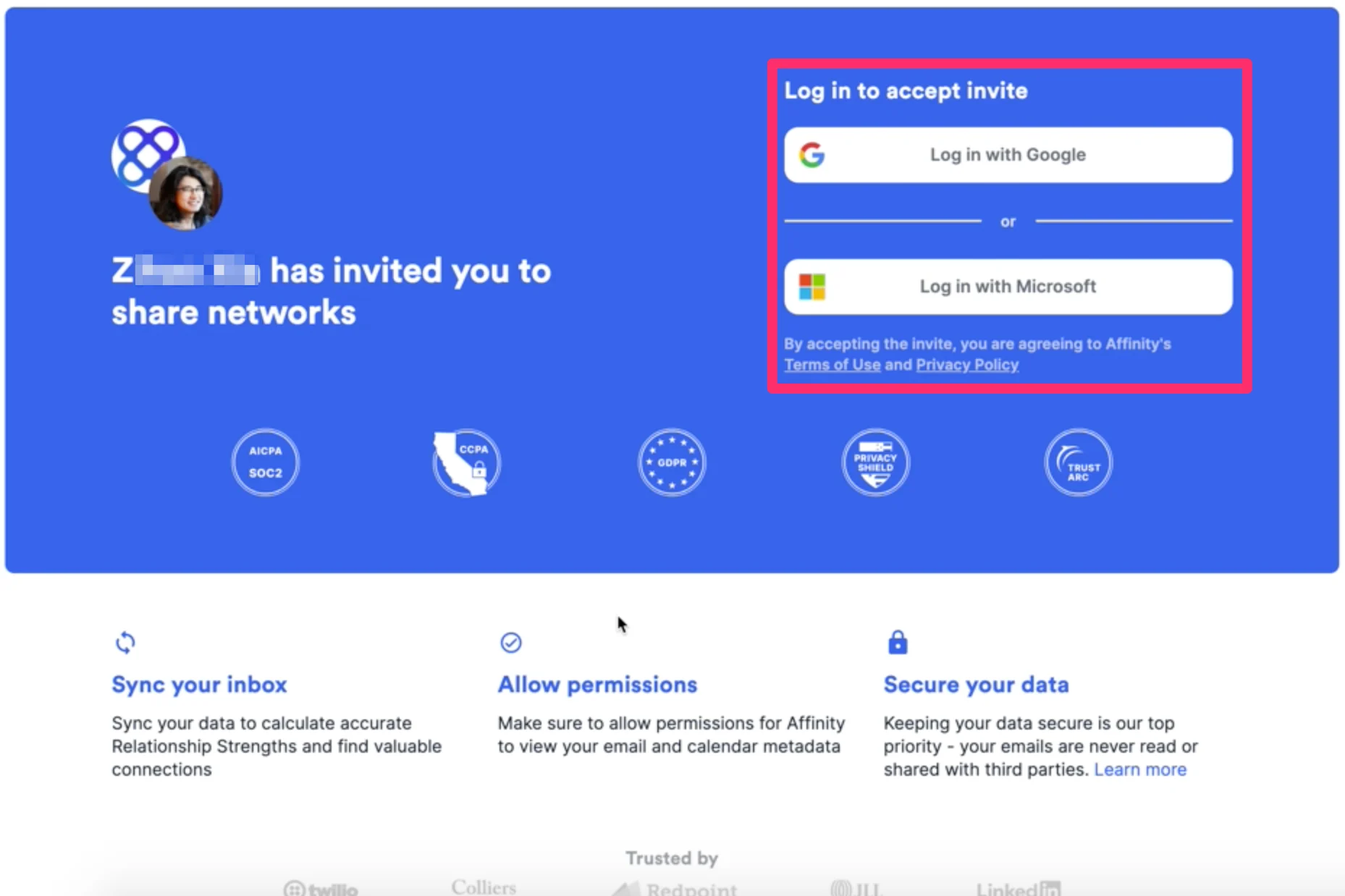
 3. **Login via Google** or **Microsoft** based on which one your email account is running on.
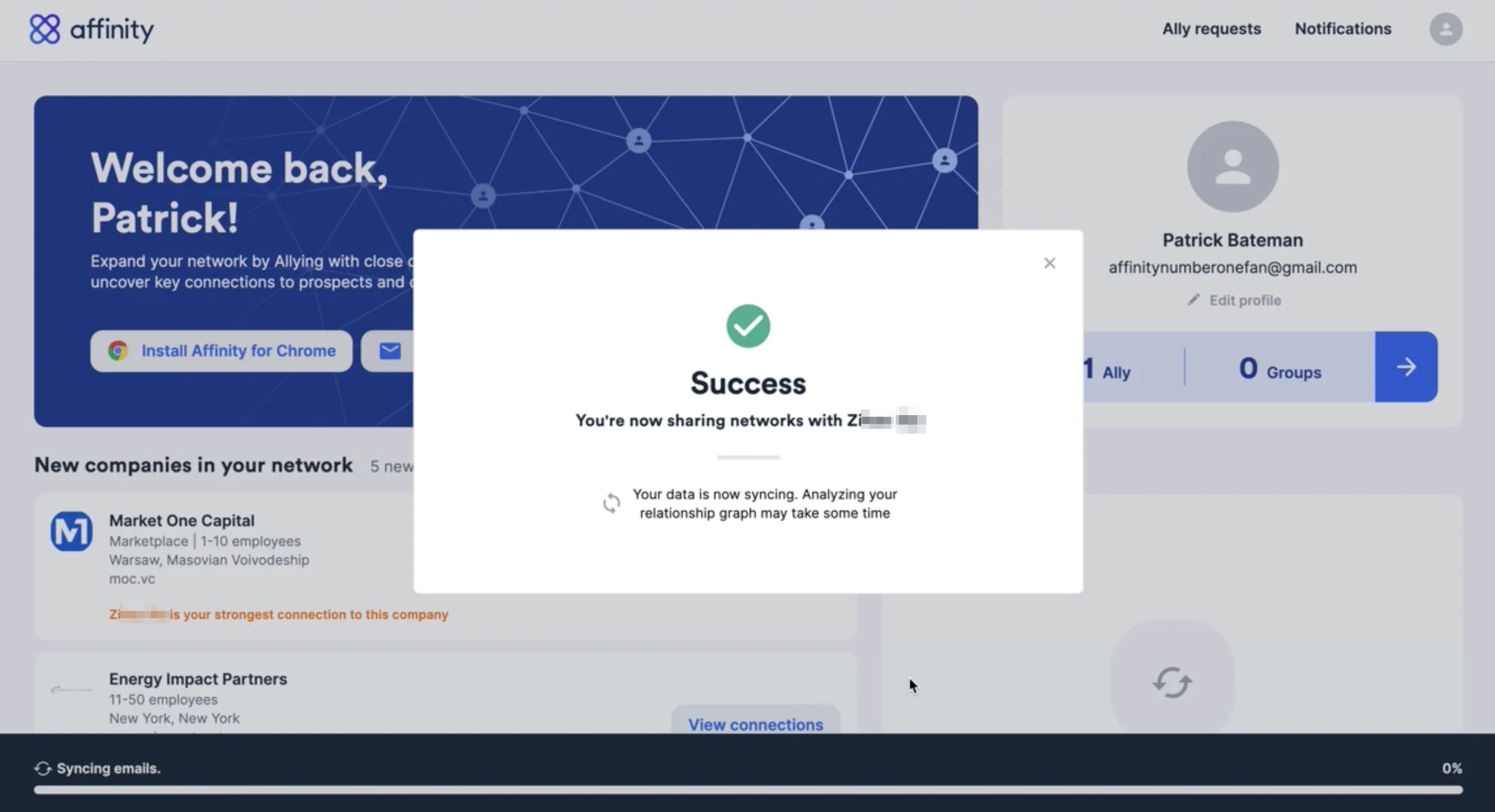
 4. We'll start generating your network and [your relationship strengths with individuals](/s/article/Leveraging-your-Connections-and-Relationship-Strengths) as we sync your email/calendar data. We will not be sharing your email/calendar data with anyone. **Your allies will only be able to see who you know** (full name) **and how well you know them** (relationship strength score between 10-100).
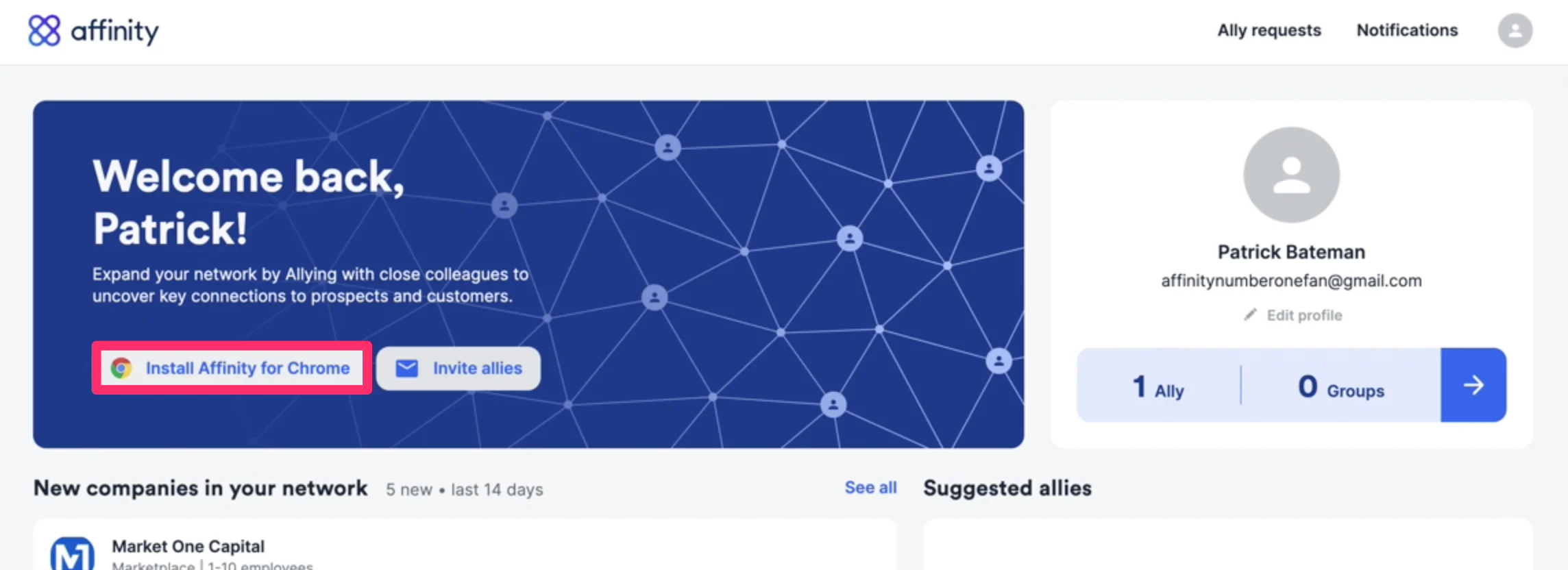
 5. Now, you can download the [Affinity Pathfinder Chrome Extension](/s/article/Affinity-for-Salesforce-How-to-use-Affinity-s-Pathfinder-Chrome-Extension) to surface your Affinity connections on LinkedIn and on any website you visit.
 ### How to access Affinity Alliances moving forward
1. If you have your web browser cookies enabled, you can easily access your Affinity Alliances dashboard moving forward by bookmarking [https://alliances.affinity.co/home](https://alliances.affinity.co/home)
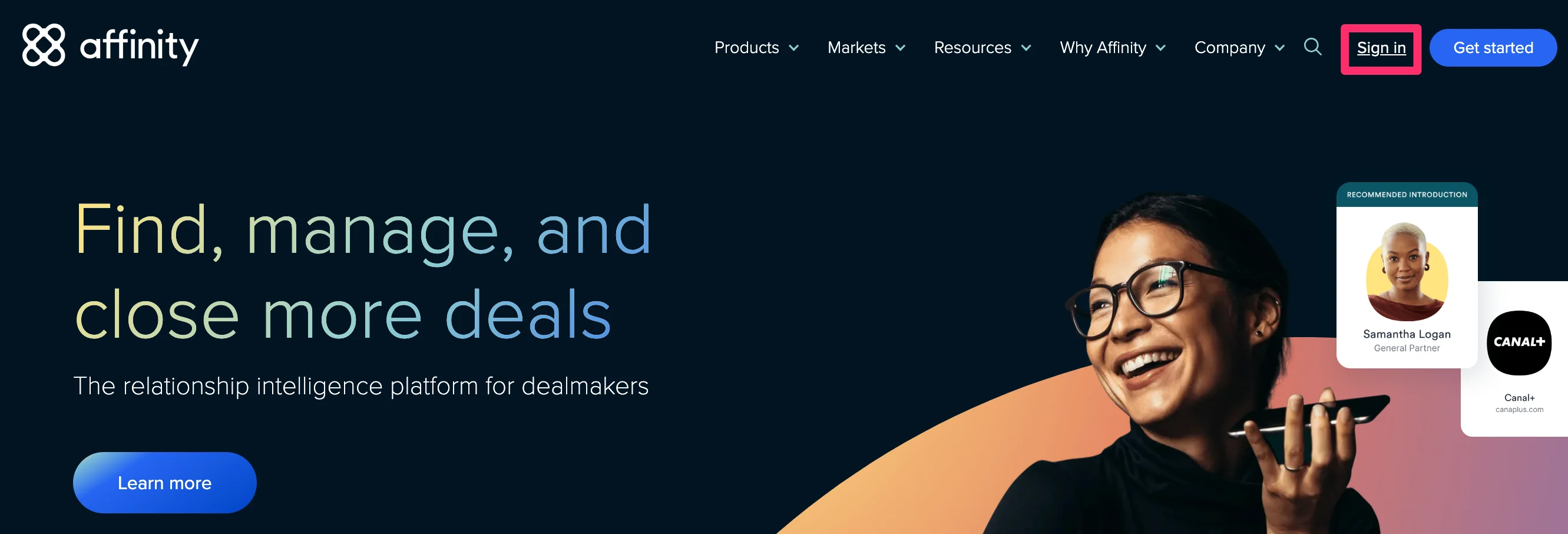
2. If you've been signed out and need to sign back in, go to [https://www.affinity.co](https://www.affinity.co/) and click **Sign in** on the top-right corner. Then, sign in with your email credentials.
### How to access Affinity Alliances moving forward
1. If you have your web browser cookies enabled, you can easily access your Affinity Alliances dashboard moving forward by bookmarking [https://alliances.affinity.co/home](https://alliances.affinity.co/home)
2. If you've been signed out and need to sign back in, go to [https://www.affinity.co](https://www.affinity.co/) and click **Sign in** on the top-right corner. Then, sign in with your email credentials.
 ### Note for Microsoft Exchange (On-Premise) or custom SSO users
Affinity Alliances is currently optimized for users whose email clients are based on Gmail or Office365, not for those on Microsoft Exchange (On-Premise) or those who have a custom SSO set up. If you have a Microsoft Exchange (On-Premise) email account or are sending an invite to someone who has one, feel free to reach out to [support@affinity.co](mailto:support@affinity.co) by mentioning the email address, as well as the custom EWS URL associated with this email address (see [How to find your custom EWS URL](/s/article/How-to-find-your-custom-EWS-URL)).
### Additional Resources
* [Getting started with Affinity Alliances](/s/article/Getting-started-with-Affinity-Alliances)
* [Leveraging your Connections and Relationship Strengths](/s/article/Leveraging-your-Connections-and-Relationship-Strengths)
* [What is an Alliance Group?](/s/article/What-is-an-Alliance-Group)
### Note for Microsoft Exchange (On-Premise) or custom SSO users
Affinity Alliances is currently optimized for users whose email clients are based on Gmail or Office365, not for those on Microsoft Exchange (On-Premise) or those who have a custom SSO set up. If you have a Microsoft Exchange (On-Premise) email account or are sending an invite to someone who has one, feel free to reach out to [support@affinity.co](mailto:support@affinity.co) by mentioning the email address, as well as the custom EWS URL associated with this email address (see [How to find your custom EWS URL](/s/article/How-to-find-your-custom-EWS-URL)).
### Additional Resources
* [Getting started with Affinity Alliances](/s/article/Getting-started-with-Affinity-Alliances)
* [Leveraging your Connections and Relationship Strengths](/s/article/Leveraging-your-Connections-and-Relationship-Strengths)
* [What is an Alliance Group?](/s/article/What-is-an-Alliance-Group)