> ## Documentation Index
> Fetch the complete documentation index at: https://support.affinity.co/llms.txt
> Use this file to discover all available pages before exploring further.
# How To Integrate Affinity With Dropbox
> Help center reference
**How-to** — task-oriented recipe.
Automate and expedite your workflows by integrating Affinity with Dropbox.
**Note**: This is a **uni-directional** sync from Affinity to Dropbox. It will only upload already-uploaded files from Affinity to a designated file on Dropbox, not the other way around.
## Getting started
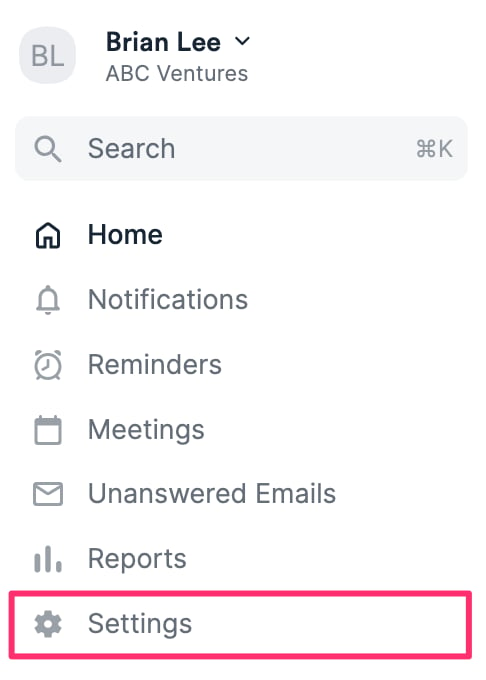
1. Once you've checked the prerequisites in [Getting started with native integrations in Affinity](/s/article/Getting-started-with-native-integrations-in-Affinity) and enabled proper access to Dropbox, click **Settings** on the left side of your screen.
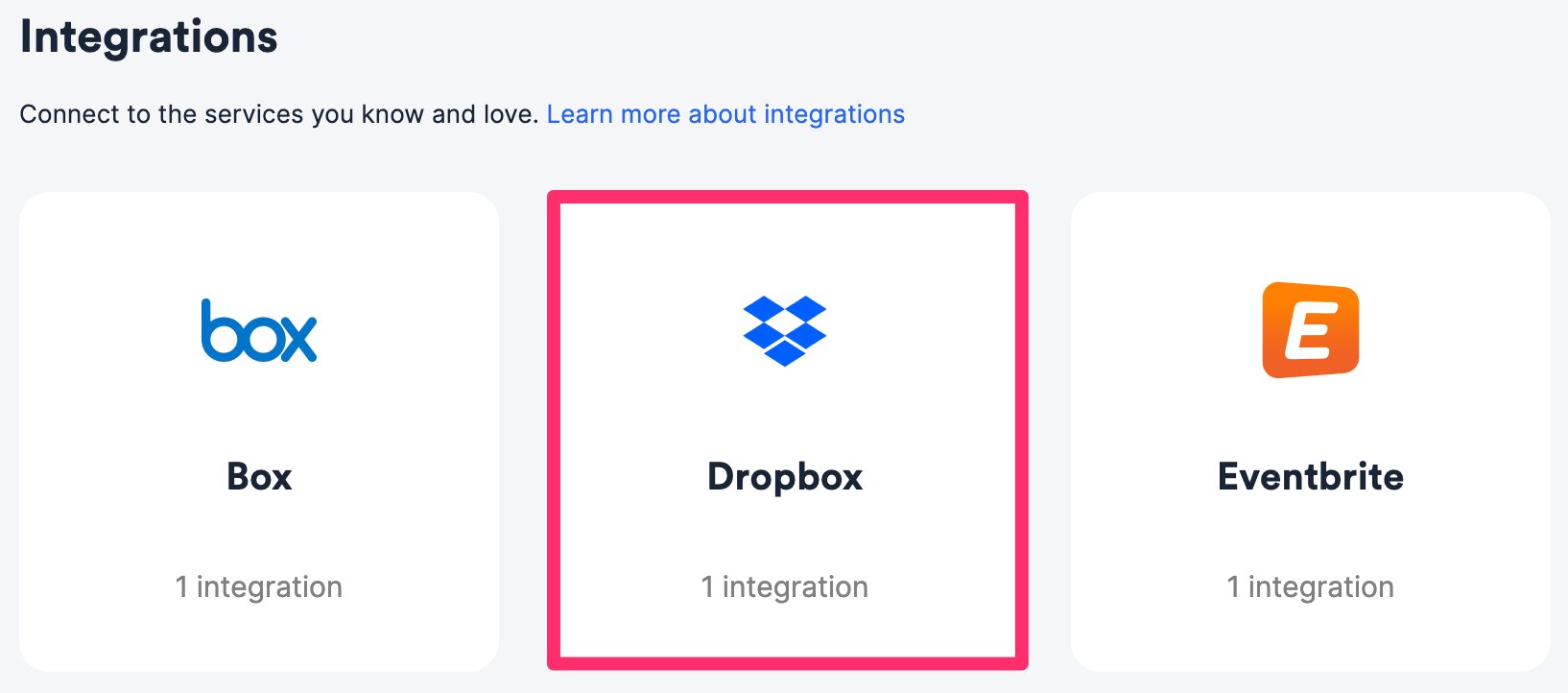
 2. Click on the **Integrations** tab, then click on **Dropbox**.
 ## How to sync uploaded files from Affinity list entries into Dropbox
For all list entries within a given Affinity list, the files that have been uploaded to these list entries' profile pages will also sync to a specific folder in your Dropbox account. This is supported for all three types of lists: people, organizations, and opportunities.
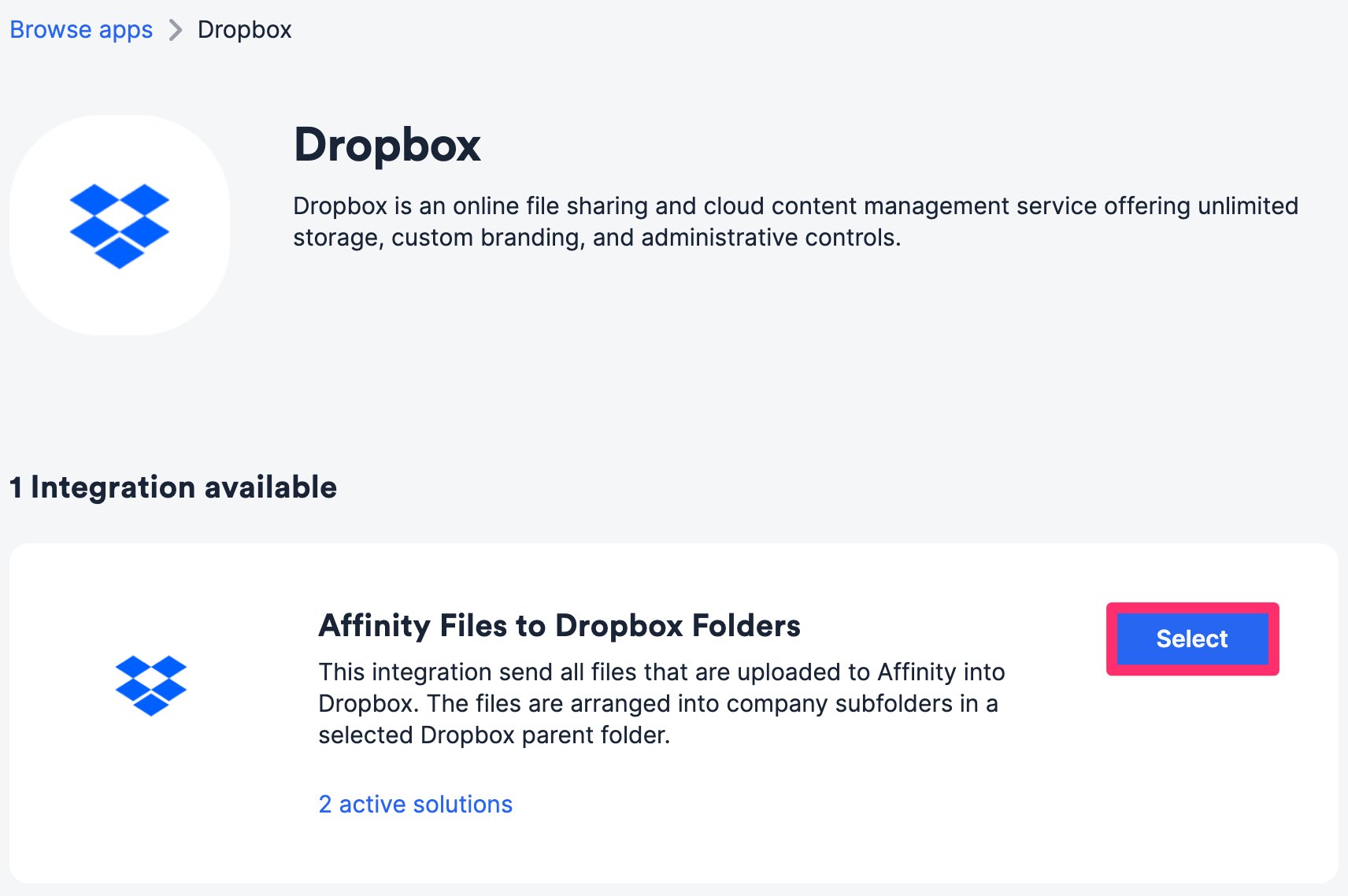
1. Within the **Affinity Files to Dropbox Folders** integration, click **Select**.
## How to sync uploaded files from Affinity list entries into Dropbox
For all list entries within a given Affinity list, the files that have been uploaded to these list entries' profile pages will also sync to a specific folder in your Dropbox account. This is supported for all three types of lists: people, organizations, and opportunities.
1. Within the **Affinity Files to Dropbox Folders** integration, click **Select**.
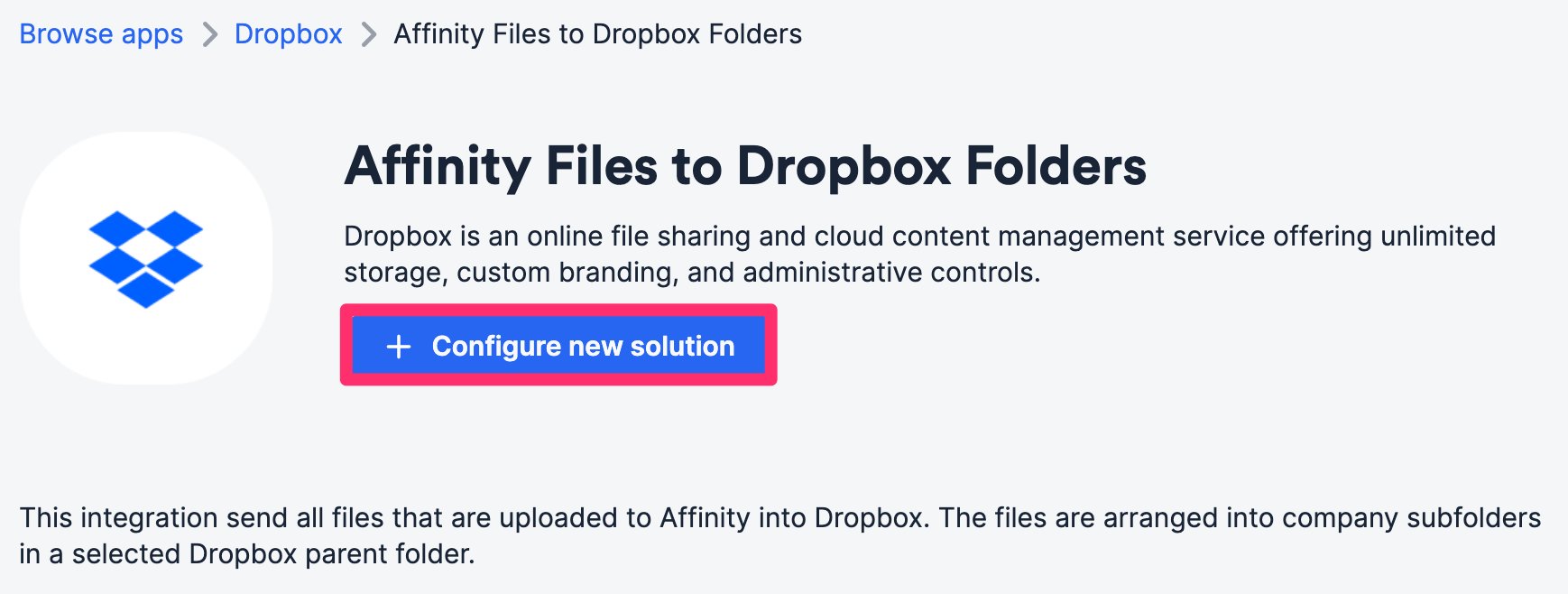
 2. Click **Configure new solution**.
 3. Authenticate your Dropbox account.
4. For **Affinity List to Sync**, select the list you'd like to sync from. Ideally, you'd also want to have this list approved for auto-upload (see the "How to auto-upload files" section in [How to upload, download, and remove files in Affinity](/s/article/How-to-upload-download-and-remove-files-in-Affinity)) in your privacy settings, as we only sync files that are already uploaded to Affinity, not those in the **Found in your email** section.
* **Note**: Once set up, this integration will automatically backfill for already-uploaded files on Affinity profile pages and upload them to the designated Dropbox folder.
3. Authenticate your Dropbox account.
4. For **Affinity List to Sync**, select the list you'd like to sync from. Ideally, you'd also want to have this list approved for auto-upload (see the "How to auto-upload files" section in [How to upload, download, and remove files in Affinity](/s/article/How-to-upload-download-and-remove-files-in-Affinity)) in your privacy settings, as we only sync files that are already uploaded to Affinity, not those in the **Found in your email** section.
* **Note**: Once set up, this integration will automatically backfill for already-uploaded files on Affinity profile pages and upload them to the designated Dropbox folder.
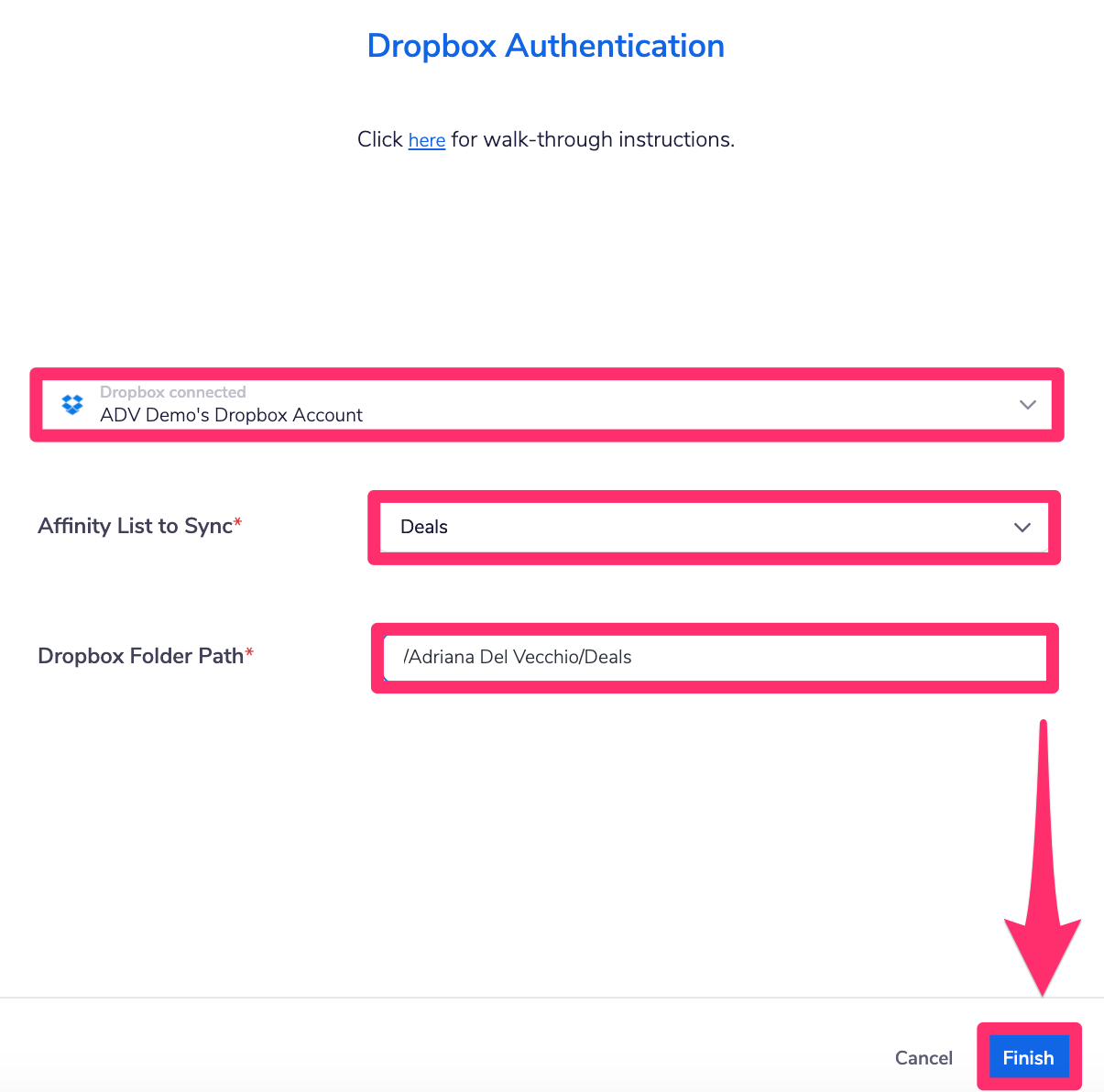 5. For **Dropbox Folder Path**, open a new tab and go to the Dropbox folder you'd like to sync files into.
6. Copy its folder path found at the end of the URL.
1. For example, the folder path for `https://www.dropbox.com/home/Adriana%20Del%20Vecchio/Deals` is `/Adriana%20Del%20Vecchio/Deals`.
2. **Note:** If there are spaces in the folder's title, they will be replaced with `%20` in the URL.
5. For **Dropbox Folder Path**, open a new tab and go to the Dropbox folder you'd like to sync files into.
6. Copy its folder path found at the end of the URL.
1. For example, the folder path for `https://www.dropbox.com/home/Adriana%20Del%20Vecchio/Deals` is `/Adriana%20Del%20Vecchio/Deals`.
2. **Note:** If there are spaces in the folder's title, they will be replaced with `%20` in the URL. 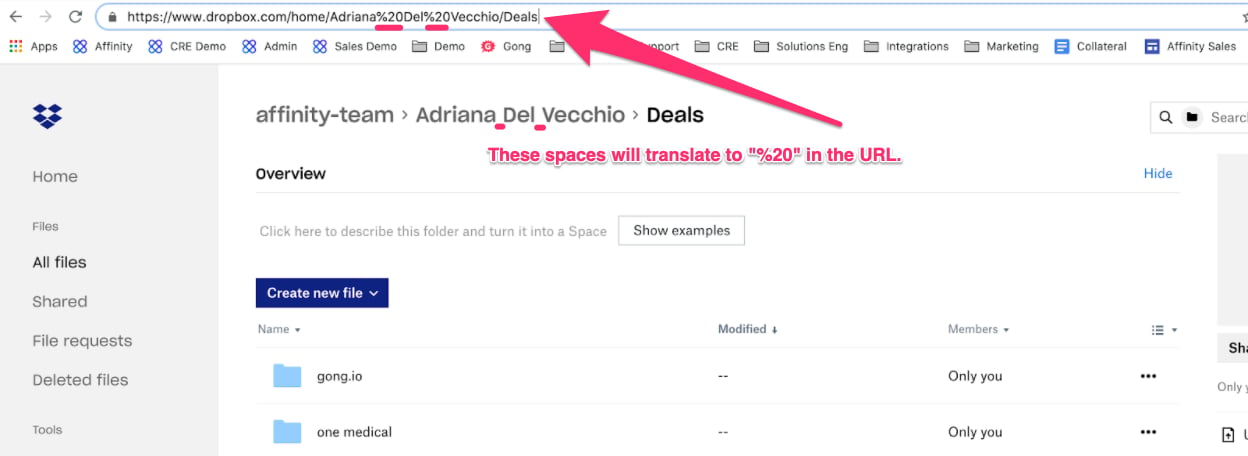 3. As you paste the folder path below, replace the `%20` with spaces again (as shown below).
  {/* SCREENSHOT 7 */}
7. Last but not least, click **Finish** and you are all set. These files will start syncing into the selected folder in your Dropbox account and will create separate folders for each list entry.
{/* SCREENSHOT 7 */}
7. Last but not least, click **Finish** and you are all set. These files will start syncing into the selected folder in your Dropbox account and will create separate folders for each list entry. 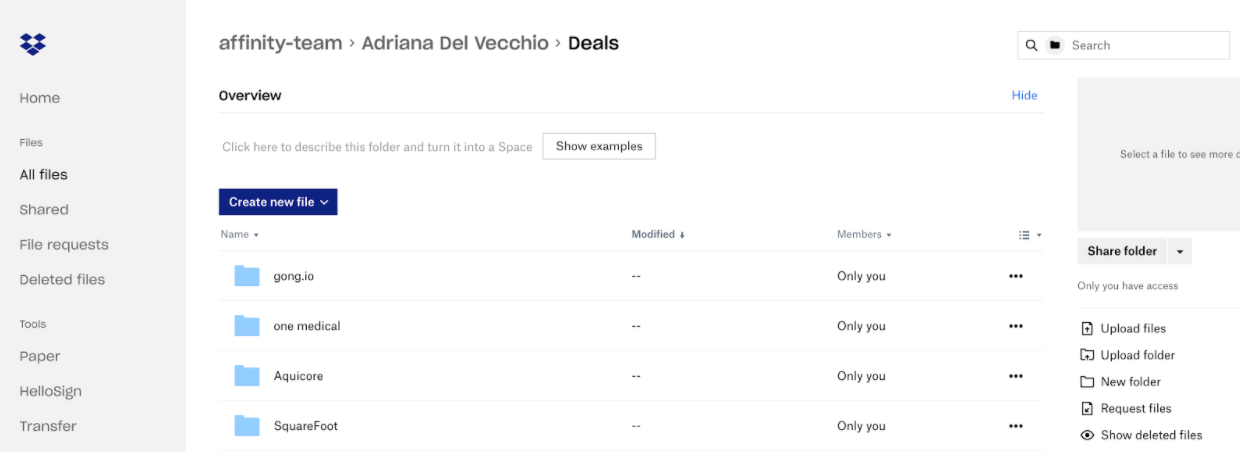 ## Related topics
- [How to Integrate Affinity with Granola](/s/article/how-to-integrate-affinity-with-granola.md)
- [How to Integrate Affinity with Databricks](/s/article/How-to-integrate-Affinity-with-Databricks.md)
- [How to Integrate Affinity with Snowflake](/s/article/How-to-integrate-Affinity-with-Snowflake.md)
- [How to integrate Affinity with Box](/s/article/How-to-integrate-Affinity-with-Box.md)
- [How To Integrate Affinity With Typeform](/s/article/How-to-integrate-Affinity-with-Typeform.md)
## Related topics
- [How to Integrate Affinity with Granola](/s/article/how-to-integrate-affinity-with-granola.md)
- [How to Integrate Affinity with Databricks](/s/article/How-to-integrate-Affinity-with-Databricks.md)
- [How to Integrate Affinity with Snowflake](/s/article/How-to-integrate-Affinity-with-Snowflake.md)
- [How to integrate Affinity with Box](/s/article/How-to-integrate-Affinity-with-Box.md)
- [How To Integrate Affinity With Typeform](/s/article/How-to-integrate-Affinity-with-Typeform.md)