> ## Documentation Index
> Fetch the complete documentation index at: https://support.affinity.co/llms.txt
> Use this file to discover all available pages before exploring further.
# How To Find Your Affinity Subdomain
> Help center reference: How To Find Your Affinity Subdomain
**How-to** — task-oriented recipe.
Your Affinity subdomain is what differentiates your team's Affinity account from the rest - this article will help explain how to find out your Affinity subdomain and how it relates to other features within Affinity.
## Finding your Affinity subdomain (First-time users)
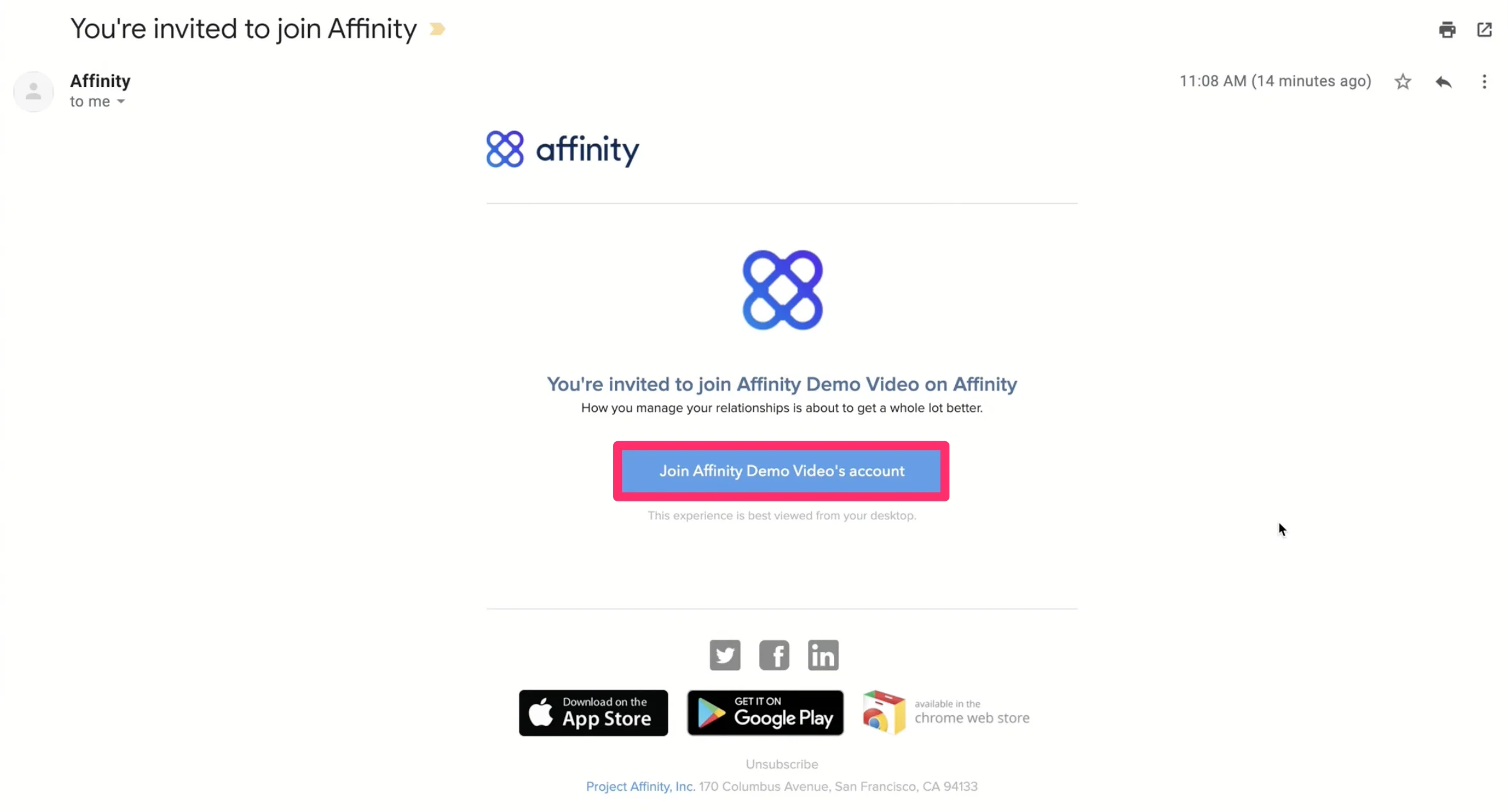
1. You will receive an email invite from a fellow team member who already has access to your team Affinity account. Click the button to sign in and join your team on Affinity.
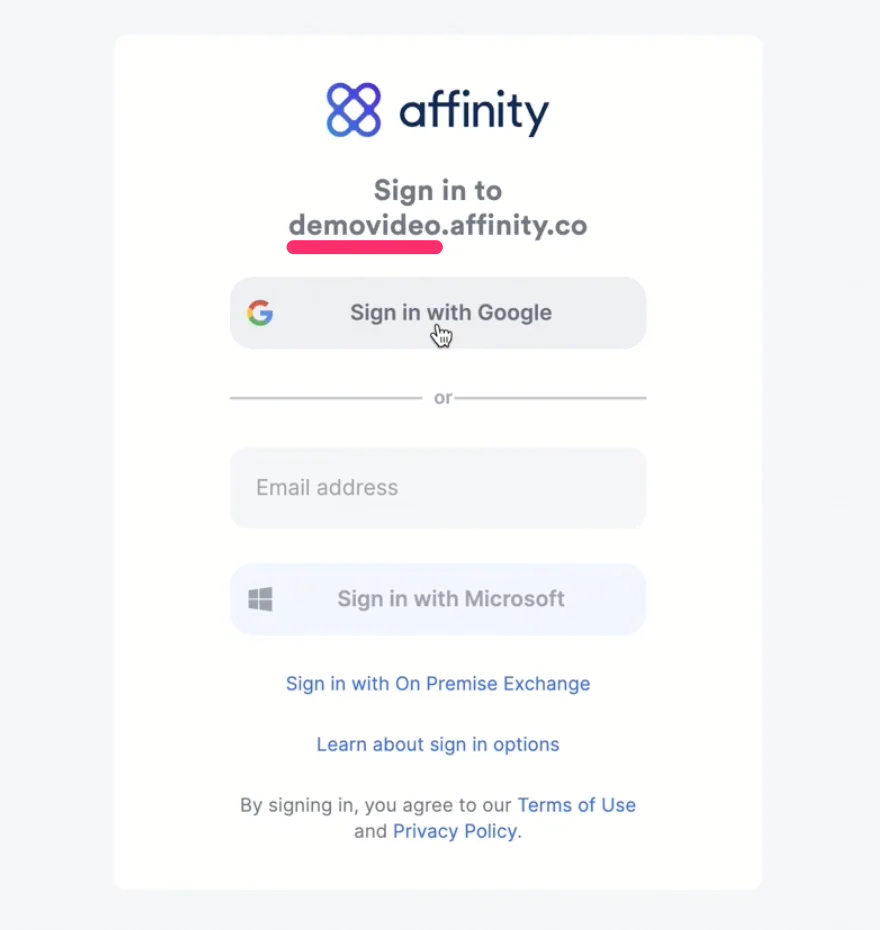
 2. Now, you'll come across this sign in page where your subdomain is highlighted below.
1. In this example, it says **demovideo**.affinity.co.
2. Therefore, **demovideo** is the subdomain.
2. Now, you'll come across this sign in page where your subdomain is highlighted below.
1. In this example, it says **demovideo**.affinity.co.
2. Therefore, **demovideo** is the subdomain.
 ## Finding your Affinity subdomain (Moving forward)
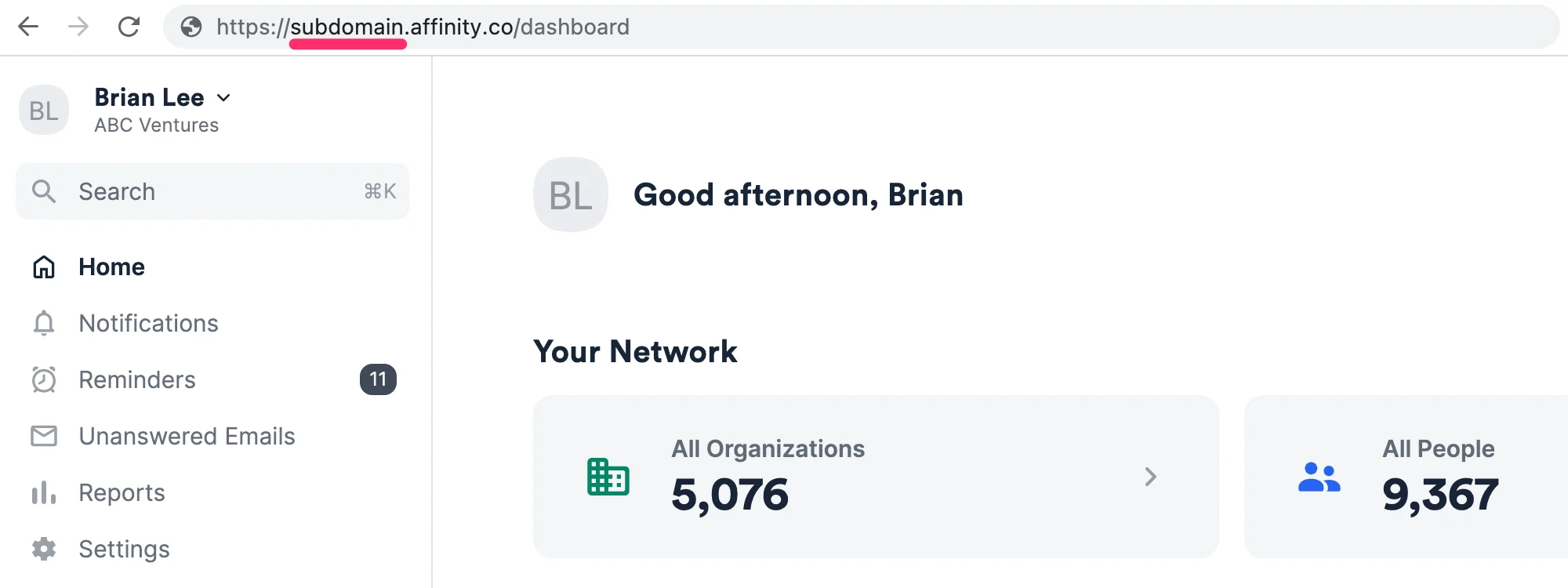
1. As you continue to access your team Affinity account over time, you'll notice that your URL will be in this format: [https://subdomain.affinity.co](https://subdomain.affinity.co/)
2. This is where you'll always be able to find your Affinity subdomain while on the Affinity CRM.
## Finding your Affinity subdomain (Moving forward)
1. As you continue to access your team Affinity account over time, you'll notice that your URL will be in this format: [https://subdomain.affinity.co](https://subdomain.affinity.co/)
2. This is where you'll always be able to find your Affinity subdomain while on the Affinity CRM.
 ## Why your Affinity subdomain matters
* Microsoft Office365/Exchange users: You need to know your Affinity subdomain to sign in and leverage Affinity's Outlook add-in (see [How to download Affinity's Outlook Add-in](/s/article/Affinity-for-Salesforce-How-to-use-Affinity-s-Outlook-add-in) and [How to use Affinity's Outlook Add-in](/s/article/Affinity-for-Salesforce-How-to-use-Affinity-s-Outlook-add-in)).
* If you bookmark any URLs/pages within Affinity and one of your admins decides to change your team's Affinity subdomain, those previous URLs will no longer work.
* In this case, make sure to reach out to your Affinity admin or to [support@affinity.co](mailto:support@affinity.co).
* If you use Affinity's [Email Bot](/s/article/How-to-add-or-remove-your-synced-email-accounts-from-Affinity) and have saved these unique Email Bot addresses, but one of your admins decides to change your team's Affinity subdomain, those previous addresses will no longer work.
* In this case, make sure to check for the new subdomain and update the old Email Bot addresses accordingly.
## Why your Affinity subdomain matters
* Microsoft Office365/Exchange users: You need to know your Affinity subdomain to sign in and leverage Affinity's Outlook add-in (see [How to download Affinity's Outlook Add-in](/s/article/Affinity-for-Salesforce-How-to-use-Affinity-s-Outlook-add-in) and [How to use Affinity's Outlook Add-in](/s/article/Affinity-for-Salesforce-How-to-use-Affinity-s-Outlook-add-in)).
* If you bookmark any URLs/pages within Affinity and one of your admins decides to change your team's Affinity subdomain, those previous URLs will no longer work.
* In this case, make sure to reach out to your Affinity admin or to [support@affinity.co](mailto:support@affinity.co).
* If you use Affinity's [Email Bot](/s/article/How-to-add-or-remove-your-synced-email-accounts-from-Affinity) and have saved these unique Email Bot addresses, but one of your admins decides to change your team's Affinity subdomain, those previous addresses will no longer work.
* In this case, make sure to check for the new subdomain and update the old Email Bot addresses accordingly.