> ## Documentation Index
> Fetch the complete documentation index at: https://support.affinity.co/llms.txt
> Use this file to discover all available pages before exploring further.
# How To Edit/Remove An Entity's Profile Photo
> Help center reference
**How-to** — task-oriented recipe.
Easily edit/remove a entity's profile photo by going to their profile page. Please note the nuances depending on whether you're attempting to edit a person's, organization's, or opportunity's profile photo:
## How to edit/remove a person's profile photo
1. Go to the person's profile page, then click **Edit** when hovering on the profile photo.
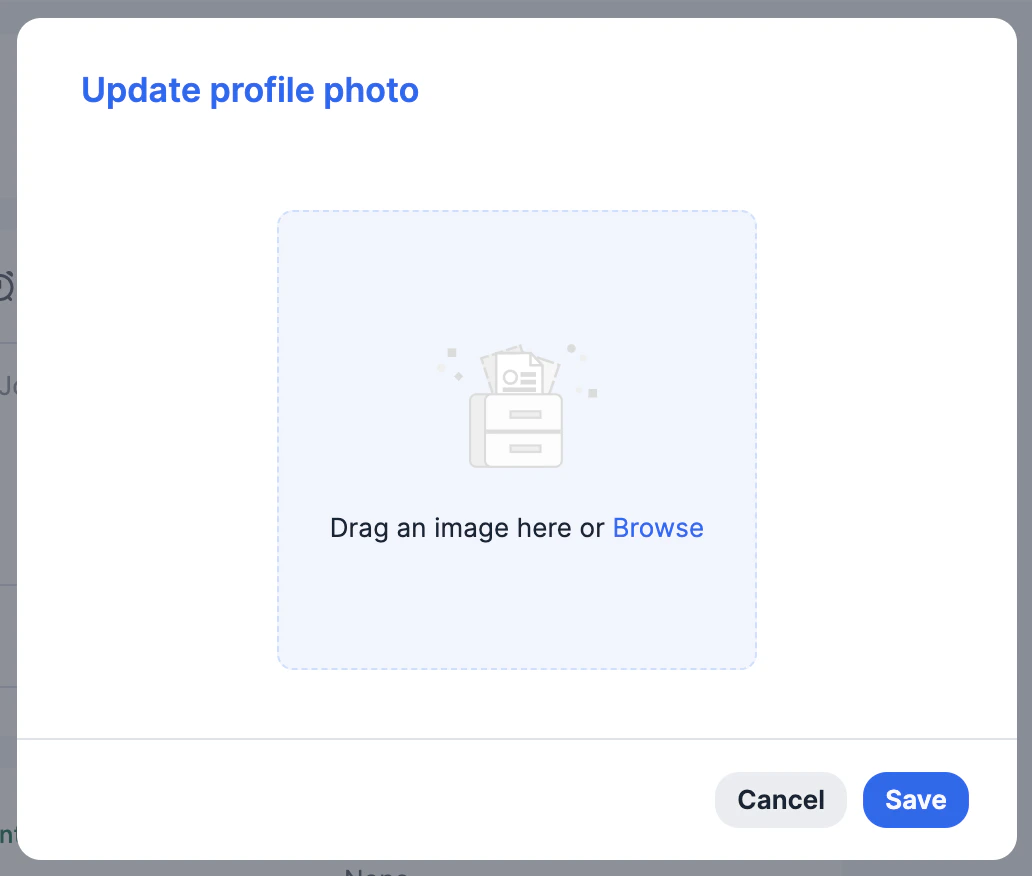
 2. Now, drag an image into the area or click **Browse** to upload an image from your computer.
3. Then, click **Save**. You will also see the option to **Remove** an existing photo and upload a new photo afterwards.
2. Now, drag an image into the area or click **Browse** to upload an image from your computer.
3. Then, click **Save**. You will also see the option to **Remove** an existing photo and upload a new photo afterwards.
 ## How to edit/remove an organization's profile photo
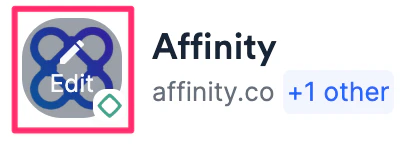
1. Go to the organization's profile page, then hover over the profile photo.
* If you see the **Edit** option, you can continue with editing/removing.
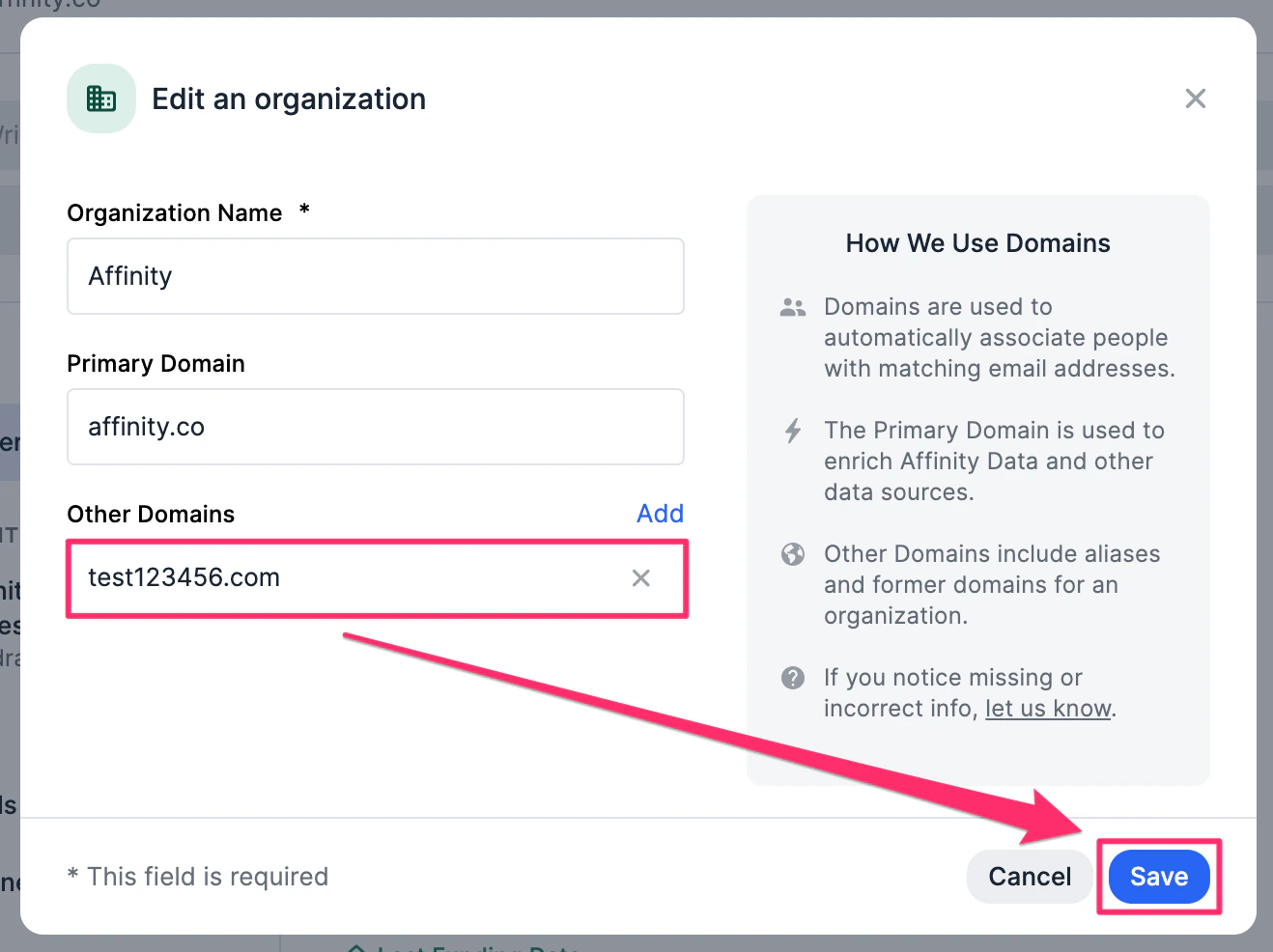
* If you do not see the **Edit** option, it means the organization is enriched by Affinity. However, you can click the 3-dotted icon, then click **Edit name and domain** to add a random domain to trigger the editing capabilities.
## How to edit/remove an organization's profile photo
1. Go to the organization's profile page, then hover over the profile photo.
* If you see the **Edit** option, you can continue with editing/removing.
* If you do not see the **Edit** option, it means the organization is enriched by Affinity. However, you can click the 3-dotted icon, then click **Edit name and domain** to add a random domain to trigger the editing capabilities.
 2. Add the random domain within the **Other Domains** field, then click **Save**.
 3. Now, you can edit/remove the organization's profile photo accordingly. It will continue to be enriched by Affinity.
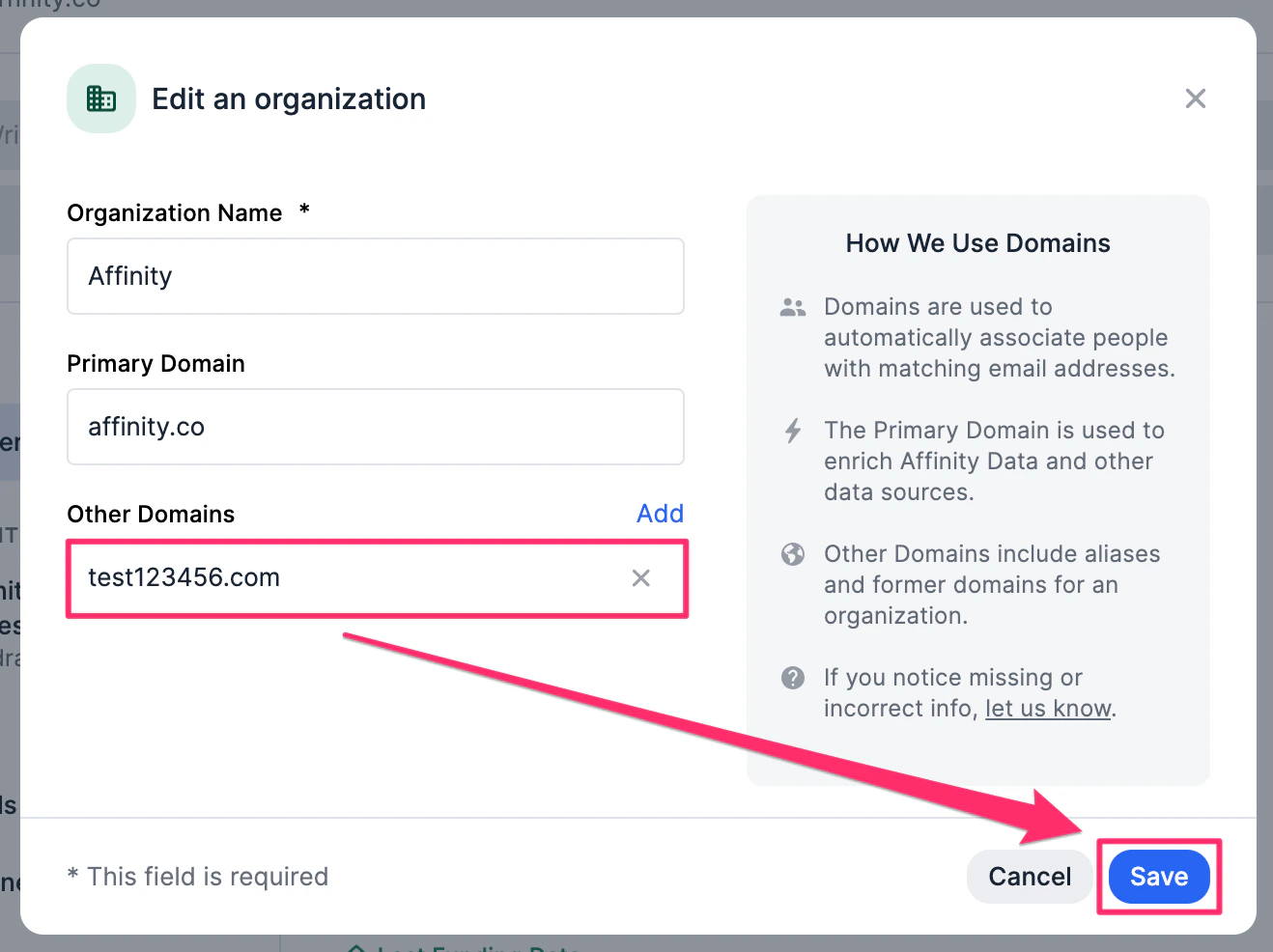
 4. Last but not least, you can simply go back to delete the random domain, then click **Save** again. The profile photo will continue to be editable even after doing so.
 ## How to edit/remove an opportunity's profile photo
Opportunity profile photos are automatically pulled in from the default **Organizations** field and cannot be directly edited or removed.
1. If there is exactly one organization in the default **Organizations** field, and it has a profile photo, then it will pull in that organization's profile photo.
## How to edit/remove an opportunity's profile photo
Opportunity profile photos are automatically pulled in from the default **Organizations** field and cannot be directly edited or removed.
1. If there is exactly one organization in the default **Organizations** field, and it has a profile photo, then it will pull in that organization's profile photo.
 2. If there is no organization or more than one organization in the default **Organizations** field, then it will have an empty placeholder.
