> ## Documentation Index
> Fetch the complete documentation index at: https://support.affinity.co/llms.txt
> Use this file to discover all available pages before exploring further.
# How To Edit An Organization's Name And Domain
> Help center reference
**How-to** — task-oriented recipe.
Affinity makes it easy to edit an organization from its profile page or add domains to automatically associate the individuals who belong to that domain. The article below explains how to edit an organization.
1. Click into the organization's profile page, click the **dropdown button** on the top-right corner, then click **Edit name and domain**.
 2. Add another domain under **Other Domains** - we highly suggest you **do not edit** the Primary Domain since the enriched data will still pull in from the original Primary Domain **even** if you change it to a different domain. If you notice any incorrect info, please let us know by writing to [support@affinity.co](mailto:support@affinity.co).
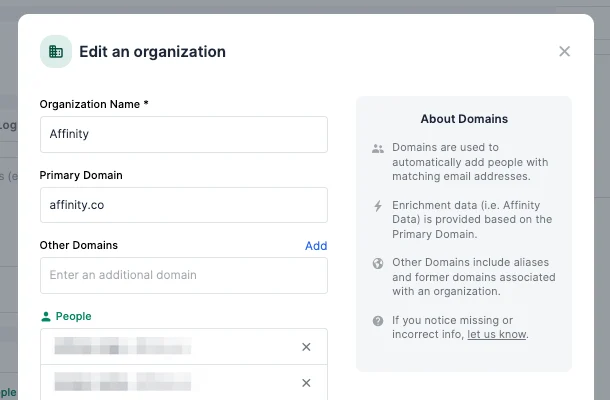 3. **Organization Name** is required to create any organization.
4. **Primary Domain** is used to enrich the organization's data with [Affinity Data](/s/article/Affinity-Data) and Affinity's third-party data vendors. 1.
**Note**: We highly suggest you **do not edit** the Primary Domain since the enriched data will still pull in from the original Primary Domain **even** if you change it to a different domain. If you notice any incorrect info, please let us know by writing to [support@affinity.co](mailto:support@affinity.co). 3. **Other Domains** is used to serve as a place to capture any domain aliases or redirects. Any additional domain that is added here will auto-associate all people whose email domains match the additional domain. 1.
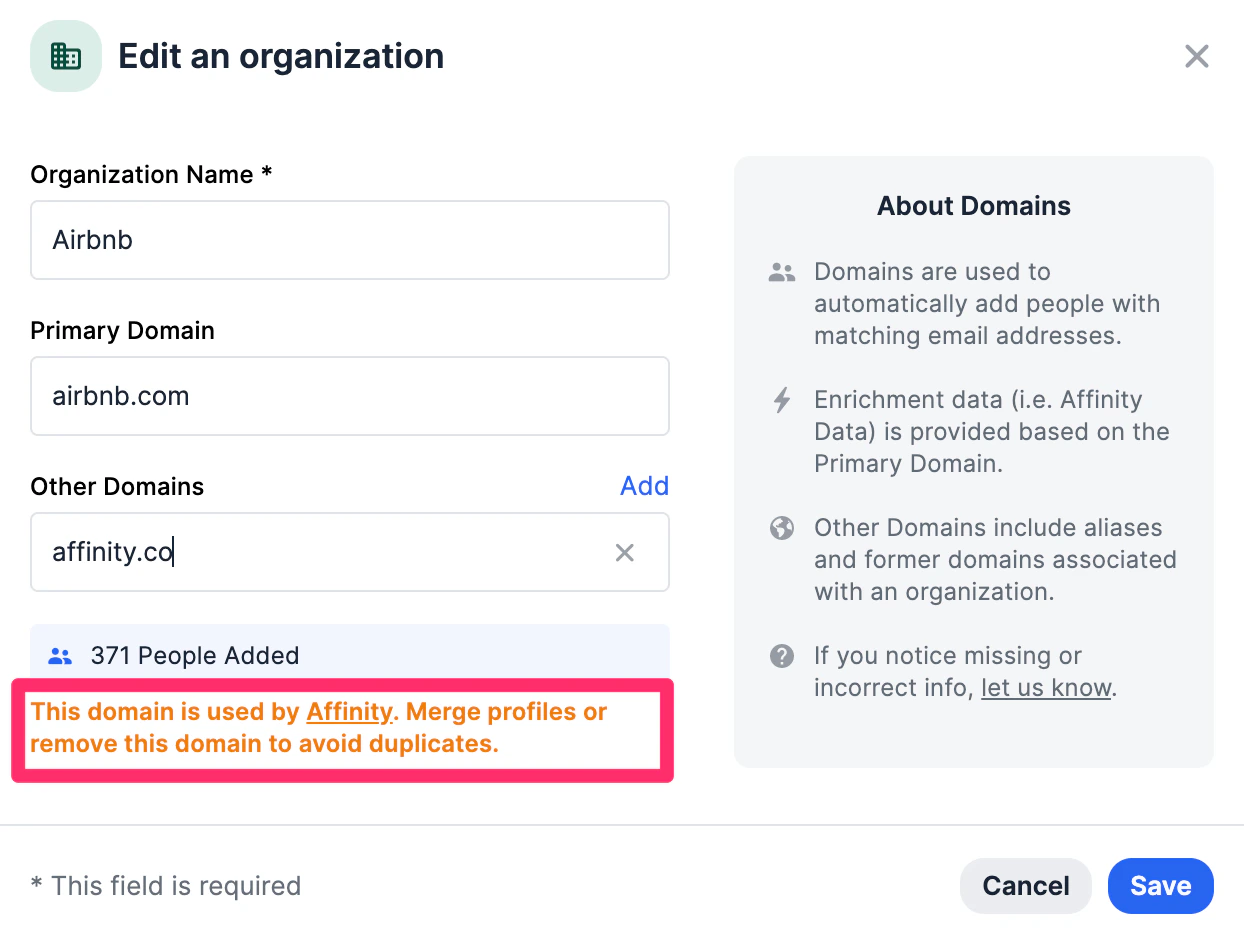
**Note**: If you attempt to add a domain that is already in use by another organization, we will let you know before you're able to click **Save**. In this case, we suggest keeping the profiles separate by removing the domain, or [merging one contact into the other](/s/article/How-to-merge-duplicates).
3. **Organization Name** is required to create any organization.
4. **Primary Domain** is used to enrich the organization's data with [Affinity Data](/s/article/Affinity-Data) and Affinity's third-party data vendors. 1.
**Note**: We highly suggest you **do not edit** the Primary Domain since the enriched data will still pull in from the original Primary Domain **even** if you change it to a different domain. If you notice any incorrect info, please let us know by writing to [support@affinity.co](mailto:support@affinity.co). 3. **Other Domains** is used to serve as a place to capture any domain aliases or redirects. Any additional domain that is added here will auto-associate all people whose email domains match the additional domain. 1.
**Note**: If you attempt to add a domain that is already in use by another organization, we will let you know before you're able to click **Save**. In this case, we suggest keeping the profiles separate by removing the domain, or [merging one contact into the other](/s/article/How-to-merge-duplicates).
 {/* */}