> ## Documentation Index
> Fetch the complete documentation index at: https://support.affinity.co/llms.txt
> Use this file to discover all available pages before exploring further.
# How To Delete Profiles From Affinity
> Help center reference
**How-to** — task-oriented recipe.
Delete certain contacts from your Affinity account if they are not relevant or are considered spam.
## How to delete a person
1. Go to the contact's profile page.
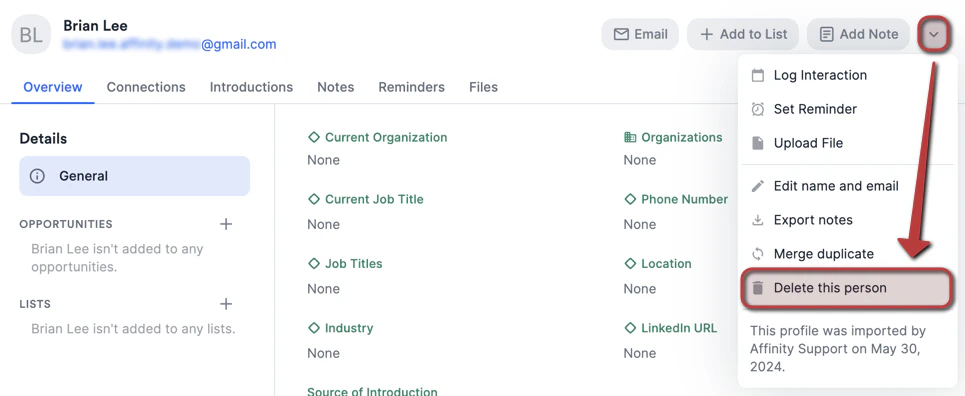
2. Click the **dropdown** button, then click **Delete this person**.
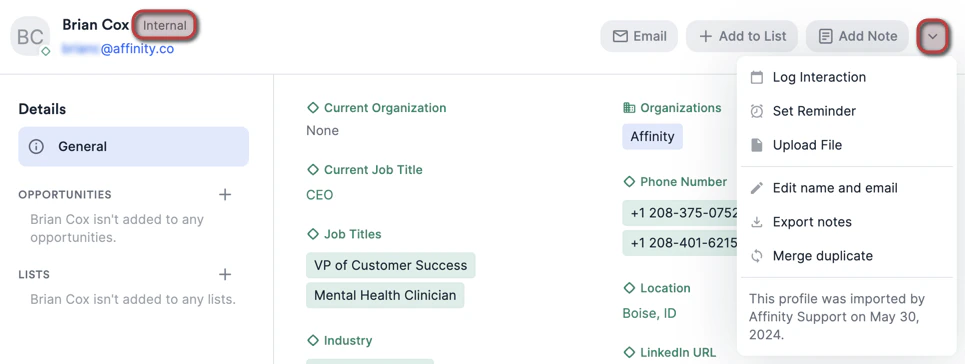
 3. Please note that [internal contacts](/s/article/Internal-vs-External-Contacts) (those who are registered users on your Affinity account) and **inferred internal contacts** (your team members who are not registered users, but have your organization's email domain) cannot be deleted. Please note that [internal contacts](/s/article/Internal-vs-External-Contacts) (those who are registered users on your Affinity account) and **inferred internal contacts** (your team members who are not registered users, but have your organization's email domain) cannot be deleted. **Example**: If your organization's email domain is "@[affinity.co](http://affinity.co/)", then you will not be able to delete any contact whose email address contains "@[affinity.co](http://affinity.co/)"
**Example**: If your organization's email domain is "@[affinity.co](http://affinity.co/)", then you will not be able to delete any contact whose email address contains "@[affinity.co](http://affinity.co/)"
3. Please note that [internal contacts](/s/article/Internal-vs-External-Contacts) (those who are registered users on your Affinity account) and **inferred internal contacts** (your team members who are not registered users, but have your organization's email domain) cannot be deleted. Please note that [internal contacts](/s/article/Internal-vs-External-Contacts) (those who are registered users on your Affinity account) and **inferred internal contacts** (your team members who are not registered users, but have your organization's email domain) cannot be deleted. **Example**: If your organization's email domain is "@[affinity.co](http://affinity.co/)", then you will not be able to delete any contact whose email address contains "@[affinity.co](http://affinity.co/)"
**Example**: If your organization's email domain is "@[affinity.co](http://affinity.co/)", then you will not be able to delete any contact whose email address contains "@[affinity.co](http://affinity.co/)"
 4. **Note:** If you are trying to delete a personal contact of yours (e.g. spouse, family member, doctor, etc.), please note that continued communication with them via the email accounts you're syncing into Affinity will simply recreate them as contacts in your Affinity account. To hide any communications from surfacing on their profile pages, you can blocklist people by going to **Settings** > **Privacy** (see [Setting up your privacy preferences in Affinity](/s/article/Setting-up-your-privacy-preferences-in-Affinity)).
## How to delete an organization
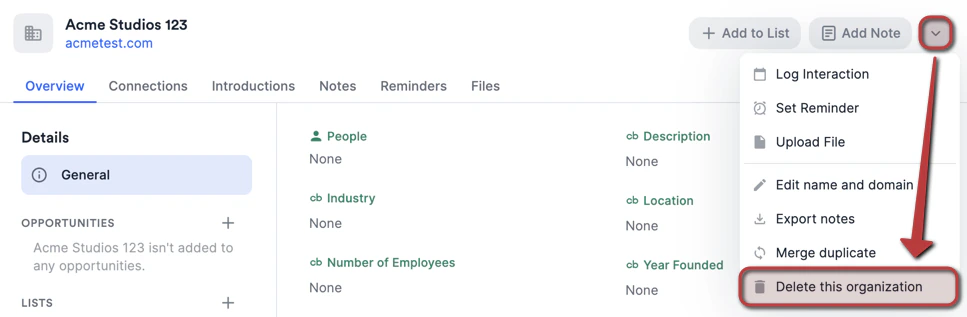
1. For **manually created** organizations, follow the same steps shown in the "How to delete a person" section above.
4. **Note:** If you are trying to delete a personal contact of yours (e.g. spouse, family member, doctor, etc.), please note that continued communication with them via the email accounts you're syncing into Affinity will simply recreate them as contacts in your Affinity account. To hide any communications from surfacing on their profile pages, you can blocklist people by going to **Settings** > **Privacy** (see [Setting up your privacy preferences in Affinity](/s/article/Setting-up-your-privacy-preferences-in-Affinity)).
## How to delete an organization
1. For **manually created** organizations, follow the same steps shown in the "How to delete a person" section above.
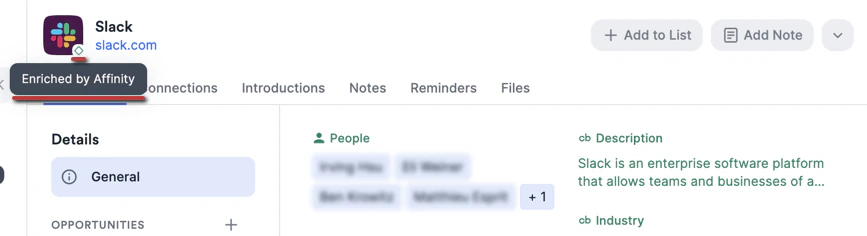
 2. On the other hand, organizations enriched by [Affinity Data](/s/article/Affinity-Data) **cannot be deleted**. If they are no longer relevant, you can simply remove them as list entries from any list and disregard them moving forward.
 ## How to delete an opportunity
1. For opportunities, follow the same steps shown in the "How to delete a person" section above. Since all opportunities are manually created, any and all of them can be deleted.
2. Though we highly caution against bulk-deleting multiple opportunities at once unless you're absolutely sure, you can take this action by following the steps below:
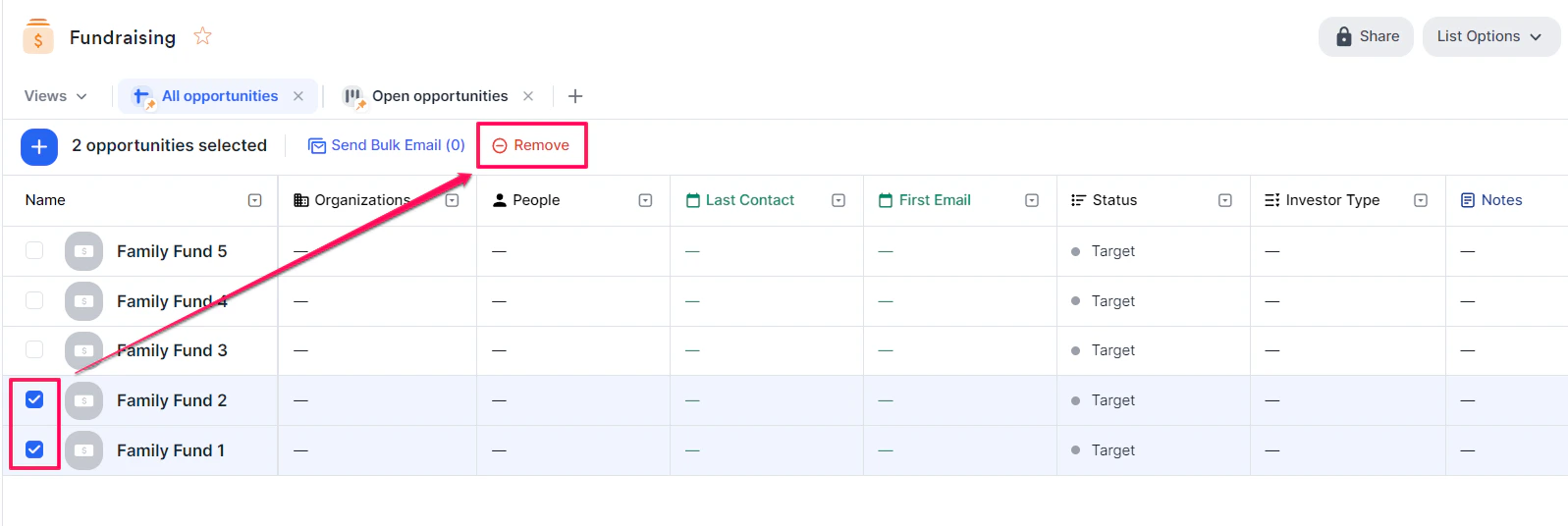
* Click the checkboxes next to all opportunities you want to delete and click the **Remove** button.
## How to delete an opportunity
1. For opportunities, follow the same steps shown in the "How to delete a person" section above. Since all opportunities are manually created, any and all of them can be deleted.
2. Though we highly caution against bulk-deleting multiple opportunities at once unless you're absolutely sure, you can take this action by following the steps below:
* Click the checkboxes next to all opportunities you want to delete and click the **Remove** button.
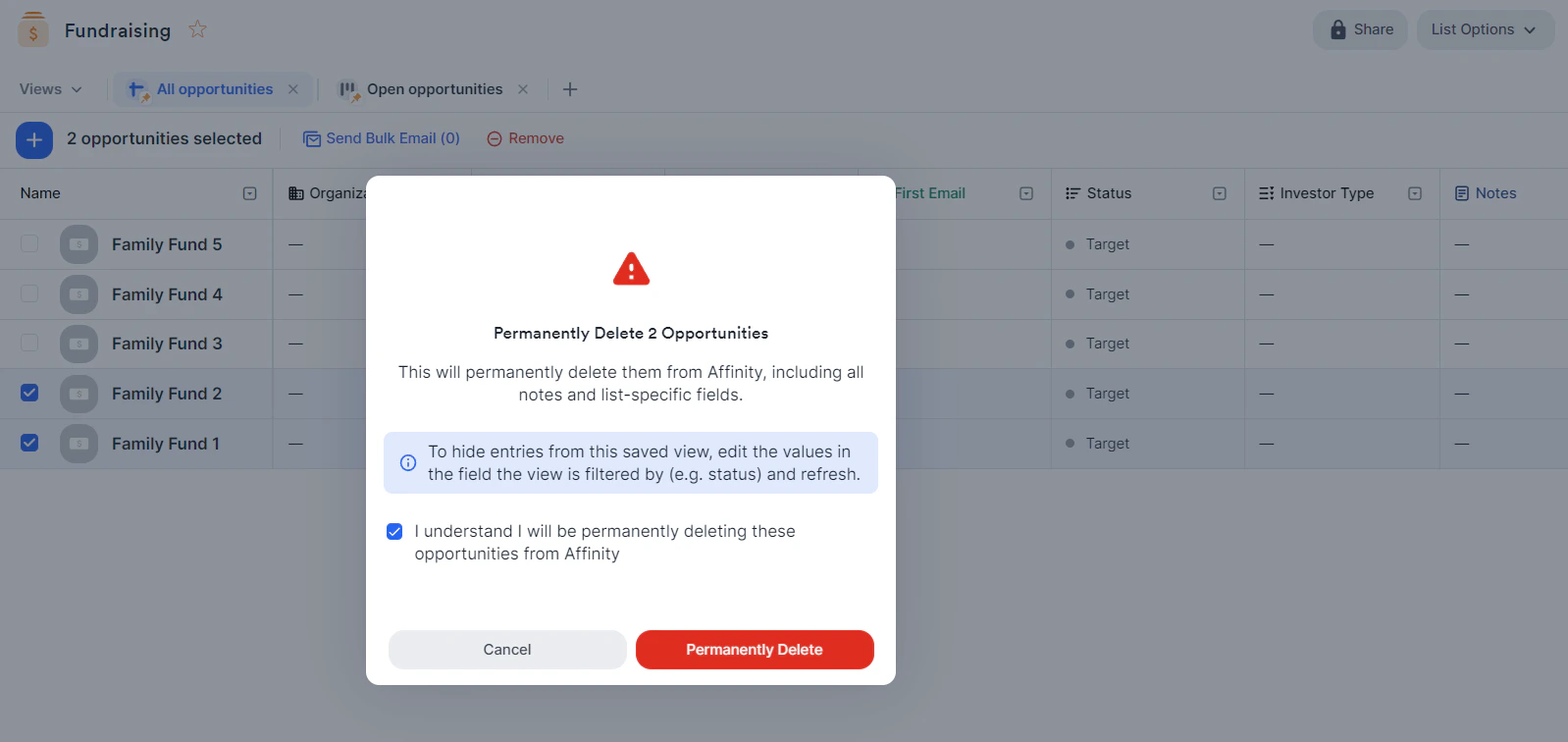
 * Check the box, then click the **Permanently Delete** button.
 {/* */}