> ## Documentation Index
> Fetch the complete documentation index at: https://support.affinity.co/llms.txt
> Use this file to discover all available pages before exploring further.
# How to create and use Note Templates within Affinity
> Help center reference
**How-to** — task-oriented recipe.
Create note templates to save time and ensure quality note-taking for your recurring meetings.
## How to create Note Templates
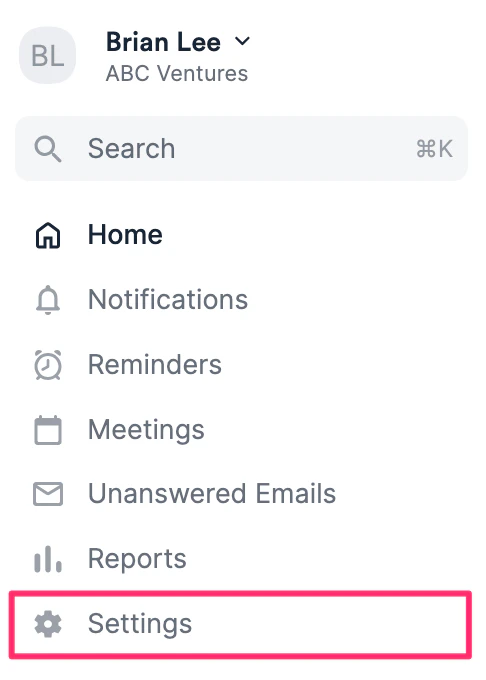
1. Click **Settings** on the left-side of your screen.
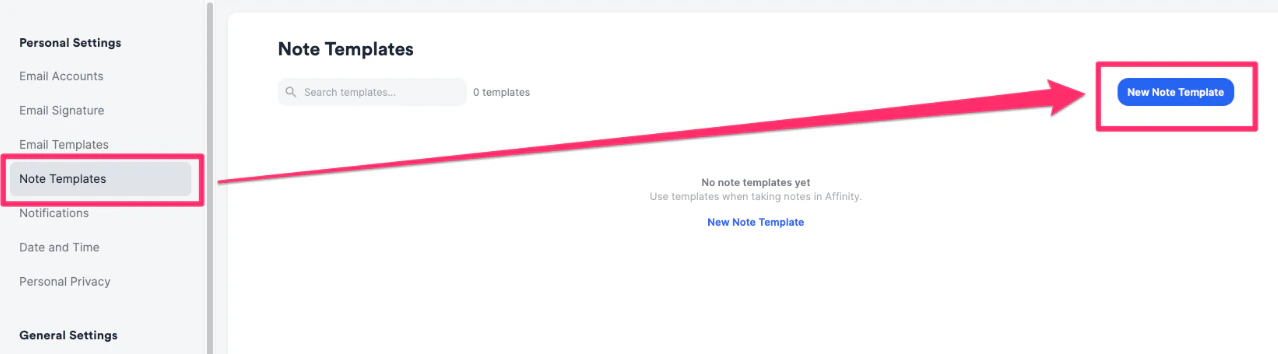
 2. Select **Note Templates** on the left side, then click the **New Note Template** button.
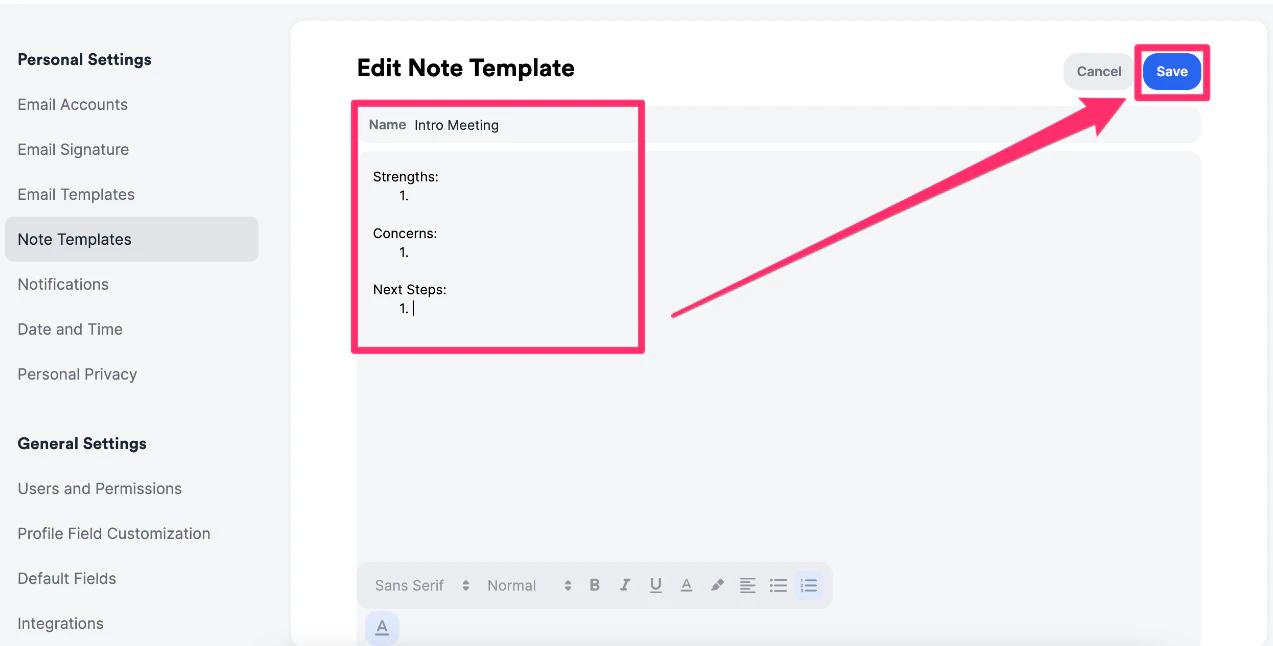
 3. After naming the note template and adding body text, click the **Save** button on the top-right corner.
 ## How to manage Note Templates
Once you've created multiple note templates for different use cases, use the features below to manage your note templates more efficiently.
## How to manage Note Templates
Once you've created multiple note templates for different use cases, use the features below to manage your note templates more efficiently.
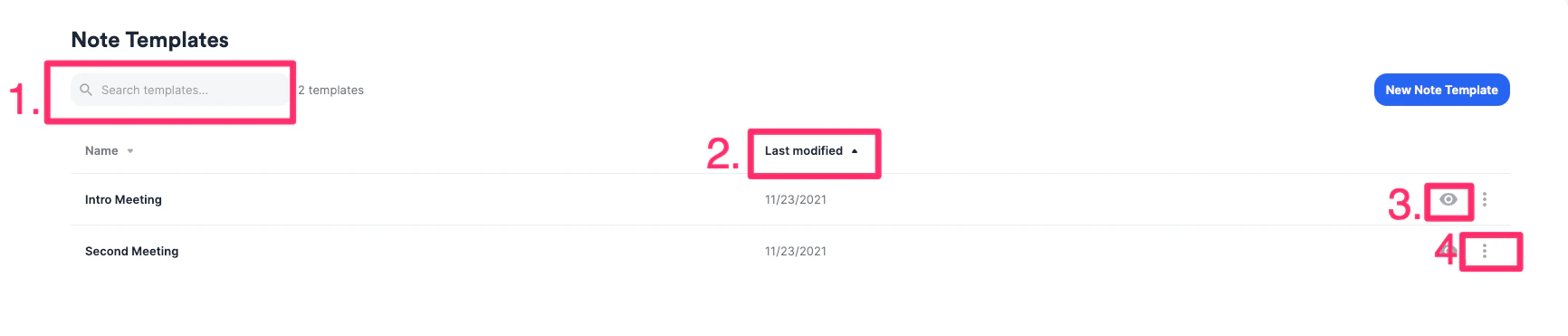 1. Search for a note template
2. Sort by **Last Modified** to know which note templates had the most recent changes
3. Preview note templates
4. Edit or delete a note template as needed
## Where can Note Templates be used?
You can find note templates in a few different places:
1. **Add Note** and **Log Interaction** buttons on the top-right corner of profile pages.
1. Search for a note template
2. Sort by **Last Modified** to know which note templates had the most recent changes
3. Preview note templates
4. Edit or delete a note template as needed
## Where can Note Templates be used?
You can find note templates in a few different places:
1. **Add Note** and **Log Interaction** buttons on the top-right corner of profile pages.
 2. Replying to notes, meetings, and logged interactions found in the **Activity Timeline** on profile pages.
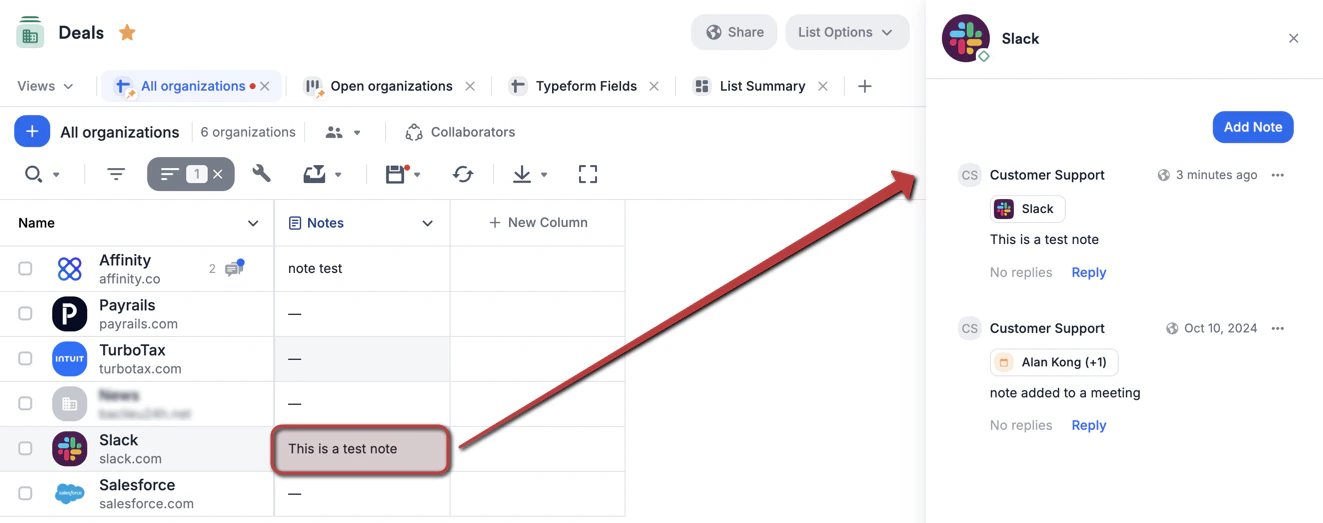
 3. Sheet views within a list, where you can click on a cell in the **Notes** column.
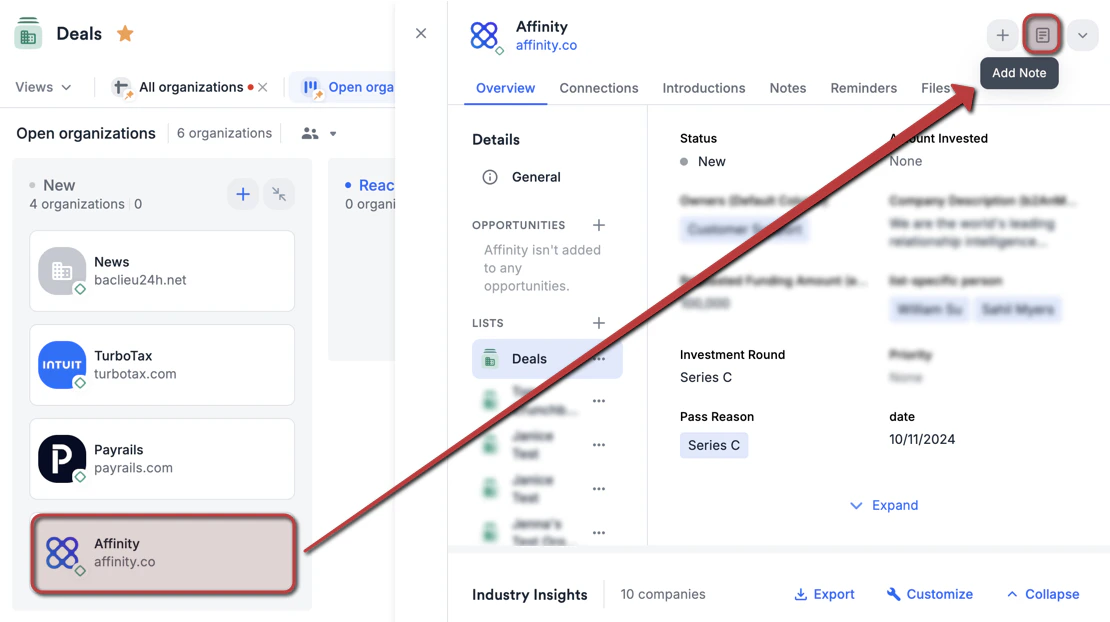
 4. [Board views](/s/article/Lists) within a list, where you can click on a card to open the profile page and add notes.
 ## Important Callouts
* Note templates are not shareable across the team or between team members. All templates are only available to the one who created them. Please email [support@affinity.co](mailto:support@affinity.co) with specific team members on the CC line if you'd like to have your note templates duplicated for these team members.
* @ mentions cannot be saved into a note template itself but can be added after inserting a note template.
* Note templates are not available in the Affinity mobile app, Chrome extension, or Outlook Add-in.
* You can only have a total of 100 note templates. To create a new one, simply delete an unused note template.
## Important Callouts
* Note templates are not shareable across the team or between team members. All templates are only available to the one who created them. Please email [support@affinity.co](mailto:support@affinity.co) with specific team members on the CC line if you'd like to have your note templates duplicated for these team members.
* @ mentions cannot be saved into a note template itself but can be added after inserting a note template.
* Note templates are not available in the Affinity mobile app, Chrome extension, or Outlook Add-in.
* You can only have a total of 100 note templates. To create a new one, simply delete an unused note template.