> ## Documentation Index
> Fetch the complete documentation index at: https://support.affinity.co/llms.txt
> Use this file to discover all available pages before exploring further.
# How To Create An SSO Shortcut To Affinity
> Help center reference: How To Create An SSO Shortcut To Affinity
**How-to** — task-oriented recipe.
If your organization has SSO (single sign-on) enabled and uses GSuite (Gmail) or Azure (Office365) for your email accounts, follow this article on how to create an SSO shortcut to Affinity.
In this example, we will use Okta as our SSO provider.
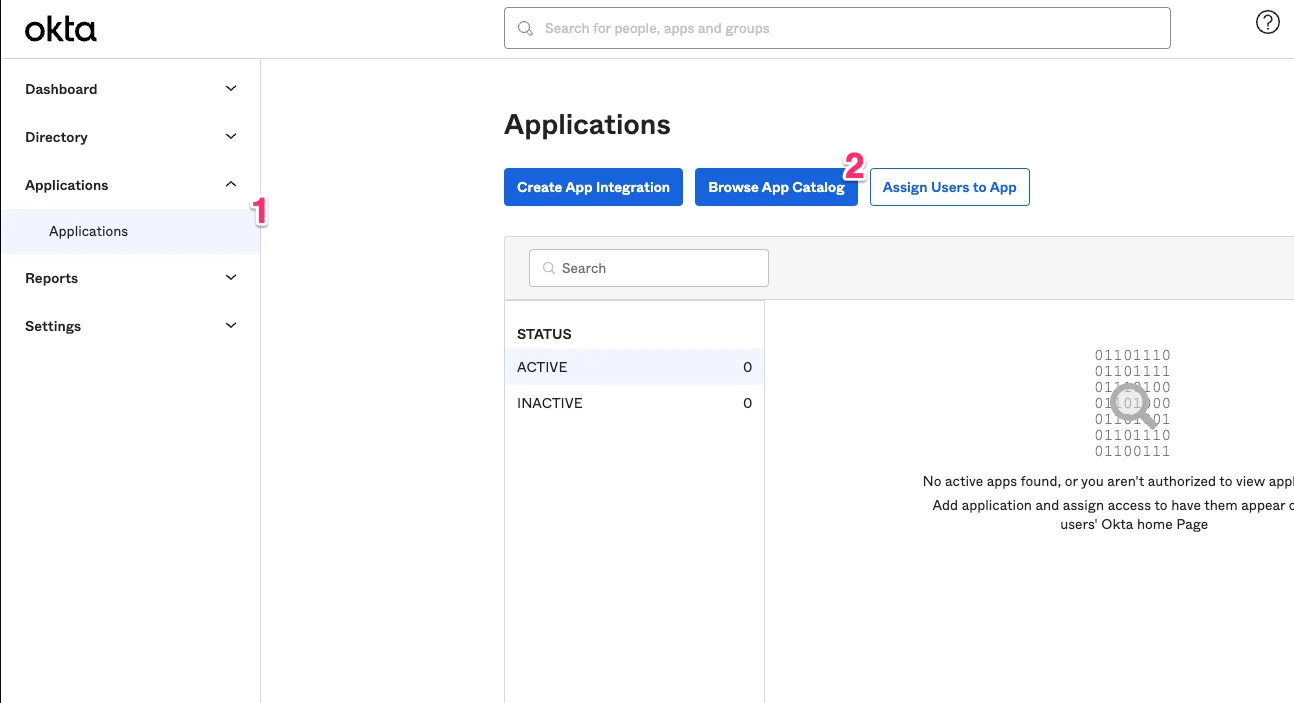
1. From your admin dashboard, click **Applications**, then click on **Browse App Catalog**.
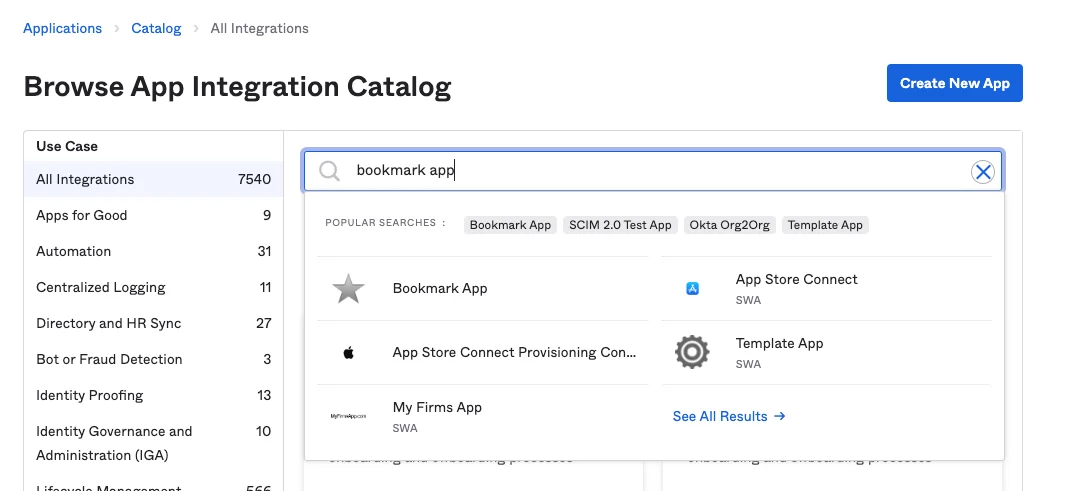
 2. Search for the **Bookmark App** - the name may vary based on your SSO provider.
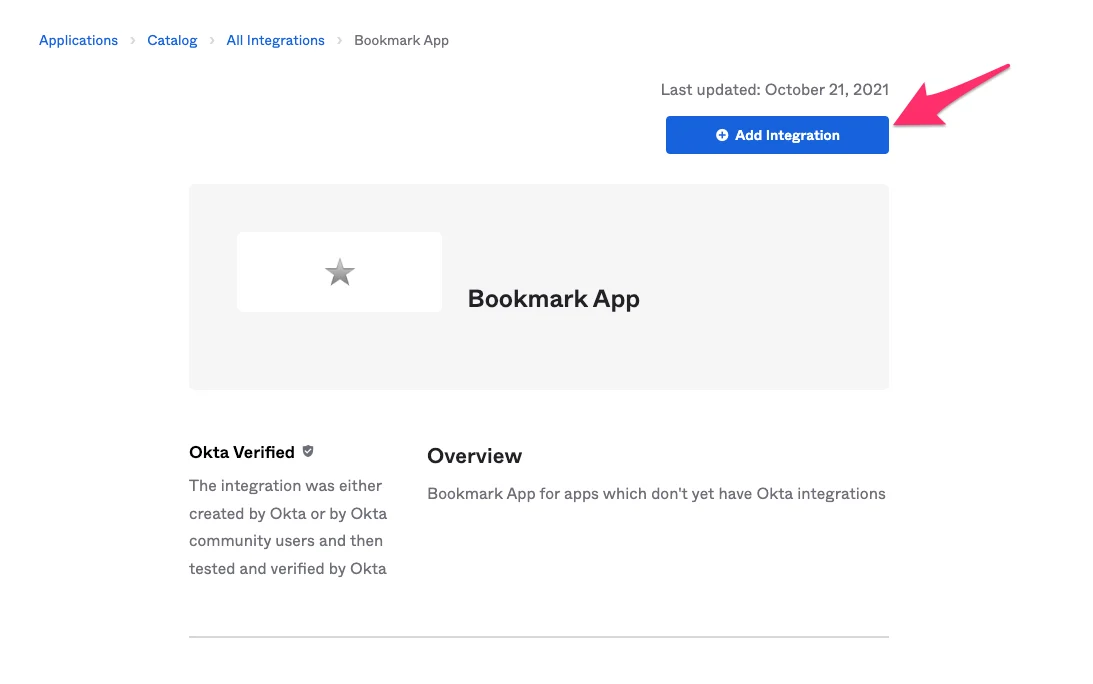
 3. Once you have selected the Bookmark App, click on **Add Integration**.
 4. Create a label for the application. You can name it Affinity, Affinity CRM, or anything else.
5. Fill out the URL, which should be `https://login.affinity.co/auth/signin?subdomain=[subdomain]`
1. Make sure to replace the `[subdomain]` with your organization's unique subdomain. If you're not sure what it is, check out [How to find your Affinity subdomain](/s/article/How-to-find-your-Affinity-subdomain)
4. Create a label for the application. You can name it Affinity, Affinity CRM, or anything else.
5. Fill out the URL, which should be `https://login.affinity.co/auth/signin?subdomain=[subdomain]`
1. Make sure to replace the `[subdomain]` with your organization's unique subdomain. If you're not sure what it is, check out [How to find your Affinity subdomain](/s/article/How-to-find-your-Affinity-subdomain)
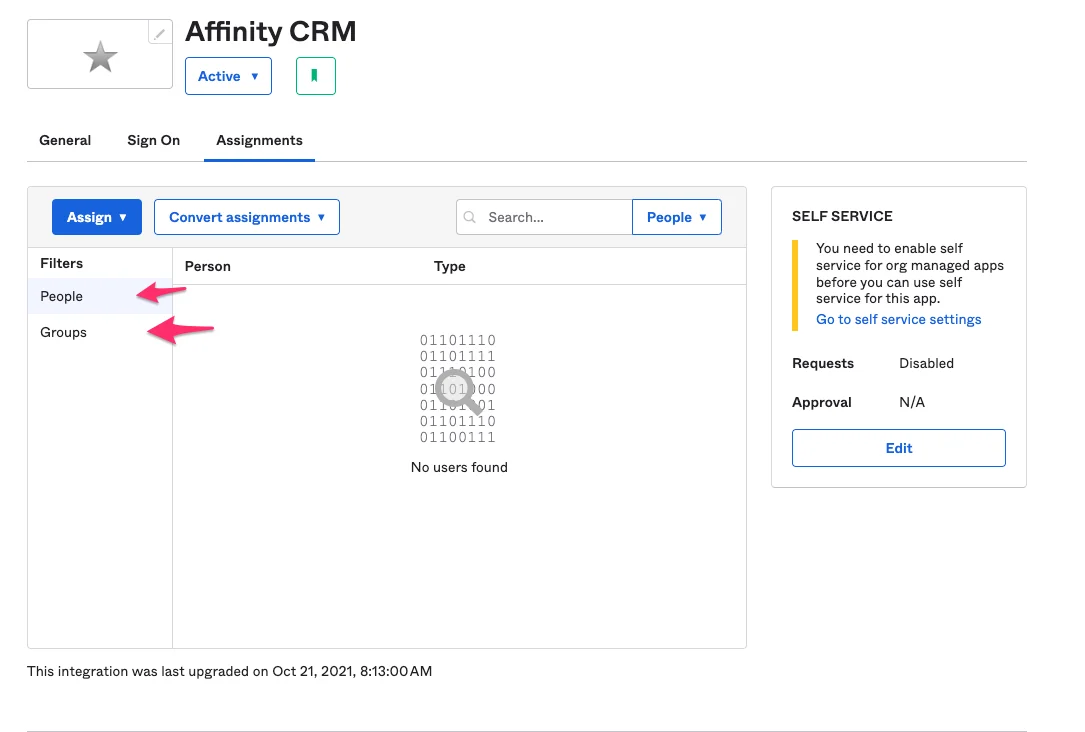
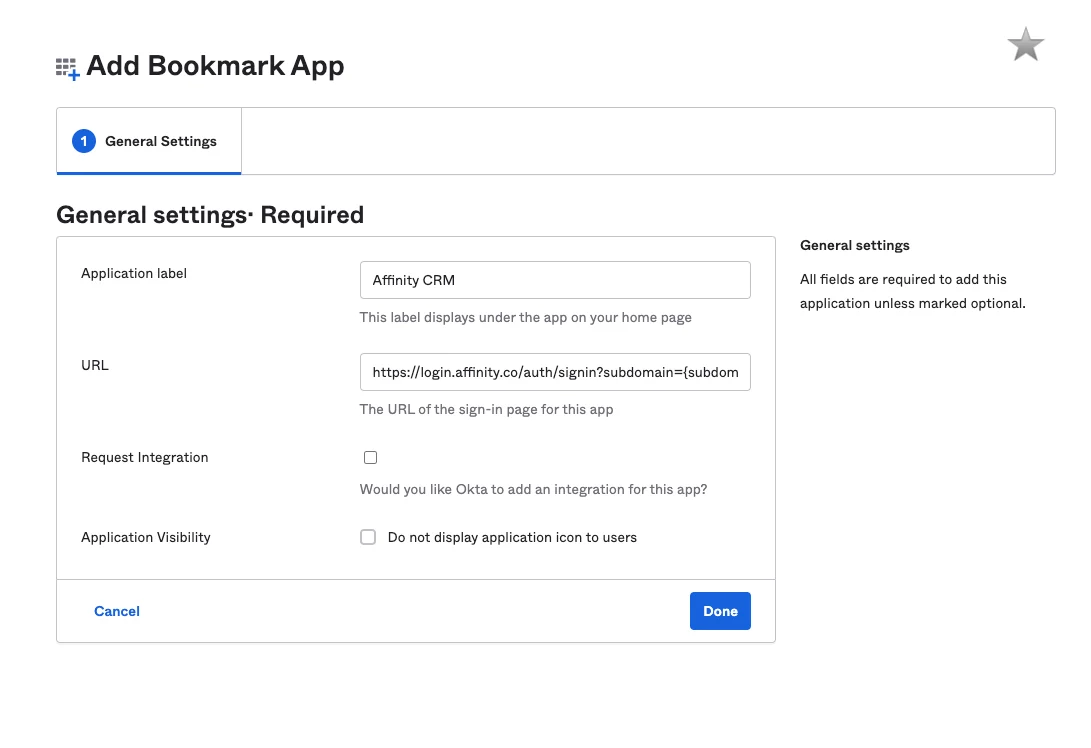 6. Now, you can start adding users and groups to access Affinity via this shortcut.