> ## Documentation Index
> Fetch the complete documentation index at: https://support.affinity.co/llms.txt
> Use this file to discover all available pages before exploring further.
# How to copy a list template
> Help center reference
**How-to** — task-oriented recipe.
Leverage Affinity's **Copy List Template** feature for your recurring workflows - create a new list that contains the same structure of an existing list with just a few clicks.
1. Click into the list you wish to wish to create a copy of.
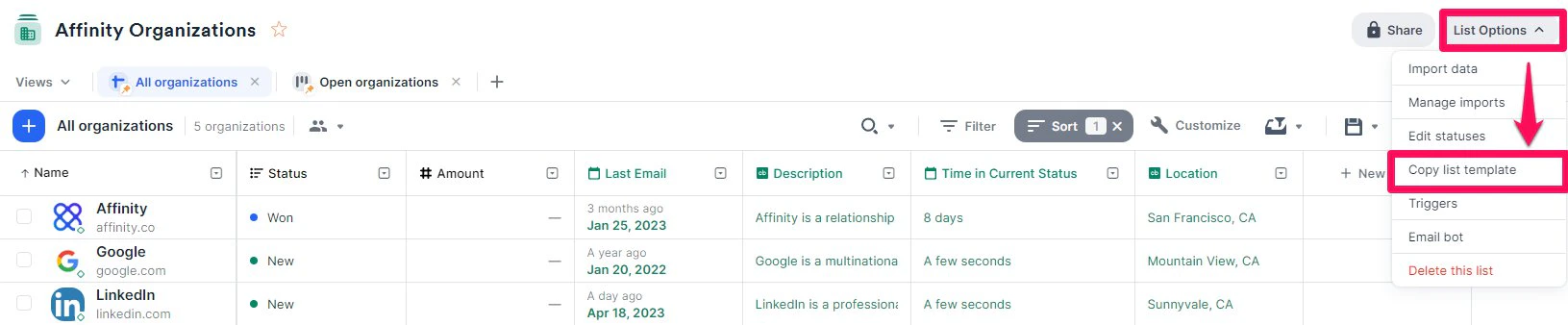
2. Click **List Options**, then click **Copy list template** from the dropdown.
 3. Type out a name for the new list, determine whether you want to share it with the same teammates, and choose whether you'd like to copy the saved views from the current list. **Note**: Only sheet views and board views will be copied over to the new list, Dashboard views will **not** get copied over at the moment.
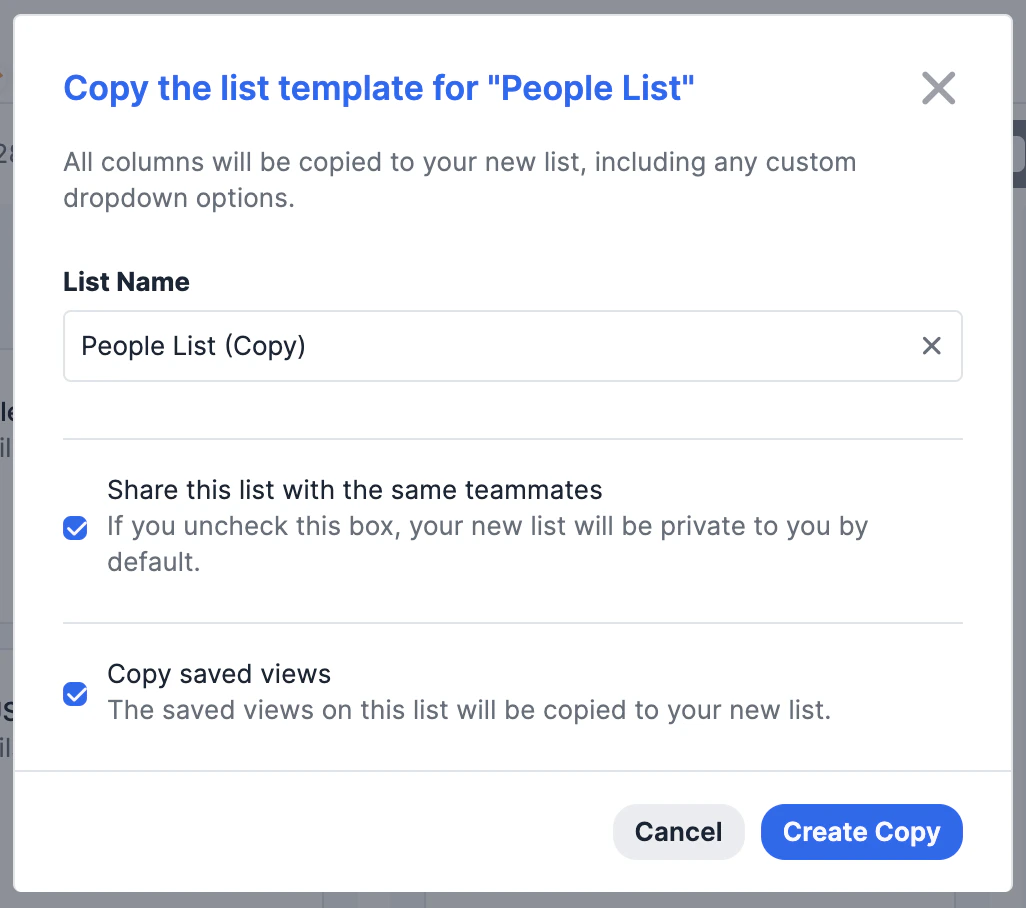 4. Click **Create Copy** and the new list will be created.
* Any [reminder triggers](/s/article/How-to-set-up-Reminder-Triggers) and [status triggers](/s/article/How-to-set-up-Status-Triggers) from the original list will also carry over to the new list.
* Any [list-specific fields](/s/article/Enriched-Global-and-List-specific-Fields) from the original list will be copied over as well (but not connected to the original list - they are completely separate).
5. While the list-specific field values will not be copied over, you can still copy over the list entries by using this keyboard shortcut:
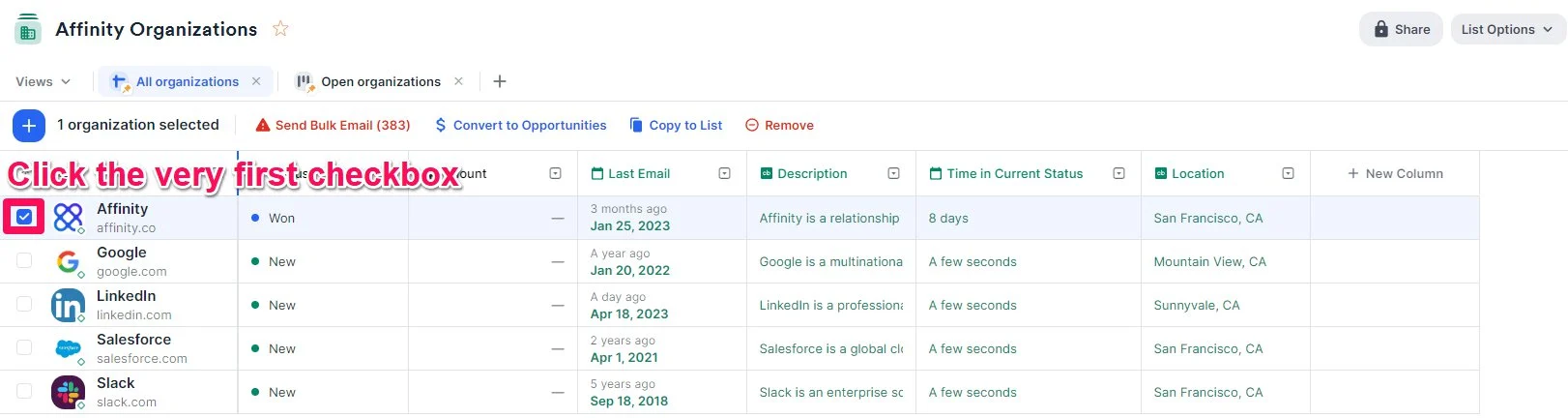
* First, **click the checkbox** for the very first list entry. First, **click the checkbox** for the very first list entry.
4. Click **Create Copy** and the new list will be created.
* Any [reminder triggers](/s/article/How-to-set-up-Reminder-Triggers) and [status triggers](/s/article/How-to-set-up-Status-Triggers) from the original list will also carry over to the new list.
* Any [list-specific fields](/s/article/Enriched-Global-and-List-specific-Fields) from the original list will be copied over as well (but not connected to the original list - they are completely separate).
5. While the list-specific field values will not be copied over, you can still copy over the list entries by using this keyboard shortcut:
* First, **click the checkbox** for the very first list entry. First, **click the checkbox** for the very first list entry.
 * Then, scroll all the way down and press **Shift** + **click** the checkbox for the very last list entry - this will bulk-select all list entries in between. Then, scroll all the way down and press **Shift** + **click** the checkbox for the very last list entry - this will bulk-select all list entries in between.
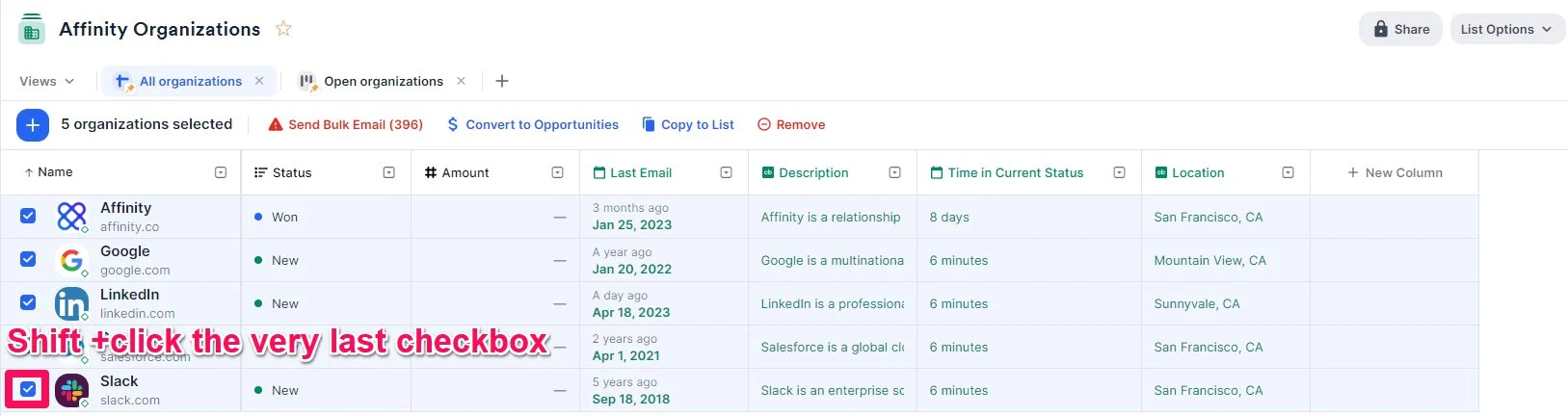 * Now, click **Copy to another list**.
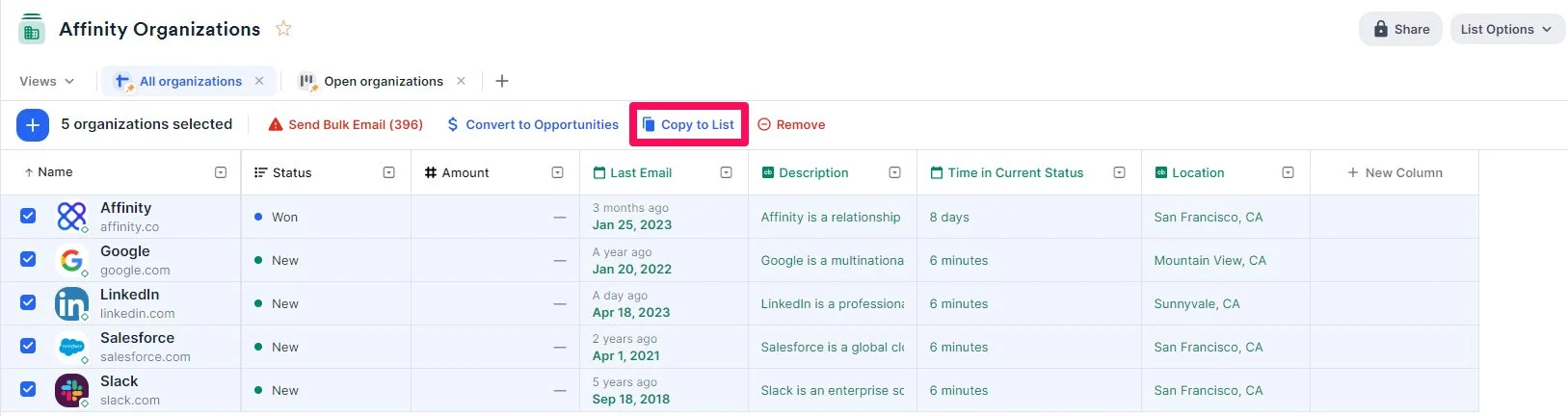 * Finally, select the new list that you just created, then click **Add.**
* Given that you have taken the action of creating this new list, you will be the new owner of this list.
* Finally, select the new list that you just created, then click **Add.**
* Given that you have taken the action of creating this new list, you will be the new owner of this list.