> ## Documentation Index
> Fetch the complete documentation index at: https://support.affinity.co/llms.txt
> Use this file to discover all available pages before exploring further.
# How To Change Your Date And Time Preferences
> Help center reference: How To Change Your Date And Time Preferences
**How-to** — task-oriented recipe.
Changing your date and time preferences can be done in just a few simple clicks.
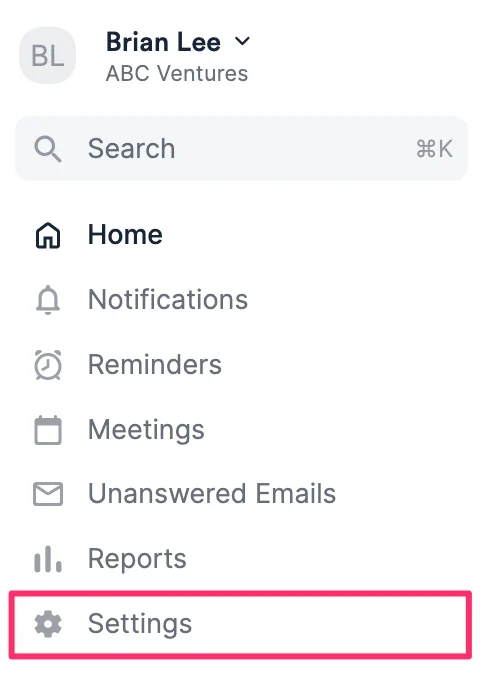
1. Click **Settings** on the left side panel.
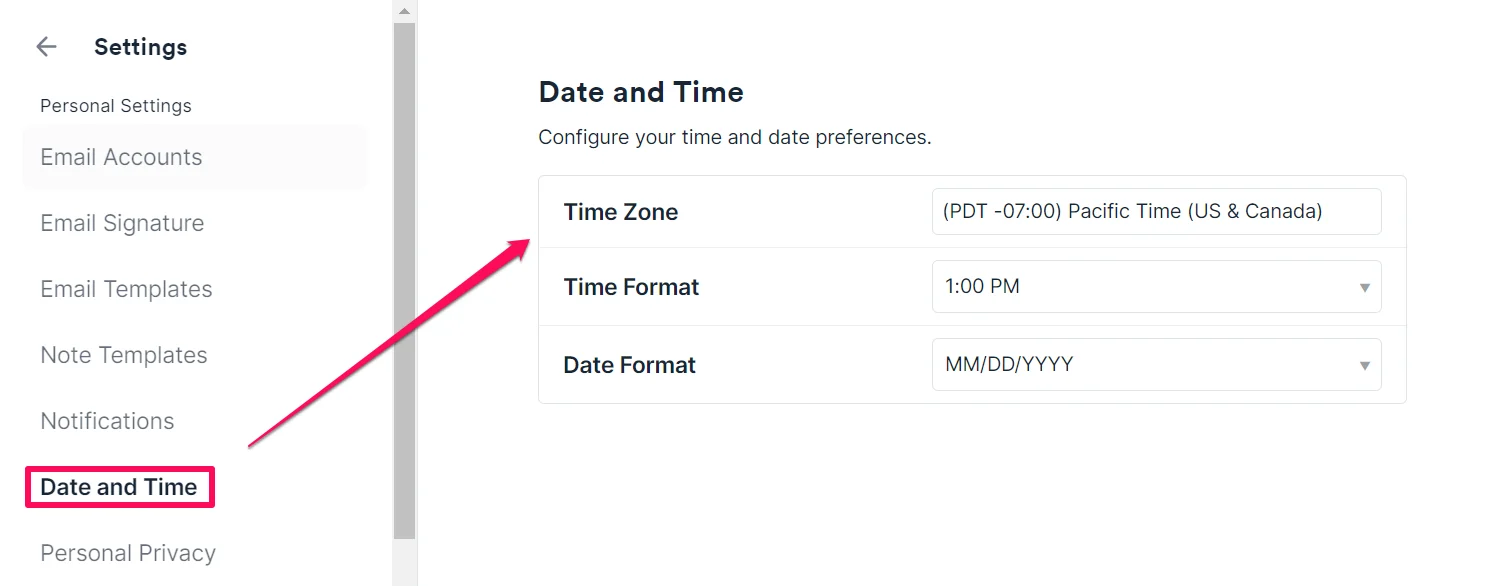
 2. Click the **Date and Time** tab, then adjust your time zone, time format, and date format as needed.
 ## Changing the date and time zone in Affinity Analytics
Please note that the **Time Zone** in **Settings** will not apply to the times shown in your Affinity Analytics dashboards (which are based in PST by default).
* To change the **date format** in your Affinity Analytics dashboards, you must create a custom table calculation by following the video and formula examples in this article: [Changing date format with custom table calculations](/s/article/Changing-Date-Format-with-Custom-Table-Calculations)
* To change the **time zones** in your Affinity Analytics dashboards, you must create a custom table calculation (see the video above) using this formula:
* Use **`add_hours()`**.
* Replace **`your_date`** with your own.
* Type out the formula.
* Example: London's time zone is 8 hours ahead of PST, so the formula would be: **`add_hours(8,${your_date})`**
## Changing the date and time zone in Affinity Analytics
Please note that the **Time Zone** in **Settings** will not apply to the times shown in your Affinity Analytics dashboards (which are based in PST by default).
* To change the **date format** in your Affinity Analytics dashboards, you must create a custom table calculation by following the video and formula examples in this article: [Changing date format with custom table calculations](/s/article/Changing-Date-Format-with-Custom-Table-Calculations)
* To change the **time zones** in your Affinity Analytics dashboards, you must create a custom table calculation (see the video above) using this formula:
* Use **`add_hours()`**.
* Replace **`your_date`** with your own.
* Type out the formula.
* Example: London's time zone is 8 hours ahead of PST, so the formula would be: **`add_hours(8,${your_date})`**