> ## Documentation Index
> Fetch the complete documentation index at: https://support.affinity.co/llms.txt
> Use this file to discover all available pages before exploring further.
# How To Access Employee Growth Insights For Organizations
> Help center reference
**How-to** — task-oriented recipe.
We're excited to announce **Employee Growth Insights** on organization profiles, which will help you and your team efficiently analyze an organization's departmental mix and historical/current employee count for better decision-making.
## Who can access Employee Growth Insights?
| Essential | Scale | Advanced | Enterprise |
| --------- | ----- | -------- | ---------- |
| No | No | Yes | Yes |
Interested in upgrading to **Advanced** or **Enterprise**? Please reach out to your Affinity point of contact or [support@affinity.co](mailto:support@affinity.co).
## Can I start a trial for Employee Growth Insights?
Trials are **not** available for Employee Growth Insights. You can gain access by upgrading to either the **Advanced** or **Enterprise** subscription tiers.
## Where can I access Employee Growth Insights?
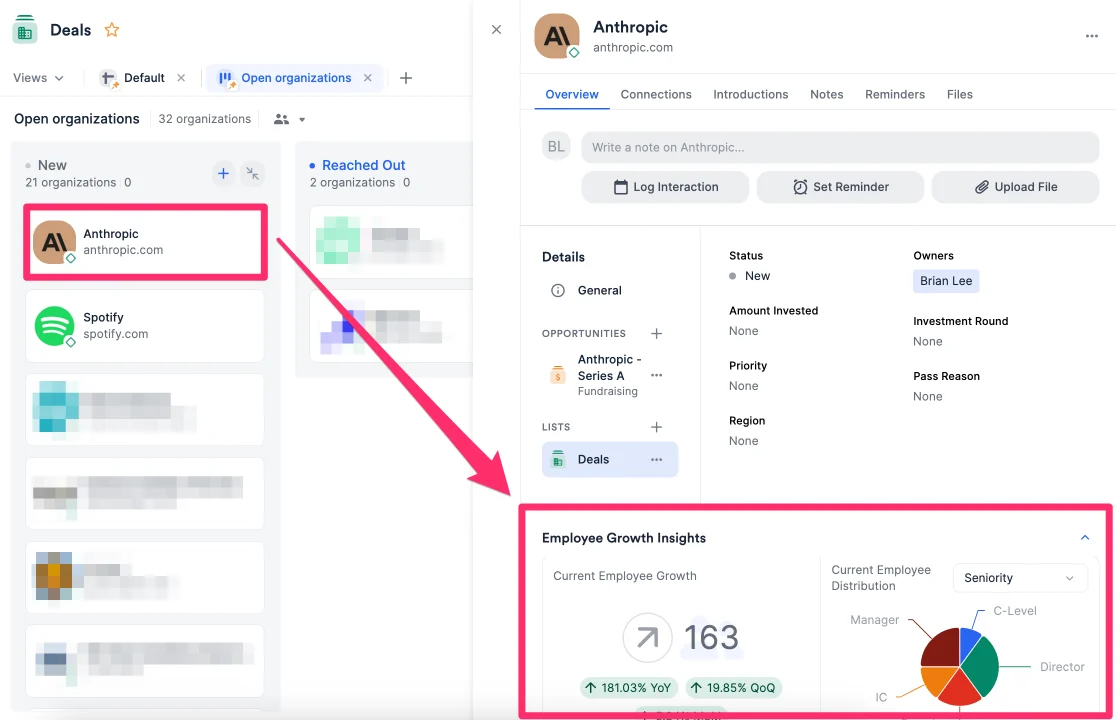
1. You can access Employee Growth Insights on an organization's profile page.
2. You can also click on an organization's card while in board view to see a profile slideout.
 ## Can I apply filters and pivots to Employee Growth Insights?
Yes, you can apply different filters and pivots depending on the visualization:
1. **Current Employee Distribution** - You can pivot to categorize by **Job Function** or **Seniority**.
## Can I apply filters and pivots to Employee Growth Insights?
Yes, you can apply different filters and pivots depending on the visualization:
1. **Current Employee Distribution** - You can pivot to categorize by **Job Function** or **Seniority**. 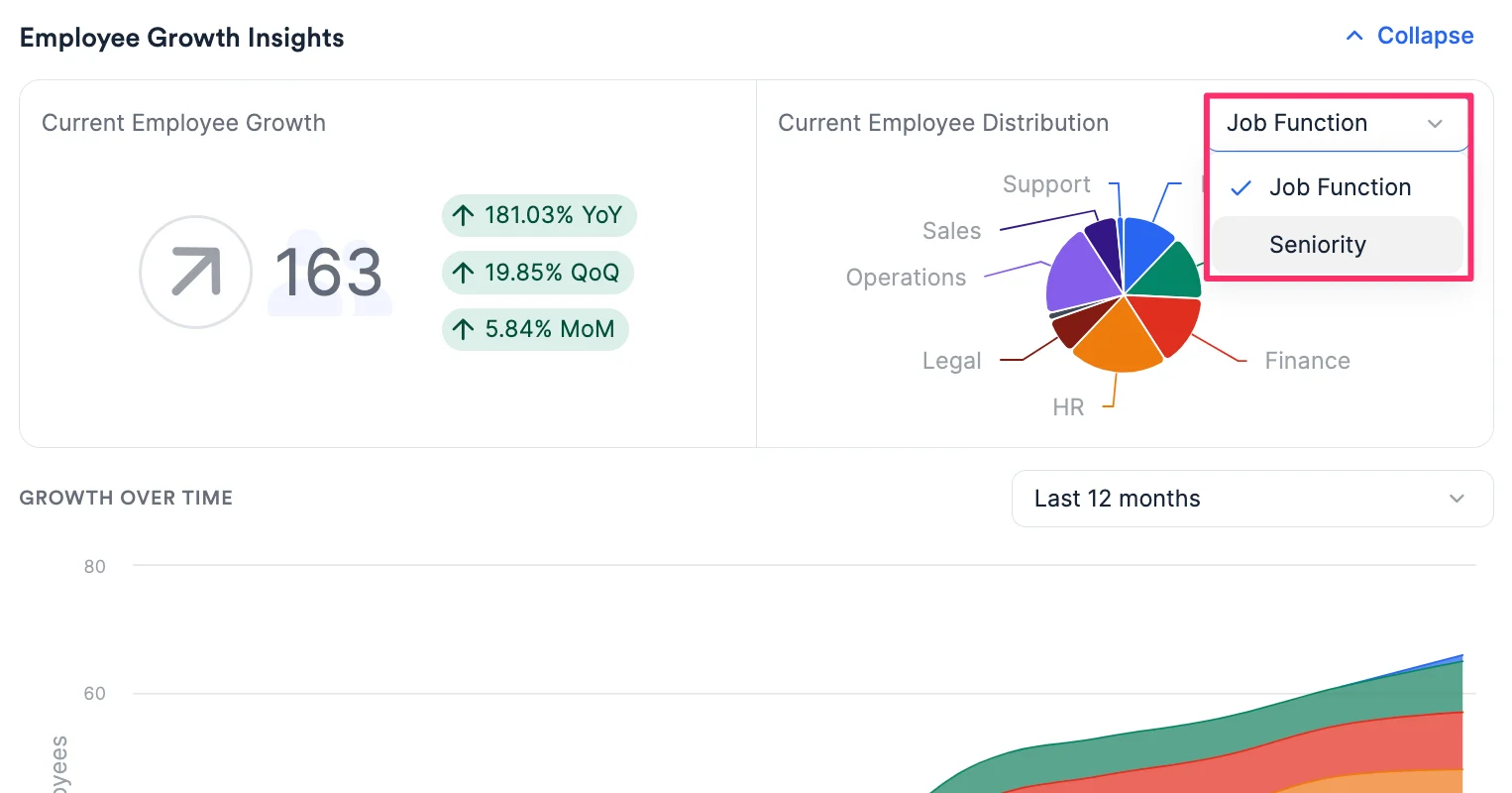 2. **Growth Over Time**
* You can filter by **Time Period**.
2. **Growth Over Time**
* You can filter by **Time Period**. 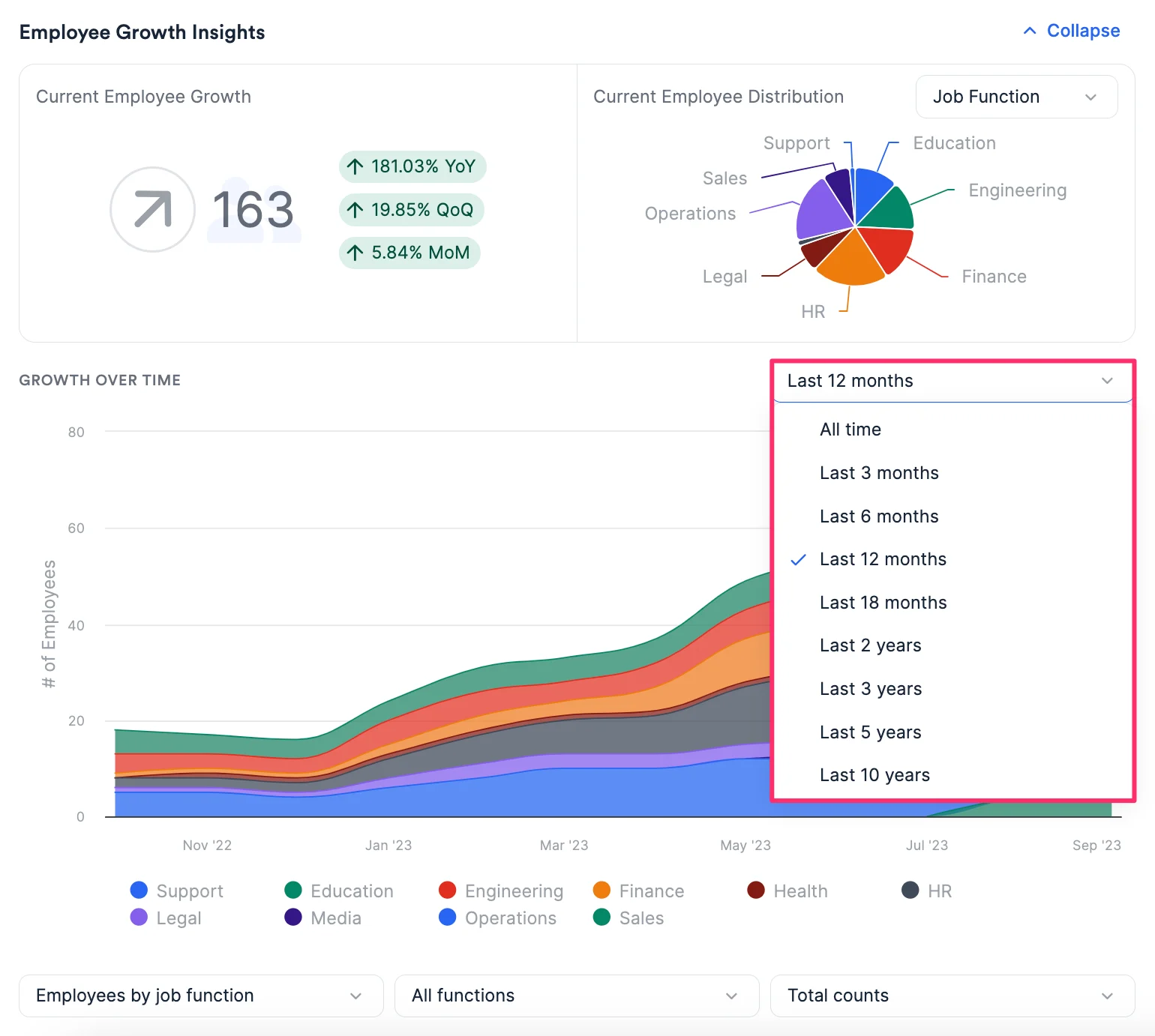 * You can also pivot to categorize by **Job Function** or **Seniority**.
 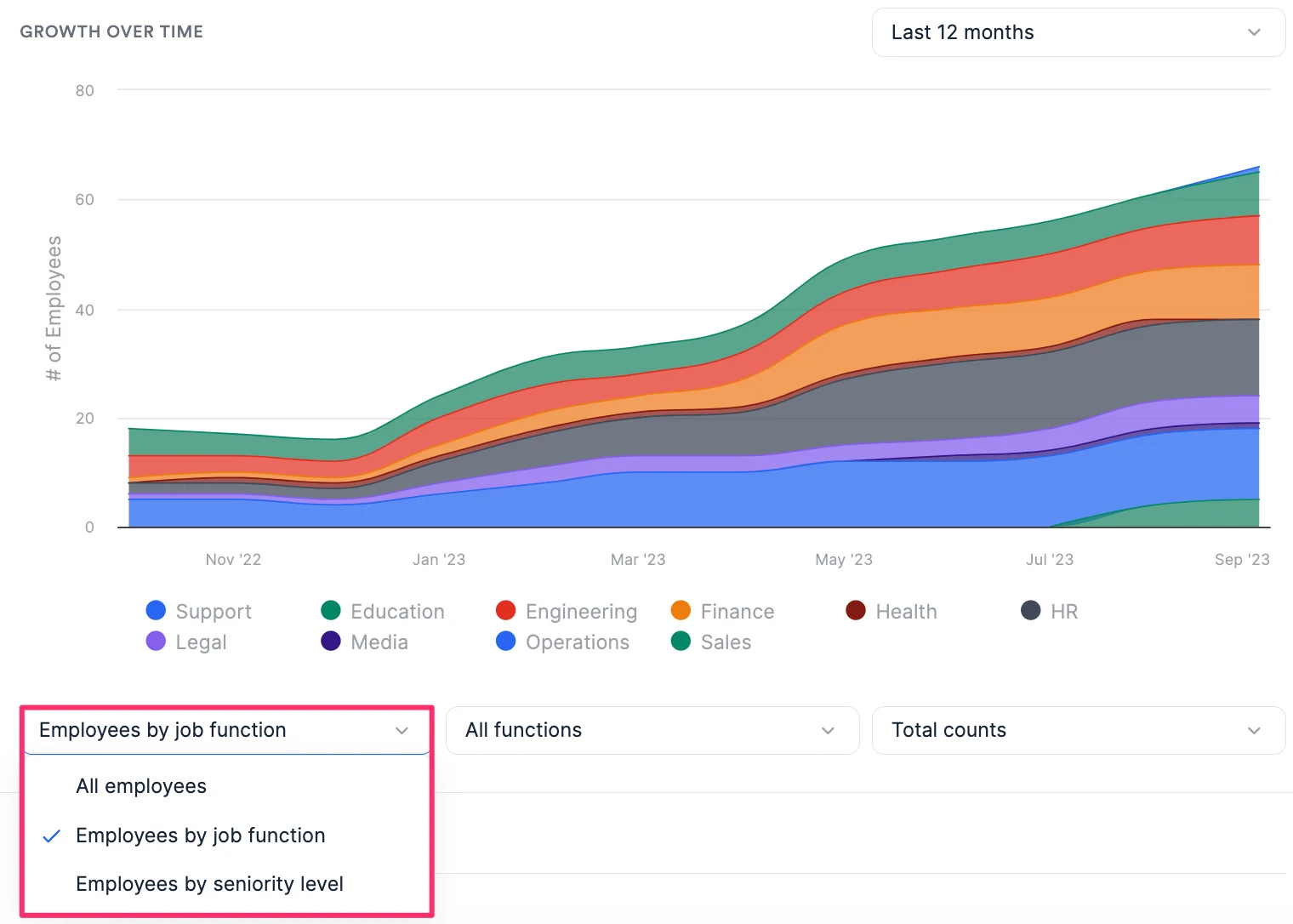 3. Then, filter by the different options available within either **Job Function** or **Seniority**.
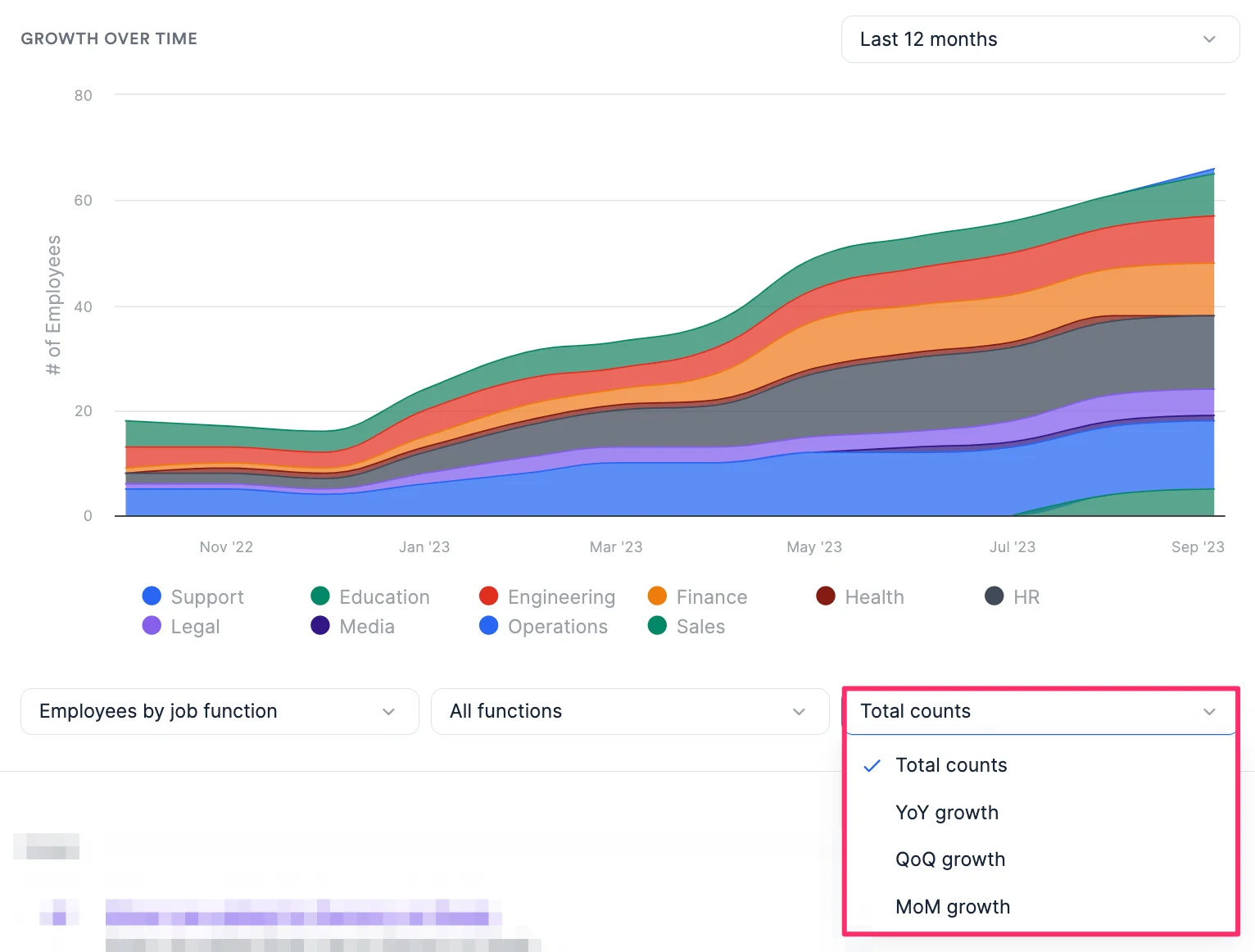
 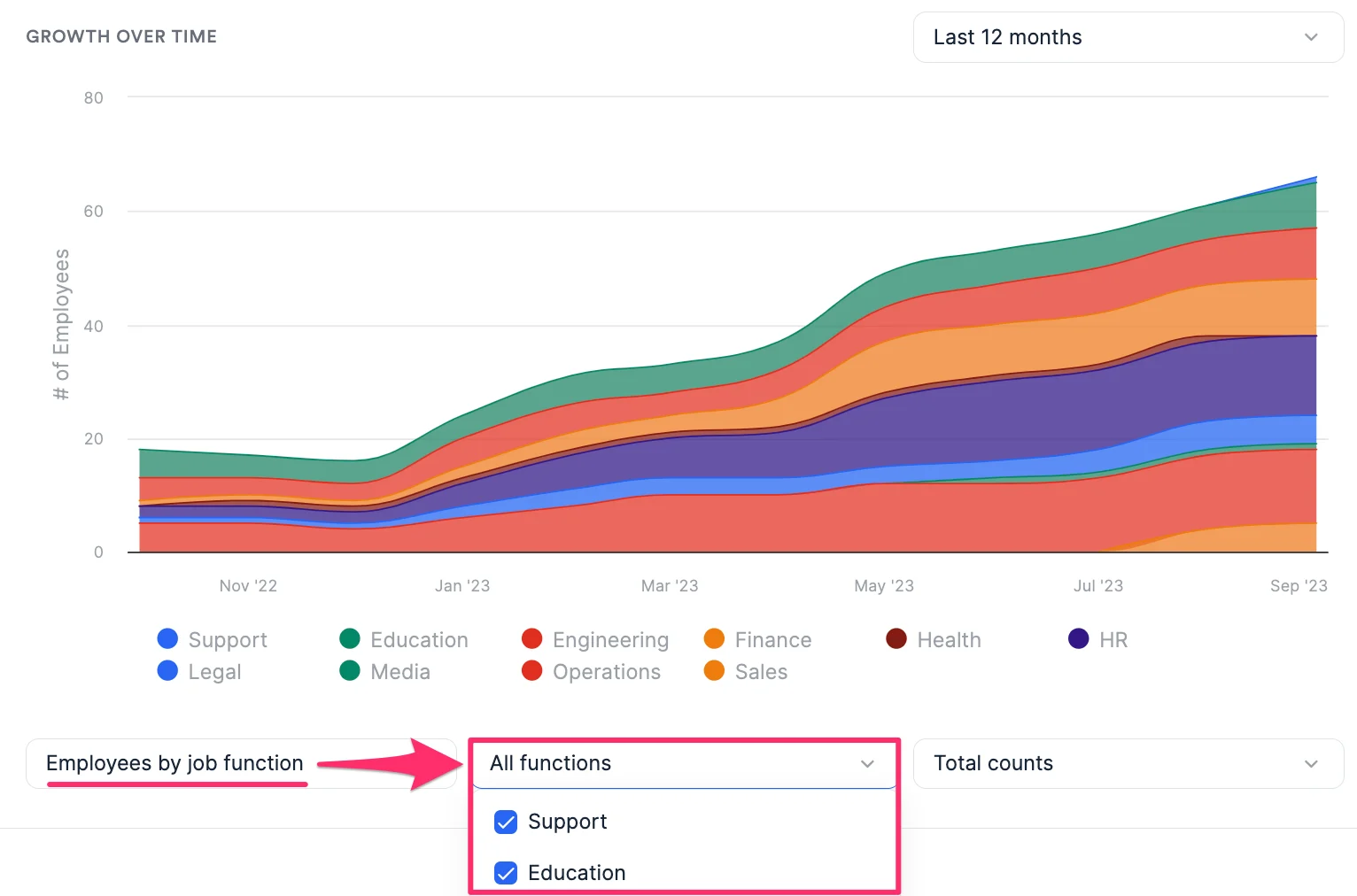 4. Last but not least, you can change the y-axis measure by **Total Count** or by **Growth % (MoM, QoQ, or YoY)**.
  ## How often will the data get updated?
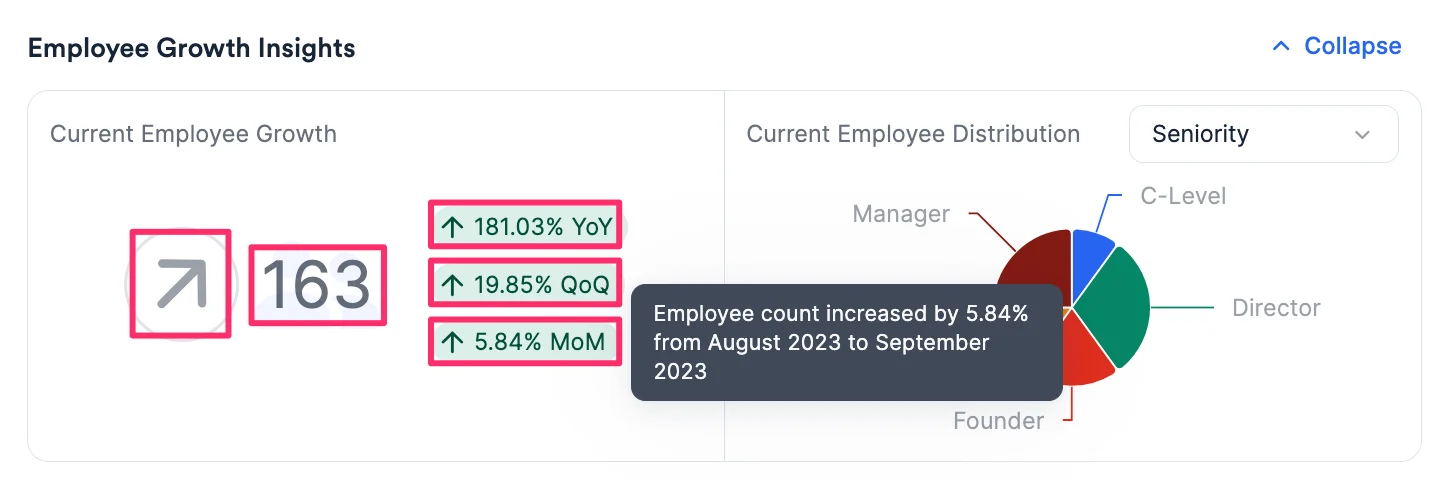
Employee Growth Insights data will get updated on a monthly basis. Feel free to hover over these different areas within the **Current Employee Growth** section for more specific information.
## How often will the data get updated?
Employee Growth Insights data will get updated on a monthly basis. Feel free to hover over these different areas within the **Current Employee Growth** section for more specific information.
 ## Can I access Employee Growth Insights data via the Affinity API?
Employee Growth Insights are visualizations generated from our proprietary data sources (which include [Affinity Data: Growth](/s/article/Affinity-Data) fields that are accessible via the Affinity API).
## Important Callouts
* Affinity Data can provide historical employee growth/count all the way back to 2010, depending on the company's history.
* Each company's Employee Growth Insights will be subject to availability based on Affinity's data coverage on the given company.
* When filtering by **Job Function**, you will notice the **Other** option.
* **Other** consists of the following additional job functions: Advisory, Analyst, Education, Health, Hospitality, Partnerships, Public Service, Research, Trade, and Uncategorized.
* There may be some cases where the **Other** option makes up a significant portion of an organization's employee distribution.
* The **Other** option cannot be broken down into the respective job functions at this time, so feel free to deselect the **Other** option accordingly as you best see fit.
{/* */}
## Can I access Employee Growth Insights data via the Affinity API?
Employee Growth Insights are visualizations generated from our proprietary data sources (which include [Affinity Data: Growth](/s/article/Affinity-Data) fields that are accessible via the Affinity API).
## Important Callouts
* Affinity Data can provide historical employee growth/count all the way back to 2010, depending on the company's history.
* Each company's Employee Growth Insights will be subject to availability based on Affinity's data coverage on the given company.
* When filtering by **Job Function**, you will notice the **Other** option.
* **Other** consists of the following additional job functions: Advisory, Analyst, Education, Health, Hospitality, Partnerships, Public Service, Research, Trade, and Uncategorized.
* There may be some cases where the **Other** option makes up a significant portion of an organization's employee distribution.
* The **Other** option cannot be broken down into the respective job functions at this time, so feel free to deselect the **Other** option accordingly as you best see fit.
{/* */}