> ## Documentation Index
> Fetch the complete documentation index at: https://support.affinity.co/llms.txt
> Use this file to discover all available pages before exploring further.
# Getting started with native integrations in Affinity
> Help center reference
**Concept** — background and overview.
Automate even more workflows now by integrating Affinity with the following services:
* [Box](/s/article/How-to-integrate-Affinity-with-Box)
* [Dropbox](/s/article/How-to-integrate-Affinity-with-Dropbox)
* [Eventbrite](/s/article/How-to-integrate-Affinity-with-Eventbrite)
* [Google Drive](/s/article/How-to-integrate-Affinity-with-Google-Drive)
* [Mailchimp](/s/article/How-to-integrate-Affinity-with-Mailchimp)
* [Microsoft Sharepoint](/s/article/How-to-integrate-Affinity-with-Microsoft-SharePoint)
* [Pitchbook](/s/article/How-to-integrate-Affinity-with-Pitchbook)
* [Salesforce](/s/article/How-to-set-up-Affinity-for-Salesforce)
* [Slack](/s/article/Slack-Microsoft-Teams)
* [Typeform](/s/article/How-to-integrate-Affinity-with-Typeform)
* [Granola](/s/article/how-to-integrate-affinity-with-granola)
* [Teams](/s/article/How-to-integrate-Affinity-with-Microsoft-Teams)
* ...and more on their way!
### **Who can access Affinity's native integrations?**
| **Essential** | **Scale** | **Advanced** | **Enterprise** |
| :------------ | :-------- | :--------------- | :--------------- |
| None | None | All integrations | All integrations |
Interested in upgrading to **Advanced** or **Enterprise**? Please reach out to your Affinity point of contact or [support@affinity.co](mailto:support@affinity.co).
### **Prerequisites**
Only Admins and Enterprise Admins will be able to set up and access Affinity's native integrations - learn more based on your Affinity [subscription tier](/s/article/How-do-I-know-which-Affinity-subscription-tier-I-am-on):
Not sure what your account role is? See the section titled "How to find your account role and view permissions for each role" in [Account Level Permissions](/s/article/Account-level-permissions).
**How to access and set up Affinity's native integrations**
Now that you're familiar with the prerequisites, here's how you can get started:
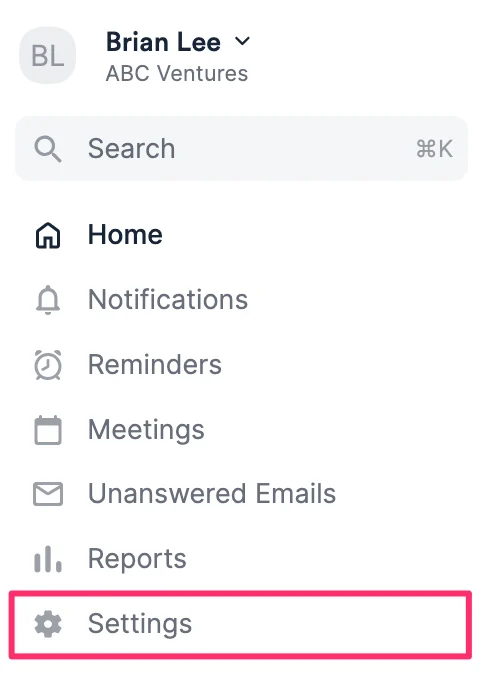
1. Click **Settings** on the left-side of your screen.
 2. Then, click the **Integrations** tab.
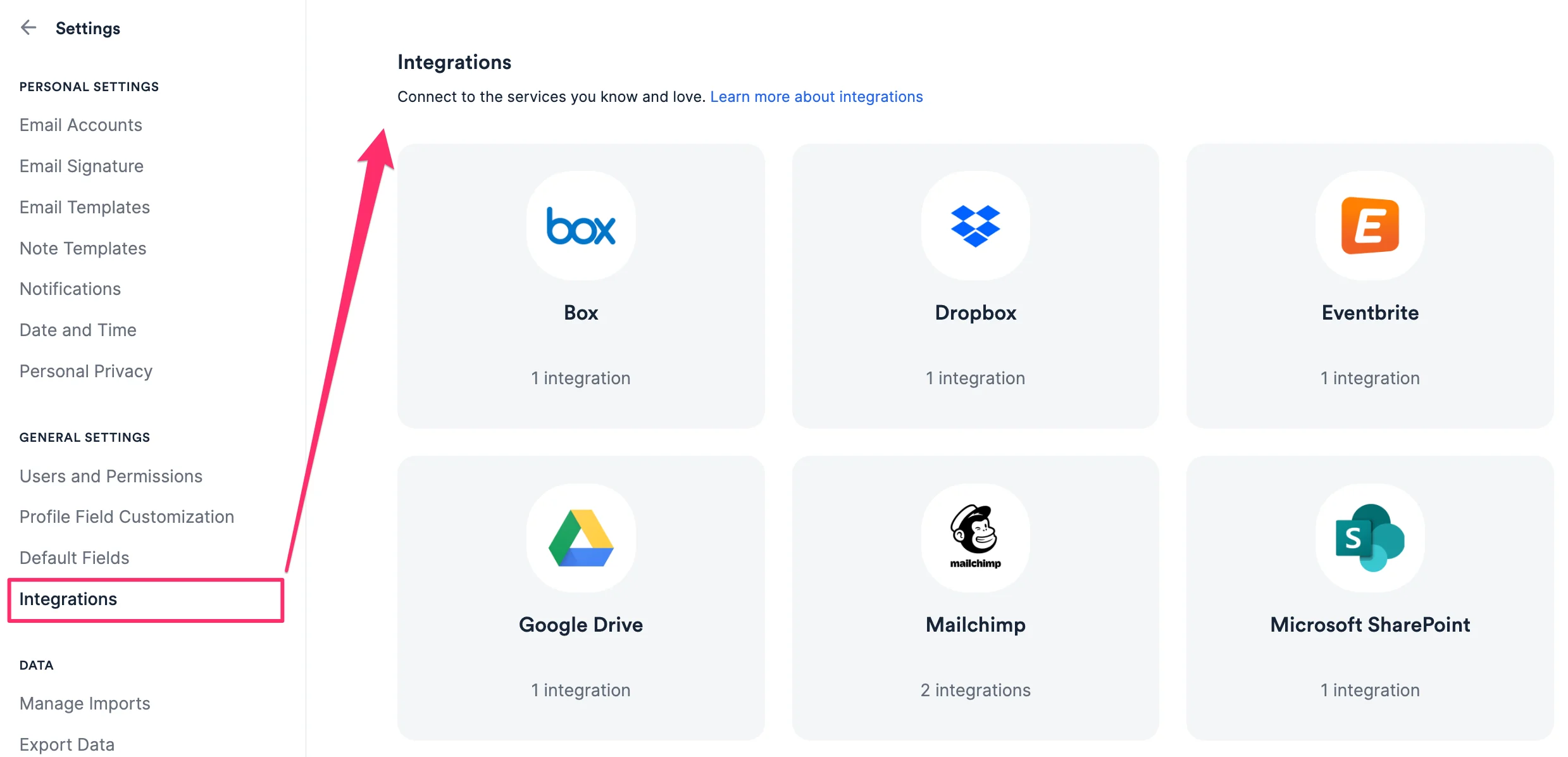 3. Check out the specific articles above based on the integration(s) you're interested in.
### **Important Callouts**
* Deactivating a user (see the section titled "How to deactivate a user" within this article: [How to deactivate, reactivate, or remove users from your Affinity account](https://support.affinity.co/s/article/How-to-deactivate-reactivate-or-remove-users-from-your-Affinity-account)) who set up native integrations with Affinity will break the integrations themselves.
* We highly suggest checking with each user what integrations they have set up before deactivating them, so that you have the details to recreate the integration with an active user.
3. Check out the specific articles above based on the integration(s) you're interested in.
### **Important Callouts**
* Deactivating a user (see the section titled "How to deactivate a user" within this article: [How to deactivate, reactivate, or remove users from your Affinity account](https://support.affinity.co/s/article/How-to-deactivate-reactivate-or-remove-users-from-your-Affinity-account)) who set up native integrations with Affinity will break the integrations themselves.
* We highly suggest checking with each user what integrations they have set up before deactivating them, so that you have the details to recreate the integration with an active user.