> ## Documentation Index
> Fetch the complete documentation index at: https://support.affinity.co/llms.txt
> Use this file to discover all available pages before exploring further.
# Custom Message Formatting For Slack And Microsoft Teams Integrations
> Help center reference
**Reference** — lookup information.
To make sure your customizable messages on our native Slack and Microsoft Teams integrations are formatted correctly, please follow the guidelines below.
**Important Callout**: If you're on the new **Advanced** or **Enterprise** tiers, and trying to create a custom Slack message for field updates made in Affinity, check out Affinity's new [Automation Builder](/s/article/How-to-set-up-automations-in-Affinity). Please note that Affinity's Automation Builder is not supported for Microsoft Teams at this time.
## Entity
There are three objects that are accessible in configuring the Slack/Microsoft Teams message: Person, Organization, and Opportunity. It is critical that you understand which type of entity the integration is enabled for.
## Person
Here are the valid expressions for a **Person** entity:
* `{entity.first_name}`
* `{entity.last_name}`
* `{entity.primary_email}`
## Organization
Here are the valid expressions for an **Organization** entity:
* `{entity.name}`
* `{entity.domain}`
* Wrapping the above with \<> appended with `https://` will create a clickable link in Slack (not available in Microsoft Teams):
* ``
* ``
* ``
## Opportunity
Here are the valid expressions for an **Opportunity** entity:
* `{entity.name}` **Note**: [Affinity Data](/s/article/Affinity-Data) fields and [enriched](/s/article/Enriched-Global-and-List-specific-Fields) fields are not accessible for custom message formatting for opportunities.
## Entity Associations
These are the people/organizations associated with an entity (opportunity, organization, person).
* For a people list, you can access the organizations associated with that person using `{entity.organization_names}`.
* For an organization list, you can access the people associated with that organization using `{entity.person_names}`.
* For an opportunity list, you can access both the associated organizations and people using `{entity.organization_names}` and `{entity.person_names}`, respectively.
* For both of those associations, the output will be a comma-separated list of the names of the organizations and people (see example below):
* `{entity.organization_names} => Stripe, Dropbox, Affinity`
* `{entity.person_names} => Mimi Lee, Calvin Lee`
## Fields
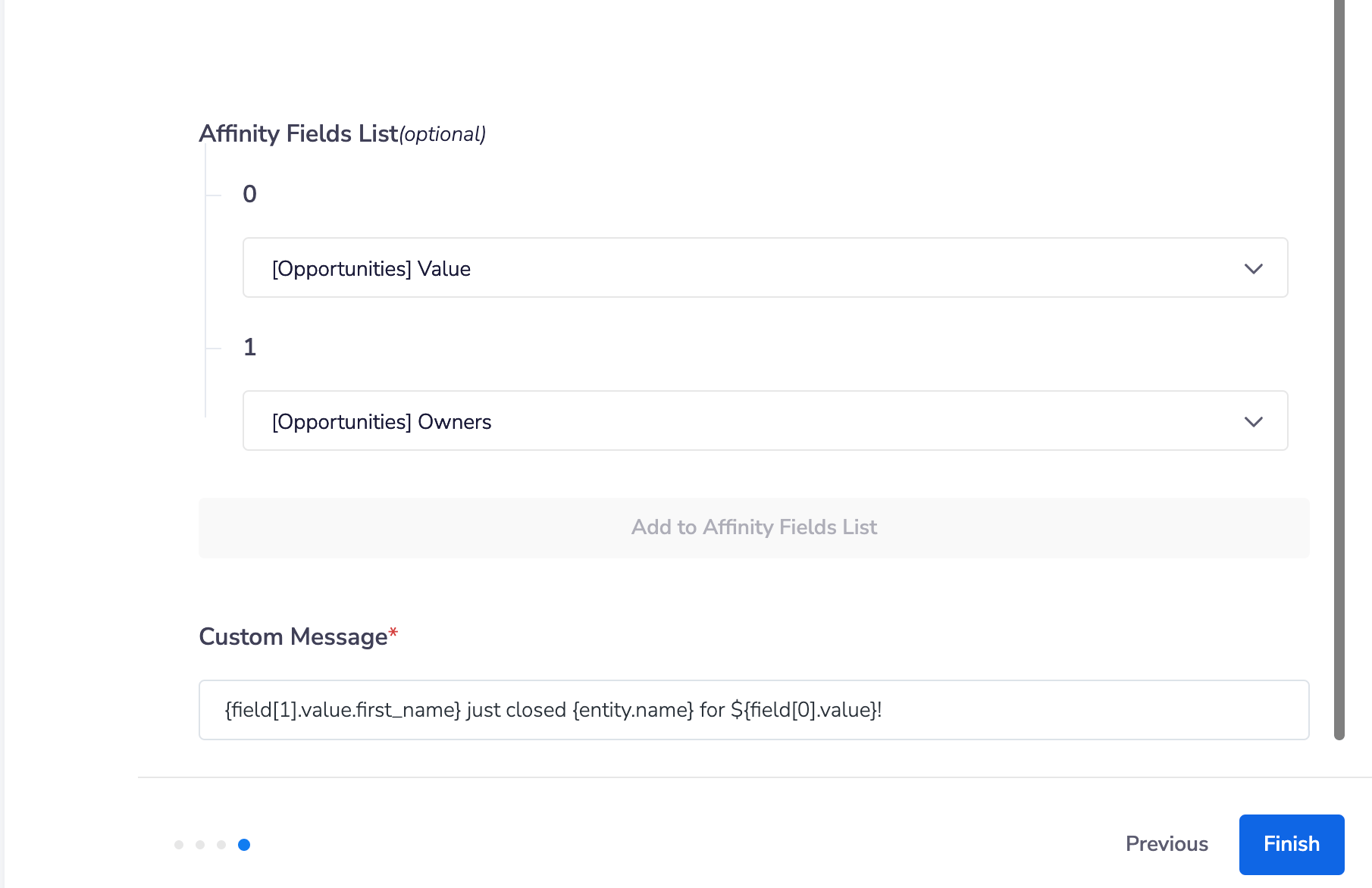
These are the fields you can change to trigger a response or fields you would like to have populated in a message. Think of these as columns in your list. You can reference the fields by the **Index**, in the same order as your input in the list in the previous step.
* For example, if you added `[12345, 678910]`...
* You can reference the field `12345` by `field[0]`
* You can reference the field `678910` by `field[1]` It's also important to double-check the field value **Type** as it changes the way you can access the actual value. See below on how to access the value of each field by type:
| Field Type | Option | Variable |
| ----------------------------- | -------------------------- | --------------------------------- |
| Text | Entire Text | `{field[0].value}` |
| Number | Choice of number in column | `{field[0].value}` |
| Date | Entire Date | `{field[0].value}` |
| Ranked Dropdown (e.g. Status) | Dropdown Text | `{field[0].value.text}` |
| Managed Dropdown | Dropdown option | `{field[0].value}` |
| Person | First Name | `{field[0].value.first_name}` |
| Person | Last Name | `{field[0].value.last_name}` |
| Person | Primary Email | `{field[0].value.primary_email}` |
| Organization | Name | `{field[0].value.name}` |
| Organization | Domain | `{field[0].value.domain}` |
| Location | Street Address | `{field[0].value.street_address}` |
| Location | City | `{field[0].value.city}` |
| Location | State | `{field[0].value.state}` |
## Text Formatting
Please note that not all formatting is compatible with Microsoft Teams and Slack.
| Format Types | In Affinity | In Slack |
| --------------------------------- | ------------------------------------------------------------------------------------------------- | ------------------------------------------ |
| Italic | *italics* | *italics* |
| Bold | \*bold\* | **bold** |
| Strikethrough | ~~strikethrough~~ | strikethrough |
| Line Break | line\nbreak | linebreak |
| Link to website | `` | [https://affinity.co](https://affinity.co) |
| Link to website with company name | `` | Affinity |
| Link to website with custom text | `` | Custom Text Here |
| Link to Person's Profile | `` | John Doe |
| Link to Organization's Profile | `` | Company XYZ |
| Link to Opportunity's Profile | `` | Opportunity 123 |
| Notify the team | `` | @here |
* Replace the "**subdomain**" portion here with your actual [Affinity subdomain](/s/article/How-to-find-your-Affinity-subdomain). If you see "[https://companyxyz.affinity.co/dashboard](https://companyxyz.affinity.co/dashboard)" on your web browser, then "**companyxyz**" is the subdomain.
## Example
**Sheet View**
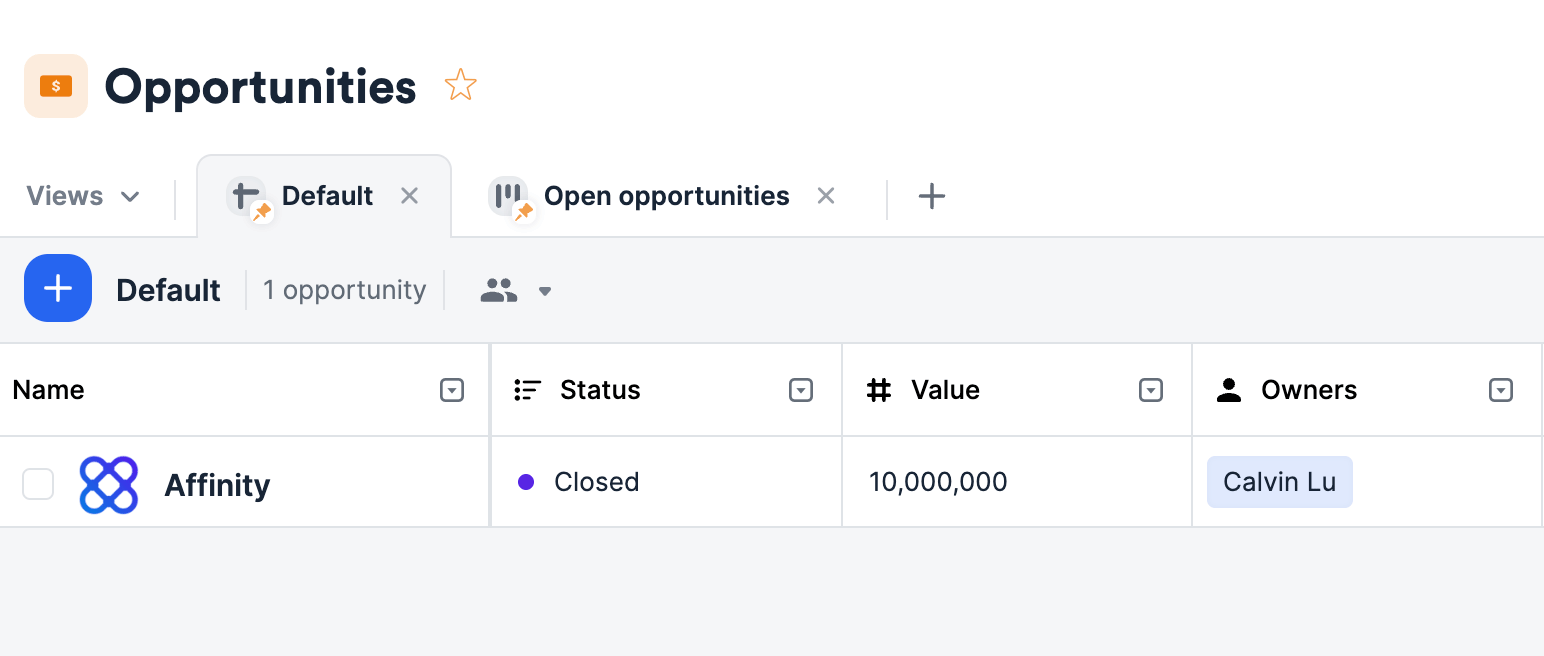 **Integration View** `{field[1].value.first_name} just closed {entity.name} for ${field[0].value}!`
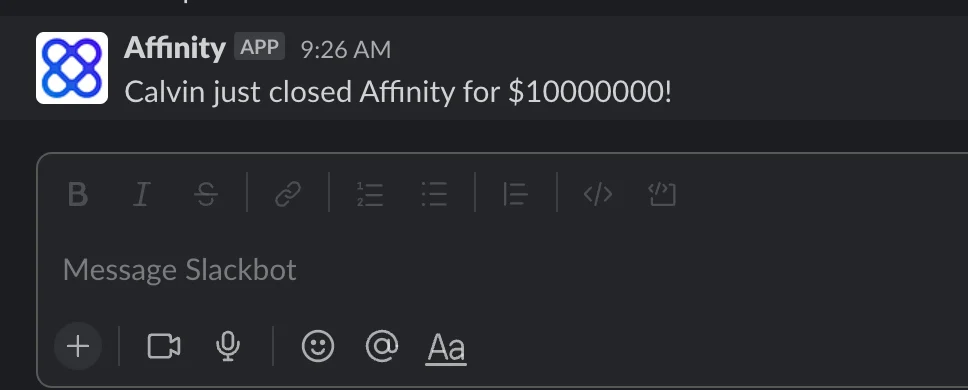
 **This will translate into:** "Calvin just closed Affinity for \$10000000!"