> ## Documentation Index
> Fetch the complete documentation index at: https://support.affinity.co/llms.txt
> Use this file to discover all available pages before exploring further.
# Best Practices Affinity For Private Equity
> Help center reference
Create, manage, and close deals faster and more easily with Affinity's dedicated relationship intelligence platform. In this article, we'll go over best practices and features you can leverage to get you/your team up and running in no time.
## Getting started with lists
Upon sign in, you'll notice that Affinity has provided you with a few lists to begin with. Follow the suggestions below to understand how these lists work together to optimize your workflow.
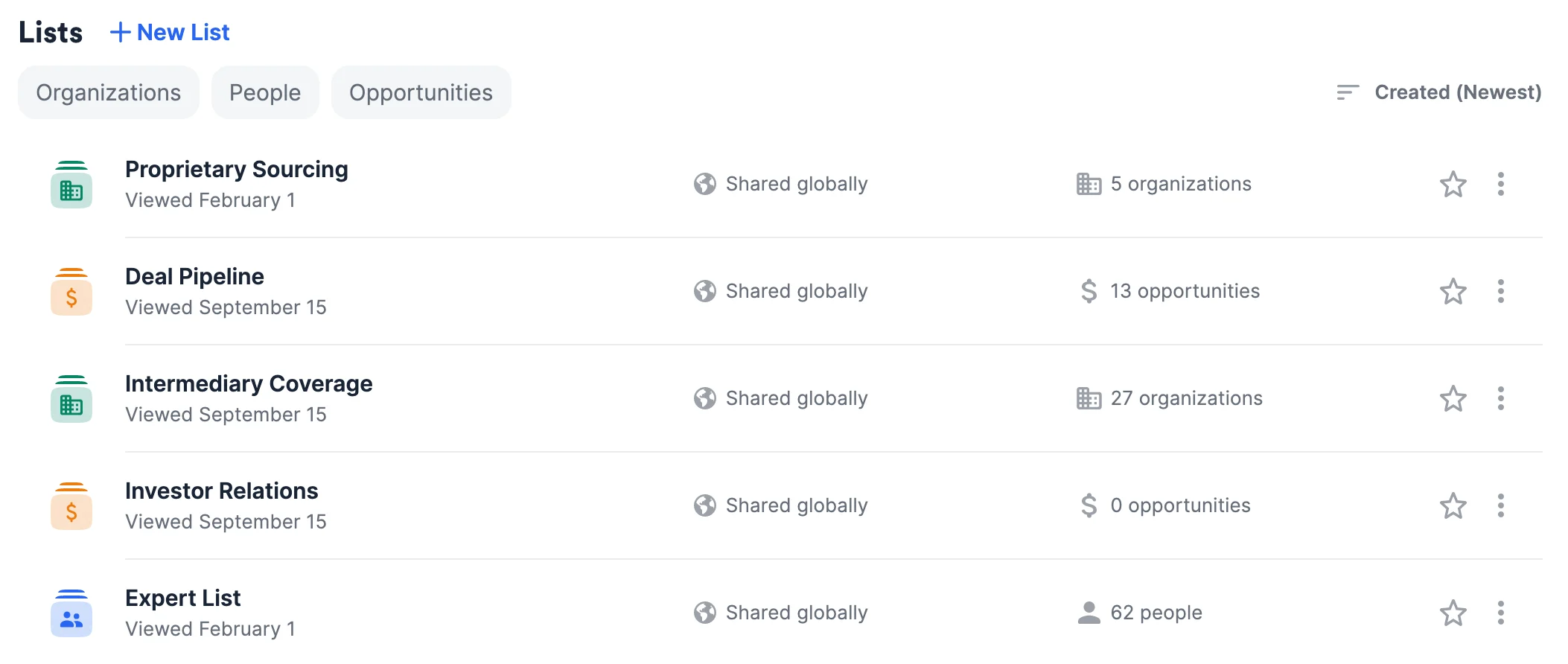 1. **Proprietary Sourcing** is an organization list that will help you/your team track relationships with the organizations that provide you with potential new deals and opportunities.
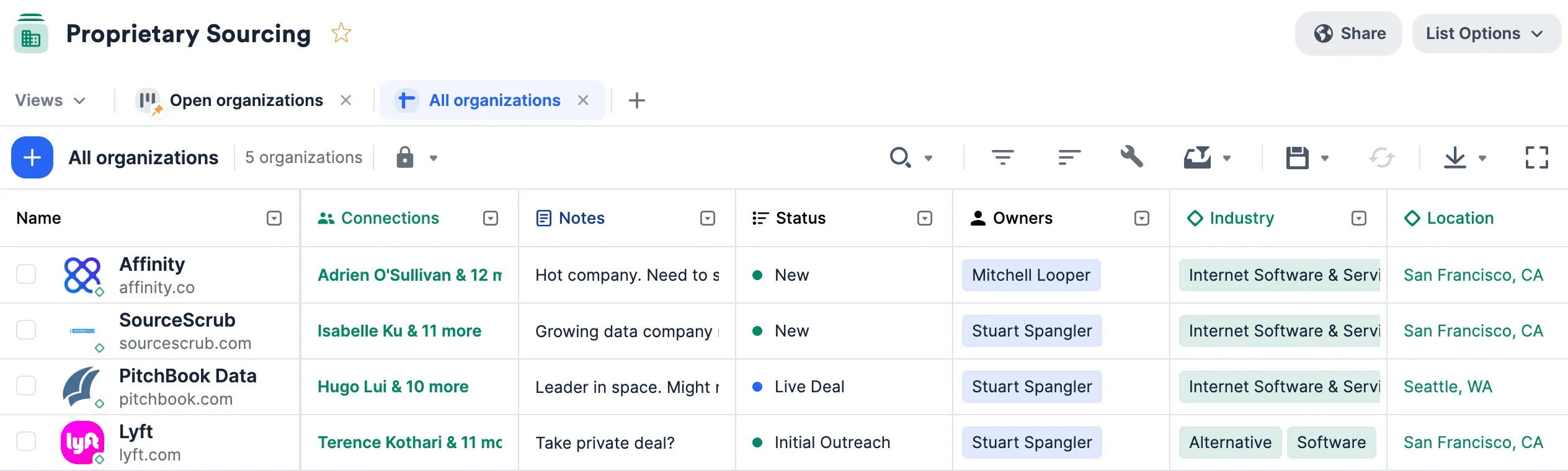 * Keep these relationships warm by setting up [reminder triggers](https://affinity2ndorg.lightning.force.com/articles/Knowledge/How-to-set-up-Reminder-Triggers) to stay in touch if a certain amount of time passes since your last interaction.
* Once you source a new deal, go to your **Deal Pipeline** list to create a new opportunity for this new deal (see below). To make sure all team members add new opportunities to the **Deal Pipeline** list, you can set up an [opportunity trigger](https://affinity2ndorg.lightning.force.com/articles/Knowledge/How-to-set-up-Opportunity-Triggers) to make this a required step.
2. **Deal Pipeline** is an opportunity list that will help you/your team track all deals in one place.
* Keep these relationships warm by setting up [reminder triggers](https://affinity2ndorg.lightning.force.com/articles/Knowledge/How-to-set-up-Reminder-Triggers) to stay in touch if a certain amount of time passes since your last interaction.
* Once you source a new deal, go to your **Deal Pipeline** list to create a new opportunity for this new deal (see below). To make sure all team members add new opportunities to the **Deal Pipeline** list, you can set up an [opportunity trigger](https://affinity2ndorg.lightning.force.com/articles/Knowledge/How-to-set-up-Opportunity-Triggers) to make this a required step.
2. **Deal Pipeline** is an opportunity list that will help you/your team track all deals in one place.
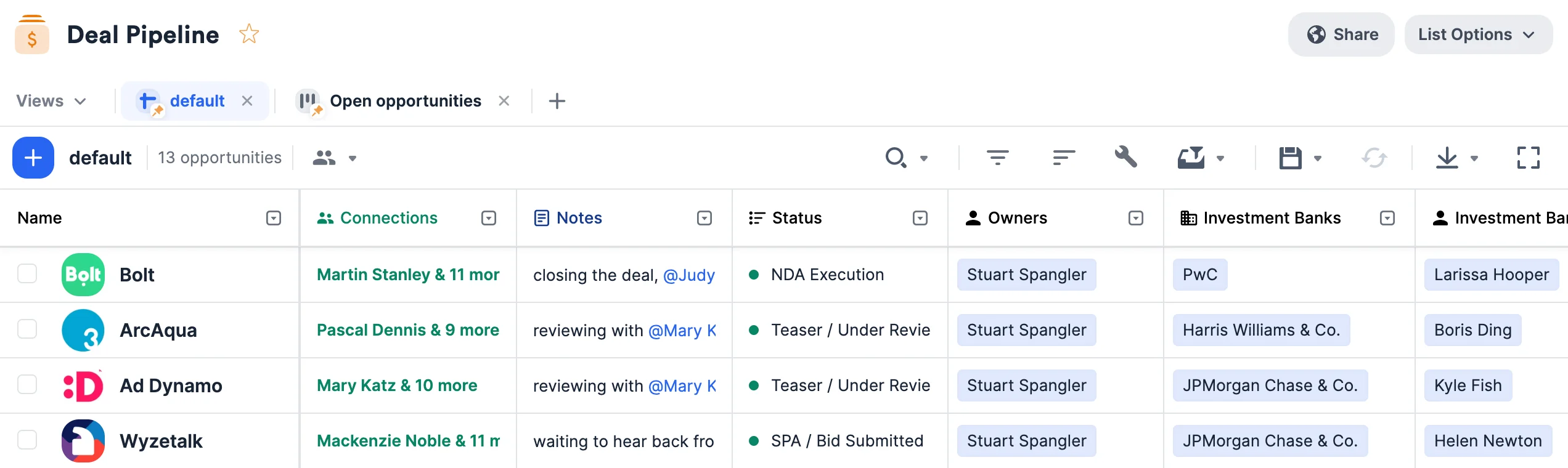 * Make sure to fill out the default **Organizations** and **People** fields for each opportunity with the relevant organization and people - these fields will determine how the other [enriched fields](https://affinity2ndorg.lightning.force.com/articles/Knowledge/Enriched-Global-and-List-specific-Fields) get auto-populated with data.
* Instead of creating a new organization list just for your portfolio companies, you can simply filter by all the won deals in the **Status** column, then create a new saved view by choosing **Duplicate this view** and labeling it "Portfolio Companies" (see [How to create and use saved views within a list](https://affinity2ndorg.lightning.force.com/articles/Knowledge/How-to-create-and-use-saved-views-within-a-list)).
* You can also create [board views](https://affinity2ndorg.lightning.force.com/articles/Knowledge/How-to-use-board-views-in-Affinity) to visualize your deals by different stages of the pipeline, often used for weekly team meetings.
* Keep these relationships warm by setting up [reminder triggers](https://affinity2ndorg.lightning.force.com/articles/Knowledge/How-to-set-up-Reminder-Triggers) to stay in touch if a certain amount of time passes since your last interaction.
3. **Intermediary Coverage** is an organization list that will help you/your team track relationships with investment banks, consultancies, law firms, and other intermediaries.
* Make sure to fill out the default **Organizations** and **People** fields for each opportunity with the relevant organization and people - these fields will determine how the other [enriched fields](https://affinity2ndorg.lightning.force.com/articles/Knowledge/Enriched-Global-and-List-specific-Fields) get auto-populated with data.
* Instead of creating a new organization list just for your portfolio companies, you can simply filter by all the won deals in the **Status** column, then create a new saved view by choosing **Duplicate this view** and labeling it "Portfolio Companies" (see [How to create and use saved views within a list](https://affinity2ndorg.lightning.force.com/articles/Knowledge/How-to-create-and-use-saved-views-within-a-list)).
* You can also create [board views](https://affinity2ndorg.lightning.force.com/articles/Knowledge/How-to-use-board-views-in-Affinity) to visualize your deals by different stages of the pipeline, often used for weekly team meetings.
* Keep these relationships warm by setting up [reminder triggers](https://affinity2ndorg.lightning.force.com/articles/Knowledge/How-to-set-up-Reminder-Triggers) to stay in touch if a certain amount of time passes since your last interaction.
3. **Intermediary Coverage** is an organization list that will help you/your team track relationships with investment banks, consultancies, law firms, and other intermediaries.
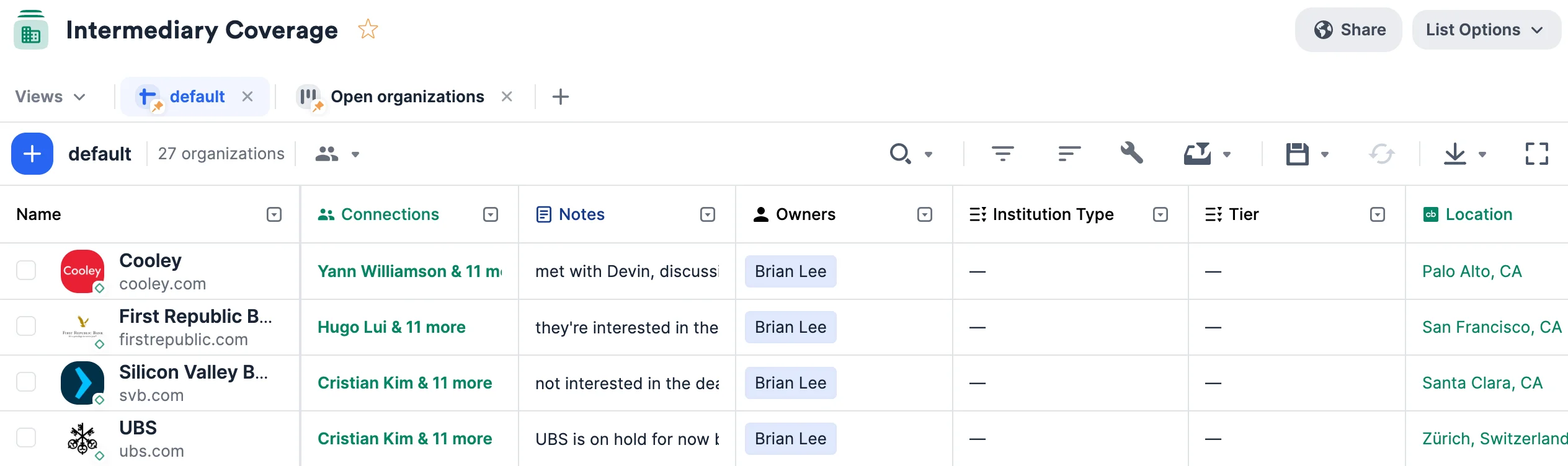 * Make sure to fill out the default **Organizations** and **People** fields for each opportunity with the relevant organization and people - these fields will determine how the other [enriched fields](https://affinity2ndorg.lightning.force.com/articles/Knowledge/Enriched-Global-and-List-specific-Fields) get auto-populated with data.
* Use the columns provided (i.e. **Investor Type**, **Investment Size**, etc.) to easily filter and narrow down your list based on different attributes.
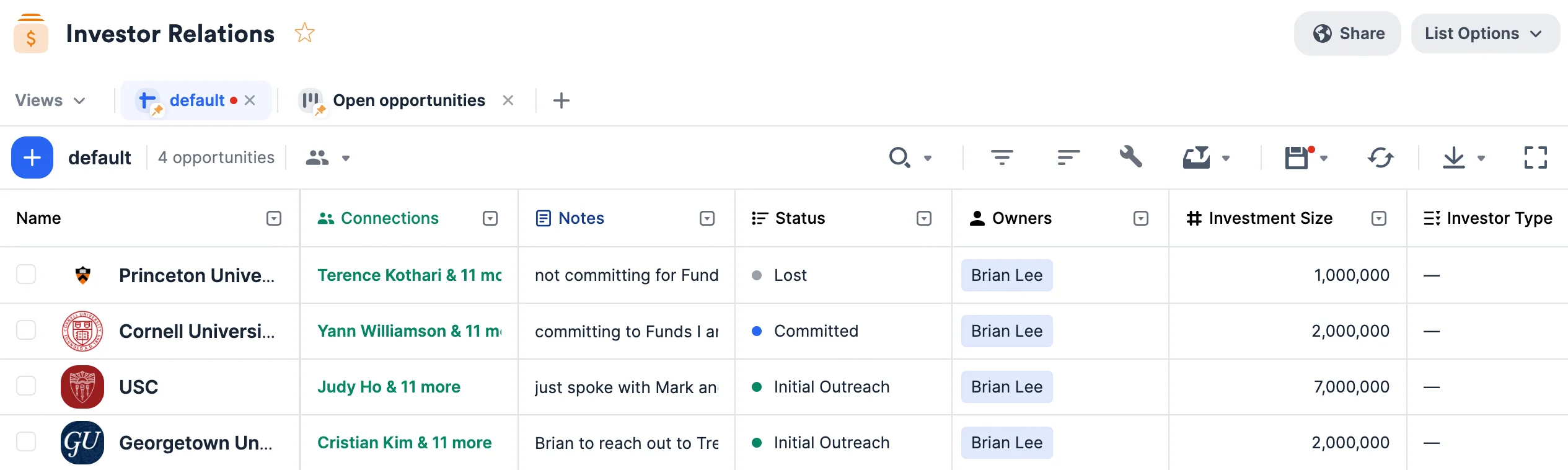
4. **Investor Relations** is an opportunity list that will help you/your team track all your LPs and their respective statuses when it comes to raising capital for different funds over time.
* Make sure to fill out the default **Organizations** and **People** fields for each opportunity with the relevant organization and people - these fields will determine how the other [enriched fields](https://affinity2ndorg.lightning.force.com/articles/Knowledge/Enriched-Global-and-List-specific-Fields) get auto-populated with data.
* Use the columns provided (i.e. **Investor Type**, **Investment Size**, etc.) to easily filter and narrow down your list based on different attributes.
4. **Investor Relations** is an opportunity list that will help you/your team track all your LPs and their respective statuses when it comes to raising capital for different funds over time.
 * Make sure to fill out the default **Organizations** and **People** fields for each opportunity with the relevant organization and people - these fields will determine how the other [enriched fields](https://affinity2ndorg.lightning.force.com/articles/Knowledge/Enriched-Global-and-List-specific-Fields) get auto-populated with data.
* Use the columns provided (i.e. **Investor Type**, **Investment Size**, etc.) to easily filter and narrow down your list based on different attributes.
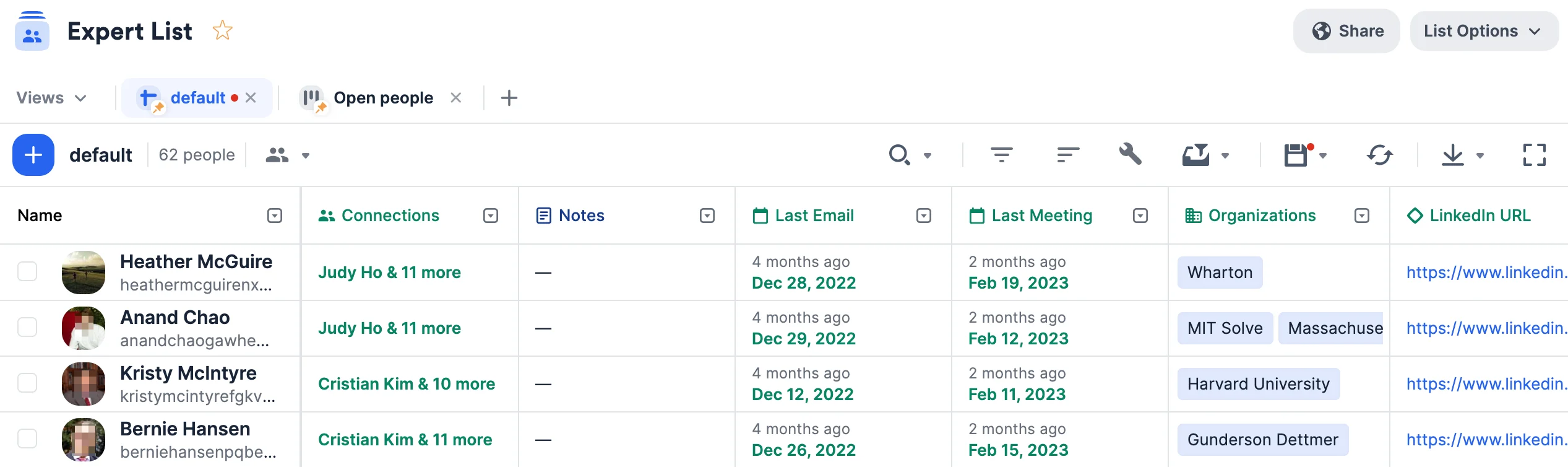
5. **Expert List** is a people list that will help you/your team track relationships with subject matter experts in different industries and roles.
* Make sure to fill out the default **Organizations** and **People** fields for each opportunity with the relevant organization and people - these fields will determine how the other [enriched fields](https://affinity2ndorg.lightning.force.com/articles/Knowledge/Enriched-Global-and-List-specific-Fields) get auto-populated with data.
* Use the columns provided (i.e. **Investor Type**, **Investment Size**, etc.) to easily filter and narrow down your list based on different attributes.
5. **Expert List** is a people list that will help you/your team track relationships with subject matter experts in different industries and roles.
 * Keep these relationships warm by setting up [reminder triggers](https://affinity2ndorg.lightning.force.com/articles/Knowledge/How-to-set-up-Reminder-Triggers) to stay in touch if a certain amount of time passes since your last interaction.
## Importing data into these lists
Now that you have these lists set up, quickly migrate data from other CRMs into Affinity using our data importer.
## Getting started with reporting/analytics
Once your lists are filled with relevant data, you can leverage [Affinity Analytics](/s/article/Getting-started-with-Affinity-Analytics) if you're on the **Scale**, **Advanced**, or **Enterprise** tiers.
1. [Getting started with Affinity Analytics](/s/article/Getting-started-with-Affinity-Analytics)
2. [Affinity Analytics - List Summary Reports](/s/article/Affinity-Analytics-List-Summary-Reports)
3. [Affinity Analytics - Status Reports for Investment Banking](/s/article/Analytics-dashboards)
4. [Affinity Analytics - Introductions Summary Reports](/s/article/Affinity-Analytics-Introductions-Summary-Reports)
5. [Affinity Analytics - Team Activity Reports](/s/article/Affinity-Analytics-Team-Activity-Reports)
6. [Affinity Analytics - Funnel Analysis Reports](/s/article/Affinity-Analytics-Funnel-Analysis-Reports)
7. Get notified when certain metrics/thresholds are met using [Affinity Analytics alerts](/s/article/How-to-set-up-automated-alerts-for-Affinity-Analytics).
##
* Keep these relationships warm by setting up [reminder triggers](https://affinity2ndorg.lightning.force.com/articles/Knowledge/How-to-set-up-Reminder-Triggers) to stay in touch if a certain amount of time passes since your last interaction.
## Importing data into these lists
Now that you have these lists set up, quickly migrate data from other CRMs into Affinity using our data importer.
## Getting started with reporting/analytics
Once your lists are filled with relevant data, you can leverage [Affinity Analytics](/s/article/Getting-started-with-Affinity-Analytics) if you're on the **Scale**, **Advanced**, or **Enterprise** tiers.
1. [Getting started with Affinity Analytics](/s/article/Getting-started-with-Affinity-Analytics)
2. [Affinity Analytics - List Summary Reports](/s/article/Affinity-Analytics-List-Summary-Reports)
3. [Affinity Analytics - Status Reports for Investment Banking](/s/article/Analytics-dashboards)
4. [Affinity Analytics - Introductions Summary Reports](/s/article/Affinity-Analytics-Introductions-Summary-Reports)
5. [Affinity Analytics - Team Activity Reports](/s/article/Affinity-Analytics-Team-Activity-Reports)
6. [Affinity Analytics - Funnel Analysis Reports](/s/article/Affinity-Analytics-Funnel-Analysis-Reports)
7. Get notified when certain metrics/thresholds are met using [Affinity Analytics alerts](/s/article/How-to-set-up-automated-alerts-for-Affinity-Analytics).
##