> ## Documentation Index
> Fetch the complete documentation index at: https://support.affinity.co/llms.txt
> Use this file to discover all available pages before exploring further.
# Affinity For Salesforce Leveraging Your Connections And Relationship Strengths
> Help center reference
**Reference** — lookup information.
With Affinity's relationship intelligence, you and your team can leverage the shared **Connections** you have with contacts and accounts in your Salesforce instance, as well as the **Relationship Strengths** of these connections to quickly find out who to best ask for a warm introduction.
**Note**: If you're setting up Affinity for Salesforce for the very first time, it may take up to 24 hours for your connections to appear.
## Overview
 1. What are Relationship Strengths?
2. Types of Connections in Affinity
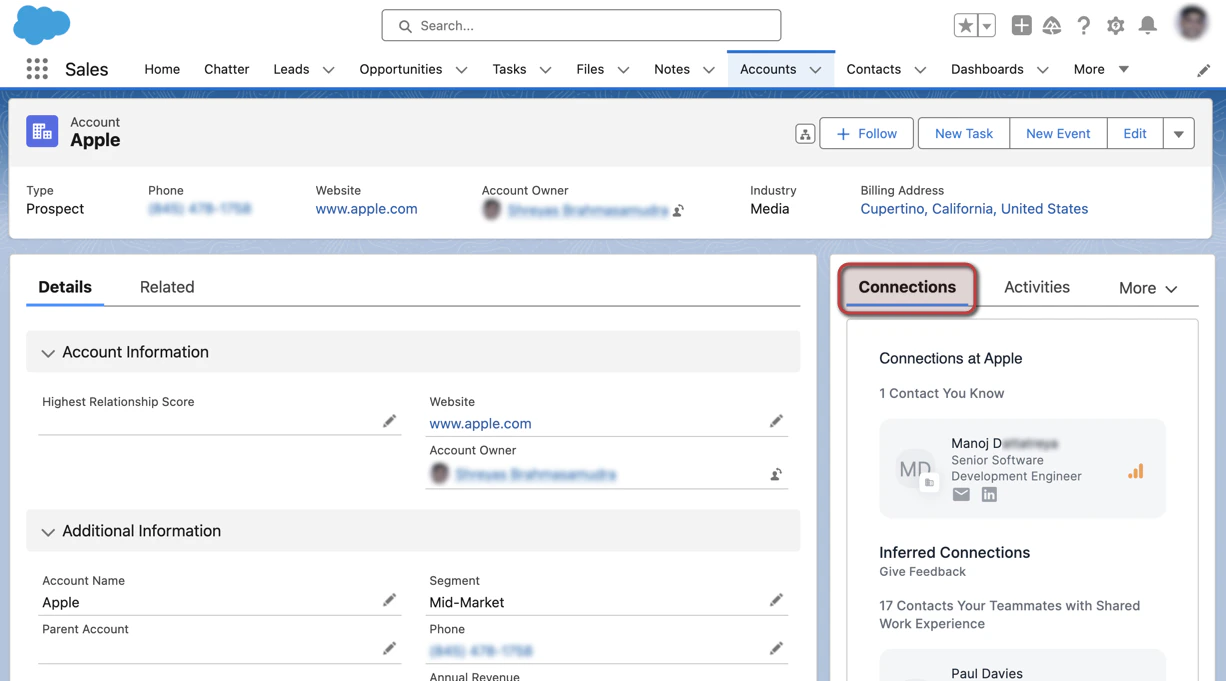
3. Viewing Connections on a contact's or account's profile page
4. Can you export Connections and Relationship Strengths?
### What are Relationship Strengths?
A relationship strength is a numerical score given to your connections that ranges from 10 (weak) - 100 (strong). Relationship strengths are calculated based on the recency and frequency of interactions between two individuals. The scores are also ranked by different colored bars.
1. What are Relationship Strengths?
2. Types of Connections in Affinity
3. Viewing Connections on a contact's or account's profile page
4. Can you export Connections and Relationship Strengths?
### What are Relationship Strengths?
A relationship strength is a numerical score given to your connections that ranges from 10 (weak) - 100 (strong). Relationship strengths are calculated based on the recency and frequency of interactions between two individuals. The scores are also ranked by different colored bars.
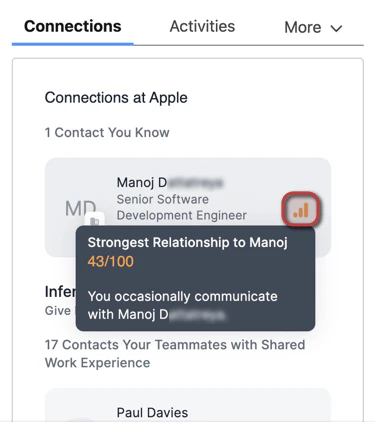 1. Green bars represent strong connections
2. Orange bars represent average connections
3. Gray bars represent weak connections
### Types of Connections in Affinity
1. **Contacts You Know** - These are the contacts you have directly communicated with.
2. **Contacts Your Teammates Know** - These are the contacts that your teammates have directly communicated with.
3. **Contacts Added Manually** - These are the contacts that have been manually associated with a given account, and only appear on account profiles.
4. **Inferred Connections** - These are the contacts that you/your team can potentially get introduced to based on previous shared work experience.
1\.
**Note**: Inferred Connections will only appear for accounts, **not** for contacts or opportunities.
### Viewing Connections on a contact's or account's profile page
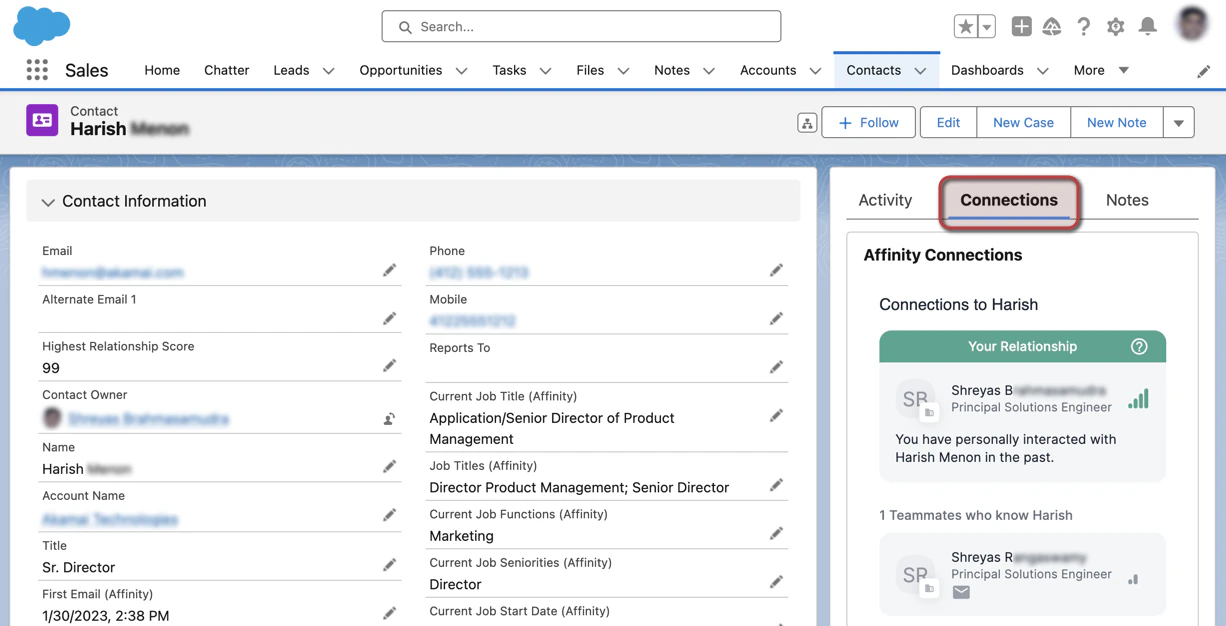
1. Click the **Connections** tab to see your/your team members' connections with that contact/account.
1. Green bars represent strong connections
2. Orange bars represent average connections
3. Gray bars represent weak connections
### Types of Connections in Affinity
1. **Contacts You Know** - These are the contacts you have directly communicated with.
2. **Contacts Your Teammates Know** - These are the contacts that your teammates have directly communicated with.
3. **Contacts Added Manually** - These are the contacts that have been manually associated with a given account, and only appear on account profiles.
4. **Inferred Connections** - These are the contacts that you/your team can potentially get introduced to based on previous shared work experience.
1\.
**Note**: Inferred Connections will only appear for accounts, **not** for contacts or opportunities.
### Viewing Connections on a contact's or account's profile page
1. Click the **Connections** tab to see your/your team members' connections with that contact/account.
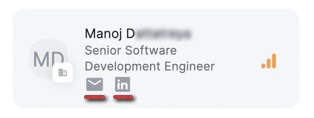
 2. Depending on whether such information is available, you can click on the **Email** icon to copy their email address and/or click on the **LinkedIn** icon to quickly access their LinkedIn profile page for further research before reaching out.
 ### Can you export Connections and Relationship Strengths?
* Connections and Relationship Strengths can be exported directly from your Salesforce instance via the **Affinity Connections** object.
### Can you export Connections and Relationship Strengths?
* Connections and Relationship Strengths can be exported directly from your Salesforce instance via the **Affinity Connections** object.