> ## Documentation Index
> Fetch the complete documentation index at: https://support.affinity.co/llms.txt
> Use this file to discover all available pages before exploring further.
# Affinity For Salesforce How To Create Reports In Salesforce Using Affinity Data
> Help center reference
**Reference** — lookup information.
Unlock new insights by using Affinity's relationship intelligence and data to create reports within your Salesforce instance.
## Overview
* How to create Salesforce reports using Affinity's premade templates
* How to create Salesforce reports from scratch using Affinity Data and synced Email and Meeting Activity data
* Examples of reports you can create using Affinity Data
* Average Relationship Score Trend
* Percentage of Relationship Score Sums by Industry
## How to create Salesforce reports using Affinity's premade templates
Use Affinity's premade templates as a starting point for how you/your team can use relationship-focused insights to improve performance and drive more revenue.
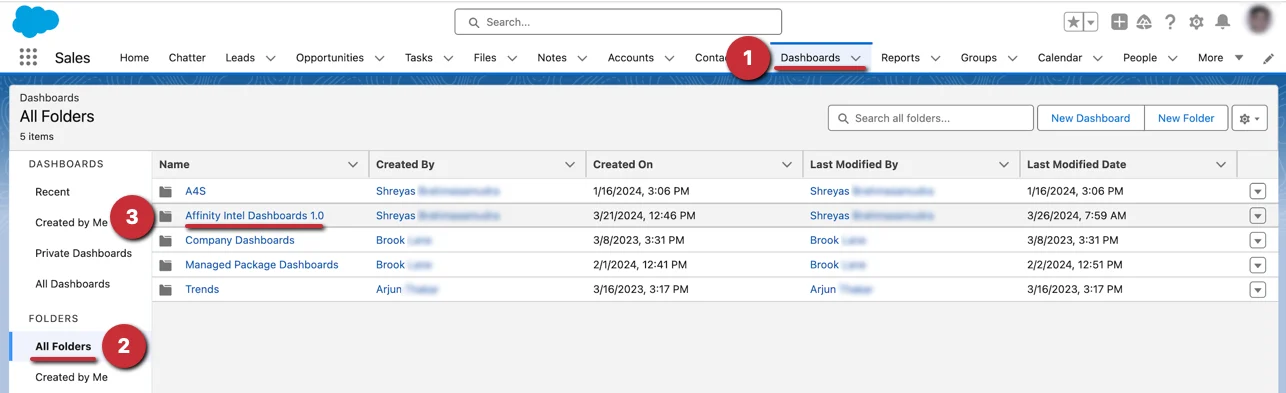
1. Once the Salesforce admin on your account has updated to Affinity for Salesforce's [latest managed package](/s/article/How-to-install-update-Affinity-s-Managed-Package-in-Salesforce), you can get started with Affinity's premade templates by clicking on **Dashboards** > **All Folders** > **Affinity Intel Dashboards 1.0**.
 2. Then, select the dashboard that you'd like to access based on your role:
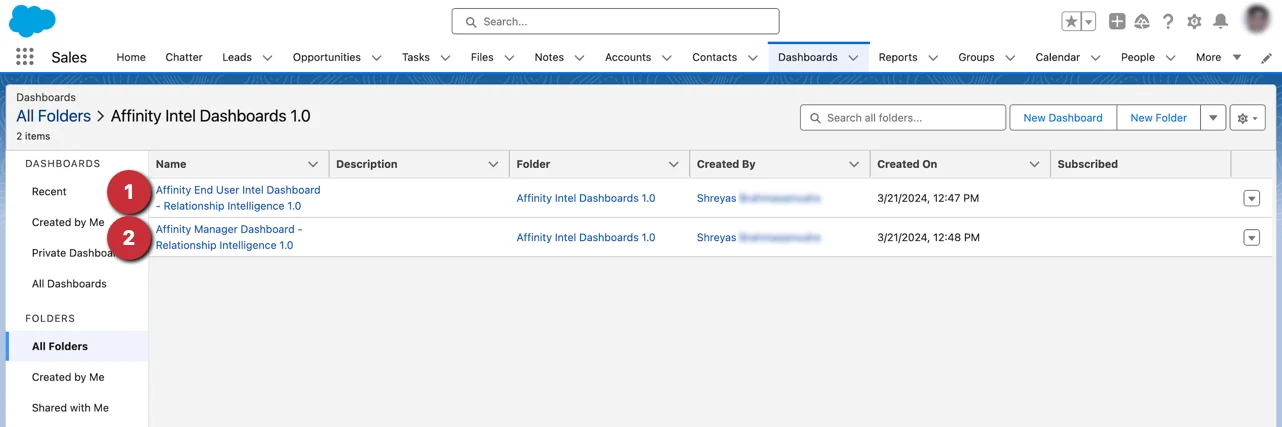 * End User
* Manager
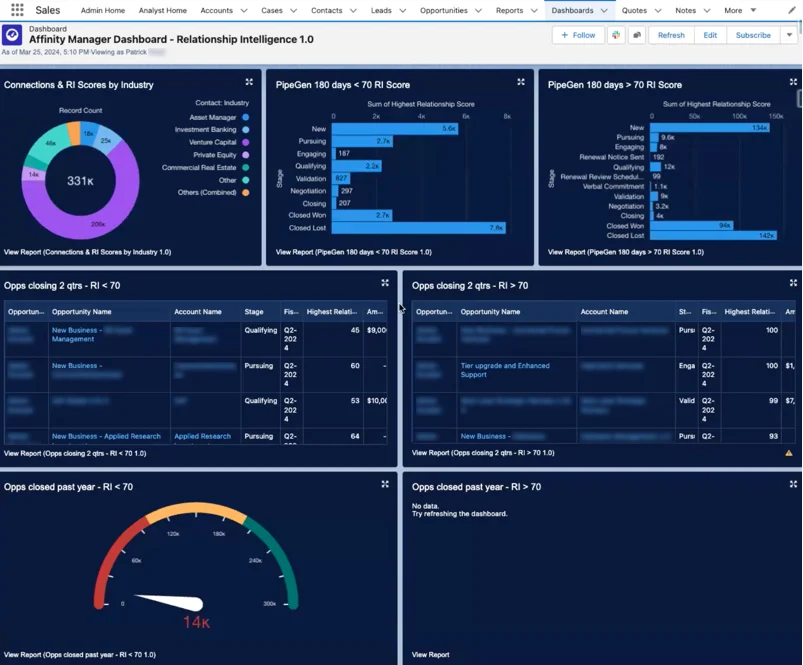
3. Now, you will see a dashboard with reports already made for you to dive into and/or edit accordingly.
* End User
* Manager
3. Now, you will see a dashboard with reports already made for you to dive into and/or edit accordingly.
 ## How to create Salesforce reports from scratch using Affinity Data and synced Email and Meeting Activity data
In addition to Affinity's pre-made templates, you can create custom reports from scratch or edit existing reports with Affinity's data in the following ways:
* Use the **Affinity Data** fields that are being pulled into your [custom Salesforce fields (required)](/s/article/Creating-custom-Salesforce-fields-based-on-Affinity-Data-fields) for Account and Contact objects.
* Use the **Email and Meeting Activity** data that Affinity natively syncs into Salesforce.
* Learn more about creating reports catered to dealflow analysis in this article: [How to build a dealmaker dashboard in Salesforce using Affinity data](/s/article/How-to-build-a-dealmaker-dashboard-in-Salesforce-using-Affinity-data)
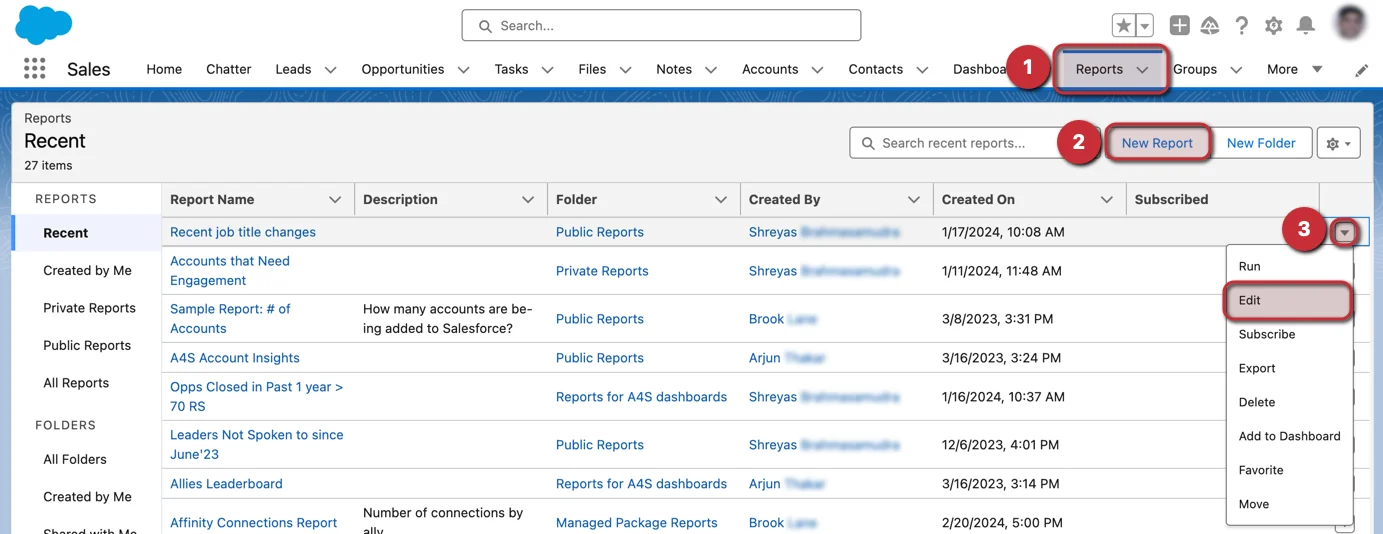
1. To create a new report or edit an existing report, click on the **Reports** tab.
2. From here, click on **New Report** to start a new report from scratch.
3. Otherwise, you can click the dropdown arrow next to an existing report that you'd like to **Edit** and start adding/replacing fields with the relevant **Affinity Data** fields or **Email and Meeting Activity Data**.
## How to create Salesforce reports from scratch using Affinity Data and synced Email and Meeting Activity data
In addition to Affinity's pre-made templates, you can create custom reports from scratch or edit existing reports with Affinity's data in the following ways:
* Use the **Affinity Data** fields that are being pulled into your [custom Salesforce fields (required)](/s/article/Creating-custom-Salesforce-fields-based-on-Affinity-Data-fields) for Account and Contact objects.
* Use the **Email and Meeting Activity** data that Affinity natively syncs into Salesforce.
* Learn more about creating reports catered to dealflow analysis in this article: [How to build a dealmaker dashboard in Salesforce using Affinity data](/s/article/How-to-build-a-dealmaker-dashboard-in-Salesforce-using-Affinity-data)
1. To create a new report or edit an existing report, click on the **Reports** tab.
2. From here, click on **New Report** to start a new report from scratch.
3. Otherwise, you can click the dropdown arrow next to an existing report that you'd like to **Edit** and start adding/replacing fields with the relevant **Affinity Data** fields or **Email and Meeting Activity Data**.
 ## Examples of reports you can create using Affinity Data
### Average Relationship Score Trend
You can create a visualization that tracks the **Average Relationship Score Trend**, which can help you and your team understand if you're prioritizing the accounts and contacts you haven't been in frequent contact with over time.
### Percentage of Relationship Score Sums by Industry
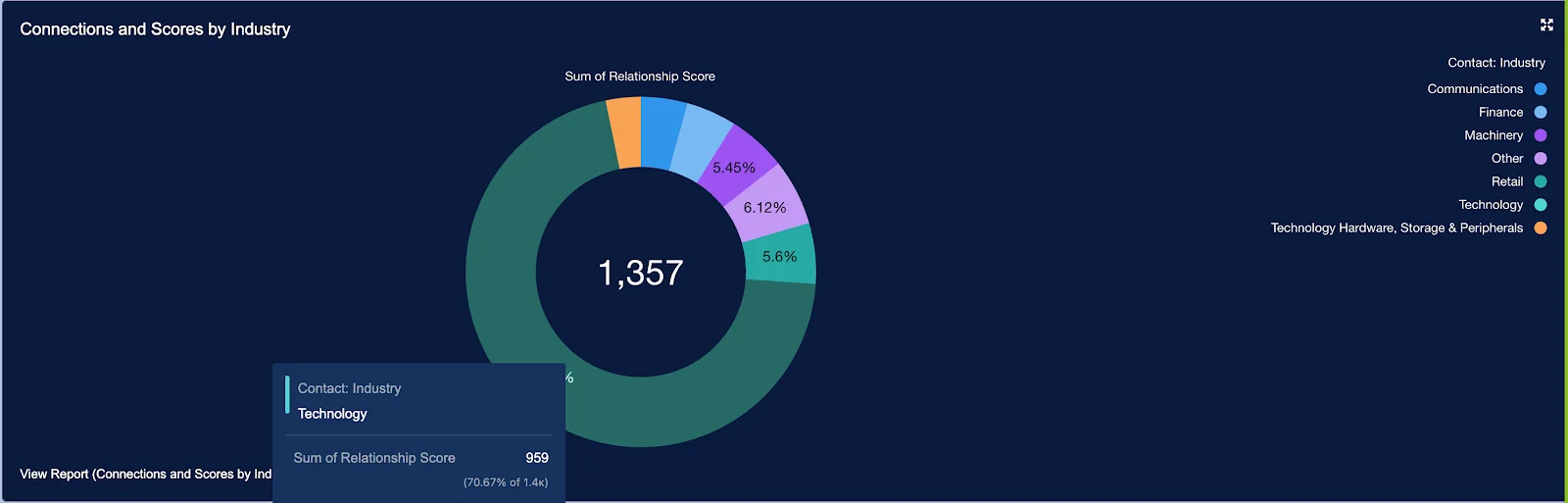
You can create a visualization that shows the **Percentage of Relationship Score Sums by Industry**. This will show you which industries you and your team members communicate with the most frequently.
## Examples of reports you can create using Affinity Data
### Average Relationship Score Trend
You can create a visualization that tracks the **Average Relationship Score Trend**, which can help you and your team understand if you're prioritizing the accounts and contacts you haven't been in frequent contact with over time.
### Percentage of Relationship Score Sums by Industry
You can create a visualization that shows the **Percentage of Relationship Score Sums by Industry**. This will show you which industries you and your team members communicate with the most frequently.
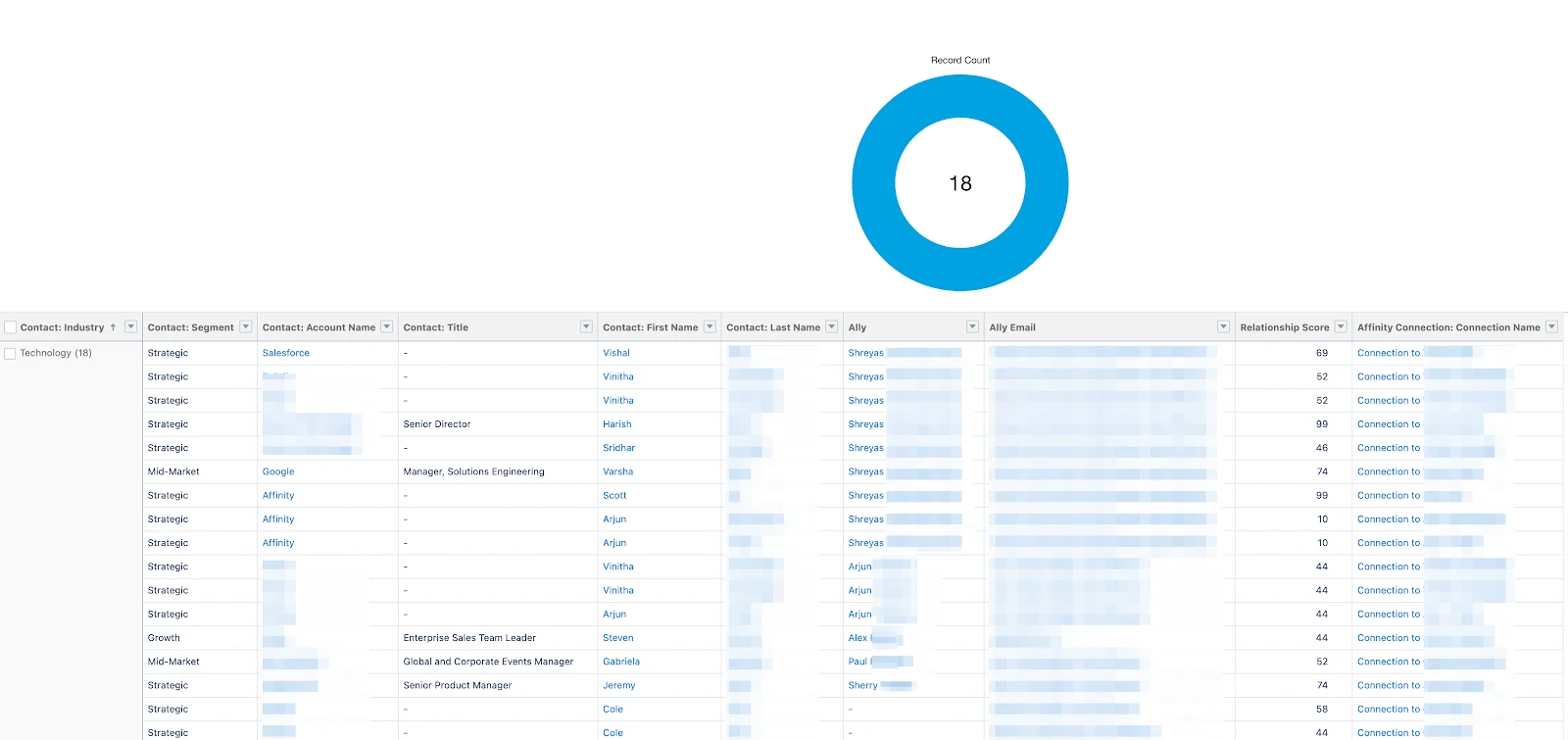
 You can also drill down into a specific attribute to view all the underlying data in sheet format.
 Learn more about creating reports catered to dealflow analysis in this article: [How to build a dealmaker dashboard in Salesforce using Affinity data](/s/article/How-to-build-a-dealmaker-dashboard-in-Salesforce-using-Affinity-data)